Curated pack · home office cad block pack
Free home office CAD block pack for AutoCAD
By Sumana Kumar · Published 21 Oct 2023 · Updated 25 Apr 2026
The home office has gone from a luxury to a room people expect, whether it's a dedicated study, a spare-room desk or a worktop carved out of a landing. This free home office CAD block pack collects the furniture that makes those layouts work — desks and workstations, task chairs, shelving and storage — in DWG and DXF, drawn at true millimetre sizes and ready to insert into AutoCAD 2004 or later. Free for personal and commercial work, no signup, no watermark.
Use the pack to lay out home studies, spare-room offices, built-in desk nooks and small consulting rooms. Because the desks and chairs are drawn to real depths, the things that decide a comfortable workspace — the leg room under the desk, the push-back space behind the chair, the reach to storage — are visible on the plan.
The blocks work as a unit: place the desk against the wall or window, slide the task chair under it, add storage within reach, and a usable home-office zone is set against real dimensions rather than optimism.
What's in the home office pack
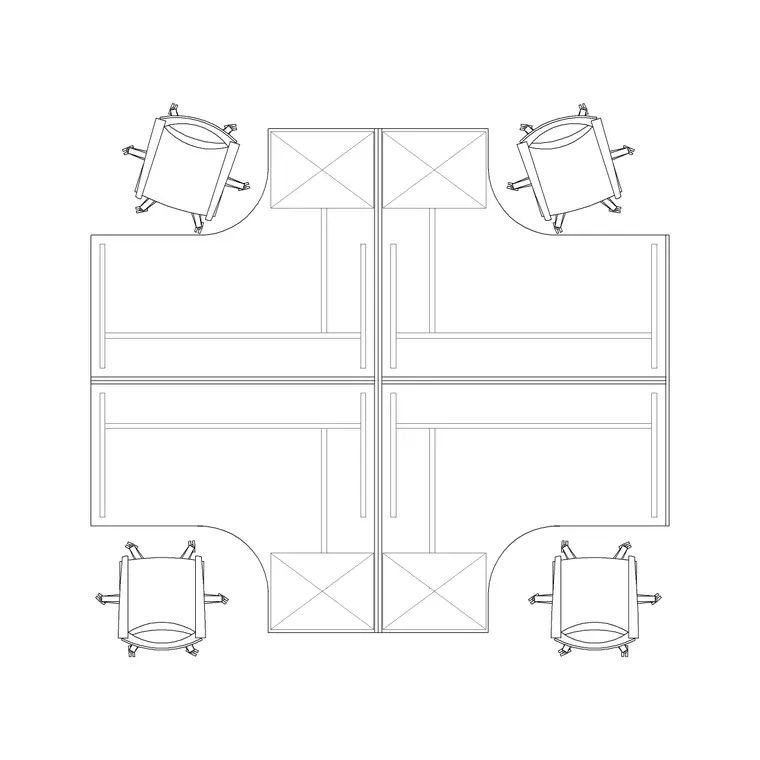
The pack is built around the desk-and-chair pairing that every home office comes down to. There are single desks and larger shared workstations — including a four-position workstation block you can split for a home office or use whole for a small studio — alongside task chairs and the shelving and storage units that line the wall behind a desk.
Each piece is a clean plan-view block you can copy, mirror and rotate as a unit. The desk surface, the chair and the storage sit on a furniture layer convention so you can freeze them for a clean shell plan and thaw them for the furnished layout. The workstation block is especially useful for a home office that doubles as a small team's base, because it gives you a ready-made multi-desk arrangement.
How to use the set together
Decide where the desk faces first, because that drives everything: against a wall for focus, toward a window for daylight, or facing into the room for a client-facing study. Place the desk, then slide the task chair under it and check the two figures a workspace lives by — at least 600 mm of clear leg space under the desk, and 900–1100 mm behind the chair so someone can push back and stand without hitting a bookshelf or a wall.
With the desk fixed, add storage within an arm's reach — a return, a low cabinet, or shelving on the wall behind. For a shared home office, the four-position workstation gives you the desks already spaced; just confirm each seat's push-back space and the route in and out. Keep the cabling implied by leaving the desk near a wall where sockets live.
Desk and workstation notes
A single home-office desk runs roughly 1200–1600 mm wide and 600–800 mm deep — the depth matters because a shallow desk crowds a monitor, and 700–800 mm gives a comfortable screen distance. The worktop sits around 720–750 mm high, which is the figure to use when you draw the desk in elevation against a window sill or a return.
The four-position workstation block is drawn as a coordinated cluster, so it suits a home office that hosts a couple of people or a spare room repurposed as a small studio. Split it down the middle for a two-desk shared study, or use the whole cluster where the room allows. Either way the desks come pre-spaced, so you check the clearances rather than setting out each surface by hand.
Chairs and storage
A task chair needs its swivel-base footprint respected: about 600–700 mm in diameter once you account for the five-star base and castors, and that footprint is what governs the push-back space behind the desk. Keep the chair as its own block tucked under the desk so you can slide it out on the plan to prove the clearance, then leave it stowed for a tidy drawing.
Storage is what turns a desk into an office. A low cabinet or drawer return within reach keeps the working surface clear; shelving on the wall behind the desk adds capacity without eating floor. Place storage so it's reachable from the seated position where possible, and keep it on the furniture layer with the desk and chair so the whole workspace freezes and thaws as one.
Plan view for layouts
Home-office work is mostly plan: the desk, chair and storage seen from above with the leg, push-back and circulation space checked. The plan blocks are what you mirror when a desk nook is the handed twin of another, or array when a co-working corner repeats the same workstation.
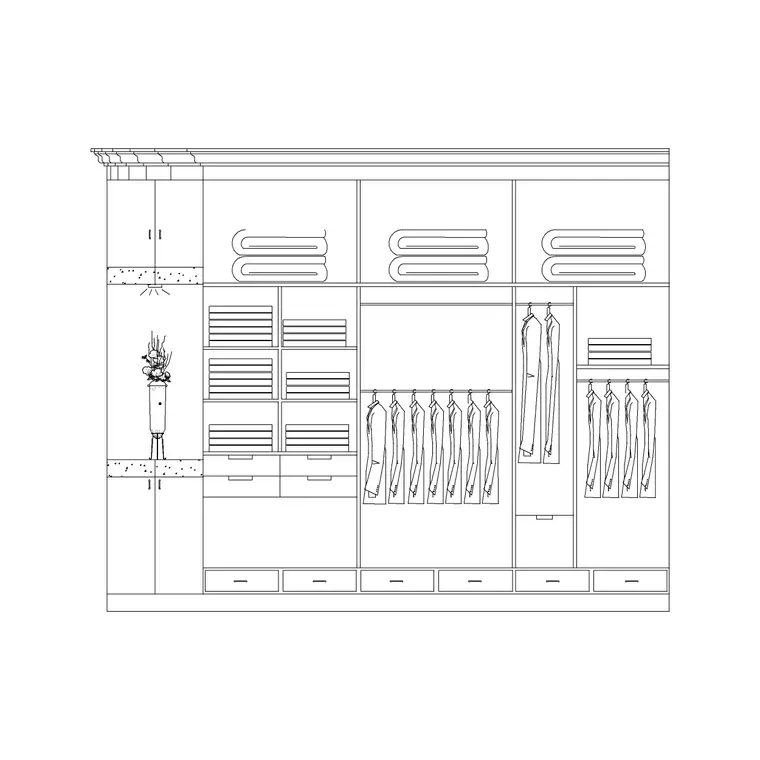
For interior elevations — a built-in desk against a wall of shelving, say — you'll pull the desk and storage heights into a section, which is where the 720–750 mm worktop height earns its place. But the layout itself, where the desk faces and how the chair clears, is decided in plan, which is what this pack is set up for.
Who uses the home office pack
Interior designers use it to design studies and desk nooks within residential schemes. Architects use it to show a spare room or a landing recess can take a workable home office. Fit-out and joinery designers use the desk and storage blocks to set out built-in studies that are drawn once and repeated across a development.
Because the blocks are free and licence-clear, the same pack serves a single home study or a small commercial office. Pair it with the office category and the bedroom set to fit out a spare-room-cum-study or a guest-room-plus-desk from one consistent library.
Free download
Browse the full library — DWG & DXF, no signup.
Questions
Frequently asked
What's in the home office pack?+
Single desks and a multi-position workstation block, task chairs, and shelving and storage units — all scaled plan-view blocks for laying out studies, spare-room offices and built-in desk nooks.
How much space should I leave behind a home-office chair?+
Allow 900–1100 mm behind the desk so the task chair can push back and the person can stand. The chair's swivel base is roughly 600–700 mm across, and that footprint governs the clearance — the scaled block makes it visual.
Can I use the workstation block for a two-person study?+
Yes. The four-position workstation is drawn as a coordinated cluster you can split down the middle for a shared two-desk study, or use whole for a small studio. The desks come pre-spaced, so you just confirm clearances.
Are the home office blocks free for commercial use?+
Yes. Every block downloads free in DWG and, where available, DXF, with no signup, no watermark and no attribution requirement, cleared for commercial projects.
Related downloads
Blocks for this guide
Popular blocks to download
Related categories
Related guides
Curated pack
Free Office CAD Block Pack — DWG & DXF
Free office CAD block pack in DWG and DXF — desks, workstations, conference tables and reception furniture in plan view. No signup, commercial-use OK.
Curated pack
Free Reception Area CAD Block Pack — DWG
Free reception area CAD block pack in DWG and DXF — reception desks, waiting seating and scale figures for lobby layouts. No signup, commercial-use OK.
Curated pack
Free Restaurant CAD Block Pack — DWG & DXF
Free restaurant CAD block pack in DWG and DXF — dining tables, chairs, bar stools and high chairs for cafe and restaurant layouts. No signup, commercial OK.