Block landing · door with vision panel cad block
Free door with vision panel CAD blocks for AutoCAD
By Sumana Kumar · Published 15 Apr 2026 · Updated 10 May 2026
A door with a vision panel is a solid door with a glazed window set into the leaf — a viewing panel that lets you see whether someone is coming the other way before you push through. It is a small detail with a big safety job, which is why vision-panel doors are required on so many corridors, classrooms and double-swing routes. On the drawing the door is an ordinary swing door in plan, but the elevation has to show the glazed panel and its position. This page collects free door with vision panel CAD blocks in DWG and DXF, drawn full size in plan and elevation for AutoCAD 2004 or later, free for personal and commercial use.
The defining feature of this door type is the vision panel itself: a glazed opening in the leaf, sized and positioned so people of different heights can see through. Some versions add a protective grill over the glass for robust or secure settings. The block draws the panel to scale so the elevation and the door schedule show exactly what kind of viewing opening the door has.
What a vision panel door block shows
In plan, a door with a vision panel is a normal single (or double) swing door — a leaf, a swing arc and a frame. The vision panel does not change the plan symbol, so a vision-panel door and a plain door look the same in plan. The distinction lives entirely in the elevation, where the block shows the glazed panel set into the leaf: its shape, its size and its height above the floor.
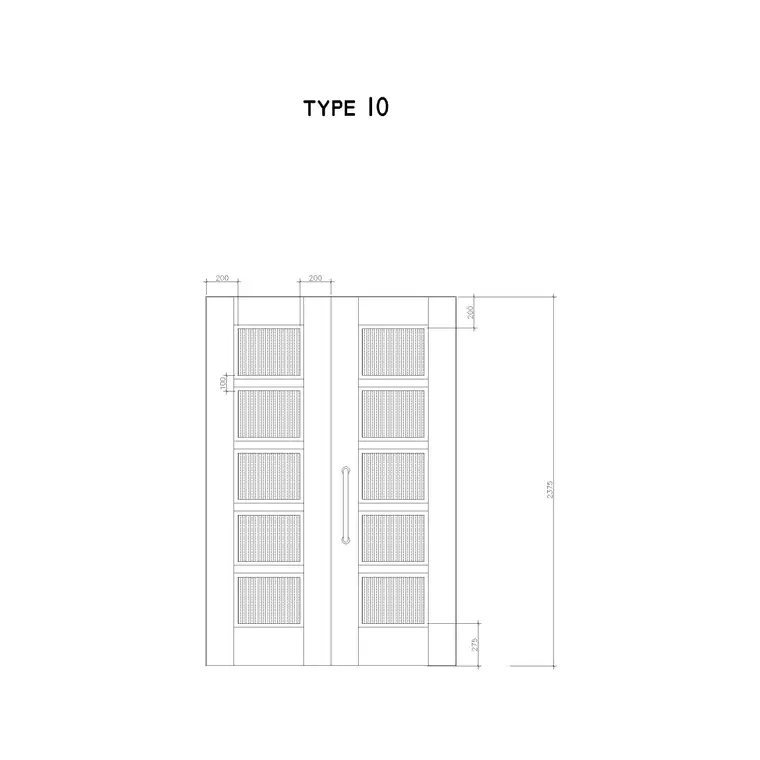
The elevation block draws the vision panel as a glazed opening — commonly a tall narrow slot, a square window or a circular porthole — positioned at a height that gives a useful view for a standing adult while ideally also serving a child or a seated person. Where a grill is fitted, the block shows the protective bars or mesh over the glass. The blocks here keep the leaf, the glazed panel and any grill on separate layers so the elevation and the door schedule communicate the panel clearly.
Vision panel shapes and why they matter
Vision panels come in several shapes and the choice carries meaning the block should capture. A tall narrow vision panel — a vertical slot running much of the leaf height — is the most useful for safety because it gives a view at a wide range of heights, covering both a standing adult and a child or wheelchair user; this is the type many codes effectively require on busy two-way doors. A square or rectangular panel set at eye level is common and simpler but covers a narrower height band. A circular porthole is a traditional choice for kitchen and service double-swing doors.
The height and extent of the glazing is the real point: a vision panel exists so people approaching from opposite sides can see each other and avoid a collision as the door swings, which is why it is so important on double-action and corridor doors. Drawing the panel to scale at the right height lets the elevation and the schedule show that the door genuinely provides the view its setting requires, rather than a token window.
Typical vision panel door dimensions
The door itself uses the standard module — leaf widths of 750 to 900 mm for the busy doors that usually carry vision panels, and a leaf height around 2000 mm. The vision panel is sized for visibility: a tall safety vision panel often runs a large part of the leaf height, with its lower edge set low (commonly around 500–900 mm above the floor) so a seated or short person can see through, and its upper edge high enough for a tall adult. A square or rectangular panel is typically set with its centre around eye level, roughly 1400–1500 mm above the floor.
The glass in a vision panel is safety glass — toughened or laminated — and on a fire door it is fire-rated glazing in an approved bead, since the door has to keep its fire rating despite the opening. Because the blocks are drawn full size, you place the door and the elevation shows the panel at its true size and height, so you can confirm it suits the setting. As with all blocks here, everything is drawn in millimetres at real size.
Inserting a vision panel door
Insert these blocks at scale 1 in a millimetre drawing, or set INSUNITS to Millimeters so AutoCAD rescales automatically. In plan, place the door like any swing door — pick the hinge side, set the hand with MIRROR and the direction with ROTATE, and check the swing. The vision panel needs no special treatment in plan because it does not change the symbol.
For the elevation, insert the block so the leaf sits on the finished floor line and the vision panel lands at its correct height, then confirm the panel suits the door's use — a tall safety panel for a busy two-way door, a smaller one for a quieter setting. Where a grill is wanted, use the grilled version of the block. Keep the door as a single block reference so it schedules cleanly with its panel type noted, and array it where a corridor of identical vision-panel doors repeats, updating all with one BEDIT change.
Where vision panel doors are used
Doors with vision panels are required or expected wherever people pass through in both directions and a collision is a risk: corridor doors, double-swing doors between spaces, classroom and nursery doors, hospital and care-home doors, kitchen service doors and any door on a busy two-way route. The vision panel lets someone see an oncoming person before pushing the door open, which is exactly why it features in so many building regulations and accessibility guides.
Architects specify vision panels on corridor and cross-traffic doors as a safety standard; accessibility consultants check the panel gives a view at the right range of heights; fire engineers ensure the glazing keeps the door's fire rating; and in schools, hospitals and secure settings the panel (sometimes with a grill) supports supervision and security. Pair the vision-panel door blocks with the single swing, double door and glass door blocks in the doors category to cover the full range of viewing and glazed openings on one consistent scale.
Vision panels, fire doors and security
The vision panel sits at the intersection of three requirements the block helps you reconcile. Safety is the primary one: on a two-way or double-swing door the panel must give a clear view across the door so people do not collide, which means a tall panel covering a range of heights, not a small porthole — and drawing it to scale proves it. Fire is the second: a great many vision-panel doors are also fire doors, so the glazing has to be fire-rated and set in an approved system, and the door schedule must note both the panel and the fire rating, all of which travels with a tagged block.
Security and supervision are the third, which is where the grill comes in: in schools, secure units and some service areas the glazed panel is protected by bars or mesh, or the panel is positioned for supervision while resisting break-through. Drawing the door with its panel and grill as a scaled block, on its own layer and tagged for scheduling, is what lets a single door schedule capture the size, hand, fire rating, glazing and protection of every door at once — exactly the data the ironmongery, fire and security packages all draw from.
Free download
Browse the full library — DWG & DXF, no signup.
Questions
Frequently asked
What is a door with a vision panel?+
It is a solid door with a glazed window set into the leaf, so people can see through before pushing it open. The block draws the door as a normal swing door in plan and shows the glazed vision panel — and any protective grill — in elevation.
Why are vision panels usually tall and narrow?+
A tall, narrow vision panel gives a view across a wide range of heights, covering a standing adult, a child and a wheelchair user, so people approaching from opposite sides can see each other. That is why busy two-way and corridor doors use them.
Do vision panel doors work as fire doors?+
Yes, but the glazing must be fire-rated and set in an approved system so the door keeps its fire rating despite the opening. The door schedule notes both the vision panel and the fire rating, and that data travels with a tagged block.
Are the vision panel door blocks free for commercial use?+
Yes. Every door-with-vision-panel block downloads free in DWG and DXF with no signup, no watermark and no attribution requirement, and they are cleared for commercial project use.
Related downloads
Blocks for this guide

Related categories
Related guides
Block landing
Free Wooden Door CAD Blocks — DWG Download
Download free wooden door CAD blocks in DWG and DXF — solid timber doors drawn in plan, elevation and section for AutoCAD 2004+. No signup, commercial use OK.
Block landing
Free Laminated Flush Door CAD Blocks — DWG
Download free laminated flush door CAD blocks in DWG and DXF — flat-faced flush doors with frame in plan and elevation for AutoCAD. No signup, commercial OK.
Block landing
Free Panel Door CAD Blocks — DWG Download
Download free panel door CAD blocks in DWG and DXF — two, four and six panel doors drawn in elevation and plan for AutoCAD. No signup, commercial use OK.