Block landing · dog cad block
Free dog and pet CAD blocks for AutoCAD
By Saumyajit Maity · Published 4 Sep 2025 · Updated 8 Mar 2026
A dog or pet figure is a small but surprisingly effective addition to an architectural drawing — it adds life and a sense of scale, and it gently signals that a home is a home. This page collects free dog and pet CAD blocks in DWG — dogs drawn in plan and elevation — ready to insert into AutoCAD 2004 or later, free for personal and commercial use with no signup or watermark.
Like the people and scale-figure blocks, a dog works as a scale cue: a recognisable animal at the right size tells the eye how big a room, a garden or a doorway is, faster than a dimension string. On presentation drawings a dog by a sofa, in a garden, or trotting along a path warms a scheme and makes a render or an elevation read as inhabited rather than empty. Drawn to scale, these figures sit honestly in a layout and never become the awkward, oversized animal that undermines a drawing.
What a dog block looks like
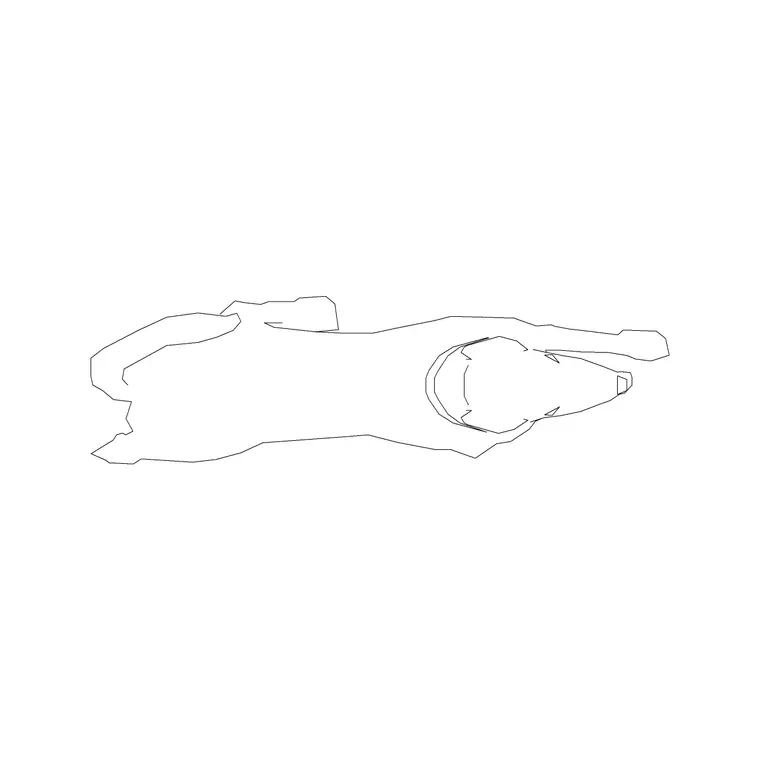
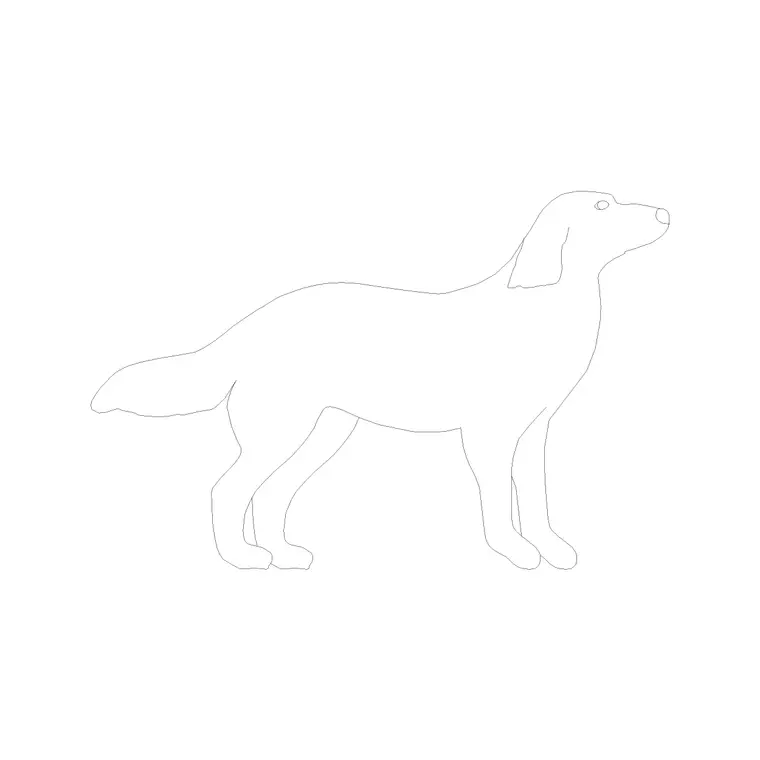
Dog blocks come in two views to suit different drawings. A plan-view dog — the animal seen from above — drops into a floor plan or a garden layout as a small scale figure and a touch of life. An elevation or side-view dog is the one you use in interior elevations, garden sections and presentation drawings, where the dog is seen from the side standing, sitting or lying.
The side view is the more characterful and the more used, because that is the view that reads as a recognisable dog rather than an abstract shape from above. A good block captures a believable posture — a standing profile, a sitting dog, a curled-up sleeping dog — so it adds genuine life rather than reading as a generic blob. Keeping pets on a scale-figure or dressing layer lets you add them to a presentation drawing and strip them out for a technical one.
Dogs as scale figures and dressing
A dog does the same job as a human scale figure, just at a smaller, friendlier register. Placed in a garden, a hallway or beside furniture, it gives the eye an instant read on the size of the space — everyone knows roughly how big a dog is, so the surroundings size themselves against it. That makes a dog block genuinely useful on a presentation plan or elevation, not just decorative.
As dressing, a pet signals the kind of life a scheme is for: a dog asleep by a wood burner, sitting at a kitchen island, or running across a lawn tells a domestic, lived-in story that an empty room cannot. Used sparingly — one or two, not a pack — a pet figure lifts a residential drawing without tipping into clutter, which is the line to walk with any scale figure.
Typical dog sizes to design around
Dogs vary enormously by breed, so scale to the dog you mean rather than to a single figure. As a rough guide, measured to the shoulder (the withers): a small breed stands around 250–350 mm, a medium breed around 400–550 mm, and a large breed 600–750 mm or more. Nose to tail, a medium dog is roughly 800–1100 mm long standing.
Those ranges matter because an out-of-scale animal is the quickest way to break a drawing's believability — a Labrador the size of a pony reads as wrong instantly. Because the dog blocks are drawn to scale, you can pick or scale one to the breed size you intend and trust it as a scale cue: a medium dog beside a sofa or in a doorway gives an honest sense of the dimensions around it.
How to insert and place a dog
The dog blocks are drawn full size in millimetres. Insert at scale 1 in a millimetre drawing, 0.001 in a metre template, or set INSUNITS to millimetres so AutoCAD rescales on insertion. Use INSERT or drag the DWG in, sit the dog on the floor or ground line so it does not float, and rotate or mirror it to face into the scene rather than off the edge of the drawing.
To scale a block to a different breed, scale it uniformly from the feet so the proportions stay right — a stretched dog reads as wrong as an out-of-scale one. Keep pets on a scale-figure or dressing layer so the presentation drawing and the plain technical drawing both come from one file, and freeze the layer when you issue the construction set. Place one or two, not a crowd — a single well-placed dog does more for a drawing than several.
Where dog and pet blocks are used
Dog and pet blocks appear in residential floor plans and garden layouts as scale figures and life, in interior elevations and presentation drawings beside furniture, in landscape and external-works drawings on lawns and paths, and in any render-style drawing that wants a domestic, inhabited feel. They suit estate-agent and marketing plans particularly well, where warmth helps sell a scheme.
Pair the pet blocks with the people, furniture and landscape blocks to populate a residential drawing with believable, scaled life — a person, a sofa, a tree and a dog together read instantly as a home and garden. Because the blocks are free and licence-clear, they suit a quick concept plan as readily as a polished marketing drawing, and a dog can carry from an early sketch into a final presentation board.
Using pets without overdoing it
The art of dressing a drawing with a pet is restraint. One dog asleep by the hearth or sitting in a garden reads as a thoughtful, human touch; three dogs scattered across a plan reads as a stock-image cliche and distracts from the architecture. The same discipline applies to scale figures generally — they are there to support the drawing, not to star in it — so place a pet where it does a job, either as a scale cue at a key space or as a warm note in a presentation view, and leave the rest of the drawing clean.
Keeping pets on the same scale-figure or dressing layer as the people figures is what makes this manageable: the whole layer of life toggles on for the presentation and off for the technical issue, so a stray dog never ends up on a setting-out drawing. Mirroring and lightly rotating a couple of copies, rather than placing identical animals, keeps the figures from looking stamped. Treated this way, a single dog block earns its place many times over across a residential project, doing the quiet work of making a drawing feel like somewhere people — and their pets — actually live.
Free download
Browse the full library — DWG & DXF, no signup.
Questions
Frequently asked
What dog and pet blocks are available?+
Dogs drawn in plan (seen from above for floor and garden plans) and in elevation or side view (standing, sitting or lying for interior elevations and presentation drawings). The side view is the more characterful and most used.
Are the dog CAD blocks free for commercial use?+
Yes. Every dog and pet block downloads free in DWG with no signup, no watermark and no attribution requirement, and is cleared for commercial project use including marketing and presentation drawings.
How big should a dog block be?+
Scale to the breed you mean — a small dog stands around 250–350 mm at the shoulder, a medium dog 400–550 mm, and a large dog 600–750 mm or more, with a medium dog roughly 800–1100 mm nose to tail. The blocks are drawn to scale so they work as honest scale cues.
How do I use a dog as a scale figure?+
Place a correctly-sized dog in the scene — beside furniture, in a doorway or on a lawn — and it gives the eye an instant read on the size of the space, since everyone knows roughly how big a dog is. Use one or two, not a pack, so it supports rather than crowds the drawing.
Related downloads
Blocks for this guide
Popular blocks to download
Related categories
Related guides
Block landing
Free Office Chair CAD Blocks — DWG Download
Download free office chair CAD blocks in DWG and DXF — task chairs, swivel chairs and executive seats drawn in plan and elevation, AutoCAD 2004+, no signup.
Block landing
Free Bathroom Fixtures CAD Blocks — DWG Download
Download free bathroom fixtures CAD blocks in DWG and DXF — toilets, wash basins, bathtubs, showers and vanities drawn in plan and elevation. No signup, commercial OK.
Block landing
Free Sanitary Fixtures CAD Blocks — DWG Download
Download free sanitary fixtures CAD blocks in DWG and DXF — WCs, wash basins, urinals and sinks in plan and section for AutoCAD sanitary plans.