Block landing · dental chair cad block
Free dental chair CAD block in DWG and DXF
By Saumyajit Maity · Published 14 Aug 2023 · Updated 14 May 2026
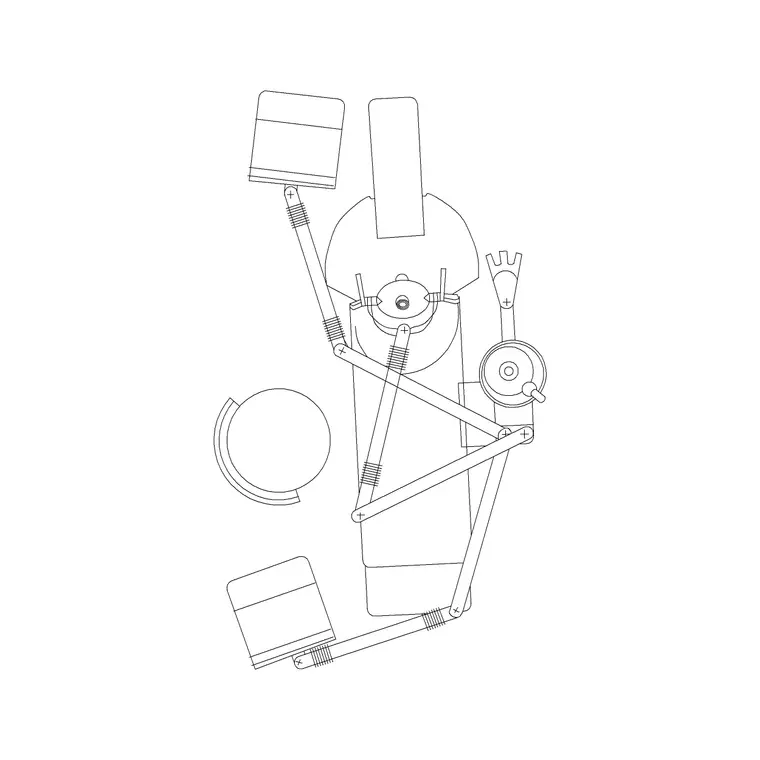
A dental chair is really a whole treatment unit drawn as one block: the reclining patient chair, the delivery arm carrying the instruments, the operating light, the spittoon and the dentist's and assistant's working positions. Laying out a dental surgery is about fitting that unit into a room with clear working circles for the clinician, the assistant and four-handed access. A scaled dental chair CAD block lets you draw all of that to size. This page offers a free dental chair block in DWG and DXF, drawn to true millimetre dimensions in plan and elevation, ready for AutoCAD 2004 or later — free for personal and commercial work, no signup, no watermark.
Dental rooms are small and intensely worked, with the dentist and assistant moving around the patient's head in defined zones. The chair's orientation in the room sets everything else — the cabinetry, the services, the assistant's side — so getting the unit placed correctly with its working circle is the first and most important move in the layout.
What the dental chair block includes
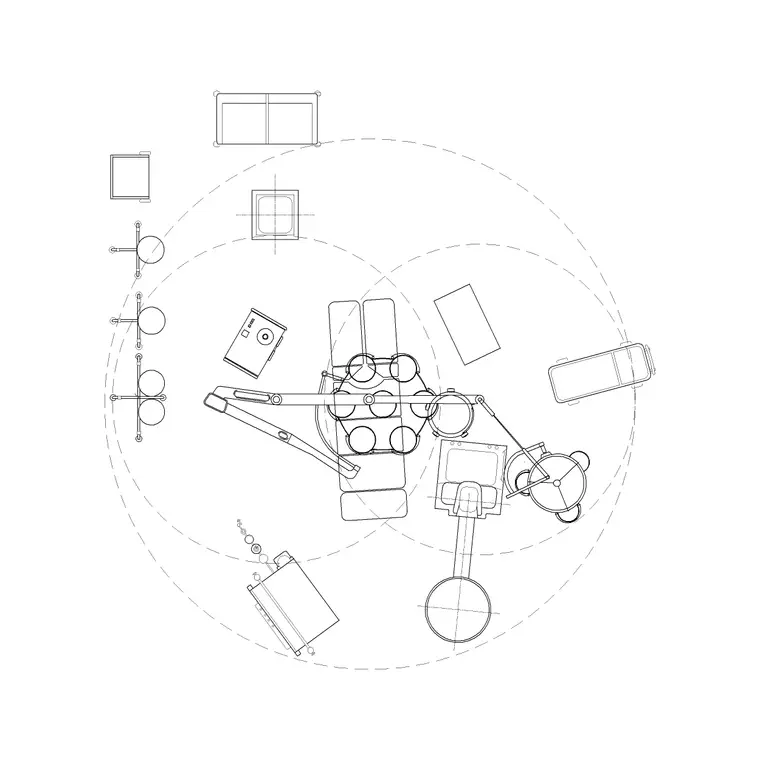
The plan view shows the chair in its reclined treatment position with the patient outline, the delivery arm and the operating light arm, the spittoon, and the working positions of the dentist and assistant around the patient's head. The working circle — the clear space the clinical team moves within around the chair — is the part that really sizes the room, and the best blocks indicate it.
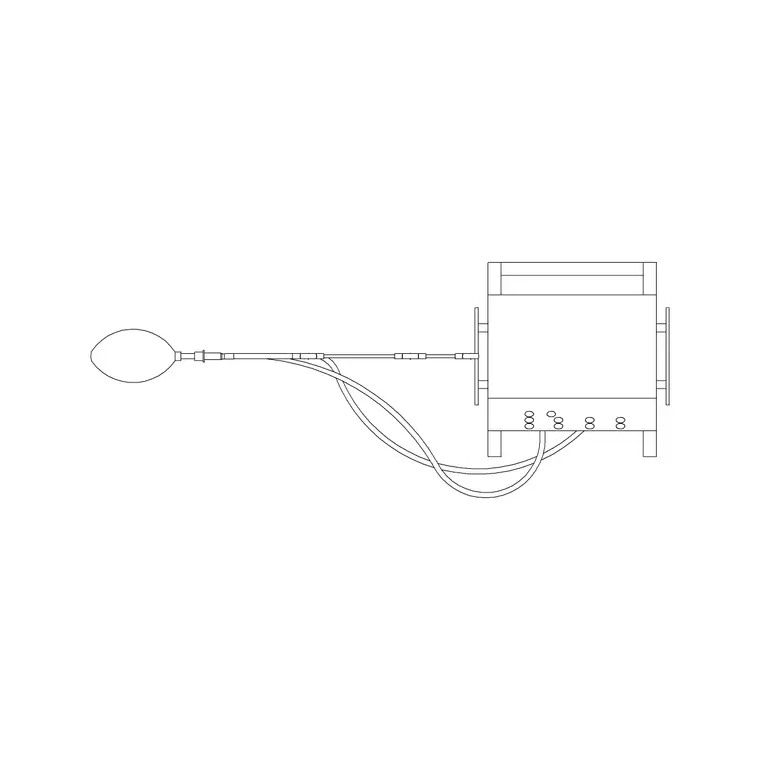
The elevation shows the chair reclined and raised to working height, with the light arm above, which helps you set the operating light, the wall services and any cabinetry behind. The chair, the delivery arm, the light, the working positions and the working circle sit on separate layers so the architect, the equipment planner and the services engineer each get a clean drawing.
Typical dental chair dimensions and working space
Design around these ranges. A reclined dental chair occupies roughly 1900–2100 mm in length by 600–750 mm wide for the chair itself, but the treatment unit with its arms and spittoon extends beyond that. The working circle around the chair — the clear zone for the team — is what governs the room: a single-chair surgery needs enough space around the unit for the dentist to work from behind the patient and the assistant from the side, plus access to the cabinetry.
Real dental units differ by manufacturer and the exact arm and cabinet configuration changes the footprint, so confirm against the chosen unit, but the scaled block lets you size a surgery and confirm a room takes the unit with its working circle clear.
Plan for the surgery, elevation for the services
Dental surgeries are laid out in plan: the chair placed at the angle that gives the dentist and assistant their working positions, with the cabinetry along the wall behind and the working circle clear of the door and the worktop. The plan block, with its working circle, is what you rotate within the room until the team's zones and the cabinetry all fit.
The elevation supports the cabinetry and services drawings — setting the operating light height, the wall-mounted services to the unit, the position of any X-ray on the wall, and the worktop and sink heights. On a multi-chair clinic, the plan lets you repeat the unit down a row of identical surgeries or open bays.
How to insert and orient the unit
The dental chair is drawn full size in millimetres. Insert at scale 1 in a millimetre drawing, 0.001 in a metre drawing, or set INSUNITS to millimetres so AutoCAD converts on insertion. Run INSERT, snap the base point to the patient's head position (the pivot of the whole layout), and rotate the unit so the dentist's working position falls where the room allows.
Because the head position anchors everything, place it first, then bring the cabinetry up to the unit and check the working circle clears the door swing and the worktop. Keep the unit on an equipment layer separate from the cabinetry and services, so the architectural plan, the equipment plan and the services drawing all come from one file.
Where dental chair blocks are used
Dental chair blocks belong in dental surgery and clinic layouts, orthodontic and hygienist rooms, hospital dental departments, mobile and community dental units, and dental-school teaching clinics. Architects and dental-practice designers use them to lay out single and multi-chair surgeries with correct working space; equipment planners use them to coordinate the unit with its services; services engineers use the elevation to set the water, drainage, suction, compressed air and power the chair needs.
Because a dental unit is a tightly-serviced piece of equipment in a small room, the block is central to coordinating the surgery — the chair drives the cabinetry, the services and the team's movement. Pair it with the wider medical category for the supporting equipment and trolleys a clinic needs.
Coordinating the chair with services and cabinetry
A dental chair is one of the most heavily-serviced fittings in a small room. The unit needs water and drainage, high- and low-volume suction, compressed air, and power, and most of those services run in the floor to the base of the chair, which means the chair's position has to be fixed and coordinated with the slab before the screed goes down. Drawing the chair as a tagged block and marking its service connection point lets the services engineer set the floor runs to the exact spot the chair will stand.
The cabinetry then wraps the unit. A dental surgery typically has a worktop with a sink, drawers for instruments and a position for the X-ray, all arranged so the dentist and assistant can reach them from their working positions around the patient's head. Keeping the chair, the cabinetry and the services on separate layers means a single coordinated drawing can show the architect's room, the equipment planner's unit and the engineer's service points without conflict — and repeating that proven arrangement is how a multi-surgery practice keeps every room identical and quick to build.
Free download
Browse the full library — DWG & DXF, no signup.
Questions
Frequently asked
Does the dental chair block include the delivery arm and light?+
Yes. The block shows the chair, the delivery arm carrying the instruments, the operating light arm, the spittoon and the dentist's and assistant's working positions, with the working circle on its own layer to size the room.
Why is the patient's head position the layout anchor?+
The dentist works from behind the patient's head and the assistant from the side, so the head position sets every working zone, the cabinetry and the services. Place the head first and rotate the unit until the team's zones fit the room.
What scale is the dental chair drawn at?+
Full size in millimetres. Insert at scale 1 in a millimetre drawing, 0.001 in a metre drawing, or set INSUNITS to millimetres so AutoCAD rescales automatically on insertion.
Is the dental chair block free for commercial use?+
Yes. It downloads free in DWG and DXF with no signup, no watermark and no attribution, and it is cleared for commercial dental-practice and project use.
Related downloads
Blocks for this guide
Related categories
Related guides
Block landing
Free Hospital Bed CAD Block — DWG & DXF Download
Download a free hospital bed CAD block in DWG and DXF — electric patient bed in plan and elevation with bedside clearances for ward layouts. No signup.
Block landing
Free Patient Stretcher CAD Block — DWG Download
Download a free patient stretcher CAD block in DWG and DXF — wheeled trolley/gurney in plan and elevation for A&E and recovery layouts. No signup.
Block landing
Free Medical Trolley CAD Block — DWG Download
Download a free medical trolley CAD block in DWG and DXF — dressing, treatment and crash carts in plan and elevation for clinical layouts. No signup.