Block landing · conference table cad block
Free conference table CAD blocks for AutoCAD
By Saumyajit Maity · Published 5 Jul 2024 · Updated 20 Apr 2026
A conference table sets the scale of a whole boardroom, so it is one block where getting the seat count and the surrounding clearance right really matters. A 20-seat table needs a very different room from an 8-seater, and the chairs around it govern how far the walls have to sit. This page collects free conference table CAD blocks in DWG and DXF — rectangular, boat-shaped and large boardroom tables, many with the chairs already arrayed around them — drawn at true millimetre dimensions for AutoCAD 2004 or later. Free for personal and commercial use, no signup, no watermark.
Use these to lay out boardrooms, large meeting rooms and training spaces. Because the table and its ring of chairs are drawn to scale, you can read the seated capacity and the clearance to the walls the moment the block lands, which is exactly what decides whether a room is comfortable or cramped.
What a conference table block includes
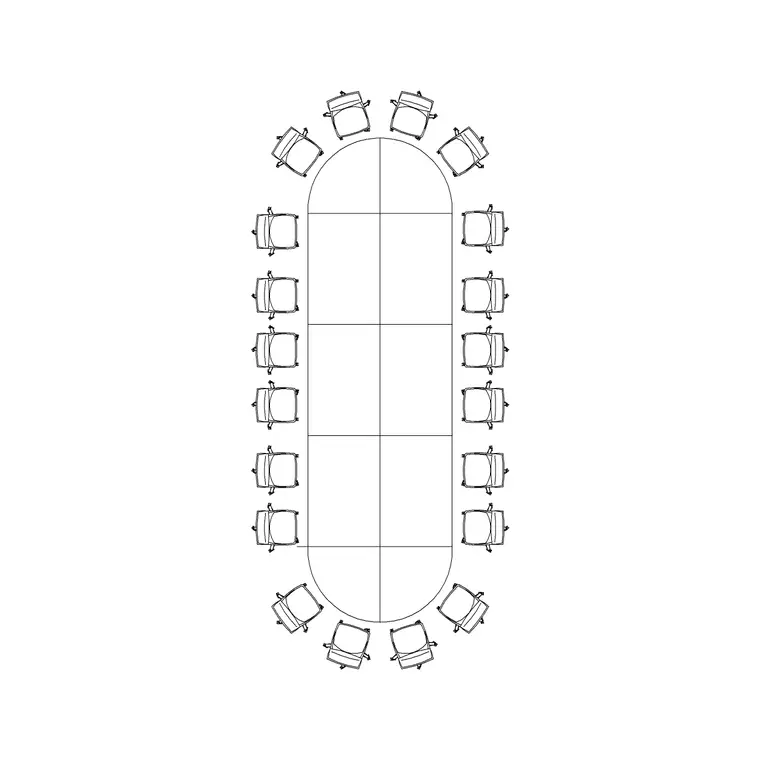
The most useful conference table blocks come with the chairs already arrayed around the table, because the chairs — not the tabletop — set the room size. A 20-person conference table block, for instance, carries the full ring of seats so you can read the real occupied envelope and the clearance a person needs to walk behind a seated colleague.
The table outline, the chairs and any central cable spine usually sit on separate layers, so you can keep the chairs for the occupied view, freeze them for a clean table-only drawing, or recolour the spine for a power-and-data plan. Where a block is table-only, you can ring it with the office chair block using a polar or path array.
Sizing by seat count, not by length
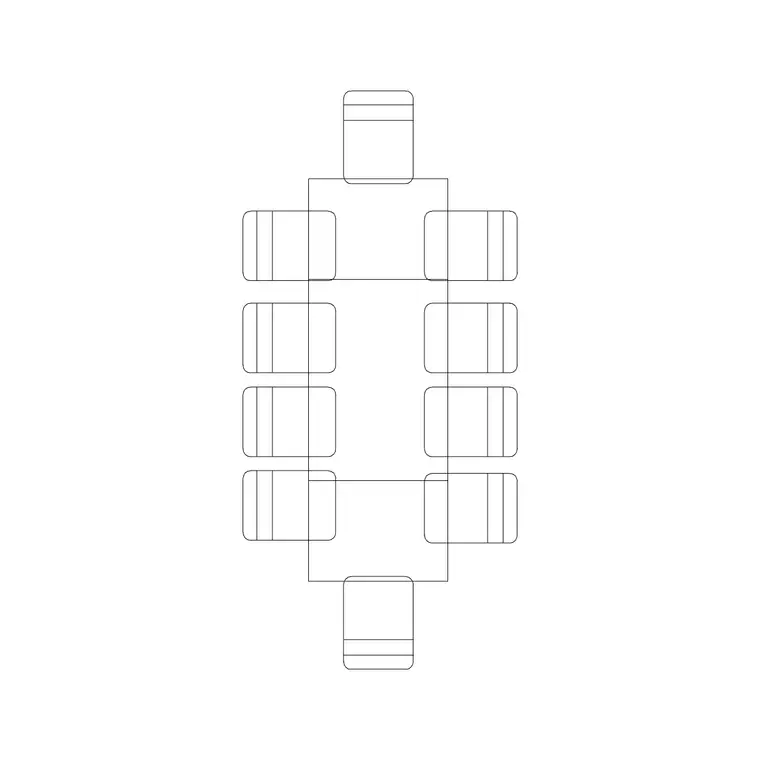
The honest way to size a conference table is by the number of people it seats, then to check the room around it. As a rule of thumb, allow about 600–750 mm of table edge per person, so an 8-seater wants roughly 2400 mm of usable length and a 20-seater a great deal more. Boat-shaped tables widen in the middle to improve sightlines for video calls and presentations, which slightly changes the chair spacing at the ends.
Dropping a seat-counted block onto the plan lets you confirm the capacity visually rather than trusting a length figure, and immediately shows whether the table you have chosen actually carries the number of people the brief asks for.
Clearance: the figure that sizes the room
A conference table needs more room around it than people expect, and that clearance is what sets the wall positions. Allow at least 1200 mm from the table edge to the wall on the seating sides — enough for a person to pull a chair out and for someone to pass behind a seated colleague. Where a presentation screen or a sideboard sits against a wall, add to that.
At the head of the room, leave space for a screen, a lectern or a circulation route to it. With a scaled conference-table-and-chairs block in place, you draw the room walls to the clearance rather than guessing — and you avoid the common mistake of a boardroom where the end chairs cannot be pulled out without hitting the wall.
How to insert and centre the table
These conference table blocks are drawn full size in millimetres. Insert at scale 1 in a millimetre drawing, 0.001 in a metre drawing, or set INSUNITS to millimetres so AutoCAD rescales on insertion. A conference table usually wants to sit centred in its room, so insert it, then use the MOVE command with a midpoint snap to centre it on the room, or set the insertion point at the table centre.
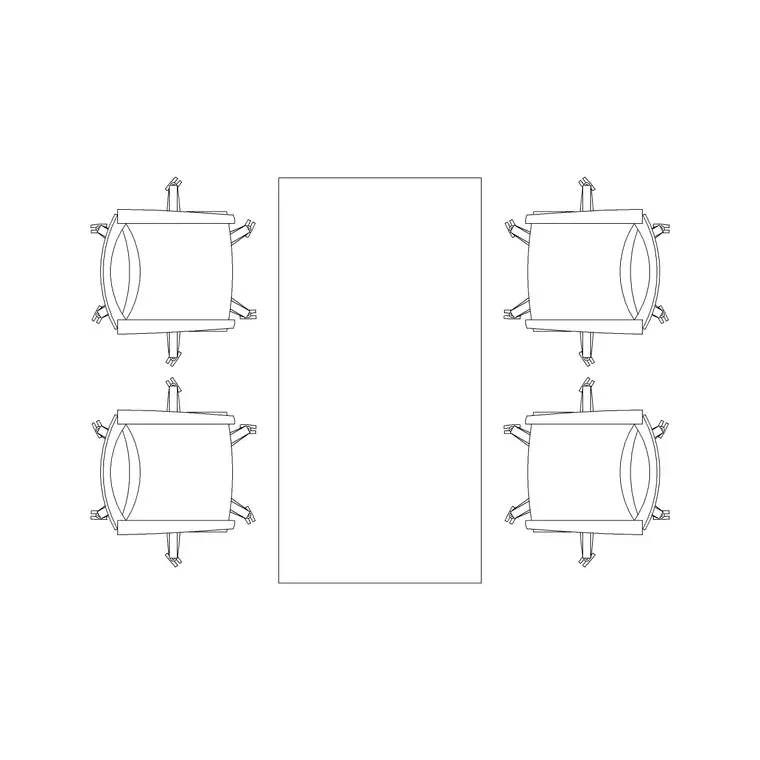
If the block is table-only and you need to add seating, ring it with the office chair block: a path array along the long edges, or a polar array for a round table, spaces the chairs evenly in one move. Keep table and chairs on their own layers so the boardroom reads cleanly at every stage.
Where conference table blocks are used
Conference table blocks anchor boardrooms, large meeting rooms, executive meeting suites, training rooms and council or committee chambers. In a corporate fit-out they often define the most prominent rooms on the floor, so getting their scale and clearance right shapes how the whole plan reads.
Pair them with the office chair, manager chair and reception blocks in the office category, and with the meeting-room table blocks for the smaller rooms. Splitting the furniture, the chairs and the power-and-data onto separate layers lets you produce a furniture plan, a clean architectural plan and a services plan — the cable spine down the centre of a boardroom table is exactly where the floor box and AV cabling land — all from the same drawing.
Boardrooms, AV and the cable spine
A modern boardroom is as much an AV room as a furniture layout, and the conference table is where that comes together. Power, data and video connections have to reach the centre of the table without trailing leads across the floor, which is why larger boardroom tables carry a cable spine or a central cable port — and why its position on the plan matters for the floor box beneath it.
Keeping the table as a scaled block lets you snap the floor-box and AV symbols to the spine and dimension them off the building grid, so the services plan matches the furniture plan exactly. Coordinate the head of the table with the wall screen too: the sightline from the far chairs to the display, and the clearance for a presenter to stand beside it, are easiest to check when the table, the chairs and the screen position are all drawn to scale in the same file. Get those relationships right on the plan and the room works in use rather than just on paper.
Free download
Browse the full library — DWG & DXF, no signup.
Questions
Frequently asked
Do the conference table blocks come with chairs?+
Many do. The larger boardroom blocks, including the 20-person table, ship with the chairs already arrayed around them on a separate layer, so you can read the occupied footprint and freeze the chairs for a table-only view.
How do I work out what size conference table a room needs?+
Size by seat count: allow about 600–750 mm of table edge per person, then add at least 1200 mm of clearance from the table edge to the walls on the seating sides so chairs can be pulled out and people can pass behind.
Are the conference table CAD blocks free for commercial use?+
Yes. Every block downloads free in DWG and DXF with no signup, no watermark and no attribution requirement, and they are cleared for commercial project use.
What scale are the conference table blocks drawn at?+
Full size in millimetres. Insert at scale 1 in a millimetre drawing, or set INSUNITS to millimetres so AutoCAD rescales automatically if your template uses different insertion units.
Related downloads
Blocks for this guide
Related categories
Related guides
Block landing
Free Office Chair CAD Blocks — DWG Download
Download free office chair CAD blocks in DWG and DXF — task chairs, swivel chairs and executive seats drawn in plan and elevation, AutoCAD 2004+, no signup.
Block landing
Free Lighting Fixtures CAD Blocks — DWG Download
Download free lighting fixtures CAD blocks in DWG and DXF — chandeliers, wall lights, downlights and pendants in plan and elevation for AutoCAD.
Block landing
Free Office Desk CAD Blocks — DWG Download
Free office desk CAD blocks in DWG and DXF — straight desks and desk-with-chair units in plan and elevation for AutoCAD. No signup, commercial OK.