Curated pack · conference table cad block
Free conference room CAD block pack for AutoCAD
By Saumyajit Maity · Published 6 Aug 2025 · Updated 23 Jan 2026
A conference room is one of the few spaces where the furniture sets the room: the table size dictates the seat count, the seat count dictates the room, and the walk-around space dictates whether anyone can actually reach a chair. This free conference room CAD block pack gathers the blocks that drive those rooms — boardroom and meeting tables from four to twenty seats, conference chairs, and scale figures — drawn to scale in DWG and DXF for AutoCAD 2004 or later. Everything is free for personal and commercial use, with no signup and no watermark.
Meeting-room planning is a clearance exercise wrapped around a table. Every seat needs a chair pull-out, the whole table needs a walk-around route, and the room has to leave space for a screen wall and a presenter. Get the table-to-wall gap wrong and the boardroom that looked fine on paper has a corner no one can squeeze past. Because every block here is drawn at true dimensions, you can drop the table, array the chairs, and read the walk-around and the room size straight off the plan.
Use the pack for boardrooms, meeting and huddle rooms, training rooms and video-conference suites. Start from the table that matches the seat count, set the walk-around, then place the chairs and the presentation wall.
What's in the conference pack
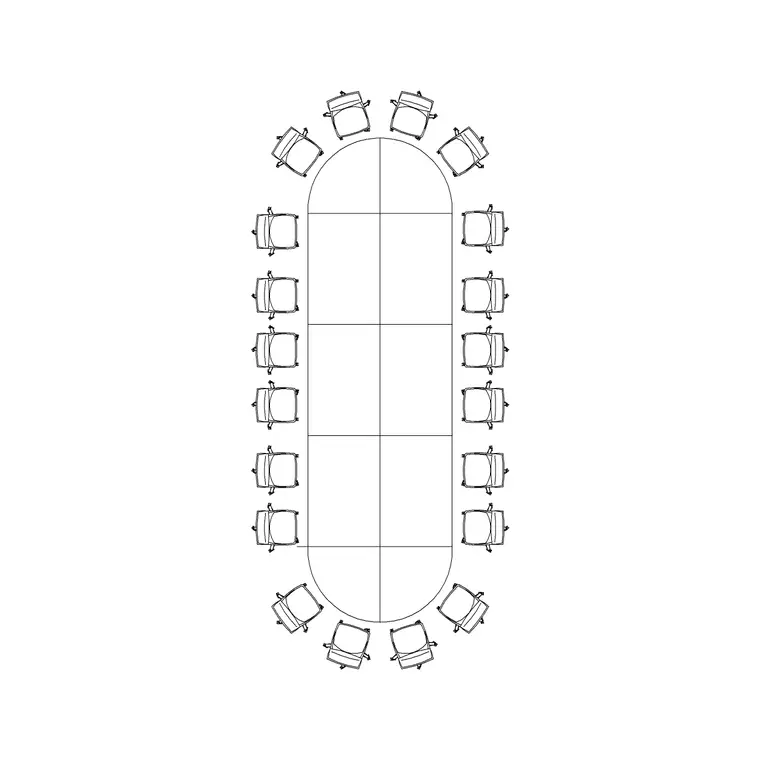
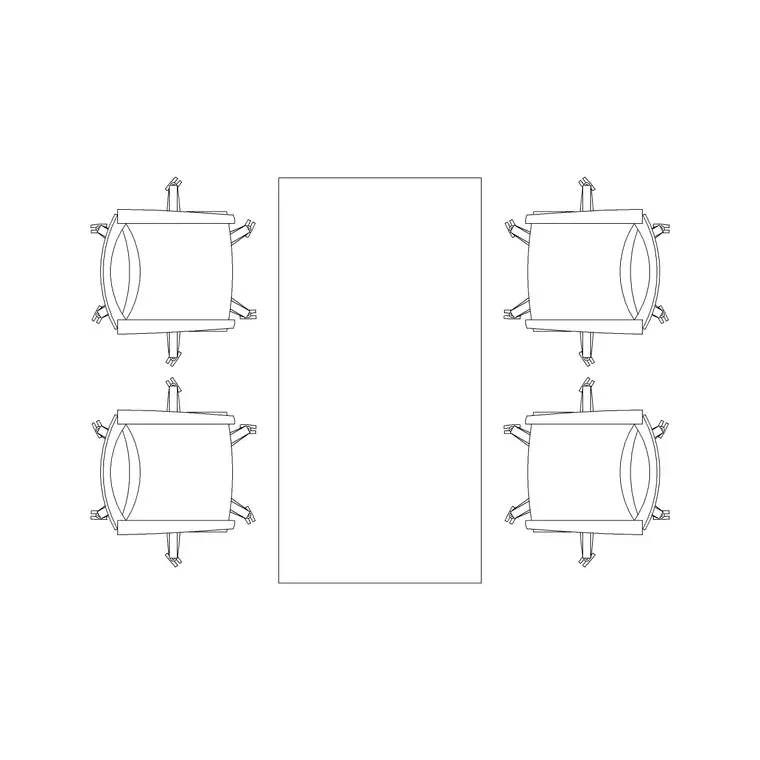
The pack covers the meeting-table range and the seating that goes round it. Small meetings: a four-person table for huddle and breakout rooms. Boardroom: a twenty-person conference table for the main meeting room. Seating: conference chairs to array around any table size. Scale figures to test the pull-out, the walk-around and a seated sightline to the screen.
Because the tables are drawn at true size, the seat count is read off the table edge using the per-person allowance below, and you can flex a room by choosing the table that fits rather than forcing chairs around an over-large top. The chairs array cleanly around the table perimeter so you can set out a six-, eight- or twelve-seat configuration from the same seating block.
Conference room dimensions to design around
Keep these ranges close. Per seat at the table: allow about 600–750 mm of table edge per person so chairs and elbows do not clash. Table sizes scale with the count — a four-person table is roughly 1200–1500 mm long, an eight-person around 2400 mm, and a twenty-person boardroom table about 6000–7200 mm long and 1200–1500 mm wide.
Walk-around space is the figure people miss: leave at least 900 mm of clear floor between the table edge and the walls all the way round so chairs pull out and people pass behind seated colleagues; make it 1200 mm on the main circulation side. Add 1000–1500 mm clear in front of the screen or presentation wall. So a twenty-seat boardroom needs a room roughly 9–10 m long once the walk-around is added. Drop the scaled table in and the room size draws itself.
How to use the set
Start from the seat count the brief asks for and pick the table that carries it using the per-person edge allowance. Centre the table in the room, then draw the 900 mm minimum walk-around on every side — if it does not fit, the room is too small or the table too big, and it is far cheaper to find that out now than on site.
Array the conference chairs around the table perimeter, leaving the pull-out behind each, then set the presentation wall with its clear approach. Use the scale figures to confirm every seat has a sightline to the screen and that someone can pass behind a seated row. Keep the table, the chairs and the circulation on separate layers so you can issue a clean meeting-room plan and a furniture schedule from the same drawing.
Plan for the layout, elevation for AV
The conference-room layout is plan work: the table footprint, the chair pull-outs and the walk-around all read from above, and that is the view a space plan and a furniture plan need. Array the chairs in plan around the table and check the room size against the walk-around.
Elevation comes in for the AV and interiors — the screen wall height and the seated sightline to it, the credenza and any video-conference camera and acoustic treatment. Set the screen at a height every seated sightline clears, and build that elevation from the same scaled furniture so the AV the integrator installs matches the meeting-room plan.
Per-item notes
20-person conference table — the boardroom anchor. Centre it, draw the walk-around, and confirm the room is long enough (around 9–10 m) before you commit. Array the conference chairs around it at the per-person edge spacing.
4-person rec/meeting table — for huddle and breakout rooms. Drop it into a small glazed room to confirm four chairs fit with pull-out and the door still swings clear.
Conference chairs — array around any table perimeter, leaving the pull-out behind each. Reuse the same chair block across every table size.
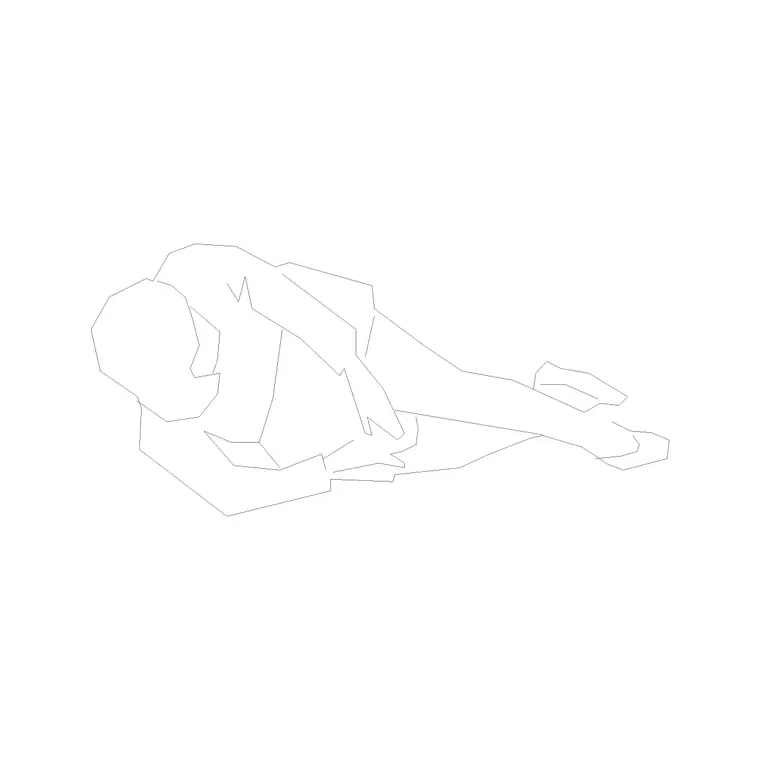
Human figure (plan) — place at the far end of the table to confirm the sightline to the screen, and behind a seated row to prove the walk-around lets someone pass.
Who uses the conference pack
Workplace and interior designers use it to size meeting rooms to a seat count while protecting the walk-around and the screen sightlines. Architects use it to populate office floors with correctly-sized meeting and board rooms for planning and test-fit drawings. AV and fit-out teams use it to coordinate the table, the seating and the screen wall in one drawing.
Because the blocks are free and licence-clear, the pack suits a single boardroom fit-out or a whole floor of meeting rooms. Pair it with the office category for the surrounding workstations and reception, the furniture category for credenzas and breakout seating, and the people category for the scale figures that prove the seat count, the walk-around and the sightlines work at human size from one consistent library.
Free download
Browse the full library — DWG & DXF, no signup.
Questions
Frequently asked
How much table edge should I allow per conference seat?+
Allow about 600–750 mm of table edge per person so chairs and elbows do not clash. A four-person table is roughly 1200–1500 mm long and a twenty-person boardroom table about 6000–7200 mm long.
How much walk-around space does a conference table need?+
Leave at least 900 mm of clear floor between the table edge and the walls all the way round, and 1200 mm on the main circulation side, so chairs pull out and people pass behind seated colleagues.
How big a room does a 20-person boardroom table need?+
Once you add the 900 mm minimum walk-around on every side and clear space in front of the screen wall, a twenty-seat boardroom table needs a room roughly 9–10 m long. The scaled block lets you confirm this on the plan.
Are the conference room blocks free for commercial use?+
Yes. Every block downloads free in DWG and DXF with no signup, no watermark and no attribution requirement, and they are cleared for commercial project use.
Related downloads
Blocks for this guide
Related categories
Related guides
Curated pack
Free Office CAD Block Pack — DWG & DXF
Free office CAD block pack in DWG and DXF — desks, workstations, conference tables and reception furniture in plan view. No signup, commercial-use OK.
Curated pack
Free Reception Area CAD Block Pack — DWG
Free reception area CAD block pack in DWG and DXF — reception desks, waiting seating and scale figures for lobby layouts. No signup, commercial-use OK.
Curated pack
Free Restaurant CAD Block Pack — DWG & DXF
Free restaurant CAD block pack in DWG and DXF — dining tables, chairs, bar stools and high chairs for cafe and restaurant layouts. No signup, commercial OK.