Curated pack · cad blocks for landscape rendering
Free CAD blocks for landscape rendering in DWG and DXF
By Saumyajit Maity · Published 18 Apr 2026 · Updated 15 Jun 2026
Landscape work lives or dies on its planting and its hardscape, so a landscape drawing heading for a render needs the right 2D blocks before it ever reaches the render engine. This pack gathers exactly those: trees and palms to set the green structure, paving and hardscape to lay the ground plane, and scale figures to populate the spaces and prove they work. Everything is drawn to real millimetre dimensions, downloads in DWG (DXF where available), and is free for commercial use with no watermark.
A convincing landscape render starts from an accurate planting plan. Trees placed at their mature spread, paths and terraces laid at real widths, and figures sized correctly all feed the render — whether you extrude into Lumion or SketchUp, where the 2D plan positions the 3D vegetation and surfaces, or whether you colour up a flat plan or elevation by hand. Get the 2D layout honest and the render inherits believable scale and spacing.
The blocks here are the dressing layer that sits between your survey and your render pipeline. Lay the planting and hardscape out correctly in CAD, check the spacing reads true, and you have a landscape drawing any render tool — or any illustrator working over it — can trust.
What's in the landscape pack
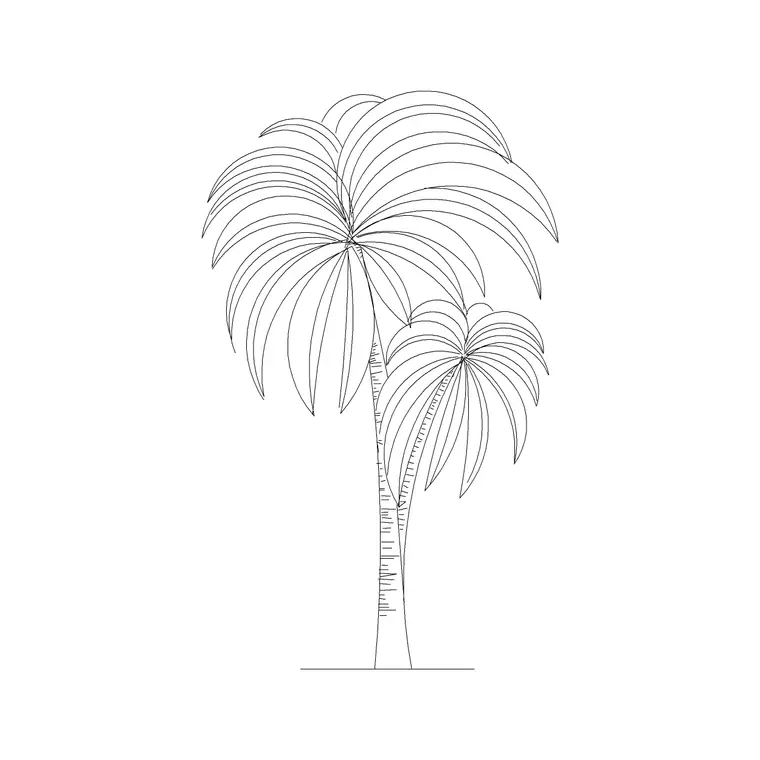
The set covers the four block types a landscape render leans on. Trees and palms in plan and elevation set the green structure — the canopy seen from above on the plan, the silhouette on sections and elevations. Paving and hardscape lay the ground plane: terraces, paths, plazas and edges that everything else relates to. Scale figures populate the spaces, prove the paths are wide enough and give a render its sense of size. Furniture dresses external rooms — a seating group on a terrace reads instantly as a place to sit.
Everything is drawn to scale so the planting spacing, path widths and seating areas are honest before they reach the render. Keep each type on its own layer so you can carry through only what the render tool needs.
Laying out planting for a render
Place trees at their mature spread, not their nursery size, because a render shows the landscape as it will be, not as it's planted. Canopy spreads vary enormously — a small ornamental might read at a few metres across, a mature shade tree well over ten — so scale each tree block to the spread you intend and space them so the mature canopies relate correctly. Mix sizes and species so the planting reads as designed rather than stamped.
Vary rotation and scale slightly between copies of the same tree block so a render doesn't betray identical clones. For mass planting and hedging, array the blocks along the planting line, then nudge a few to break the regularity. The plan you produce is what positions the 3D vegetation in an extrusion render, so spacing here decides how the render reads.
Hardscape and the ground plane
Paving is the surface a landscape render stands on, so lay it accurately. Draw terraces, paths and plazas at real widths — a comfortable path reads at least a metre or so wide, a generous one more — and let the paving pattern run across them so the render picks up a believable surface texture. Where surfaces meet planting, draw clean edges so the render has crisp boundaries between hard and soft landscape.
Keep paving on its own layer so you can apply or trace a material across it in the render tool. In a hand-coloured plan, the clean paving geometry gives you accurate boundaries to fill, so a terrace or path colours up with sharp edges rather than ragged ones.
Populating with figures
A landscape exists for people, so a landscape render needs them. Place scale figures on the paths, terraces and gathering spaces — sitting on the seating, walking the routes, standing at the focal points — so the render shows the landscape inhabited. A figure also proves the design works: if a path looks tight against a person, it is tight, and that's a fix to make in the plan before rendering.
Vary pose and orientation so groups read as real activity rather than cloned placeholders. A couple of figures at the entrance and a small group at the main gathering space tell a render's viewer that this is a landscape people enjoy, which is usually the whole point of the image.
Per-item notes for landscape renders
- Trees and palms (plan and elevation): the green structure of the render; scale to mature spread, mix sizes, and vary rotation so canopies don't read as clones. - Paving and hardscape (plan): the ground plane; draw paths and terraces at real widths and run the pattern across them for believable surface texture in the render. - Scale figures (plan and elevation): populate paths and gathering spaces to prove widths work and to give the render life; vary pose so groups read as activity. - Sofa and outdoor furniture (plan): dress terraces and seating areas so external rooms read as places to sit; keep on a furniture layer.
Who renders landscapes from these blocks
Landscape architects and designers stage planting and hardscape plans for client renders and competition imagery; architects dress the setting around their buildings; students present landscape schemes in studio and portfolio. A free, licence-clear block library suits all of them because it provides accurate, scaled planting and hardscape without the cost of buying landscape assets.
Pair the pack with the rendering and presentation-board packs, which share the same staging approach. Because every block is free for commercial use, landscape renders for paid client and competition work carry no licensing question — and an honest 2D plan is what makes those renders convincing.
Free download
Browse the full library — DWG & DXF, no signup.
Questions
Frequently asked
Can I render directly from these landscape blocks?+
They are 2D DWG/DXF blocks that stage the landscape plan before rendering. In tools like Lumion or SketchUp the plan positions the 3D vegetation and surfaces; for flat or hand-coloured plans and elevations you colour over the accurate geometry.
Should I draw trees at planted or mature size for a render?+
At mature spread. A render shows the landscape as it will be, so scale each tree to its intended mature canopy and space them so the grown canopies relate correctly. Vary size and rotation so the planting doesn't read as cloned.
How wide should I draw paths and terraces?+
At real, comfortable widths — a usable path reads at least a metre or so across, a generous one more. Drawing hardscape at true widths means the render shows believable circulation, and a scale figure on the path confirms it works.
Are the landscape blocks free for client renders?+
Yes. Every block is free for commercial use with no signup or attribution, so landscape plans, elevations and renders for paid client and competition work carry no licensing question.
Related downloads
Blocks for this guide



Related categories
Related guides
Curated pack
Free CAD Blocks for Rendering Pack — DWG & DXF
Free CAD blocks for rendering — scale people, trees, furniture and paving in DWG/DXF to populate plans before you take them into a render engine. No signup.
Curated pack
Free CAD Blocks for Floor Plans Pack — DWG
Free CAD blocks for floor plans — plan-view furniture, scale figures and paving in DWG/DXF to furnish any AutoCAD layout fast. No signup, commercial use OK.
Curated pack
Free CAD Blocks for Elevation Drawings Pack — DWG
Free CAD blocks for elevation drawings — trees, scale figures and entourage in DWG/DXF to dress facades and street elevations in AutoCAD. No signup.