Block landing · armchair cad block
Free armchair CAD blocks for AutoCAD
By Sumana Kumar · Published 4 May 2026 · Updated 29 May 2026
An armchair is the single upholstered seat that anchors a living room, a hotel lobby or a reception waiting area, so a scaled armchair CAD block is one of the most reusable furniture blocks you can keep on hand. This page collects free armchair CAD blocks in DWG and DXF — boxy club chairs, wingback armchairs and soft modern easy chairs — drawn at true millimetre dimensions and ready to insert into AutoCAD 2004 or later. Everything is free for personal and commercial work, with no signup and no watermark.
Use these blocks to compose seating groups around a coffee table, fill a bay window, set out a lounge or pair an armchair with a sofa in a living-room layout. Because the blocks are correctly scaled, you can check that the seating group leaves a comfortable conversation distance and that there is room to walk between the pieces the moment they hit the page.
What separates an armchair block from a dining chair
The armchair is a soft, deep, lounge-posture seat, and a good block shows that. The plan view reads as a generous square with rounded, upholstered arms and a thick back — visibly bulkier than a dining chair, because the upholstery and the arms are part of the footprint that governs spacing. The block should show the full cushion-and-arm outline, since that is what determines how close two armchairs can sit before they crowd.
In elevation the armchair sits low with a reclined back and a deep seat — a relaxing posture, not an upright eating one. That low seat height and deep cushion are what you draw against in an interior elevation. Keep the seat cushion, the arms and the back on tidy layers so you can simplify the chair for a small-scale plan or recolour the upholstery for a presentation.
Typical armchair dimensions to design around
Design around these figures. Overall width including arms: 750–950 mm — markedly wider than a dining chair because of the upholstered arms. Overall depth: 800–950 mm. Seat height: 400–450 mm (lower than a dining chair). Seat depth: 500–600 mm. Backrest height: 800–1050 mm, taller for a wingback. A compact 'apartment' armchair sits near the bottom of those ranges; a deep club chair near the top.
For a seating group, allow 400–600 mm between an armchair and the coffee table so a person can reach a cup without stretching, and keep a conversation distance of around 1800–2400 mm between facing seats. Drop the scaled block in and these spacings become a glance rather than a guess.
Plan for layouts, elevation for the scheme
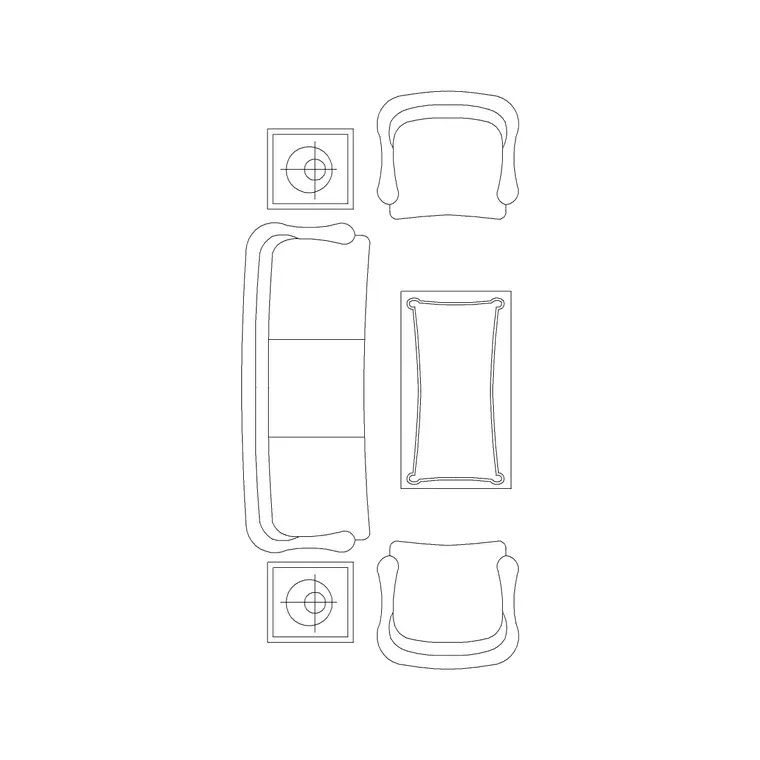
For furniture layouts you work in plan: the armchair seen from above, angled into a seating group or squared to a wall. The plan block is what you place around a coffee table, mirror across a symmetrical lounge, or repeat down a row of lobby seating. Keep the armchairs on a furniture layer so you can freeze them for a clean structural plan.
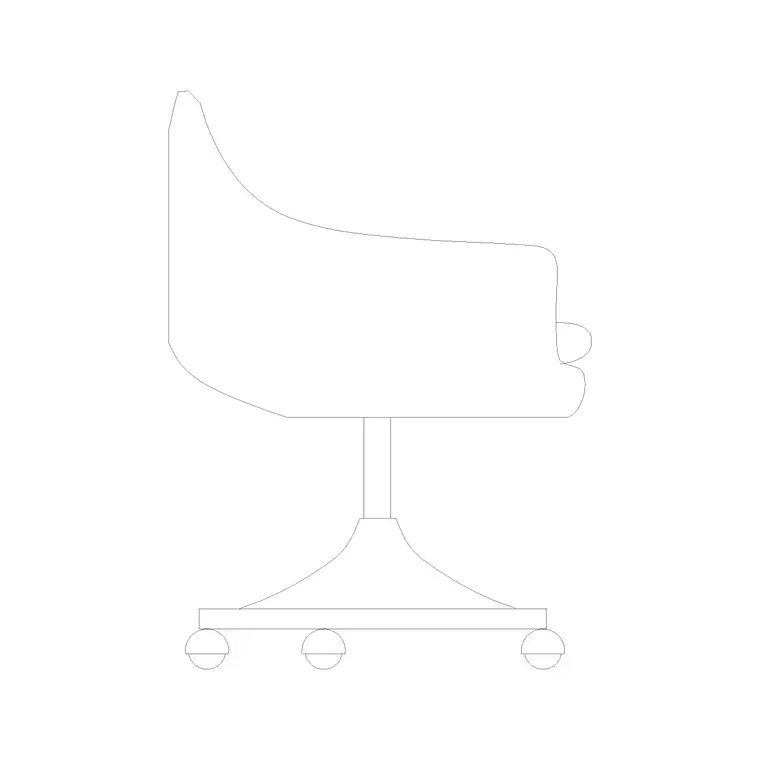
For interior elevations, sections and presentation boards you switch to elevation or a side view, where the low seat, deep cushion and arm profile read face-on. A side-view armchair is useful next to a sofa elevation to show the seating group in profile. Many downloads here carry both views in one DWG, so a single file serves the plan and the elevation.
How to insert and place the block
The armchair blocks are drawn full size in millimetres. Insert at scale 1 in a millimetre drawing, 0.001 in a metre template, or set INSUNITS to millimetres so AutoCAD rescales automatically on insertion.
Use INSERT or drag the DWG from a tool palette, pick the centre of the seat as the insertion point, and rotate the chair to face into the seating group. Unlike a dining set, armchairs are often angled rather than squared — a single chair turned 30–45° toward the sofa makes a layout feel composed, so use ROTATE freely once the block is placed. Because it is one block reference, you can copy it around the room and a later edit to the definition updates every instance at once.
Where armchair blocks are used
Armchair blocks appear across residential, hospitality and commercial sets: living rooms and snugs, hotel lobbies and lounges, reception and waiting areas, library reading corners, boardroom breakout zones and care-home day rooms. Pair them with the sofa, coffee-table and ottoman blocks in the furniture category to build a complete seating group quickly.
Because they are free and licence-clear, they suit student schemes, mood boards and quick concept plans where believable, scaled lounge seating matters. The same block carries from a concept sketch through to a coordinated FF&E drawing without redrawing the seating each time the design moves on.
Building a seating group that reads well
An armchair rarely works alone — it is part of a composition, and the block makes that composition easy to test. A classic living-room group is a sofa facing two armchairs across a coffee table, with the armchairs angled slightly inward so the seats face one another rather than the wall. Place the sofa first to anchor the group, drop the coffee table at the centre, then bring in the armchairs and rotate each toward the table until the conversation geometry feels right.
Keeping every piece as a scaled block lets you check the two things a seating group lives or dies by: the gap to the coffee table (close enough to set a cup down, far enough to walk past) and the route through the room (a clear path around the back of the chairs). When the group works, WBLOCK the whole arrangement — sofa, table and armchairs — as a reusable seating cluster you can drop into the next scheme rather than recomposing from scratch.
Free download
Browse the full library — DWG & DXF, no signup.
Questions
Frequently asked
Are these armchair CAD blocks free for commercial use?+
Yes. Every armchair block downloads free in DWG and, where available, DXF, with no signup, no watermark and no attribution requirement, and they are cleared for commercial project use.
How wide is a typical armchair block?+
Most armchairs run 750–950 mm wide including the upholstered arms — noticeably wider than a dining chair. A compact apartment armchair sits near 750 mm; a deep club chair can reach 950 mm or more.
Should the armchair face square to the wall or be angled?+
It depends on the scheme. In a seating group, angling an armchair 30–45° toward the sofa or coffee table reads as composed and conversational. In a row of waiting seats, squaring them to the wall is usually right. Rotate the block to suit after inserting.
What units are the armchair blocks drawn in?+
Full size in millimetres. Insert at scale 1 in a millimetre drawing, or set INSUNITS to millimetres so AutoCAD rescales automatically if your template uses different insertion units.
Related downloads
Blocks for this guide
Popular blocks to download
Related categories
Related guides
Block landing
Free Office Chair CAD Blocks — DWG Download
Download free office chair CAD blocks in DWG and DXF — task chairs, swivel chairs and executive seats drawn in plan and elevation, AutoCAD 2004+, no signup.
Block landing
Free Bar Table CAD Blocks — DWG Download
Download free bar table CAD blocks in DWG and DXF — round, square and rectangular high bar tables in plan and elevation for AutoCAD. No signup, commercial-use OK.
Block landing
Free Restaurant Table CAD Blocks — DWG Download
Download free restaurant table CAD blocks in DWG and DXF — 2, 4 and 6 cover tables with chairs drawn in plan and elevation for AutoCAD. No signup, commercial-use OK.