Block landing · accent chair cad block
Free accent chair CAD blocks for AutoCAD
By Sumana Kumar · Published 22 Sep 2023 · Updated 23 Mar 2026
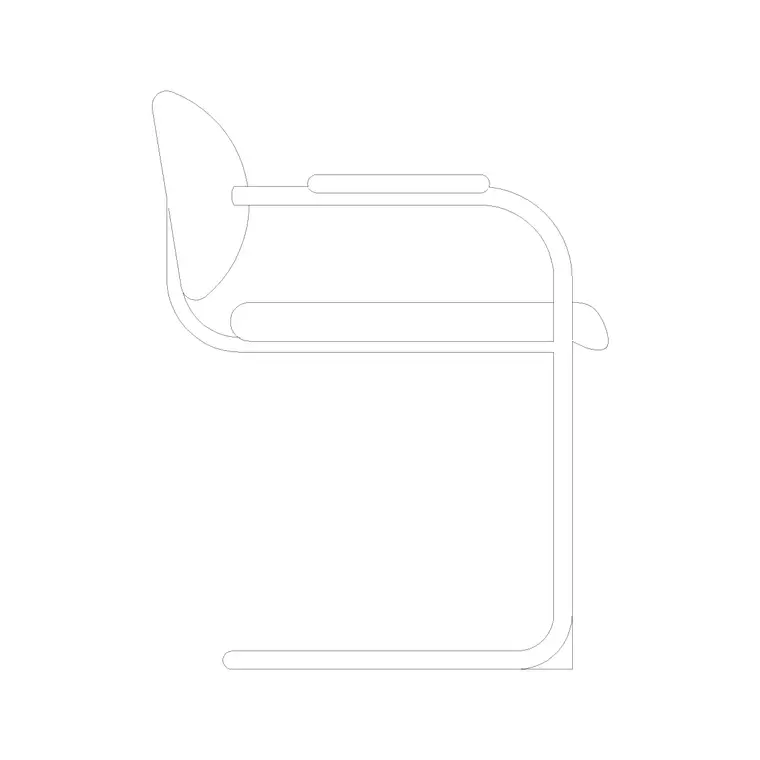
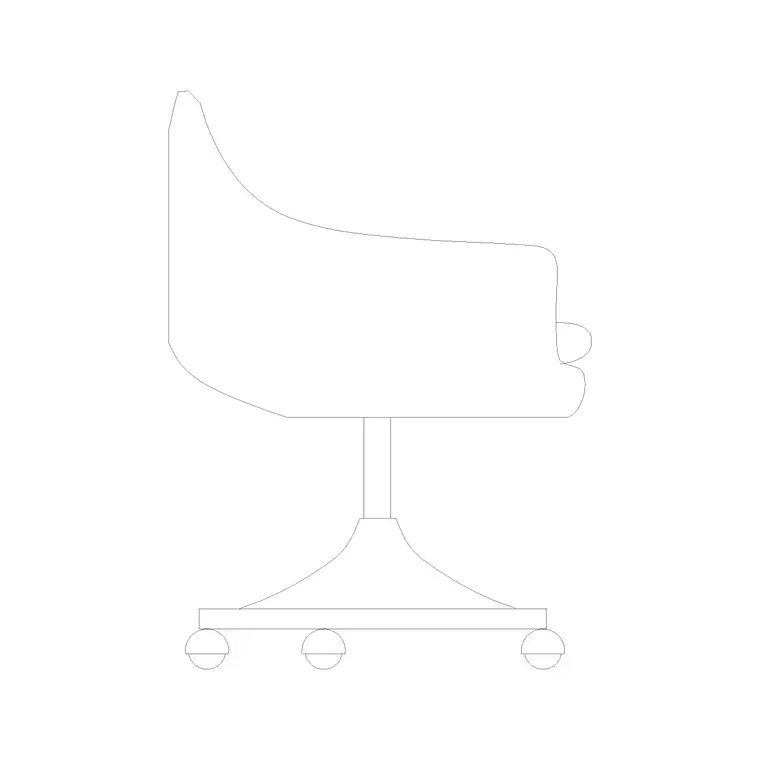
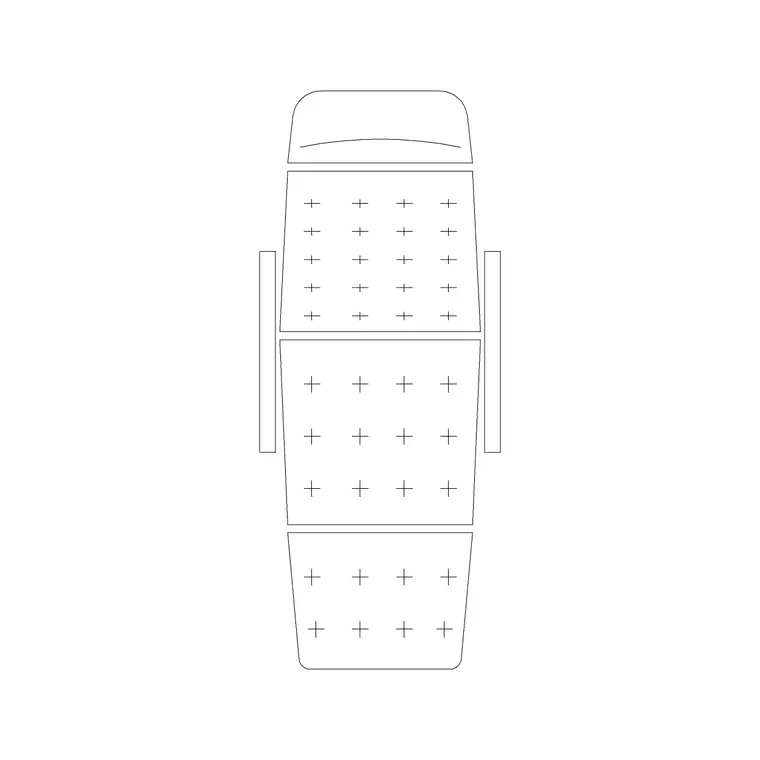
An accent chair — also called an occasional or statement chair — is the single feature seat that adds character to a room without belonging to the main seating set. It is the sculptural chair in the corner, the bold-coloured seat beside the sofa, the occasional chair pulled up when extra seating is needed. A scaled accent chair CAD block lets you place that feature precisely so it reads as deliberate rather than spare. This page collects free accent chair CAD blocks in DWG and DXF — tub chairs, slipper chairs, occasional chairs and sculptural feature seats in plan and elevation — drawn at true millimetre dimensions and ready to insert into AutoCAD 2004 or later. Everything is free for personal and commercial work, with no signup and no watermark.
Use these blocks to place a feature chair in a living-room corner, beside a console or fireplace, in a bedroom or hallway, or as a flexible extra seat in a lounge. Because the block is scaled, you can confirm it sits in its own space and doesn't crowd the main furniture the moment it lands.
What makes a chair an 'accent' chair
An accent chair is defined by its role rather than its construction: it is the seat chosen to stand apart from the main suite, adding a different shape, colour or material to a room. It might be a small tub chair, an armless slipper chair, a sculptural designer piece or a wingback that contrasts with a modern sofa. Because it is a feature, it is usually placed singly — though a matched pair flanking a fireplace or console is a classic move.
The practical consequence for your drawing is that an accent chair is often more compact and more varied in shape than the main seating, and its placement is deliberate — angled toward a focal point, set in a pool of space, or paired symmetrically. The block lets you test that placement on the plan, where the difference between a feature that works and one that looks marooned is a matter of position and breathing room.
Typical accent chair dimensions to design around
Design around these figures, noting accent chairs are often smaller than a main armchair. Overall width: 550–800 mm — many are armless or have slim arms, so they read narrower than a club chair. Overall depth: 600–800 mm. Seat height: 400–460 mm. Back height: 750–950 mm, taller for a wingback or a high-back feature chair.
Because they vary so much, the figure that matters most is the footprint you reserve around the chair, not the chair itself: an accent chair wants a little clear space so it reads as a feature rather than as crowded-in seating. Placing the scaled block lets you give it that breathing room — enough clearance from the sofa and the wall that it stands as its own piece.
Plan for placement, elevation for the character
For layouts you work in plan: the accent chair angled into a corner, set beside a console, or paired across a fireplace. The plan block is what you position and rotate to make the feature read. Keep it on a furniture layer so you can freeze the seating for a clean structural plan.
The elevation matters more for an accent chair than for ordinary seating, because the chair's shape is the point — a side or front elevation shows the sculptural profile, the wingback, the slim legs, whatever makes it a feature. For a presentation board or an interior elevation, that view sells the design. Many downloads here carry both views, so a single file serves the plan placement and the character elevation.
How to insert and place the block
The accent chair blocks are drawn full size in millimetres. Insert at scale 1 in a millimetre drawing, 0.001 in a metre template, or set INSUNITS to millimetres so AutoCAD rescales on insertion.
Use INSERT or drag from a tool palette, pick the centre of the seat as the insertion point, and rotate the chair toward its focal point — the conversation, a window, a fireplace. Accent chairs are placed deliberately, so use ROTATE freely to angle the seat. For a symmetrical pair, place one and MIRROR it across the centreline of the fireplace or console so the two balance. As a single block reference it copies and updates cleanly.
Where accent chair blocks are used
Accent chair blocks add character across residential and commercial sets: living-room corners and reading nooks, bedrooms (a chair in a bay or beside a dressing table), hallways and landings, hotel lobbies and suites, boutique retail and reception areas, and members' clubs. Pair them with the sofa, console-table, lounge-chair and ottoman blocks to compose a room that reads as designed.
Because they are free and licence-clear, they suit residential schemes, hospitality and retail fit-outs, student portfolios and mood boards. The same block carries from a concept layout through to a coordinated FF&E drawing without redrawing the furniture.
Placing an accent chair so it reads as a feature
An accent chair fails when it looks like spare seating and succeeds when it looks chosen, and the difference is almost entirely placement — which is what the scaled block helps you get right. The strongest positions give the chair a reason to be there: angled into an empty corner to activate it, set beside a console or lamp to form a vignette, or paired symmetrically across a fireplace to frame it. In each case the chair needs a little pool of clear space around it so it stands apart from the main suite rather than merging into it.
Keeping the chair as a block reference makes it easy to audition positions: copy the block, drop it in two or three candidate spots, rotate each toward a focal point, and compare on the plan before committing. For a paired arrangement, MIRROR keeps the two chairs perfectly balanced. When the placement works, the chair does its job — adding character to the room — and because it is a single block, any later change to the chair updates the drawing in one edit.
Free download
Browse the full library — DWG & DXF, no signup.
Questions
Frequently asked
What's the difference between an accent chair and an armchair?+
Role, mostly. An armchair is general-purpose upholstered seating, usually part of the main suite. An accent chair is chosen to stand apart — a feature seat with a distinct shape, colour or material, often more compact and placed singly or in a matched pair.
How much space should I leave around an accent chair?+
Enough that it reads as a feature rather than crowded-in seating — a little clear space between it and the sofa and wall. The chair itself is often compact (550–800 mm wide), so it is the breathing room around it that matters. Place the scaled block to judge it.
Are these accent chair CAD blocks free for commercial use?+
Yes. Every block downloads free in DWG and, where available, DXF, with no signup, no watermark and no attribution requirement, and they are cleared for commercial project use.
What units are the accent chair blocks drawn in?+
Full size in millimetres. Insert at scale 1 in a millimetre drawing, or set INSUNITS to millimetres so AutoCAD rescales automatically if your template uses different insertion units.
Related downloads
Blocks for this guide
Related categories
Related guides
Block landing
Free Office Chair CAD Blocks — DWG Download
Download free office chair CAD blocks in DWG and DXF — task chairs, swivel chairs and executive seats drawn in plan and elevation, AutoCAD 2004+, no signup.
Block landing
Free Bar Table CAD Blocks — DWG Download
Download free bar table CAD blocks in DWG and DXF — round, square and rectangular high bar tables in plan and elevation for AutoCAD. No signup, commercial-use OK.
Block landing
Free Restaurant Table CAD Blocks — DWG Download
Download free restaurant table CAD blocks in DWG and DXF — 2, 4 and 6 cover tables with chairs drawn in plan and elevation for AutoCAD. No signup, commercial-use OK.