Block landing · dish rack cad block dwg
Dish rack CAD blocks for kitchen draining zones
By Saumyajit Maity · Published 20 May 2026 · Updated 4 Jun 2026
A dish rack is a small accessory, but on a kitchen drawing it does a useful job: it marks the draining zone beside the sink and reminds you to keep that stretch of worktop clear. A scaled dish rack block lets you reserve that space on the plan and dress an elevation so the wet zone reads as a real working area. This page collects free dish rack CAD blocks in DWG, drawn at true millimetre size for AutoCAD 2004 or later.
You will find countertop dish drainers and plate racks here, in plan and elevation, ready to sit beside a sink and drainer. Every file is free for personal and commercial use, with no signup and no watermark. Use the dish rack with the sink, faucet and worktop blocks in the kitchen category to set out a draining zone that the joiner and the client both understand.
What a dish rack block marks out
A dish rack CAD block is a countertop accessory — the plate slots and cutlery basket seen from above in plan, and the tiered wire profile in elevation. Its purpose on a drawing is to claim the draining-zone worktop beside the sink and show that the space is reserved for drying, not for another appliance or a chopping area.
It is not a fitting you plumb in or set out a building from, but it does affect how usable the wet zone is. Showing a dish rack to scale beside the sink confirms there is genuinely room to drain a load of dishes, which is the kind of practical reality that gets squeezed out when a worktop is busy with appliances.
Dish rack types and views included
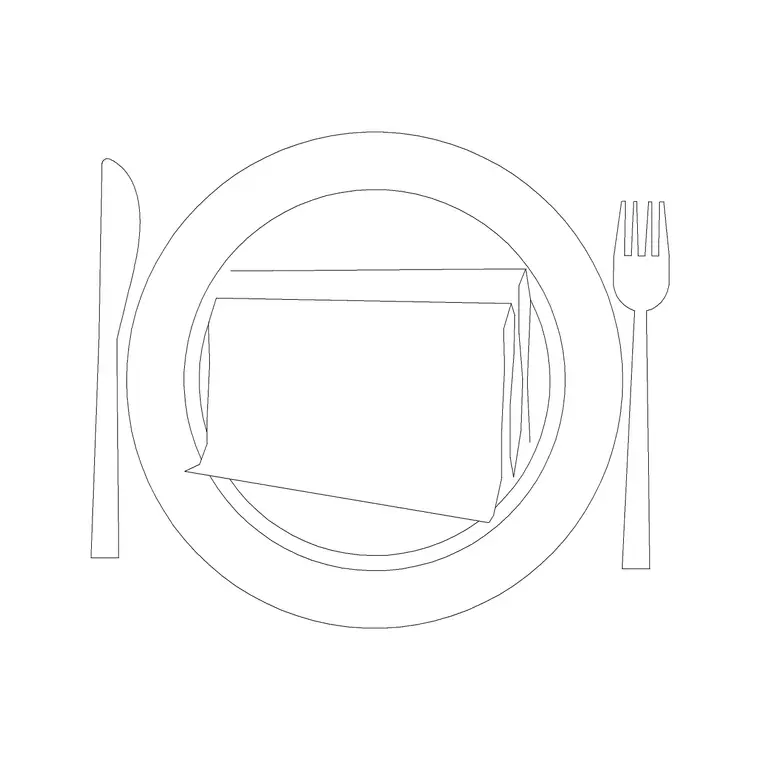
The downloads cover the common countertop drainers: a single-tier plate rack with a cutlery holder, and deeper two-tier racks that hold more. Each ships a plan symbol — the rectangular footprint with the slot lines — and an elevation showing the tiered wire structure and the drip tray.
Use the plan to reserve the draining worktop beside the sink; use the elevation to show the rack on a kitchen wall where it dresses the wet zone. Where both views ship in one file they share a DWG, so you can insert the one you need and freeze the other. The geometry is kept simple on a sensible layer so it sits cleanly alongside the sink and tap.
Typical dish rack sizing to design around
Use these as planning ranges. A single-tier countertop dish rack is often around a 350–450 mm wide by 300–400 mm deep footprint, standing maybe 100–150 mm tall with a drip tray beneath. Two-tier and over-sink racks are taller and may be longer. Over-sink draining racks span the bowl, so their footprint sits partly over the sink rather than fully on the worktop.
Models vary, so do not letter an exact size from a block. The point is to confirm the rack fits the draining stretch of worktop beside the bowl, with room to load and unload, and that it does not collide with the tap swing or a wall return. A scaled symbol makes that an easy visual check on the plan.
How to insert and place the dish rack
The blocks are drawn full size in millimetres. Insert at scale 1 in a millimetre drawing, 0.001 in a metre drawing, or set INSUNITS to millimetres so AutoCAD rescales on insertion. Run INSERT or drag the DWG in, pick a point on the draining worktop beside the sink, and rotate so the rack sits along the run.
Keep the dish rack on an accessories or worktop-clutter layer separate from the appliances and the sanitary fittings, so you can freeze the small accessories for a clean joinery plan and thaw them for a furnished view. As a block reference it can be copied and edited centrally, so the same rack stays consistent if it appears on several drawings.
Where dish rack blocks are used
Dish rack blocks appear in residential kitchen plans and elevations, apartment and studio fit-outs, utility-room layouts, and in compact kitchenette drawings where the draining zone has to be shown in a tight space. They are a quick way to signal a hand-wash-and-dry area, especially in a layout without a dishwasher.
For presentation work, a dish rack makes a wet zone look used rather than staged; for practical planning, it confirms the draining stretch of worktop is genuinely big enough. Pair the rack with the sink, the faucet and the under-sink cabinet to complete the wet zone, all on the shared kitchen grid.
Planning a usable draining zone
The draining zone is one of the spots that quietly disappears when a worktop fills up with appliances, so reserving it with a scaled dish rack is worth the small effort. Keep a clear stretch of worktop beside the sink, on the side a right- or left-handed user actually drains to, and check the rack clears the tap swing and any wall return.
If a project has a standard sink-and-drainer arrangement, you can WBLOCK the sink, tap, drainer and dish rack as one wet-zone unit so the whole draining setup drops into the next kitchen unchanged. That keeps the usable draining space consistent across a job instead of being an afterthought on each drawing.
Free download
Browse the full library — DWG & DXF, no signup.
Questions
Frequently asked
Is the dish rack CAD block free to use?+
Yes. The dish rack blocks here download free in DWG, with no signup, no watermark and no attribution required, and are cleared for personal and commercial project use.
Do you have both single-tier and two-tier dish racks?+
Yes. The downloads cover single-tier plate racks and deeper two-tier or over-sink racks. Where several types or views ship in one file they share a DWG so you insert the one you need.
Should I draw the dish rack in plan or elevation?+
Use the plan symbol to reserve the draining worktop beside the sink. Use the elevation symbol when you draw the kitchen wall face-on and want the wet zone to look complete.
What scale are the dish rack blocks drawn at?+
Full size in millimetres. Insert at scale 1 in a millimetre drawing, 0.001 in a metre drawing, or set INSUNITS to millimetres so AutoCAD rescales them on insertion.
Related downloads
Blocks for this guide

Related categories
Related guides
Block landing
Free Bathroom Fixtures CAD Blocks — DWG Download
Download free bathroom fixtures CAD blocks in DWG and DXF — toilets, wash basins, bathtubs, showers and vanities drawn in plan and elevation. No signup, commercial OK.
Block landing
Free Gas Stove / Cooktop CAD Blocks — DWG
Free gas stove and cooktop CAD blocks in DWG and DXF — drawn in plan and elevation at true kitchen-module sizes for AutoCAD 2004+. No signup, commercial-use OK.
Block landing
Single Burner Hob CAD Block — Free DWG
Free single burner hob CAD blocks in DWG and DXF for compact kitchens and studios — plan and elevation, true sizing for AutoCAD 2004+. No signup, commercial OK.