Room guide · dental clinic cad blocks
Free dental clinic CAD blocks for AutoCAD
By Sumana Kumar · Published 6 Dec 2023 · Updated 30 May 2026
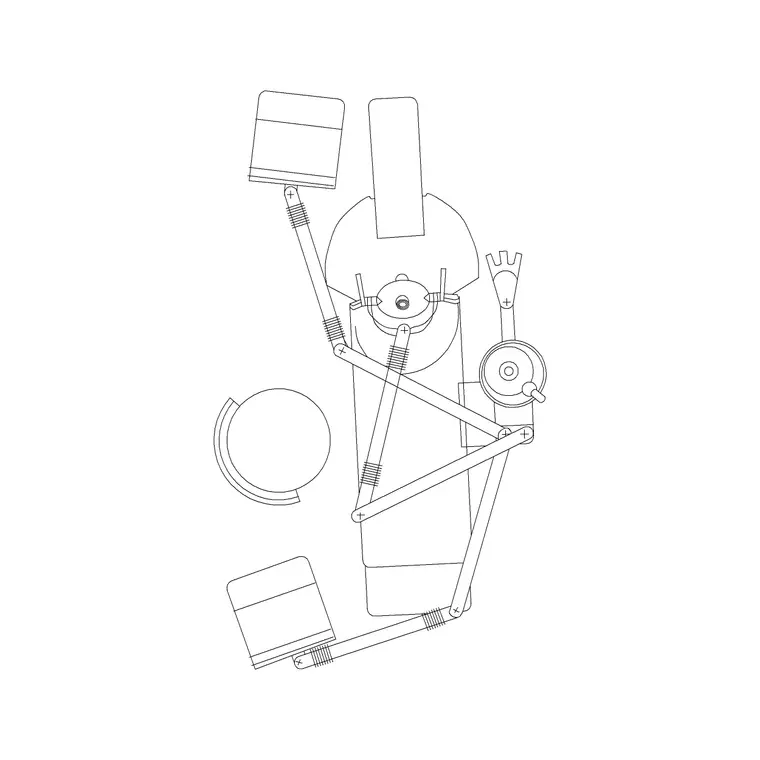
A dental clinic is built around a single dominant object: the dental chair. Everything in the operatory — the dentist's working position, the assistant's seat, the delivery unit, the cabinetry and the wash basin — is arranged in relation to where the patient reclines and where the practitioner's hands and instruments need to be. These free dental clinic CAD blocks give you that chair and the supporting furniture drawn to scale in DWG and DXF for AutoCAD 2004 or later, free for personal and commercial use with no signup and no watermark.
Getting a dental room right is about working space, not floor area. The dentist works in a tight arc around the patient's head, the assistant sits opposite, and both need clear access to the patient and to the cabinetry without colliding. A scaled chair block lets you draw that working envelope and the clock-position zones around the patient's head, so you can size the operatory honestly instead of guessing.
Use the set for single-chair practices, multi-surgery dental clinics, orthodontic and hygiene rooms, and the dental suites inside larger health centres. Start from the chair, draw the working zones around it, then let the cabinetry, basin and circulation follow.
The chair-centred operatory
Unlike most rooms, a dental operatory is planned outward from one block. Place the dental chair, fix the dentist's and assistant's working positions around the patient's head, and only then locate the cabinetry, delivery unit, basin and movement space. Get the chair position wrong and nothing else in the room works.
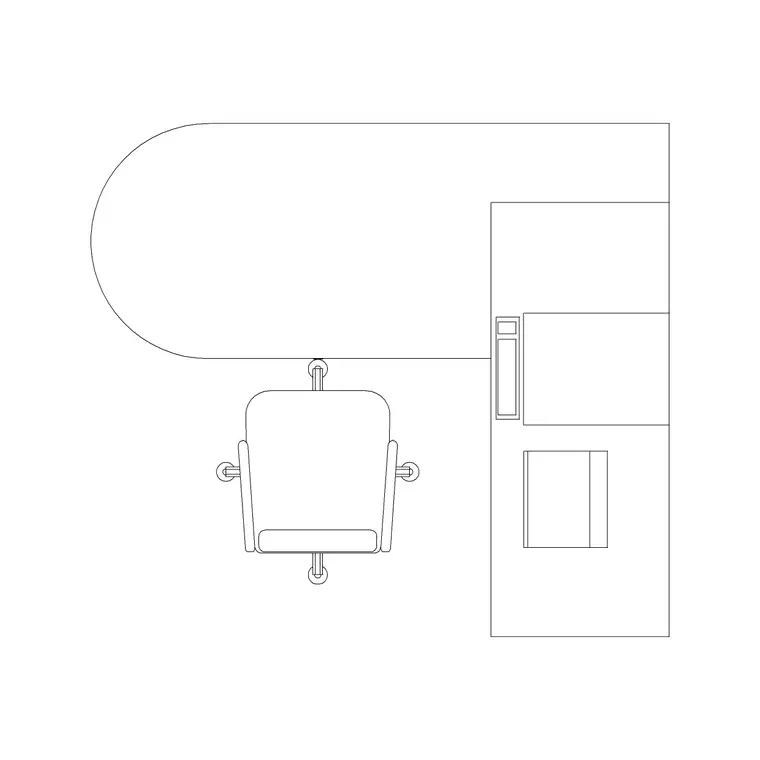
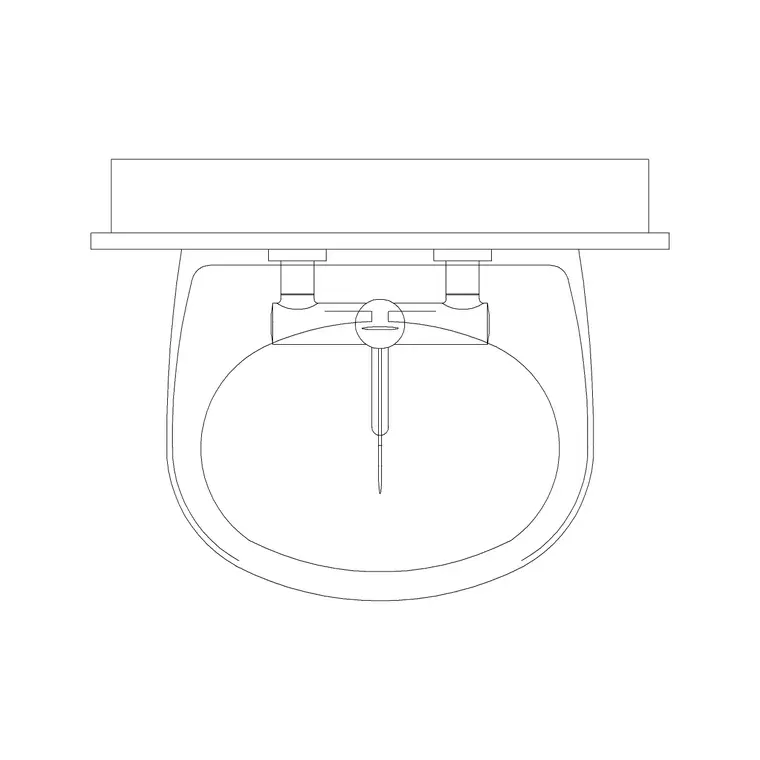
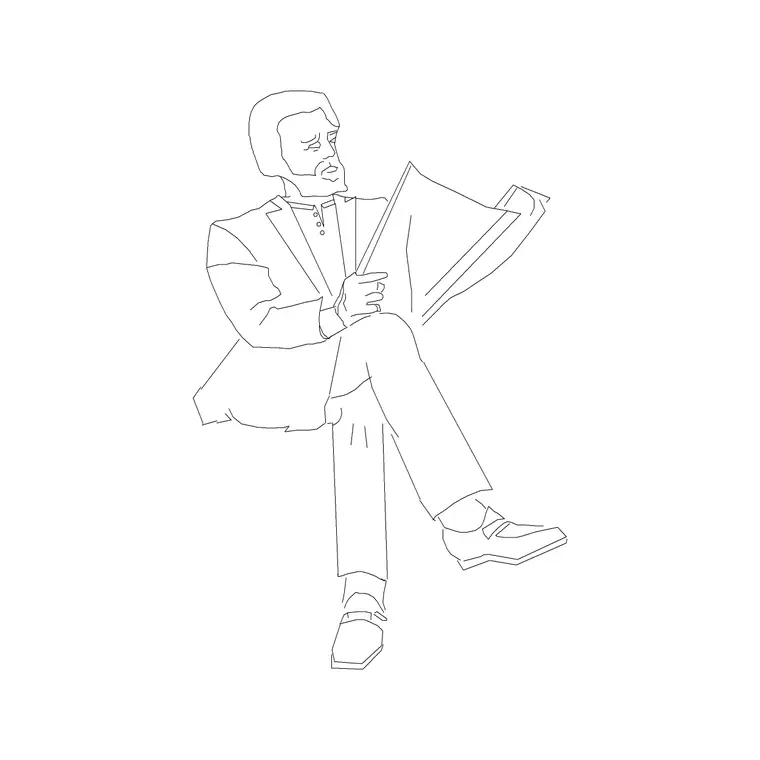
The core blocks are the dental chair itself (the patient seat plus the rough zone the unit and arms occupy), a doctor's table or writing position for notes and consultation, a wash basin for hand hygiene and instrument handling, and scale figures for the patient, dentist and assistant to test that all three fit around the chair at once.
Dental operatory dimensions and working zones
Keep these as ranges. A single-chair operatory commonly runs around 2.7–3.5 m by 3.0–3.7 m — broadly 9–13 m² — enough to seat the patient, work from both sides and run a cabinet run along a wall. The chair and unit footprint is roughly 2000 × 1000 mm, but the working space matters more than the object.
Around the patient's head, leave clear zones for the dentist (typically working from one side and behind the head) and the assistant opposite, each needing room for a stool, knees and instrument reach — think of the clock-position arc around the head and keep it free of cabinetry. Allow a circulation route for the patient to reach and leave the chair, and keep the wash basin within reach of the working position. Draw these zones around the scaled chair and the room sizes itself.
Assembling the operatory in AutoCAD
Insert the dental chair first and orient it so the patient's head sits where you want the dentist to stand — usually with the head toward a wall that carries the delivery unit and services. Draw the dentist and assistant working zones as a ring around the head, then place the cabinetry run along the wall that does not block those zones.
Locate the wash basin near the working position and the door, set the writing/consultation table out of the working arc, and check with scale figures that patient, dentist and assistant coexist. Keep the chair, cabinetry, basin, working zones and circulation on separate layers so you can issue a clean operatory plan, a services-coordination drawing and an FF&E schedule from one DWG. For a multi-surgery clinic, finish one operatory fully, then copy it per room.
Plumbing, services and the wall the chair faces
A dental chair is a serviced object — water, drainage, suction, compressed air and power all arrive at it — so the wall the head faces usually becomes the services wall. Fixing the chair early in the plan lets the M&E coordination start from a real position rather than a placeholder, which is why a scaled, correctly-oriented chair block is worth more than a sketch here.
Place the basin and cabinetry on the same serviced wall where you can to keep plumbing runs short. Use the plan to show where services rise to the chair and the basin, and keep those zones clear of circulation so the room reads correctly for the contractor.
Per-item notes for dental blocks
Dental chair — the room's anchor. Orient the patient's head toward the services wall, keep the dentist and assistant arcs around the head clear of cabinetry, and check three scale figures fit.
Doctor table — use it as the writing and consultation point; place it outside the working arc so it does not crowd the chair.
Wash basin (plan) — keep it within a step of the working position and near the door for hand hygiene on entering and leaving.
Human figures (plan/sitting) — drop a reclined patient, a seated dentist to one side and an assistant opposite to prove the working space is real.
Why plan view drives dental layout
Dental rooms are coordinated from above: the operatory plan, the services drawing and the cabinetry layout all read footprints, working zones, door swings and circulation in plan. The blocks here are drawn for that top-down work and insert at true size, so the chair, basin and table you place are the same items the schedule lists and the contractor sets out.
Because a multi-chair clinic repeats the same operatory, a fully-resolved room copies cleanly across the plan. Lay out one surgery with its working zones and services, copy it per room, then vary only the handing or cabinetry — keeping the clinic consistent and the coordination simple.
Free download
Browse the full library — DWG & DXF, no signup.
Questions
Frequently asked
How big should a single dental operatory be?+
Allow roughly 9–13 m² (about 2.7–3.5 m by 3.0–3.7 m) so the dentist and assistant can both work around the patient's head with cabinetry along a wall. The scaled chair block lets you test the working zones first.
Which CAD blocks do I need for a dental clinic?+
A dental chair, a doctor/writing table, a wash basin, and scale figures for the patient, dentist and assistant. All download free in DWG and DXF.
Where should the dental chair face in the plan?+
Orient the patient's head toward the services wall so water, suction and power arrive cleanly, and keep the dentist and assistant working arcs around the head clear of cabinetry.
Are the dental clinic blocks free to use commercially?+
Yes. Every block downloads free in DWG and DXF with no signup, no watermark and no attribution requirement, and is cleared for commercial use.
Related downloads
Blocks for this guide
Related categories
Related guides
Room guide
Clinic CAD Blocks — DWG Layout & Download
Free clinic CAD blocks in DWG and DXF — examination couch, doctor table, wash basin and scale figures for laying out a small clinic plan. No signup.
Room guide
Doctor Consulting Room CAD Blocks — DWG
Free doctor consulting room CAD blocks in DWG and DXF — doctor's desk, examination couch, wash basin and scale figures for a consult room plan. No signup.
Room guide
Free Classroom CAD Blocks — DWG Download
Free classroom CAD blocks in DWG and DXF — student desks, chairs, teacher tables and figures to lay out a teaching room in AutoCAD. No signup.