Block landing · couple figure cad block
Free couple figure CAD block for two-person scenes
By Sumana Kumar · Published 1 Jun 2025 · Updated 8 May 2026
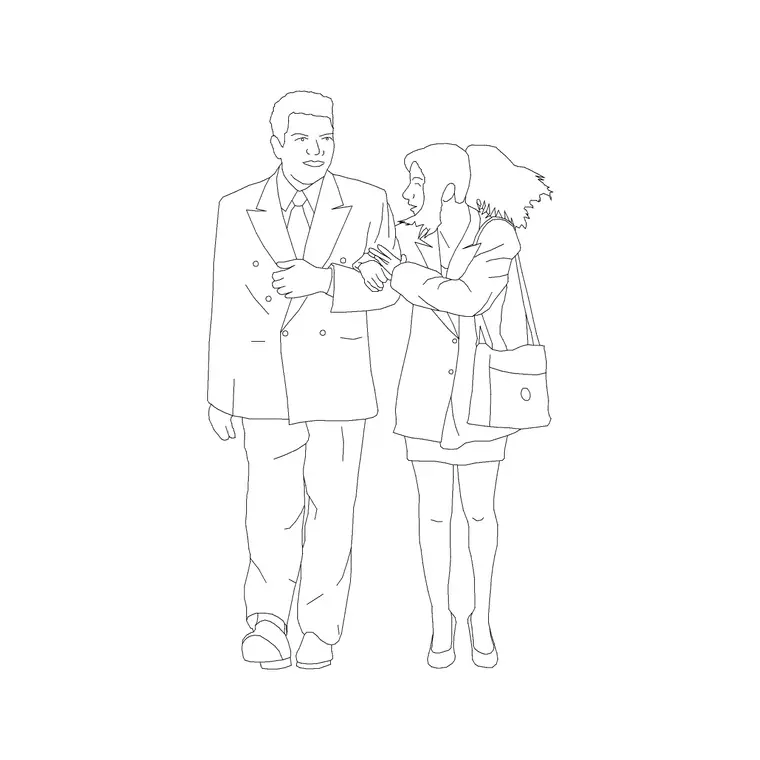
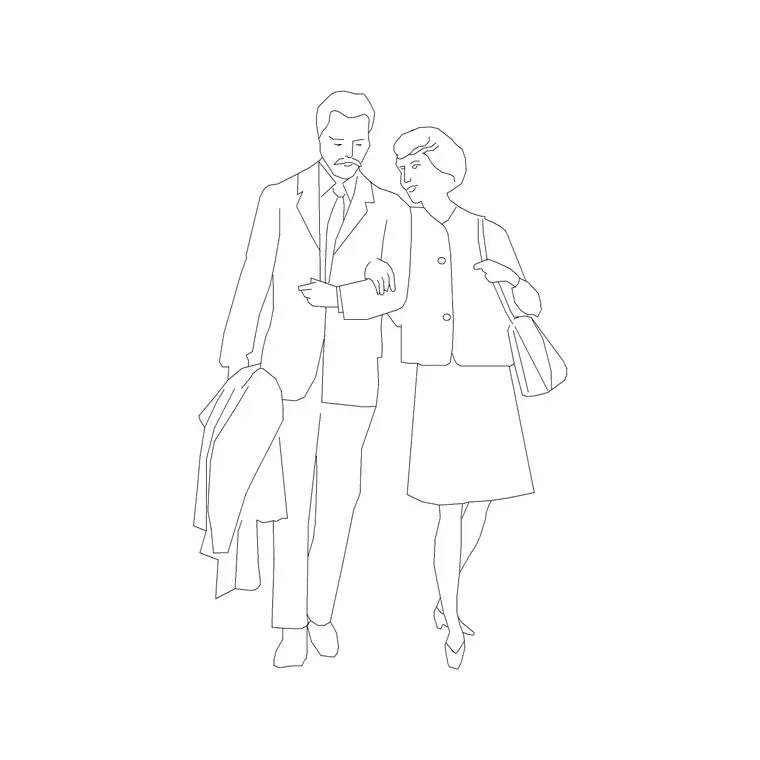
A single scale figure measures a room; a couple tells a story about it. The couple figure is a paired man-and-woman block you place at an entrance, in a lobby or across a café elevation to show the space being used socially rather than just inhabited. This page offers a free couple figure CAD block in DWG and DXF, drawn in elevation as two adults standing together and ready to drop into AutoCAD 2004 or later, free for personal and commercial use with no signup and no watermark.
The reason a couple block exists as its own item, rather than two separate figures, is composition. A pre-spaced pair already has the gap, the relative stance and the slight height difference that make two people read as together rather than as two strangers happening to share a drawing. That saves the fiddly business of arranging individual figures and gives presentation elevations an instant sense of life, which is why interior and residential designers reach for it on lifestyle drawings.
What the couple figure block contains
The block is two adult figures in elevation — typically a taller and a shorter figure standing close together — composed as a believable pair. The slight difference in height and the spacing between them are deliberate: they are what make the group read as a couple rather than as a measuring stick stamped twice. It is drawn as a clean silhouette pair, with no unnecessary internal detail, so it sits quietly behind the architecture it is scaling.
Because it is a single block reference, you insert the pair in one action and move them as a unit. That is the practical advantage over placing two separate people: the composition is locked, so the couple keeps its spacing wherever you drag it, and one edit to the master updates the pair everywhere it appears.
Entrances, lobbies and lifestyle elevations
A couple suits the social moments of a building. At a residential or hotel entrance the pair sets the scale of the door and canopy while showing arrival as a shared event. In a lobby, restaurant or retail elevation the couple animates the space and gives the client something human to read the drawing against. In residential interiors a couple in a living room or kitchen elevation communicates lifestyle in a way a lone figure cannot.
The pair is also an efficient scale device. Two figures of slightly different height give the eye two reference points instead of one, so the height of a counter, a stair or a mezzanine reads more confidently. Used sparingly, a single couple can carry the scale and the atmosphere of a whole presentation elevation.
Sizing and spacing the pair
Both figures are drawn at adult scale, so an average standing adult is commonly taken as around 1700 to 1800 mm tall at the design stage — treat that as a range to read the architecture against rather than a fixed figure. The shorter figure in the pair sits a little below that, which is what gives the natural height contrast. The spacing between the two is composed to read as social proximity, neither touching nor far apart.
Keep the pair full size and uniform — never stretch one figure to change the height relationship, as that breaks the believable proportion. Set INSUNITS to millimetres so AutoCAD rescales on insertion if the block was built in different units. If you need them facing the other way, mirror the whole block so the composition stays intact rather than mirroring one figure.
Placing the couple in AutoCAD
INSERT the block and snap the feet of the pair to your floor or ground line with an endpoint OSNAP so they stand on the surface rather than float. Because the spacing is built in, you simply position the pair where the composition wants them — near a door, beside a counter, in the middle distance of an elevation. Use MIRROR to flip the whole pair when they should face the opposite way.
Put the couple on a dedicated scale-figure layer, screened or non-plotting if they are for presentation only, so they read in client PDFs but can be removed for construction issue. Keep one master block so a single change to the figures propagates to every couple on the sheet, and avoid exploding the block, which would let the two figures drift out of their composed spacing.
Free download
Browse the full library — DWG & DXF, no signup.
Questions
Frequently asked
Why use a couple block instead of two single figures?+
The pair comes pre-composed with the right spacing and a natural height difference, so it reads as two people together rather than two strangers. It also moves as one unit, so the composition stays intact wherever you place it.
Can I change which way the couple faces?+
Yes — use MIRROR on the whole block so the composition flips together. Avoid mirroring just one figure, which would break the spacing and the social read of the pair.
How tall are the figures drawn?+
Both are at adult scale, with an average standing adult commonly taken as roughly 1700 to 1800 mm at the design stage. The shorter figure sits a little below that to give a natural contrast; treat the heights as ranges, not fixed specs.
Is the couple figure free for commercial drawings?+
Yes. The DWG and DXF download is free for personal and commercial use with no signup, watermark or attribution, so it can go straight into client presentation and lifestyle elevations.
Should I explode the block to adjust the people?+
No — keep it as a block so the pair holds its composed spacing and a single edit updates every instance. If you genuinely need a different arrangement, use separate single figures instead.
Related downloads
Blocks for this guide
Popular blocks to download
Related categories
Related guides
Block landing
Human Figure Plan CAD Blocks — Free DWG
Download free human figure plan-view CAD blocks in DWG — people seen from above, drawn to scale for floor plans and circulation. AutoCAD 2004+, no signup.
Block landing
Human Figure Elevation CAD Blocks — Free DWG
Free human figure elevation CAD blocks in DWG — people drawn front-on and in profile to scale your sections and streetscapes. AutoCAD 2004+, no signup.
Block landing
Standing Person Scale Figure CAD Blocks (Free)
Free standing person scale figure CAD blocks in DWG — clean, true-height figures to set the scale of plans, sections and elevations. AutoCAD 2004+, no signup.