Block landing · cornice detail cad block dwg
Cornice detail CAD block for AutoCAD
By Saumyajit Maity · Published 3 Jan 2024 · Updated 15 Jun 2026
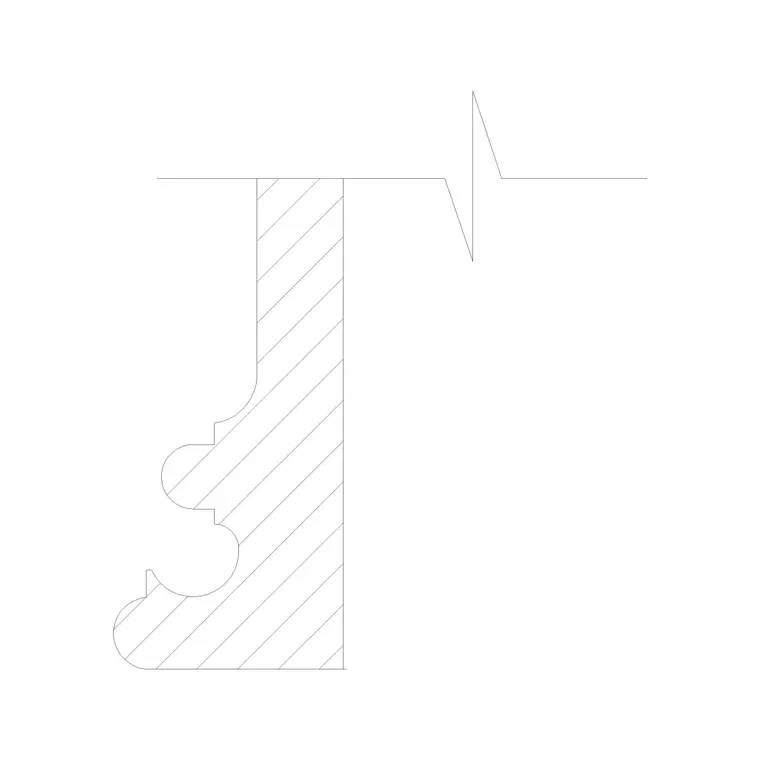
A cornice detail CAD block gives you the cornice moulding's profile drawn in section — the projecting, stepped silhouette that crowns a wall, an eaves line or the junction of wall and ceiling — so you can detail a cornice without constructing the curves and fillets from scratch. This free DWG is drawn full-size in millimetres and opens in AutoCAD 2004 or later. It is free for personal and commercial work, with no signup, no watermark and no attribution requirement.
A cornice is read in section, because its job is to project and throw a shadow line, and that projection is a profile. The block carries the ogees, cavettos, fillets and the corona that make up a classical cornice, ready to drop into an eaves detail, a parapet detail or an interior ceiling junction. Scale it to your wall and it slots straight into the detail.
What the cornice detail shows
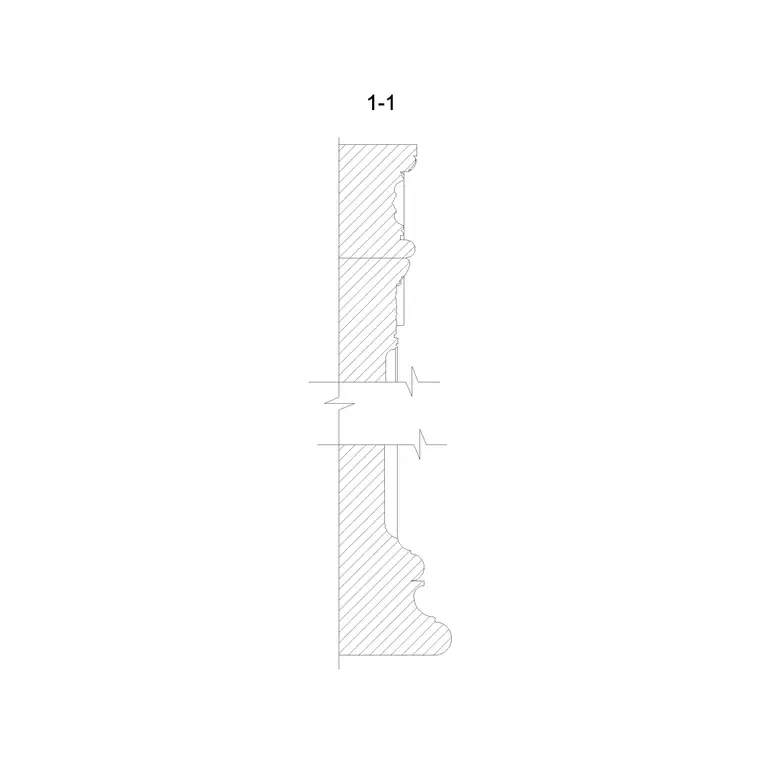
The block is a vertical section through a cornice — the moulding profile you would see if you sliced through the wall at the top. It carries the run of small mouldings that make up the cornice: the cyma (ogee), the cavetto (hollow), the ovolo (quarter-round), the fillets between them and, on classical cornices, the projecting corona with its drip underneath. Where relevant it shows the wall behind, the soffit and the bed mould below the corona.
It is editable linework, so you can stretch or simplify the profile, add or remove a moulding, or set the projection to suit your wall. Because it is real geometry you can hatch the masonry or plaster, dimension the projection and height, and keep the wall, mouldings and any flashing on separate sub-layers.
Views and where it belongs in a detail
This is the section view — the cornice profile cut through, which is the only view in which a cornice is fully described. On an external eaves detail it sits between the wall and the roof or gutter; on a parapet detail it crowns the wall below the coping; on an interior it forms the wall-to-ceiling transition. Pair it with the entablature block when the cornice is the top member of a full classical entablature, and with the skirting profile block when you want the room's top and bottom mouldings to relate.
Keep the cornice on its own detail layer so you can show it in the eaves or ceiling detail and reference it from the elevation. The same profile, mirrored or rotated, often serves both an external cornice and an internal cornice of similar character.
Typical sizing to design around
A cornice's projection is usually a function of its height, and classical practice ties both to the order or the wall it crowns. As rough ranges, an interior plaster cornice might project and drop in the 70–250 mm region; an external masonry or rendered eaves cornice projects further, often 200–500 mm or more, to throw water clear of the wall. The bigger the building and the higher the cornice, the larger the projection needs to be to read from the ground.
The projection should be enough to throw rainwater past the wall face on an external cornice, and the underside usually carries a drip or throat so water does not track back. Treat these figures as ranges to design within and scale the profile to your wall; confirm the support and fixing of any large or heavy cornice, and the weathering details, against your construction standards.
Inserting and detailing in AutoCAD
The block is full-size in millimetres. Insert at scale 1 in a millimetre drawing, 0.001 in metres, or set INSUNITS to millimetres in an imperial template so AutoCAD rescales on insertion. Snap the insertion point to the back of the wall at the cornice bed line and align it with your wall section.
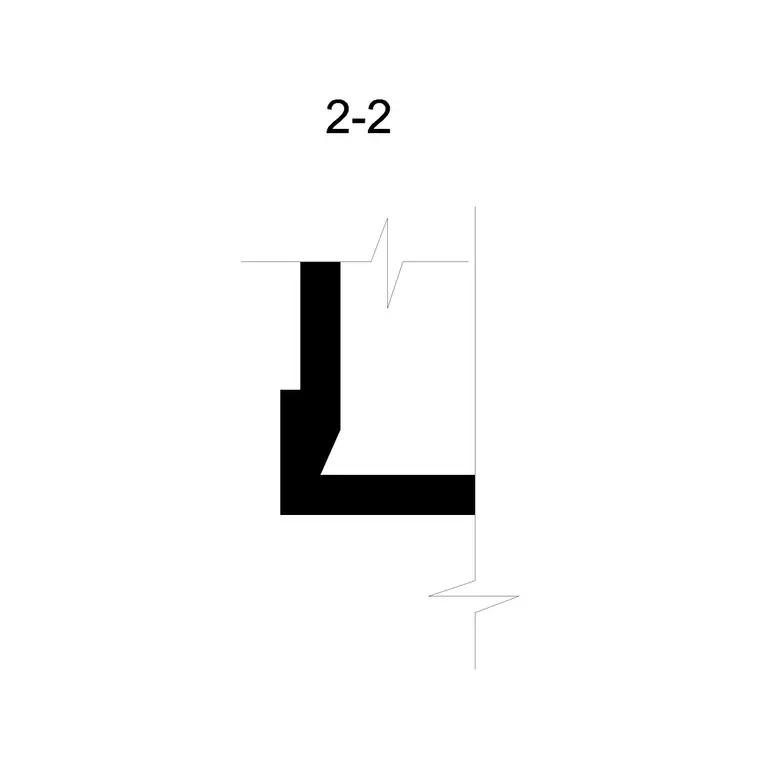
Because a cornice is a constant profile run along a wall, the section block is what you place; in 3D you would sweep this profile along the wall path, and the same profile defines a mitre at the corners. Keep the cornice on its own layer, dimension the projection and the overall height, and add the bed mould and soffit lines to the wall section. If you refine the profile, save it back with BEDIT or WBLOCK it so the same cornice runs consistently around the whole building.
Where cornice details are used
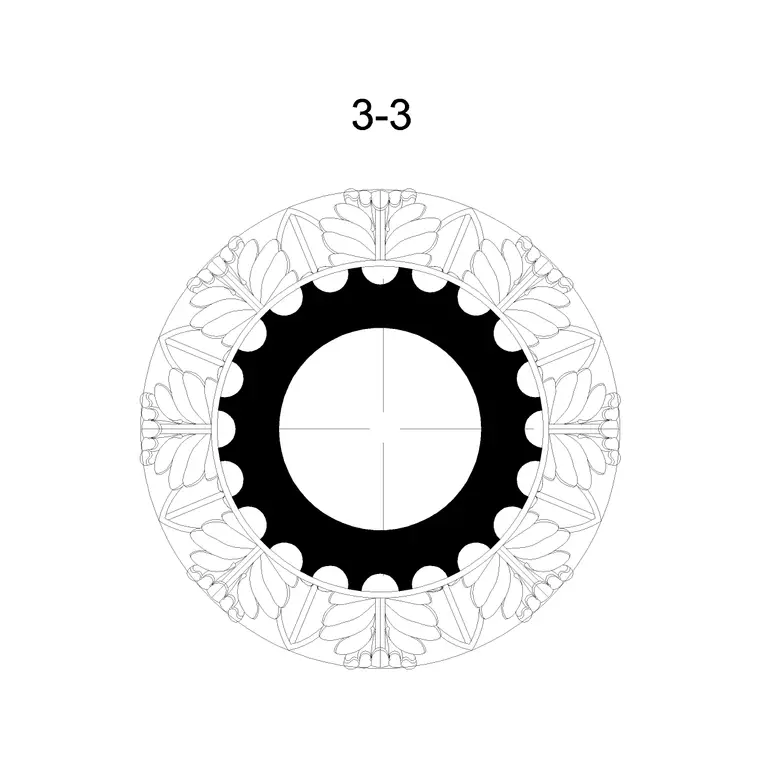
Cornice details appear on almost every building with a finished top: classical and traditional facades at the eaves and parapet, render and masonry buildings, and the interiors of period and reproduction rooms at the ceiling line. Architects and technicians draw them on eaves, parapet and verge details; interior designers on ceiling and panelling details; restoration teams on record and repair drawings of historic cornices.
They also turn up on furniture and joinery — the cornice of a tall cabinet, bookcase or wardrobe is the same idea at small scale. Because the block is licence-clear, it suits student detail sheets and competition boards with no sourcing concern. Combine it with the entablature, skirting and pilaster blocks from the same family to detail a complete classical room or facade.
Adapting the moulding profile
A cornice profile is easy to tune. For a plainer look, delete the inner mouldings and keep a simple corona and bed mould; for a richer one, add dentils, modillions or an egg-and-dart enrichment under the corona. The projection and drip are the parts that matter most on an external cornice, so check those first when you adapt the profile to a new wall.
Keep each moulding member on a sub-layer so lineweights stay controllable and the profile plots cleanly at detail scale. Once you have the cornice you want, reuse it as a single profile block so every cornice in the project matches; mitre it correctly at corners by mirroring the profile about the corner line, which keeps the moulding members continuous around the building.
Free download
Browse the full library — DWG & DXF, no signup.
Questions
Frequently asked
Why is the cornice shown in section rather than elevation?+
A cornice is a moulding profile that projects and throws a shadow line, so its section is what fully describes it. The section carries the ogees, cavettos, fillets and corona; in elevation a cornice just reads as a band.
How far should a cornice project?+
Projection scales with height and purpose. Interior plaster cornices often project in the 70–250 mm range; external eaves cornices project further, frequently 200–500 mm or more, to throw rainwater clear of the wall. Scale the profile to your wall and confirm weathering details.
Can I use the same cornice inside and outside?+
A similar profile can serve both, but external cornices need a drip and enough projection to shed water, while interior cornices are about appearance. Adapt the projection and weathering when you move the profile from inside to outside.
Is the cornice detail block free for commercial projects?+
Yes. It downloads free in DWG with no signup, no watermark and no attribution requirement, cleared for commercial, personal and student use.
Related downloads
Blocks for this guide
Related categories
Related guides
Block landing
Free Classical Column CAD Blocks — DWG Download
Download free classical column CAD blocks in DWG — shaft, capital and base drawn in elevation and plan for AutoCAD. No signup, free for commercial use.
Block landing
Free Greek & Ionic Column CAD Blocks — DWG
Free Greek and Ionic column CAD blocks in DWG — fluted shafts and volute capitals drawn in elevation for AutoCAD. No signup, free for commercial use.
Block landing
Free Decorative Arch CAD Blocks — DWG Download
Download free decorative arch CAD blocks in DWG — round, segmental and classical archways drawn in elevation for AutoCAD. No signup, free for commercial use.