Block landing · cooking range cad block plan
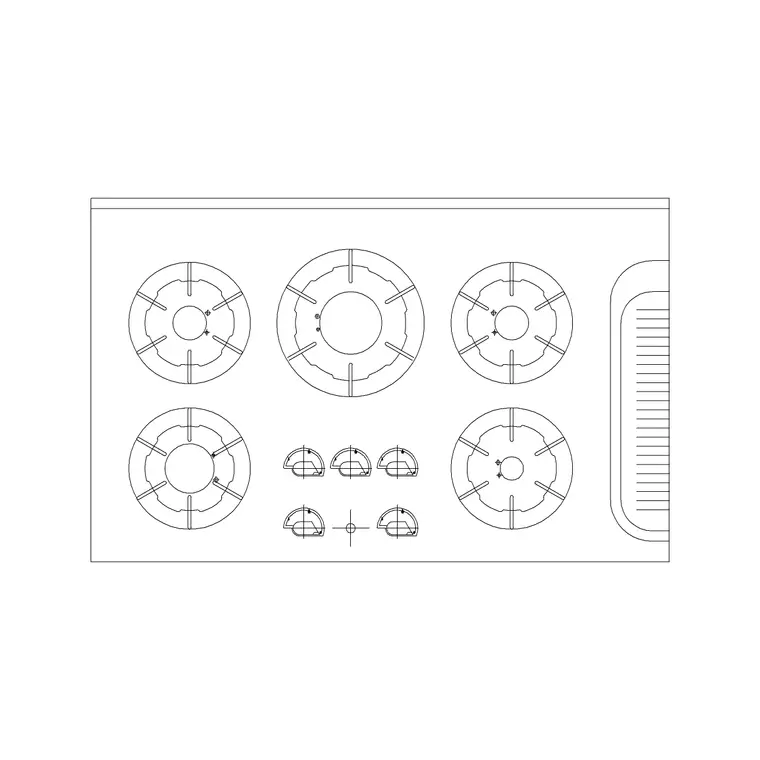
Free cooking range CAD block in plan view
By Saumyajit Maity · Published 23 Mar 2022 · Updated 10 Jan 2026
When you set out a kitchen plan, the cooking range is one of the first fixtures you anchor, because it pins down the ventilation, the worktop break and one corner of the work triangle. This page gives you a free cooking range CAD block drawn in plan view — the cooker seen from directly above, with the hob burners or zones laid out across the cooktop — ready to drop into AutoCAD 2004 or later. It is free for personal and commercial work, no signup, no watermark, no attribution.
A plan-view range block is the one you actually array along a run and check clearances against. Because it carries the burner pattern and the true module width, you can see at a glance whether a freestanding 600 mm cooker sits flush between two cabinet runs or whether a wider 900 mm range is going to swallow a base unit you needed for storage. Place it early, and the rest of the kitchen settles around it.
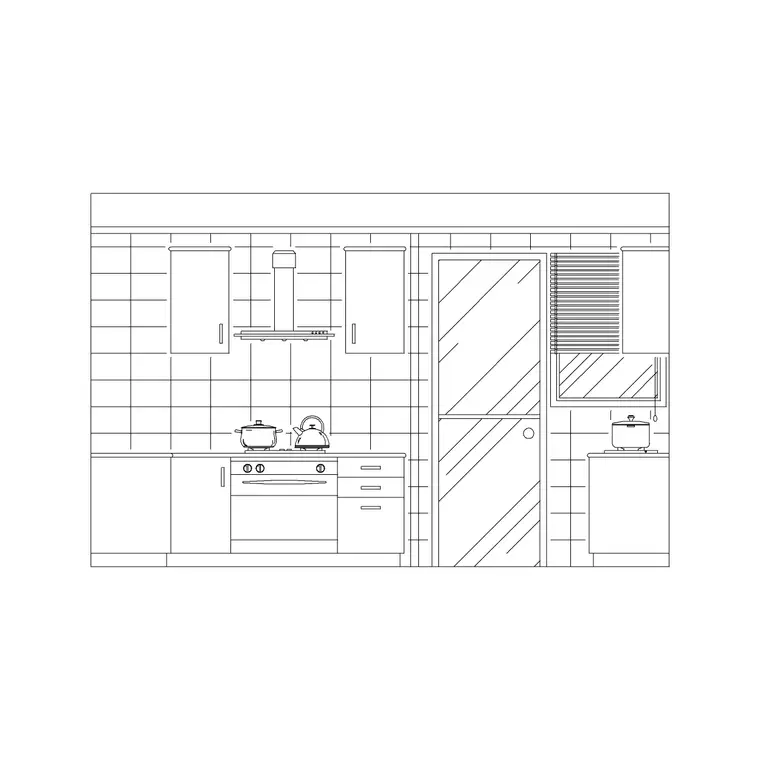
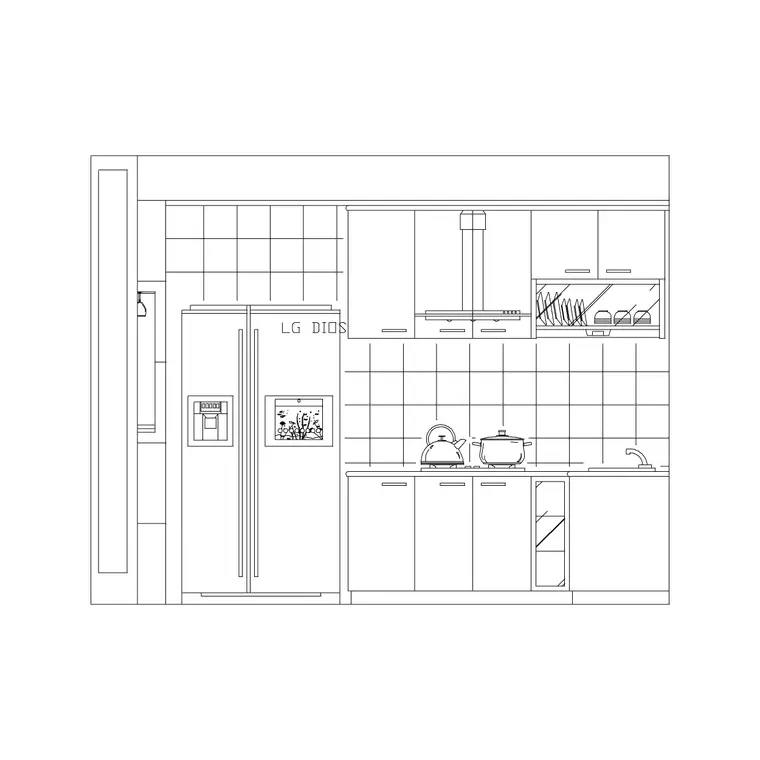
This is the top-view companion to the elevation cooker blocks elsewhere in the kitchen category. Use the plan to lay out the floor, then switch to an elevation when you draw the joinery or the splashback.
What the cooking range plan block shows
Seen from above, a cooking range block reads as a rectangle the width of the appliance with the cooktop pattern drawn inside it — typically four burners on a 600 mm cooker, five or six across a 900 mm range. The burner rings (or radiant-zone circles on a ceramic top) matter because they tell anyone reading the plan that this is the cooking position, not just a cabinet, and they hint at where pan handles will project into the room.
The block is a single block reference, so you move, copy and rotate the whole cooker as one object. The outline is drawn on its own layer separate from the burner detail, which means you can keep a clean appliance outline for the general arrangement plan and thaw the burner pattern only when you want the kitchen-detail version of the drawing.
Typical cooking range sizes to plan around
Domestic ranges come in fixed module widths, and designing to those modules is what keeps a run honest. Common widths are 500 mm and 600 mm for a standard freestanding cooker, 900 mm for a wide range, and 1000 mm or 1100 mm for a large dual-fuel or range-style cooker. Depth usually matches the 600 mm base-cabinet line so the cooker front sits flush with the worktop.
The figure that bites in plan is not the cooker itself but the space in front of it: allow roughly 1000 mm of clear floor so a person can stand, open the oven door and turn with a hot pan. In a galley, that clearance has to coexist with the run opposite, which is exactly the kind of clash a scaled plan block makes visible the moment you place it. Treat these as ranges to design within, and confirm the exact module against the appliance you are actually specifying.
How to insert and orient the block
The block is drawn full size in millimetres. In a millimetre drawing, run INSERT (or drag the DWG onto the canvas) and place it at scale 1; in a metre template insert at 0.001, or simply set INSUNITS to millimetres so AutoCAD rescales on insertion and you never get the microscopic-or-giant surprise.
Snap the insertion point to the cabinet baseline so the cooker front aligns with the worktop edge, then rotate it to face into the room. Because the burners sit toward the front of most cooktops, check the block is oriented the right way round — the controls and the deeper part of the cooktop should read correctly against the wall. Once placed, the range is a reference you can copy to a second position while you test alternative layouts.
Where the plan-view range is used
This block belongs in residential kitchen layouts, apartment and studio fit-outs, holiday-let and serviced-apartment kitchenettes, and small commercial tea-points. Architects use it to populate a dwelling plan with a believable, scaled cooker; interior and kitchen designers use it to test the work triangle between cooker, sink and fridge; students use it for studio plans where licence-clear appliances matter.
It pairs naturally with a plan-view hood or extractor placed directly above it, the sink block on the wet run, and the base-cabinet modules that close the gaps either side. Lay the cooker, the sink and the fridge first to fix the triangle, then fill in storage.
Plan now, elevation later
A floor plan answers where the cooker goes; it does not show what the cooking wall looks like. Once the plan reads well, switch to an elevation block for the joinery drawing, the splashback setting-out and the client presentation, where the cooker, the hood above it and the cabinet fronts are drawn face-on at their real heights.
Keeping the two views consistent matters: the plan width of the range must match the elevation width, and the hood centred over the cooker in plan must sit centred in elevation too. Drawing both from the same kitchen category keeps those positions coordinated, so the splashback the tiler sets out lines up with the cooker the joiner installs.
Keeping the cooker on the appliance layer
Put the range on a dedicated appliances layer rather than leaving it on layer 0. That lets you freeze appliances to produce a clean cabinetry-only plan, or thaw them for the fully-fitted version, from one drawing. Give the layer its own colour so the cooker reads distinctly from the cabinet outlines around it.
If you tag the block with a simple attribute — a model code or a fuel type, say — you can extract an appliance schedule straight from the plan, which is exactly the data an FF&E or procurement list wants. When a layout repeats, WBLOCK the cooker-plus-hood as a single unit so the cooking position drops in coordinated every time.
Free download
Browse the full library — DWG & DXF, no signup.
Questions
Frequently asked
Is this cooking range block plan or elevation?+
It is a plan-view (top-view) block — the cooker seen from above with the burner or zone layout drawn on the cooktop. Use it for kitchen floor plans and layouts; for face-on cooking-wall drawings, use one of the elevation cooker blocks in the kitchen category.
What width should I draw the cooking range at?+
Match the appliance module: 500–600 mm for a standard freestanding cooker, 900 mm for a wide range, and 1000–1100 mm for a large range cooker. Depth typically aligns with the 600 mm base-cabinet line. Confirm the exact width against the cooker you are specifying.
How much space do I leave in front of the range?+
Allow roughly 1000 mm of clear floor in front so someone can open the oven door and turn with a hot pan. In a galley kitchen that clearance must work alongside the opposite run, so check it with the scaled block in place.
Is the cooking range block free for commercial projects?+
Yes. It downloads free in DWG with no signup, no watermark and no attribution requirement, and it is cleared for commercial project use.
Related downloads
Blocks for this guide
Related categories
Related guides
Block landing
Free Bathroom Fixtures CAD Blocks — DWG Download
Download free bathroom fixtures CAD blocks in DWG and DXF — toilets, wash basins, bathtubs, showers and vanities drawn in plan and elevation. No signup, commercial OK.
Block landing
Free Gas Stove / Cooktop CAD Blocks — DWG
Free gas stove and cooktop CAD blocks in DWG and DXF — drawn in plan and elevation at true kitchen-module sizes for AutoCAD 2004+. No signup, commercial-use OK.
Block landing
Single Burner Hob CAD Block — Free DWG
Free single burner hob CAD blocks in DWG and DXF for compact kitchens and studios — plan and elevation, true sizing for AutoCAD 2004+. No signup, commercial OK.