Block landing · cobblestone paving cad block
Free cobblestone paving CAD block in DWG
By Sumana Kumar · Published 16 Jan 2023 · Updated 23 Mar 2026
Cobblestone paving carries a character no manufactured paver can fake: small stone setts, slightly irregular, laid in fans or courses to make the cobbled streets, mews and courtyards we associate with old town centres and heritage schemes. Drawing that texture convincingly by hand is slow, so a ready-made cobblestone paving CAD block is a real time-saver. This page gives you one free in DWG, drawn in plan.
The block represents the setts and their joints as line work at a believable stone size, so the surface reads as cobbles rather than a vague stipple when you scale it into a street, a courtyard or a path. Use it on conservation, public-realm and landscape drawings, and crosslink to the wider paving category for adjacent surfaces. It is free for personal and commercial use, with no signup, no watermark and no attribution required.
What a cobblestone block contains
Cobbles and setts are small stone units — granite, sandstone or reclaimed stone — laid tightly with mortar or sand joints. Unlike a precise block paver, real cobbles vary slightly in size and the joints wander, which is what gives the surface its hand-laid character. A good CAD block captures that as a repeatable but lively pattern rather than a rigid grid.
The download is a flat 2D plan carrying the sett outlines and joints on their own layer. Because it is vector geometry it scales and prints cleanly, and you can recolour or thin the joints to suit a setting-out drawing or a screened presentation plan without redrawing the stones.
Setts, cobbles and the common laying patterns
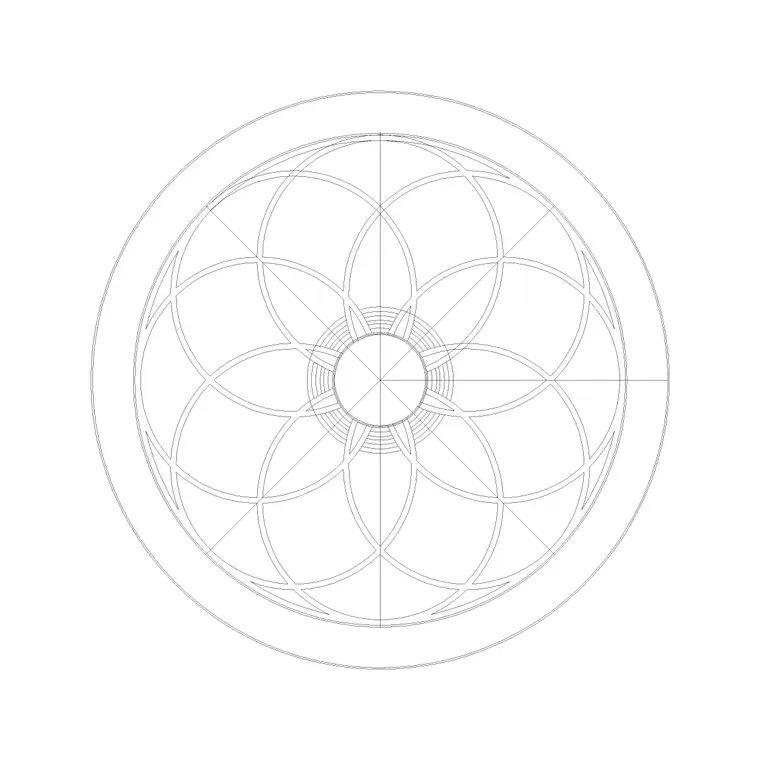
Strictly, a 'sett' is a squared, dressed stone laid to a pattern, while a 'cobble' is a rounded, water-worn stone; in everyday drawing both get called cobblestone. The laying patterns matter more than the terminology: coursed rows for a regular street, fan or arc patterns (often called peacock or segmental fans) for squares and courtyards, and random or jointed-random for an informal, ancient look.
The arc fan is the most recognisably 'cobbled' pattern and the one that reads best on a public-realm plan. Coursed setts suit a tidier street or a kerb-to-kerb carriageway. Pick the pattern that matches the scheme's intent so the drawing communicates the right level of formality.
Typical sett sizes to design around
Stone setts are small by paving standards — cubes and rectangles roughly in the region of 100 mm across, with thickness driven by whether the surface is pedestrian or trafficked. The small unit size is exactly why a cobbled surface looks so fine-grained on plan and why the joint count is so high.
Use these as design-around ranges; confirm the actual sett your project specifies, since natural stone sizes vary by quarry and supplier. The CAD block is drawn to a believable sett module so that, scaled into a real street or square, the texture and density look right and an early estimate of stone quantity is realistic.
How to insert and apply the texture
The block is in millimetres. Insert at scale 1 in a millimetre drawing, 0.001 in metres, or set INSUNITS so AutoCAD rescales automatically. Use INSERT and drop the block at a corner of the area you are surfacing.
Because a cobbled field is dense, it is often better treated as a hatch than as thousands of individual block references: explode one tile, build a custom hatch pattern from it, and hatch the paved polygon to keep the file manageable. Where you do array it, use ARRAYRECT and trim to the boundary. Either way, clip the texture to the real paving outline so it stops cleanly at kerbs, channels and planting.
Where cobblestone paving is used
Cobblestone belongs to heritage and conservation schemes, historic town centres, mews and cottage courtyards, public squares, shared-surface streets and the entrance forecourts of period buildings. It is also a deliberate design choice in new landscape work where a tactile, traffic-calming or rustic surface is wanted, since the slight unevenness naturally slows vehicles and signals to drivers that they are entering a pedestrian-priority zone.
Pair it with kerb, channel, bollard and street-furniture blocks to build a streetscape, and use a smoother surface for accessible routes since cobbles can be uncomfortable underfoot and for wheels. A common, considerate detail is to run a band of smooth flags through a cobbled square as a level wheelchair and trolley route while keeping the character cobbles either side. On a plan, a cobbled fill instantly sets a historic or high-quality public-realm tone.
Managing a dense pattern in the file
Cobblestone is the heaviest of the common paving textures because of its tiny unit size, so file discipline pays off. Treat large areas as hatches rather than exploded geometry, keep the pattern on a dedicated surfaces layer, and screen it back for the architectural plan so it does not overpower the line work.
Where the contractor needs a true setting-out reference — for an arc fan or a coursed run — provide a denser version on its own layer for that area only, not across the whole site. Keeping a light presentation hatch and a detailed set-out version as separate layers lets one drawing serve both the client and the paviour without becoming unworkably large.
Free download
Browse the full library — DWG & DXF, no signup.
Questions
Frequently asked
Is the cobblestone paving block free for commercial use?+
Yes. It downloads free in DWG with no signup, no watermark and no attribution requirement, and it is cleared for commercial project work.
Should I hatch cobblestone rather than array it?+
Usually yes. Because setts are small, a cobbled field contains a huge number of units, so a custom hatch keeps the file far lighter than thousands of block references. Array only where you need a true setting-out reference for a small area.
What's the difference between a sett and a cobble?+
A sett is a squared, dressed stone laid to a pattern; a cobble is a rounded, water-worn stone. In everyday drawing both are called cobblestone, and this block represents the small-unit stone texture either way.
Is cobblestone suitable for accessible routes?+
Not ideally — cobbles can be uneven underfoot and uncomfortable for wheels. Use a smoother paving on accessible routes and reserve cobblestone for character areas, traffic calming and heritage surfaces.
Related downloads
Blocks for this guide


Related categories
Related guides
Block landing
Free Garden Fence CAD Blocks — DWG & DXF
Download free garden fence CAD blocks in DWG and DXF — timber, panel and contemporary boundary fences drawn in plan and elevation, AutoCAD 2004+, no signup.
Block landing
Free Wrought-Iron Gate CAD Blocks — DWG
Download free wrought-iron and metal gate CAD blocks in DWG and DXF — ornamental garden gates in elevation and plan with swing arcs. No signup.
Block landing
Free Main Entrance Gate CAD Blocks — DWG
Download free main entrance gate CAD blocks in DWG and DXF — driveway, sliding and double-swing gates drawn in elevation and plan with swing arcs. No signup.