Block landing · classical arch detail cad block dwg
Classical arch detail CAD block for AutoCAD
By Sumana Kumar · Published 7 Jul 2024 · Updated 19 Mar 2026
A classical arch detail CAD block gives you a properly set-out arch — the springing line, the radiating voussoirs and the keystone — in one editable DWG, so you can put a believable arch over a door, window or opening without constructing every wedge stone by hand. This download is drawn full-size in millimetres and opens in AutoCAD 2004 or later. It is free for personal and commercial work, with no signup, no watermark and no attribution requirement.
The arch is a workhorse of classical and traditional architecture, appearing over openings, in arcades, on bridges and as a decorative motif. Getting the geometry right — the centre, the radius, the springing height and the even division of voussoirs — is what makes it read correctly. This block already carries that geometry, so you scale it to your opening and adjust rather than starting from a blank arc.
What the arch detail contains
The block is an elevation of a classical arch: the two springing points where the curve leaves the verticals, the semicircular (or segmental) intrados and extrados, the voussoirs dividing the arch ring into wedge stones, and the keystone at the crown. Many versions also include the impost moulding at the springing and a hint of the wall or pier the arch sits on. It is editable linework, so you can change the voussoir count, swap a round arch for a segmental one, or add an archivolt moulding around the extrados.
Because it is real geometry, you can hatch the stones, dimension the rise and span, and keep the ring, keystone and imposts on separate sub-layers. It is a setting-out and detail block, not a flat picture.
Views and what you get
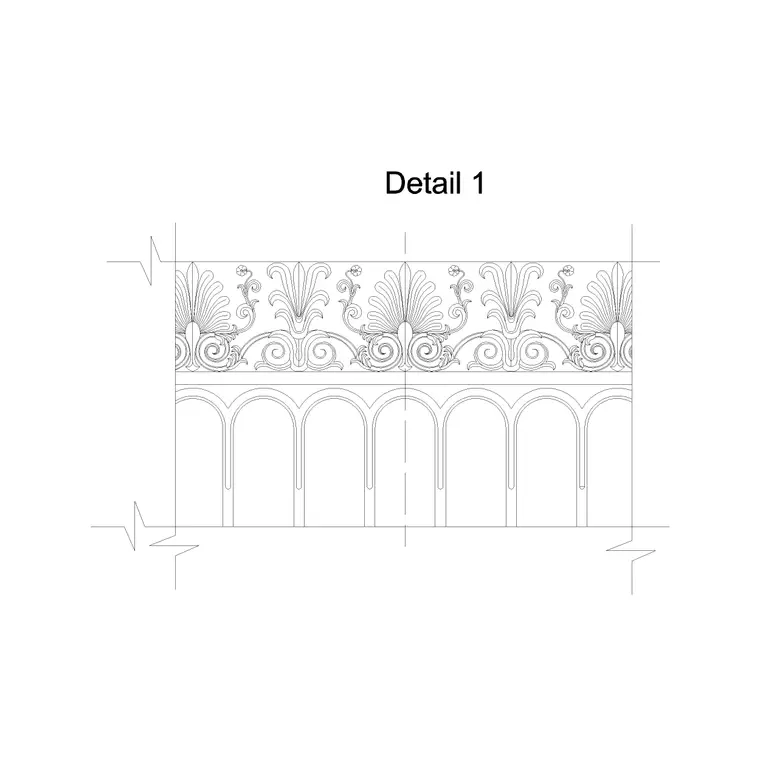
This is the elevation — the arch seen face-on over an opening, the view you use on a facade or in an arcade. For a run of arches along a wall you would combine it with a wall-with-arches block; for the crowning mouldings above, an entablature or cornice block; and for the supporting columns or piers, a column elevation block.
The keystone is often worth keeping as a separate component, so WBLOCK it if you want to reuse the same keystone profile on several arches. Build the arch on the same setting-out as its supporting columns and the springing line will sit at a consistent height across an arcade, which is what makes a row of arches read as a unified order.
Setting out and sizing the arch
A semicircular arch's rise equals half its span, because the centre sits on the springing line — so a 1.2 m wide opening gives a 0.6 m rise to the crown. A segmental arch has a flatter curve struck from a centre below the springing line, giving a smaller rise; you choose the rise to suit the look and the structure. Domestic door and window arches commonly span roughly 0.8–1.5 m; arcade and gateway arches go much wider.
Divide the arch ring into an odd number of voussoirs so a single keystone lands at the crown — that is the traditional, balanced arrangement. Scale the block to your span first, then adjust the voussoir count and the ring depth to suit. Treat these as design ranges and confirm any structural span and ring depth with an engineer, especially for masonry arches that carry load.
Inserting and adapting in AutoCAD
The block is full-size in millimetres. Insert at scale 1 in a millimetre drawing, 0.001 in metres, or set INSUNITS to millimetres in an imperial template so AutoCAD rescales on insertion. Snap the insertion point to one springing point or to the arch centre, depending on how the block is based, and align the springing line with the tops of your jambs.
To change the span, scale the block to fit the opening; to change the proportion from round to segmental, you may prefer to redraw the intrados as an arc from a lower centre and re-divide the voussoirs. Keep the arch on its own layer so you can isolate it from the wall, and ARRAY the whole arch along a wall for an arcade rather than copying by eye, so the springing line and rhythm stay exact.
Where arch details are used
Classical arches appear over entrance doors and windows, in colonnaded arcades and loggias, on bridges and viaducts, in garden walls and gateways, and as blind decorative arches on plain facades. Architects use them on classical, Georgian, Romanesque and Renaissance-revival buildings; landscape designers on pergolas, garden gateways and follies; restoration teams on record and repair drawings of period arches.
Interiors use the same detail for arched doorways, niches and fireplace openings. Because the block is licence-clear, it goes onto student boards and competition panels without sourcing worry. Combine it with the wall-with-arches, column elevation and entablature blocks from the same family to build an arcade or a triumphal-arch composition quickly.
Detailing the voussoirs and keystone
The character of an arch lives in its stones. For an emphatic look, make the keystone taller than the other voussoirs and project it slightly; for a quieter arch, keep all the stones the same size. You can chamfer or rusticate the voussoir faces by offsetting the joint lines, or wrap an archivolt moulding around the extrados for a richer order.
Keep the joints, keystone and any moulding on separate sub-layers so you can thin or thicken lineweights per element and plot cleanly at different scales. When you have an arch you will reuse, save it back with BEDIT or WBLOCK it to your own library; mirroring helps when an arch sits symmetrically about a centreline and you want the two halves to match exactly.
Free download
Browse the full library — DWG & DXF, no signup.
Questions
Frequently asked
Does the block include voussoirs and a keystone?+
Yes. It is set out with the springing line, the radiating voussoirs dividing the arch ring and the keystone at the crown, all as editable linework so you can change the stone count or emphasise the keystone.
What is the rise of a semicircular arch?+
For a true semicircular arch the rise equals half the span, because the centre sits on the springing line. A segmental arch is struck from a lower centre and has a smaller rise that you choose to suit the look and structure.
How many voussoirs should an arch have?+
Traditionally an odd number, so a single keystone lands centrally at the crown. Scale the block to your span first, then adjust the voussoir count to keep the keystone balanced at the top.
Is the classical arch detail block free for commercial use?+
Yes. It downloads free in DWG with no signup, no watermark and no attribution requirement, cleared for commercial, personal and student projects.
Related downloads
Blocks for this guide

Related categories
Related guides
Block landing
Free Classical Column CAD Blocks — DWG Download
Download free classical column CAD blocks in DWG — shaft, capital and base drawn in elevation and plan for AutoCAD. No signup, free for commercial use.
Block landing
Free Greek & Ionic Column CAD Blocks — DWG
Free Greek and Ionic column CAD blocks in DWG — fluted shafts and volute capitals drawn in elevation for AutoCAD. No signup, free for commercial use.
Block landing
Free Decorative Arch CAD Blocks — DWG Download
Download free decorative arch CAD blocks in DWG — round, segmental and classical archways drawn in elevation for AutoCAD. No signup, free for commercial use.