Block landing · circular paving pattern cad block
Free circular paving pattern CAD block in DWG
By Sumana Kumar · Published 2 Apr 2026 · Updated 3 May 2026
A circular paving pattern is the feature move of a hardscape plan: concentric rings of tapered setts radiating from a centre point, used to mark an entrance, anchor a courtyard or create a focal terrace in a garden. Because the geometry is genuinely radial, it is fiddly to draw from scratch every time, which is exactly where a ready-made circular paving pattern CAD block earns its place. This page gives you one free in DWG, drawn in plan and ready to insert.
The block is set out as true radial geometry — rings and joints emanating from a common centre — so it reads correctly when you scale it into a real courtyard or lawn opening. Use it to drop a paving circle into a site plan, a garden layout or a public-realm drawing, and crosslink to the wider paving category when the rest of the surface needs a running bond or tile fill. It is free for personal and commercial work, with no signup and no watermark.
What's in a circular paving block
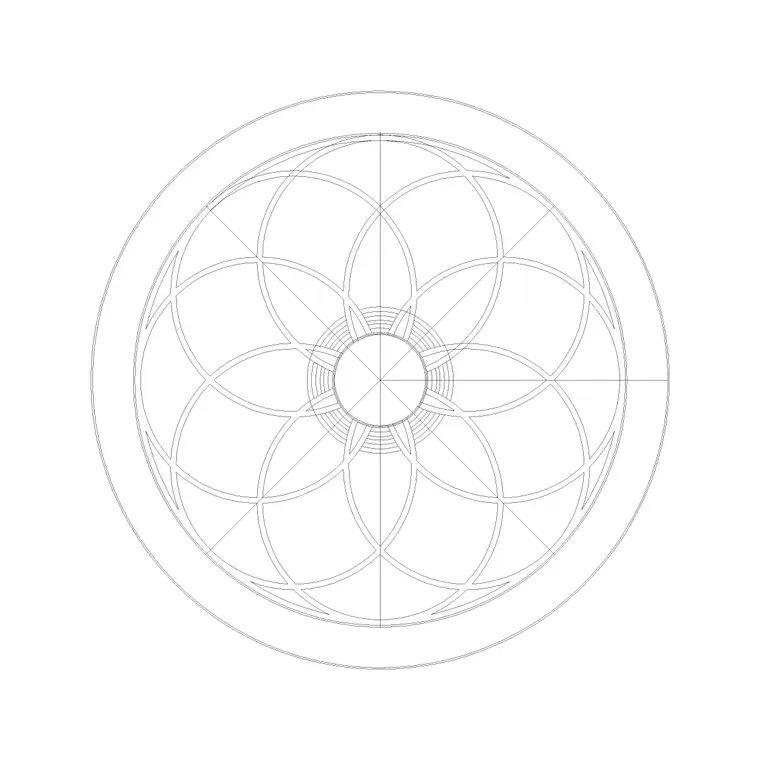
A circular paving pattern is made of wedge-shaped setts arranged in concentric rings, plus a small centre stone or feature unit at the bullseye. The number of setts per ring grows as the radius increases, so the joint count multiplies outward — which is precisely the part that is tedious to draw by hand. The CAD block captures the rings and the radial joints as proper line work.
The download is a flat 2D plan. It carries the ring circles and the radial joint lines on their own layer, so you can recolour or thin them, and a centre marker you can snap to when you position the circle on a plan. Because it is vector geometry, it scales to any diameter cleanly and prints sharp at presentation scales.
Concentric rings versus radial fans
Two related layouts get called 'circular paving'. The classic circle kit is fully concentric: continuous rings of setts around a centre, ideal as a standalone feature in a lawn or gravel field. The radial fan, by contrast, throws straight courses outward from a single edge point like a peacock's tail, and suits a quadrant or a segment of a larger terrace rather than a full circle.
Choose the concentric circle when you want a self-contained focal point and the radial fan when you are turning a corner or fanning paving away from a doorway. The block here is the concentric type, which is the version most paving suppliers sell as a packaged 'circle kit' and the one designers reach for most often.
Typical circle sizes to design around
Packaged paving circles are sold in standard diameters, commonly stepping up in roughly one-metre increments from a compact feature circle to a generous seating circle several metres across. The centre unit and the ring widths are sized so the setts taper sensibly rather than ending in slivers, which is why off-the-shelf kits exist at all.
Treat the diameter as a design-around figure: pick the ring count and overall size to suit the space, then scale the block to match. Drawing the circle to a believable diameter lets you check that a table and chairs, a sundial or a planter actually fit on the feature before anything is built.
How to insert and place the circle in AutoCAD
The block is drawn in millimetres. Insert at scale 1 in a millimetre drawing, 0.001 in metres, or set INSUNITS so AutoCAD rescales on insertion. Use INSERT, then snap the block's centre marker to the point on your plan where the feature should sit — the middle of a lawn, the end of an axis, the centre of a courtyard.
Scale the whole block to the diameter you need by entering an X/Y scale in the INSERT dialog, or run SCALE afterwards from the centre point so the circle grows evenly. Because the pattern is radial, always scale and rotate about the centre, never a corner, or the rings will go elliptical. Once placed, draw the surrounding paving or grass up to the circle's outer ring.
Where circular paving is used
Circular paving appears on residential garden plans, courtyard layouts, landscape and public-realm drawings, and the entrance forecourts of civic and commercial buildings. It is a designer's device for creating a pause point — a place to put a bench, a tree, a fountain or simply a moment of symmetry in an otherwise linear scheme.
Pair it with tree, bench and planter blocks to compose a finished feature, and set it within a contrasting paving field — a running-bond or random-rectangular surround — so the circle reads as a deliberate inlay. On a presentation plan, a radial fill carries far more design intent than a plain disc of poché.
Layer discipline for radial patterns
Put the circle on a dedicated surfaces or feature-paving layer, and if the file separates the ring lines from the radial joints, keep them apart. That lets you screen the joints back for the architectural plan while keeping a crisp setting-out version for the landscaper, who needs the radial lines to lay the setts true.
Because a circular feature usually sits inside a different surrounding surface, naming the layers clearly — feature circle, surround paving, edging — means you can change the surround late without disturbing the circle. Keeping the centre marker on a non-plotting layer is a small trick that gives you a reliable snap point for any future edits without it printing on the issue drawing.
Free download
Browse the full library — DWG & DXF, no signup.
Questions
Frequently asked
Is the circular paving block really free?+
Yes. It downloads free in DWG with no signup, no watermark and no attribution requirement, and it is cleared for commercial use on real projects.
Can I resize the circle to a different diameter?+
Yes. Scale the inserted block from its centre point — set an X/Y scale in the INSERT dialog or run SCALE about the centre afterwards. Always scale about the centre so the concentric rings stay true circles.
Is this a full circle or a radial fan?+
It is a full concentric circle — continuous rings of setts around a centre — which is the packaged 'circle kit' layout most suppliers sell. For a corner or segment you would use a radial fan instead.
How do I fit it into surrounding paving?+
Place and scale the circle first, then draw or hatch the surrounding surface up to its outer ring. Keeping the circle and the surround on separate, clearly named layers makes it easy to change the surround later.
Related downloads
Blocks for this guide
Related categories
Related guides
Block landing
Free Garden Fence CAD Blocks — DWG & DXF
Download free garden fence CAD blocks in DWG and DXF — timber, panel and contemporary boundary fences drawn in plan and elevation, AutoCAD 2004+, no signup.
Block landing
Free Wrought-Iron Gate CAD Blocks — DWG
Download free wrought-iron and metal gate CAD blocks in DWG and DXF — ornamental garden gates in elevation and plan with swing arcs. No signup.
Block landing
Free Main Entrance Gate CAD Blocks — DWG
Download free main entrance gate CAD blocks in DWG and DXF — driveway, sliding and double-swing gates drawn in elevation and plan with swing arcs. No signup.