Block landing · built-in wall oven elevation cad block dwg
Built-in wall oven elevation blocks for kitchen drawings
By Sumana Kumar · Published 27 Jul 2023 · Updated 13 Feb 2026
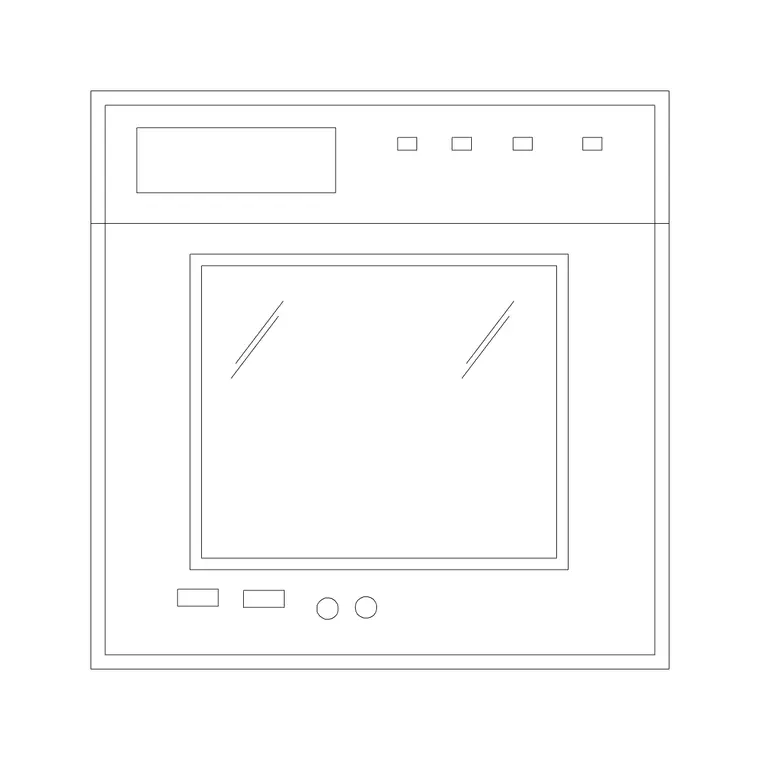
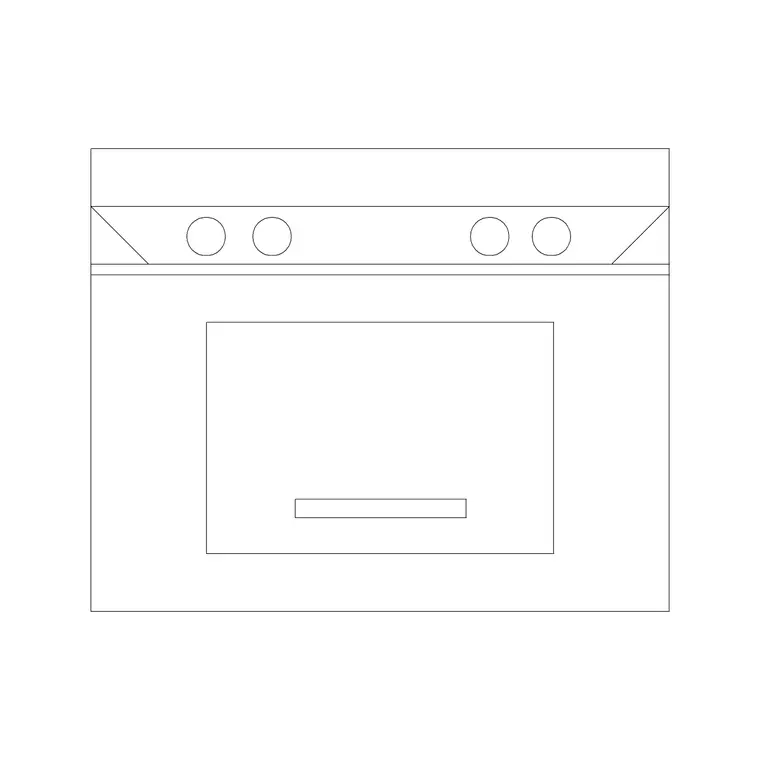
When you draw a kitchen elevation, the wall oven is the appliance that has to be at the right height and the right size, because that is the decision a client studies and an installer follows. A dedicated built-in wall oven elevation CAD block gives you the front view — the door, the controls and the housing reveal — drawn to scale so the cooking wall reads correctly the moment you place it. This page collects free wall oven elevation blocks in DWG for AutoCAD 2004 or later.
These are face-on blocks, the complement to the plan footprint you use for the layout. You will find single and stacked double ovens, ready to drop into a drawn housing at the mounting height your design calls for. Every file is free for personal and commercial use, with no signup and no watermark. Use them with the hob, hood and cabinet-front elevation blocks to build a complete, dimensionally honest cooking-wall elevation.
Why an elevation block matters here
A plan block tells you how much cabinet run the oven eats; an elevation block tells you how the oven looks and sits on the wall, which is a different and equally important question. The elevation carries the door height, the control band, the glass panel and the reveal around the housing — the things a client sees and the joiner has to build to. Drawing the cooking wall without a scaled oven elevation is how mounting heights end up wrong.
Built-in ovens are fixed and supplied at set sizes, so the elevation block lets you confirm that the appliance, the housing and the surrounding cabinet fronts all line up vertically. Get that right on the drawing and the install is a fit-up rather than a fight.
What the elevation block includes
The wall oven elevation blocks show the appliance front: the door with its handle or push-open detail, the control panel or dial line, the visible glass, and the outline of the housing aperture so you can see the reveal. Single-oven blocks show one cavity; double-oven blocks stack a main oven over a secondary oven or grill, which is the taller arrangement.
The geometry is kept clean and on sensible layers so you can recolour the appliance front, match it to your elevation linework, or simplify it for a small-scale drawing. Where a plan view also ships in the file, the two views sit in the same DWG so you can pull the elevation and freeze the plan, or vice versa.
Sizing and mounting height on the elevation
Use these as planning ranges. A single built-in oven is built to the 600 mm appliance module — close to 595–600 mm wide and around 590–600 mm tall to drop into a standard aperture. A double oven roughly doubles the cavity height. Compact or combination ovens are shorter, often near 450 mm tall.
The height you set the oven at on the elevation is a design choice, not a fixed number. A single oven is often mounted so the door sits near worktop or comfortable loading height, but the right figure depends on the user and the cabinetry. Place the scaled block, check it against the worktop, plinth and wall-cabinet lines, and let the drawing tell you whether the height reads well — rather than lettering a measurement straight off the symbol.
How to place the elevation block
The blocks are drawn full size in millimetres. Insert at scale 1 in a millimetre elevation, at 0.001 in a metre drawing, or rely on INSUNITS set to millimetres to rescale on insertion. Draw the housing unit first, then INSERT the oven elevation and snap it into the aperture at the chosen mounting height so the door and controls land in the right band.
Keep the oven on an appliance layer, separate from the cabinet-front layer, so a carcass elevation and a fully-appointed elevation come from the same drawing. Because it is a block reference, editing the block definition updates every instance, which is handy when you are showing the same oven on several elevations across a project.
Where wall oven elevations are used
Wall oven elevation blocks belong on every kitchen elevation in a residential or apartment fit-out, on joinery and FF&E drawings, and in showroom or proposal sets where the cooking wall is presented to a client. They are the view that answers the practical questions — how high, how big, where the controls fall — that a plan cannot.
They also support coordination: the elevation makes the housing reveal and the appliance ventilation visible, so the build-up of cabinet fronts, fillers and trims around the oven can be checked before anything is ordered. Combine the oven elevation with the hob, hood and tall-larder elevations to present the whole wall as one coherent, scaled drawing.
Building a coordinated cooking-wall elevation
An elevation reads best when every appliance and cabinet front is drawn to the same scale and sits on a sensible layer split. Put the oven, the hood and any combi appliance on the appliance layer, the doors and drawer fronts on the cabinet-front layer, and the worktop and plinth on their own lines. With that structure the cooking wall elevation is easy to dimension and easy to revise.
If you are reusing the wall across drawings, you can WBLOCK the coordinated oven-and-housing as a single block so the same vertical setting-out drops into the next project unchanged. That keeps mounting heights consistent across a job and saves you re-placing the oven elevation by hand every time the cooking wall reappears.
Free download
Browse the full library — DWG & DXF, no signup.
Questions
Frequently asked
What is the difference between the plan and elevation oven block?+
The plan block is the top-down footprint you place in the cabinet run to reserve space. The elevation block is the front view showing the door, controls and mounting height — the view you need on a kitchen elevation.
Do you offer both single and double oven elevations?+
Yes. The elevation downloads cover single built-in ovens and stacked double ovens. Where multiple variants or views ship in one file they share a single DWG so you can pick the one you need.
How high should I mount the oven on my elevation?+
Mounting height is a design choice that depends on the user and the cabinetry. A single oven is often set near comfortable loading height; place the scaled block and check it against your worktop and cabinet lines rather than copying a fixed figure.
Are these elevation blocks free to use commercially?+
Yes. Every wall oven elevation block downloads free in DWG, with no signup, no watermark and no attribution, and is cleared for commercial project use.
Related downloads
Blocks for this guide

Related categories
Related guides
Block landing
Free Bathroom Fixtures CAD Blocks — DWG Download
Download free bathroom fixtures CAD blocks in DWG and DXF — toilets, wash basins, bathtubs, showers and vanities drawn in plan and elevation. No signup, commercial OK.
Block landing
Free Gas Stove / Cooktop CAD Blocks — DWG
Free gas stove and cooktop CAD blocks in DWG and DXF — drawn in plan and elevation at true kitchen-module sizes for AutoCAD 2004+. No signup, commercial-use OK.
Block landing
Single Burner Hob CAD Block — Free DWG
Free single burner hob CAD blocks in DWG and DXF for compact kitchens and studios — plan and elevation, true sizing for AutoCAD 2004+. No signup, commercial OK.