Room guide · breakfast nook cad blocks
Breakfast nook CAD blocks for compact eating corners
By Sumana Kumar · Published 9 May 2026 · Updated 3 Jun 2026
A breakfast nook is a small, casual eating spot tucked into a corner of a kitchen or next to it — a compact table with a couple of chairs, or a built-in banquette wrapping a corner. It is where the household eats breakfast and quick meals without setting the formal dining table, and its whole charm is that it fits into space a full dining set never could. Designing one is an exercise in tight clearances and clever use of a corner.
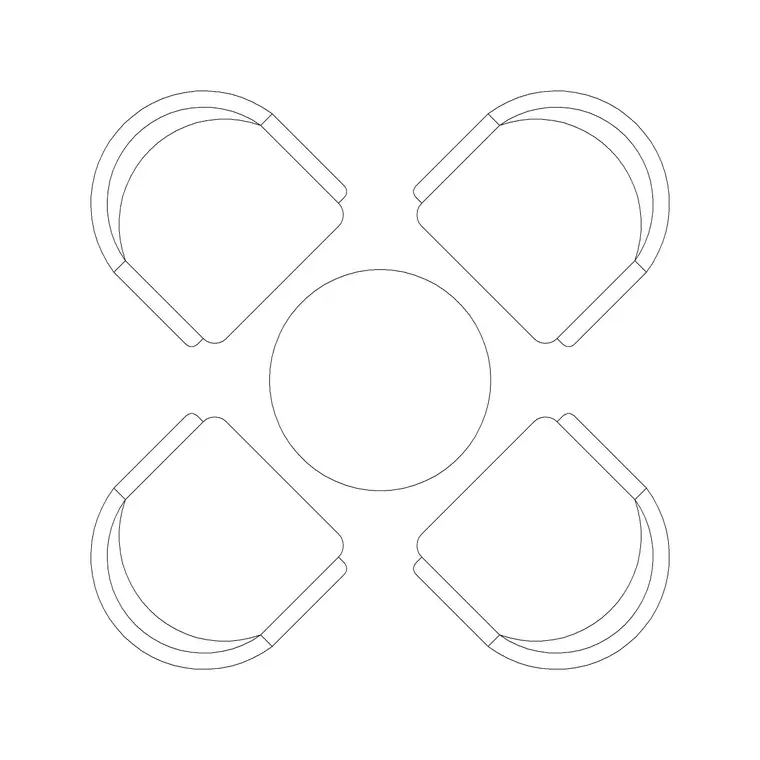
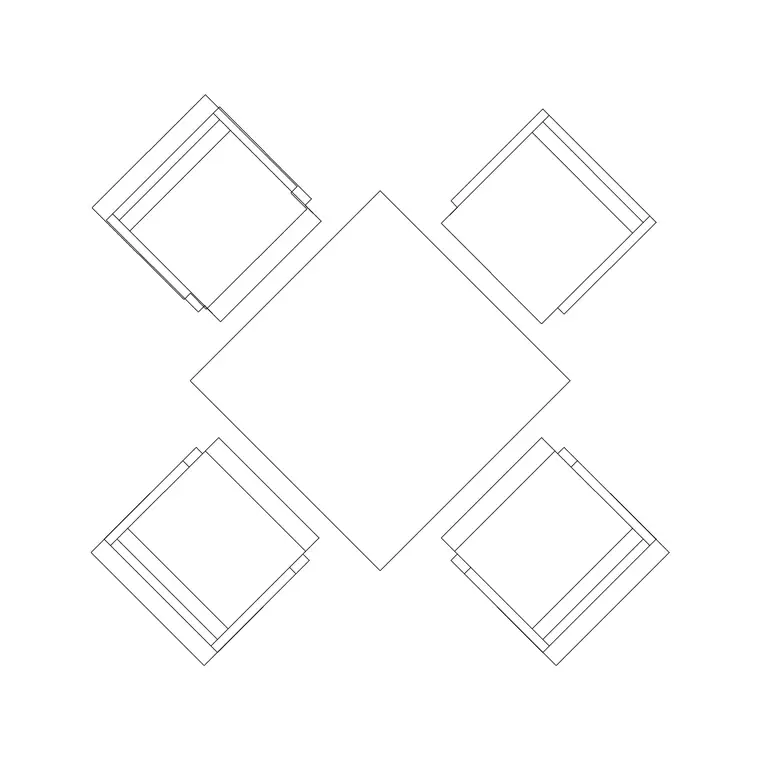
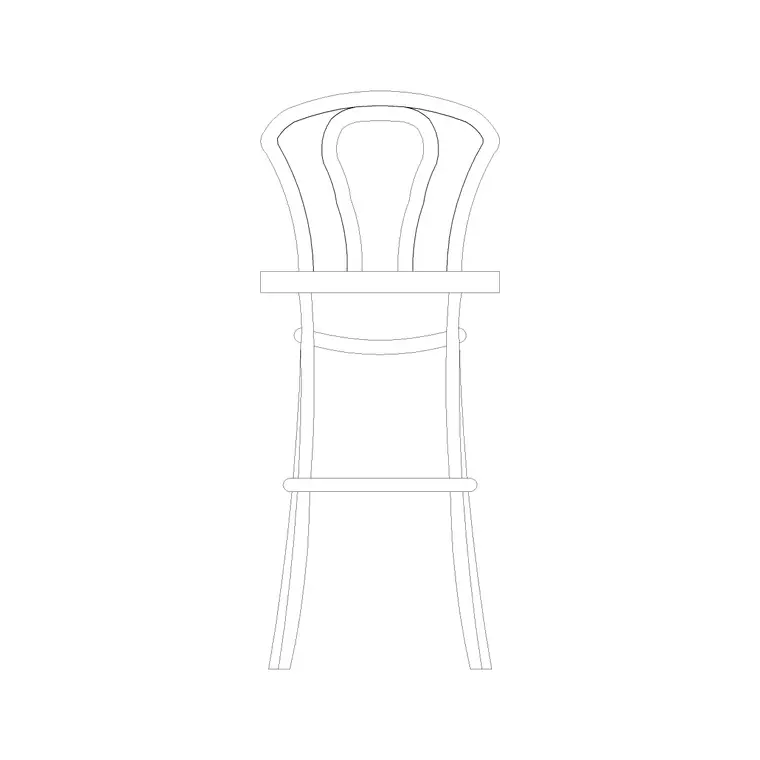
The blocks here are the nook kit — small round and compact tables, dining chairs, and the stool or bench pieces a banquette uses — drawn to true dimensions in DWG and DXF and free for personal and commercial use. Because they are scaled, you can prove that a two- or four-seat nook genuinely fits the corner or the bay you have in mind, with enough room to actually slide in and sit down.
The defining feature of a nook is the banquette: fixed bench seating against one or two walls that lets people slide in rather than pull chairs out, saving the clearance a free chair would need. Get the table-to-bench geometry right and a nook seats four in the space a single armchair would take.
What a nook is and where it sits
A breakfast nook is the informal, everyday eating spot — distinct from a dining room in scale, formality and location. It lives in or beside the kitchen: in a bay window, in the corner left over after the cabinet runs, or against the end of an island. The household uses it for breakfast, kids' meals, homework, a coffee and the laptop — the high-traffic, low-ceremony eating that a formal table is too far and too fussy for.
That informality drives the design. The nook prizes compactness and a sense of enclosure — people like to tuck into a corner — over the generous walk-around space a dining room demands. The user slides in and stays; nobody is serving a four-course meal around it. So the clearances are tighter and the geometry is built around fixed seating rather than pull-out chairs.
Banquette versus free chairs
The key choice is fixed bench seating versus loose chairs. A banquette is a built-in bench, often L-shaped to wrap a corner, that people slide along to reach the inner seats — so it needs no pull-out clearance on the bench side, only a way to slide in at the end. That is the trick that lets a nook seat four in a corner: two or three sides are benches that need no chair-clearance, and only the open side has loose chairs.
Free chairs on every side need the full pull-out clearance a dining room does, which a corner rarely has. So the common nook is a hybrid: a banquette on the wall sides and a couple of loose chairs on the open side. Draw the bench as a fixed block against the walls and the chairs as pull-out blocks on the open edge, and the geometry of who-can-sit-where becomes clear.
Table and seating blocks for a nook
Tables stay small. A 600 mm two-seat round suits the tightest nook; an 800 mm round or a compact 1000 mm table seats four when paired with a wrap-around bench. Round tops are kind to a banquette because there are no corners to bruise a shin when sliding in. The chairs on the open side are standard dining chairs, drawn pulled out to check they clear.
Where the nook meets a counter or the end of an island rather than a wall, a couple of low stools can stand in for the open-side seating. Above the table, a single pendant or a small chandelier centres the spot and gives it a sense of place separate from the kitchen lighting. Keep the kit deliberately minimal — the nook's appeal is that it is small and snug, not furnished like a second dining room.
- Table: 600 mm round for two, 800–1000 mm for four with a bench - Fixed seating: L-shaped banquette wrapping the corner - Loose seating: one or two dining chairs on the open side - Lighting: a single pendant centred on the table
Tight nook clearances
On the bench side, the diner slides in, so there is no pull-out gap to find — the bench sits right up to the table with the seat depth allowing someone to swing their legs under. Allow the bench seat depth of roughly 450–500 mm and a comfortable gap from the bench front to the table edge so legs fit. On the open side, where chairs pull out, you still need the dining clearance of about 750 mm behind a chair to stand.
The entry is the figure people miss: someone has to get into the seat that is furthest into the corner, so leave a clear slide-in path along the bench, and at least one open end the inner diner can reach. Draw the bench, the table and the chairs, and trace the path the corner diner takes to their seat — if it crosses an occupied chair or a wall, the geometry needs adjusting before it is built.
Drawing the nook in AutoCAD
Start from the corner. Draw the two walls and place the banquette block as an L wrapping them, then centre the table block against the bench with the right leg gap. Add the loose chair blocks on the open side and array them, checking each against the 750 mm pull-out behind it. Centre a small pendant block over the table on a lighting layer.
Keep the banquette, table, chairs and lighting on separate layers so the nook plots cleanly within the larger kitchen drawing — it is usually drawn as part of the kitchen plan, not on its own sheet. Hatch the slide-in path along the bench so the rest of the kitchen layout does not block it with a cabinet or an open door. If the nook is in a bay window, draw the window cill and check the table does not foul it.
Common breakfast nook mistakes
The first mistake is treating the nook like a small dining room and putting loose chairs on the bench sides too, which immediately needs pull-out clearance the corner does not have — the seats become unusable. Use a banquette precisely because it removes that clearance on the wall sides. The second is a table pushed so tight to the bench that there is no leg room, so people sit sideways.
The third is forgetting the slide-in entry: a banquette that wraps three sides with no open end traps the inner diner, who has to climb over the table to get out. Always leave an open end or a movable chair as the way in. The fourth, in a bay, is a table that fouls the window cill or the radiator beneath it — draw both and keep the table clear.
Free download
Browse the full library — DWG & DXF, no signup.
Questions
Frequently asked
What table size fits a breakfast nook?+
A 600 mm round seats two in the tightest nook, while an 800–1000 mm table seats four when paired with a wrap-around bench. Round tops are kinder to a banquette because there are no corners to catch a shin when sliding in.
Why use a banquette instead of chairs in a nook?+
A banquette is fixed bench seating people slide along, so it needs no pull-out clearance on the bench sides — only loose chairs on the open side do. That is what lets a nook seat four in a corner where free chairs on every side never would fit.
How much clearance does the open side of a nook need?+
Where chairs pull out on the open side, keep about 750 mm of clear floor behind the chair so a diner can stand. On the bench sides there is no pull-out gap, just enough leg room between the bench front and the table edge.
How does someone reach the inner seat of a corner banquette?+
Leave an open end on the banquette or a movable chair as the way in, and keep a clear slide-in path along the bench. A banquette wrapping three sides with no open end traps the inner diner, so always plan the entry.
Is the nook drawn on its own sheet?+
Usually it is part of the kitchen plan, since a breakfast nook sits in or beside the kitchen. Keep the banquette, table, chairs and lighting on separate layers so it plots cleanly within the larger kitchen drawing.
Related downloads
Blocks for this guide

Related categories
Related guides
Room guide
Master Bedroom CAD Blocks & Layout — DWG
Free master bedroom CAD blocks in DWG — king and double beds, side tables, wardrobes, seating and lighting to lay out a master suite in AutoCAD.
Room guide
Kids Bedroom CAD Blocks & Plan — DWG
Free kids bedroom CAD blocks in DWG — single beds, wardrobes, desks and play space to plan a child's room in AutoCAD with real clearances.
Room guide
Guest Bedroom CAD Blocks & Layout — DWG
Free guest bedroom CAD blocks in DWG — double and single beds, compact wardrobes and seating to plan a flexible spare room in AutoCAD.