Block landing · bed head unit cad block dwg
Free bed head unit CAD block in DWG
By Saumyajit Maity · Published 7 Mar 2026 · Updated 23 Apr 2026
A bed head unit, or BHU, is the medical headwall that runs above a hospital bed and carries everything a patient needs at the bedside — medical gas outlets, power sockets, nurse-call, reading and exam lighting, and data points. This page offers a free bed head unit CAD block in DWG, drawn at true millimetre size so you can place the headwall on a ward elevation and set out the services above each bed correctly. It is free for personal and commercial work, with no signup or attribution.
The BHU is where architecture meets services, so its block matters in coordination as much as presentation. Drawing it to scale and at the right height lets you check that gas and power outlets sit within reach above the bed, that the unit clears the bed-head furniture, and that the services line up bay to bay along a ward.
What the bed head unit block represents
The block stands in for the horizontal services rail or panel mounted on the wall behind the bed. In elevation it shows the unit outline with the positions of the medical gas outlets, electrical sockets, nurse-call and lighting — the layout that mechanical and electrical engineers coordinate to. In plan it reads as the wall-mounted depth the unit projects, which matters for clearance behind the bed.
A tidy block keeps the unit body, the gas outlets, the power and the lighting on separate layers so you can show a clean architectural elevation or a fully annotated services elevation. As a single block reference it inserts and copies along a ward so every bay's headwall is set out identically.
Views and what is included
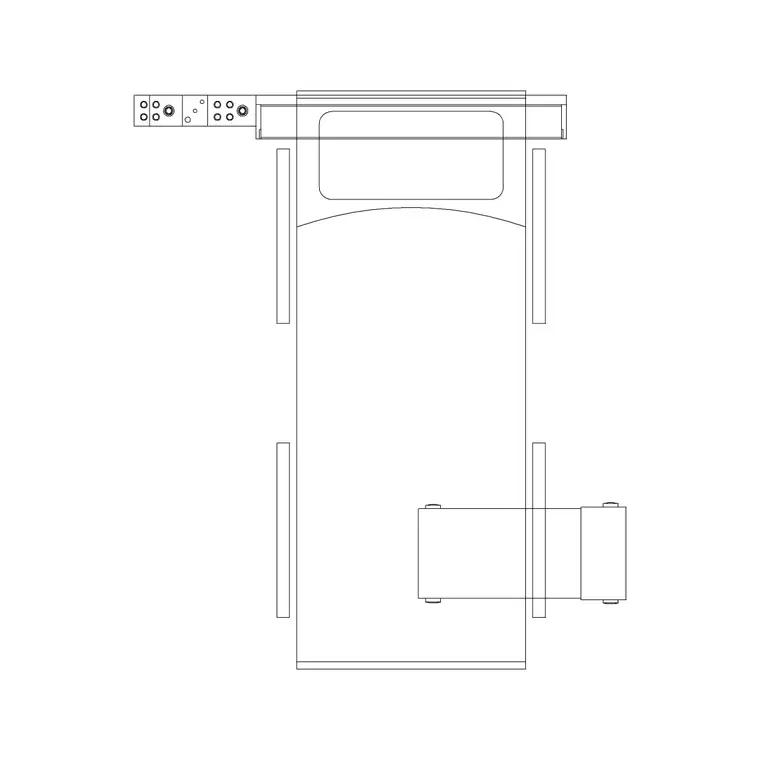
The BHU is primarily an elevation block, because its value is in the height and arrangement of outlets on the wall. You place it on a ward or room elevation, snapped to the wall and set at the correct mounting height above the floor. Where the download includes a plan footprint, it shows the projection of the unit from the wall so you can confirm the bed-head clearance in the room plan.
Keep the BHU on its own services-elevation layer so you can freeze it for a clean architectural elevation and thaw it for the coordinated services drawing, and so it reads distinctly from the bed, the over-bed light and the wall finishes.
Typical sizing to design around
Use these as planning ranges and confirm against the healthcare engineering guidance for the project. A single-bed BHU is commonly 1200–1800 mm long, mounted above the bed head with the service rail set at a height that keeps outlets within reach of seated and standing staff. The unit projects only a short distance from the wall, often 100–200 mm.
What really matters is the outlet arrangement and mounting heights: medical gas, power and data each have recommended heights so they are reachable and so a bed can sit beneath the unit without fouling it. These are governed by healthcare standards that vary by country and care level, so the block is a coordination aid — set the unit at the height your guidance specifies and check the bed and bed-head furniture clear it.
How to insert into a headwall elevation
The block is full size in millimetres. Insert at scale 1 in a millimetre drawing, 0.001 in a metre drawing, or set INSUNITS to millimetres so AutoCAD rescales automatically. On a ward elevation, snap the insertion point to the wall and set the unit at the mounting height your guidance requires, so the gas and power outlets land at the right level above the floor.
Move the BHU onto a services-elevation layer, then position the bed in front of it so you can confirm outlets are reachable and the bed-head clears the unit. For a multi-bed ward, COPY the BHU at the bed pitch so every bay's services line up, which keeps the M&E coordination clean and the install repeatable.
Where the bed head unit block is used
Bed head unit blocks belong in hospital ward and single-room elevations, ICU and HDU bays, recovery and day-surgery areas, and any healthcare room with bedside medical services. They sit at the interface between architecture and building services, so they appear in coordination drawings shared with mechanical, electrical and medical-gas engineers, and in room-data sheets that specify bedside provision.
Pair the BHU with the patient bed, the over-bed light and the broader medical library so the bed bay reads completely in both plan and elevation. Because the file is free and licence-clear, it suits concept ward elevations and feasibility studies as well as coordinated production drawings.
Coordinating the bed bay
A bed bay works when the bed footprint in plan and the headwall services in elevation describe one coordinated position. Keep the BHU and the bed on matching bay references so a later move of the bed pulls the services with it, and so plan and elevation never drift apart.
If you attribute the BHU with the outlet count — gas types, sockets, data — a services schedule can be extracted straight from the drawing for the M&E package. When a bay is settled, WBLOCK a bed-plus-BHU bay as one coordinated unit so the next ward reuses a tested headwall arrangement with the services already at the right heights.
Free download
Browse the full library — DWG & DXF, no signup.
Questions
Frequently asked
Is the bed head unit CAD block free for commercial use?+
Yes. It downloads free in DWG with no signup, no watermark and no attribution, and it is cleared for commercial healthcare elevation and coordination drawings.
Does the block show the gas and power outlets?+
The elevation shows the unit with indicative positions for medical gas, power, nurse-call and lighting. Set the outlet heights to the healthcare engineering guidance for your project, as these vary by country and care level.
What is a bed head unit?+
A bed head unit, or BHU, is the medical headwall mounted behind a hospital bed that carries the bedside services — medical gas outlets, power, nurse-call, data and reading and exam lighting — in one coordinated rail or panel.
How do I line up the BHU with the bed?+
Set the BHU on the wall in elevation and place the bed in front of it in plan using matching bay references, then copy both at the bed pitch so every bay's services line up along the ward.
Related downloads
Blocks for this guide
Related categories
Related guides
Block landing
Free Hospital Bed CAD Block — DWG & DXF Download
Download a free hospital bed CAD block in DWG and DXF — electric patient bed in plan and elevation with bedside clearances for ward layouts. No signup.
Block landing
Free Patient Stretcher CAD Block — DWG Download
Download a free patient stretcher CAD block in DWG and DXF — wheeled trolley/gurney in plan and elevation for A&E and recovery layouts. No signup.
Block landing
Free Medical Trolley CAD Block — DWG Download
Download a free medical trolley CAD block in DWG and DXF — dressing, treatment and crash carts in plan and elevation for clinical layouts. No signup.