Block landing · barber chair cad block dwg
Free barber chair CAD block in DWG
By Saumyajit Maity · Published 1 May 2022 · Updated 6 Mar 2026
A barber chair is the substantial reclining seat that defines a barbershop: a padded chair with high arms and a headrest on a heavy hydraulic pedestal, set in front of a mirror station with room for the barber to circle. This free barber chair CAD block ships in DWG with a plan footprint and an elevation, drawn to true millimetre dimensions for AutoCAD 2004 or later, with no signup, no watermark and full commercial clearance. It is the block you set out along a barbershop wall to lay the stations and check the clearances between them.
A barber chair is bigger and heavier-set than a hairdressing salon chair, with broader arms and a fuller recline for shaving, so its footprint and working envelope are larger. Drawing it to scale lets you space the stations realistically, allow for the recline, and confirm a barber can work all the way around the client without crowding the next chair.
What the barber chair block is
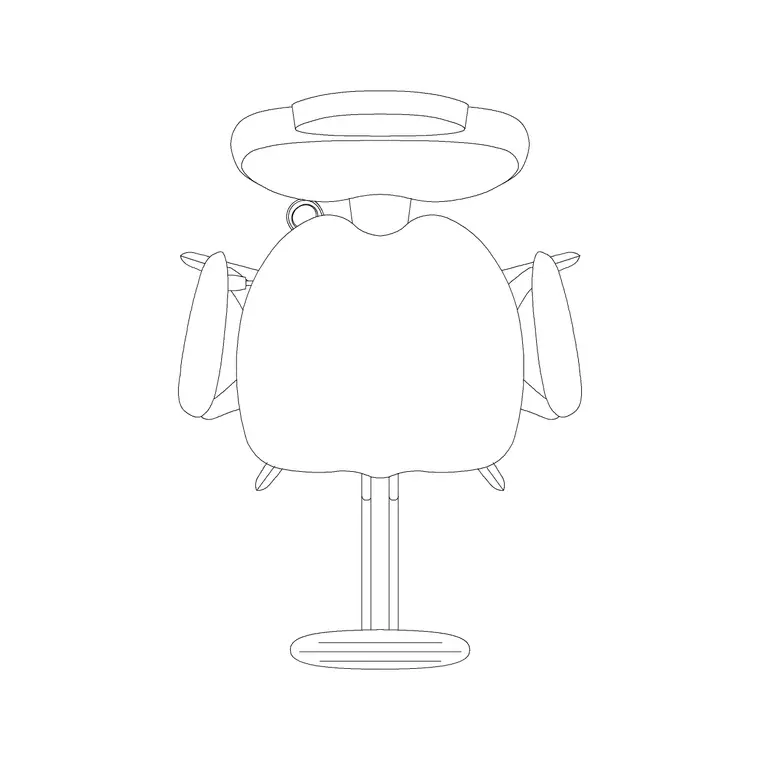
This is a barber chair drawn as a deep padded seat with substantial arms and a headrest, carried on a round hydraulic pedestal with a footrest at the front. The plan shows the broad footprint and the base disc that drives clearance; the elevation shows the seat, the reclined back and headrest, and the pump base. Together they let you set a barbering station and confirm both the floor area and the chair height.
It inserts as a single block reference, so you copy and array it down a wall and mirror it across the shop. Edit the definition once and every station updates, keeping a multi-chair barbershop consistent.
Views and what's included
The download pairs a plan view — the one you array to lay out barbering stations — with an elevation that shows the chair height, the recline and the headrest. Use the plan for the layout and the clearance checks; drop the elevation into an interior elevation of the mirror wall to show the chair against the station unit.
The geometry is layered so the seat, arms, base and footrest separate cleanly, letting you tone the heavy base back while you dimension the working clearance around each chair.
Typical barber chair dimensions
Treat these as working ranges. A barber chair footprint in plan is commonly 650–800 mm wide including the broad arms, on a base disc around 600–700 mm in diameter. Seat height adjusts over roughly 450–600 mm on the hydraulic base. When fully reclined for a shave, the overall length extends toward 1300–1500 mm as the back drops and the legrest rises.
For station spacing, allow at least 1800–2000 mm centre to centre between barber chairs — a touch more than a hairdressing chair because of the bulk and the recline — and keep a clear aisle of around 1000–1200 mm behind. These clearances are what make a barbershop workable rather than cramped.
How to insert and scale it
The block is drawn full size in millimetres. Insert at scale 1 in a millimetre drawing, 0.001 in a metre drawing, or set INSUNITS to millimetres on an imperial template so AutoCAD rescales on insertion. Pick the insertion point at the base centre so you can snap each chair to a station centreline in front of the mirror.
To set out the shop, place one chair, ARRAY it along the mirror wall at your station spacing, and remember to allow for the recline envelope when you check clearances. Keep the chairs on a furniture layer so you can freeze them for the construction plan and thaw them for the furnished FF&E drawing.
Where barber chair blocks are used
Barber chair blocks drive barbershop layouts, men's grooming lounges, hotel and club grooming suites, and the barbering area of combined salons. They pair with the mirror-station, wash-basin and reception blocks, and with waiting benches and seating from the furniture category.
Because they are free and licence-clear, they suit student barbershop schemes, fit-out concept plans and franchise rollout drawings where a repeatable, correctly-spaced station with room for the recline is exactly what the brief needs.
Allowing for the recline envelope
The detail people miss with a barber chair is that its footprint grows when the chair reclines for a shave: the back drops and the legrest rises, pushing the overall length out toward 1300–1500 mm. If you space the chairs only for the upright position, two reclined clients in adjacent chairs can end up head to head. Drawing the chair to scale lets you sketch the reclined envelope and confirm the stations still clear when both chairs are laid back at once.
Keep the chairs on a furniture layer so you can freeze them for the construction plan, and consider drawing the reclined extent on a lightly-toned layer of its own so the clearance is documented for the fit-out team. When a station works in both positions, WBLOCK the chair-plus-mirror-unit as a module and array it down the wall so every barbering position has the same proven spacing.
Free download
Browse the full library — DWG & DXF, no signup.
Questions
Frequently asked
How is a barber chair different from a salon chair?+
A barber chair is heavier and broader, with substantial arms, a headrest and a fuller recline for shaving, so its footprint and working envelope are larger. A salon styling chair is slimmer and built mainly for cutting and styling.
How much space should each barber chair have?+
Allow at least 1800–2000 mm centre to centre — a little more than a hairdressing chair because of the bulk and recline — with a clear aisle of about 1000–1200 mm behind. The scaled block lets you confirm this on the plan.
Is the barber chair CAD block free?+
Yes — free in DWG, no signup, no watermark, no attribution, and cleared for commercial barbershop fit-out projects.
Will the DWG open in AutoCAD LT and free viewers?+
Yes. The file targets AutoCAD 2004 and later, so it opens in AutoCAD, AutoCAD LT, BricsCAD, DraftSight and free online DWG viewers.
Related downloads
Blocks for this guide
Related categories
Related guides
Block landing
Free Office Chair CAD Blocks — DWG Download
Download free office chair CAD blocks in DWG and DXF — task chairs, swivel chairs and executive seats drawn in plan and elevation, AutoCAD 2004+, no signup.
Block landing
Free Bar Table CAD Blocks — DWG Download
Download free bar table CAD blocks in DWG and DXF — round, square and rectangular high bar tables in plan and elevation for AutoCAD. No signup, commercial-use OK.
Block landing
Free Restaurant Table CAD Blocks — DWG Download
Download free restaurant table CAD blocks in DWG and DXF — 2, 4 and 6 cover tables with chairs drawn in plan and elevation for AutoCAD. No signup, commercial-use OK.