Block landing · banquet round table cad block
Banquet round table CAD block in DWG
By Sumana Kumar · Published 4 Apr 2026 · Updated 29 Apr 2026
A banquet round table is the unit event planners array across a ballroom, and this page supplies it as a scaled DWG block built for repeated use. Banquet rounds are large — typically 1500–1800mm in diameter, seating eight to ten — and a function layout is essentially a grid or staggered field of them with chairs, aisles and a dance floor or stage. The block is drawn full size in millimetres so it inserts at real dimensions into AutoCAD 2004 or later, and it is free for personal and commercial use with no signup, no watermark and no attribution.
Getting a banquet layout right is all about the round's footprint plus the aisles between tables: cram them and service stalls, space them generously and you lose covers. Insert the correctly-scaled banquet round, array it across the hall, and you can read the table count and the circulation at once, then tune the spacing to the venue's capacity.
What the banquet round table block is
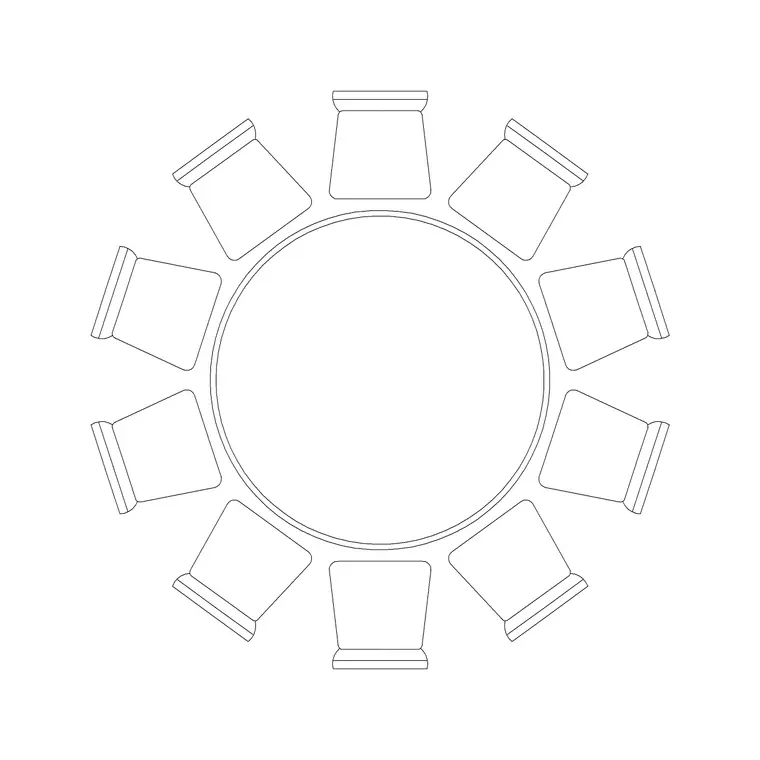
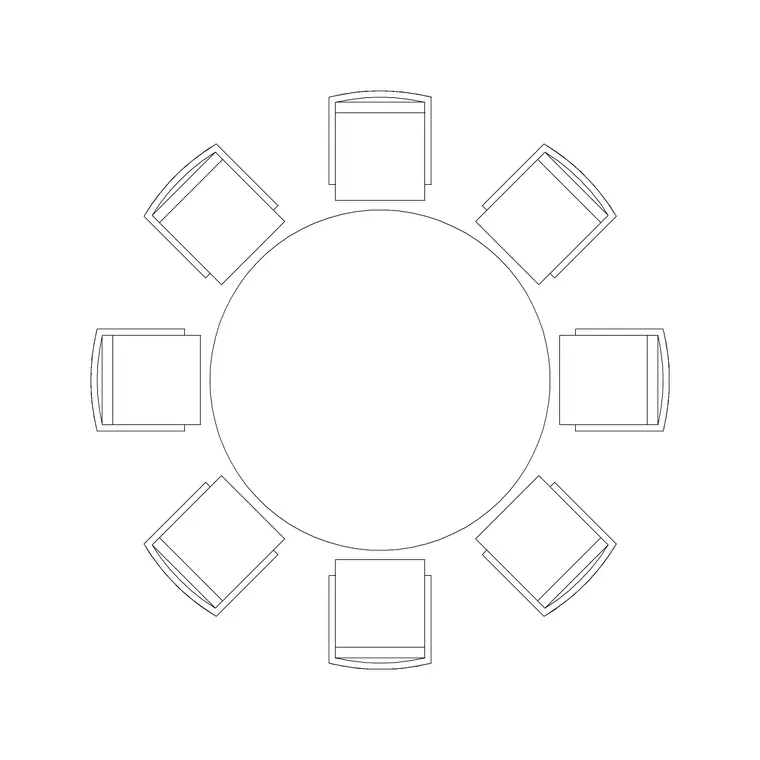
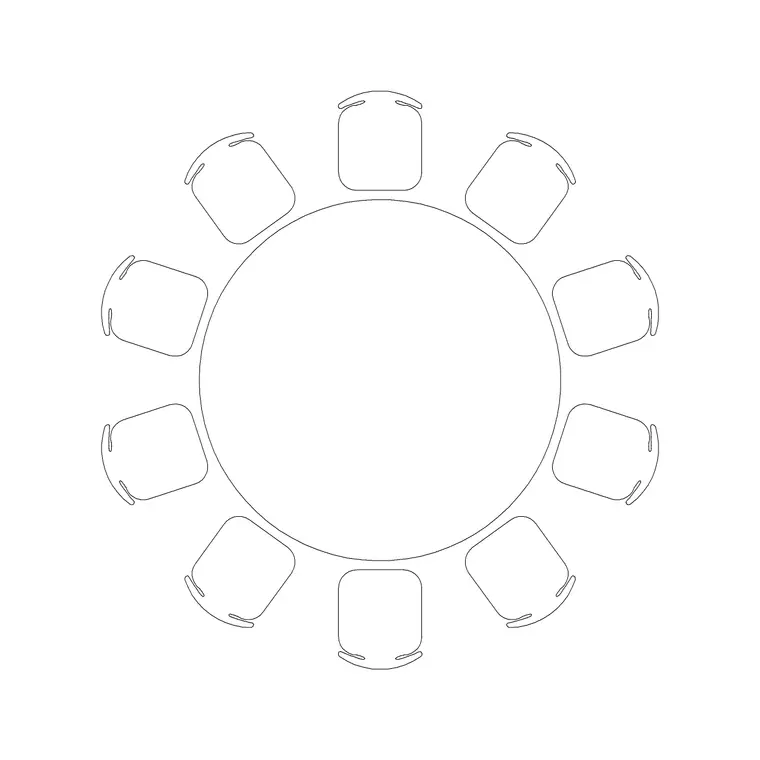
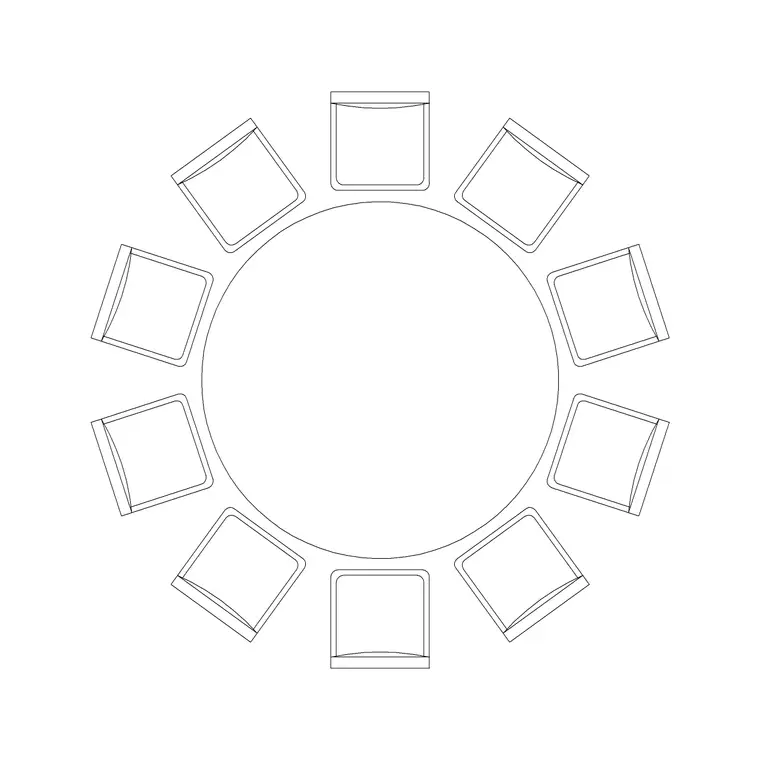
This block represents a large round table for banquet and function use, supplied as a single plan-view block reference. The outline is the tabletop edge — usually 1500mm or 1800mm in diameter — with the central base shown inside so you can read chair tuck and knee room for the eight to ten covers a banquet round carries.
As a block it copies, rotates and arrays as one object, which is exactly how a ballroom layout is built: repeat the round across the hall on a grid or staggered pattern. Editing the definition updates every instance at once, so changing the table size resizes the whole event in one edit. The geometry is drawn to true dimensions, so the footprint and the aisles between tables are accurate. Where the source DWG carries an elevation, you also get the side profile for function-room sections.
Views and what is included
The plan view is the working view: the round from above, arrayed across the function floor with eight to ten chairs each. It governs the clearance checks a banquet layout depends on — the aisles between tables, the service routes, and the space for a stage, dance floor or buffet.
Keep the tables on a dedicated furniture layer so you can freeze them for a clean hall shell and thaw them for the furnished event plan. When a download bundles several views in the same DWG, insert the plan for layout work and freeze or explode the rest. The file is AutoCAD 2004 format and opens in current AutoCAD, AutoCAD LT, BricsCAD, DraftSight and free DWG viewers without conversion.
Typical sizing to design around
Banquet rounds are usually 1500mm (seating eight to ten) or 1800mm (seating ten) in diameter — the industry-standard sizes for weddings, galas and conferences. Allow about 600mm of table edge per cover at the tighter end, easing toward 700mm where guests want elbow room.
The critical figure in a banquet layout is the aisle between tables: plan for at least 900mm of clear floor behind each chair and a generous 1500–1800mm between the chair backs of adjacent tables so guests and servers can move during service, more where catering trolleys pass. A single banquet round with its chairs and half the aisle typically occupies a zone of roughly 3–3.5m square. Use these as ranges to size the room's capacity, not fixed specs on the block.
How to insert and scale the block
The DWG is drawn in millimetres. Insert at scale 1 in a millimetre drawing, 0.001 in a metre drawing, or set INSUNITS to millimetres so AutoCAD rescales on insertion; 0.03937 converts to inches on a US imperial template.
Run INSERT or drag the file from a palette, and pick the insertion point at the centre of the round so it rotates and arrays predictably about its middle. Set the current layer to your furniture layer first. Because the banquet round is one block reference, use the ARRAY command to lay out the hall as a rectangular grid or a staggered field, then BEDIT to change the table definition once and update every table in the room together when you tune capacity.
Where the banquet round is used
The banquet round is the staple of ballrooms, hotel function rooms, wedding and gala venues, conference dinners, marquees and community halls. A whole event layout is built from arrays of these tables plus aisles, a top table or stage, a dance floor and service stations — so the block is the fundamental planning unit of the room.
Pair it with banquet-chair, top-table, stage, dance-floor and buffet blocks from the furniture category to assemble a complete event scheme. As a licence-clear file it carries from a concept capacity plan to a coordinated event or FF&E drawing without re-drawing, and it is ideal for venue capacity studies and for student and competition boards needing a convincing function layout.
Free download
Browse the full library — DWG & DXF, no signup.
Questions
Frequently asked
How many people does a banquet round table seat?+
Eight to ten. A 1500mm round seats eight to ten and an 1800mm round seats ten, the industry-standard banquet sizes for weddings, galas and conference dinners.
How much aisle should I leave between banquet tables?+
Plan at least 900mm of clear floor behind each chair and a generous 1500–1800mm between the chair backs of adjacent tables so guests and servers can move during service — more where catering trolleys pass.
What units and scale is the block drawn at?+
Full size in millimetres. Insert at scale 1 in a millimetre drawing, 0.001 in a metre drawing, or set INSUNITS to millimetres so AutoCAD rescales automatically when you insert the block.
Is the banquet table block free for event drawings?+
Yes. It downloads free with no signup, no watermark and no attribution, and it is cleared for commercial use including wedding, gala, conference and venue capacity layouts.
Related downloads
Blocks for this guide
Related categories
Related guides
Block landing
Free Office Chair CAD Blocks — DWG Download
Download free office chair CAD blocks in DWG and DXF — task chairs, swivel chairs and executive seats drawn in plan and elevation, AutoCAD 2004+, no signup.
Block landing
Free Bar Table CAD Blocks — DWG Download
Download free bar table CAD blocks in DWG and DXF — round, square and rectangular high bar tables in plan and elevation for AutoCAD. No signup, commercial-use OK.
Block landing
Free Restaurant Table CAD Blocks — DWG Download
Download free restaurant table CAD blocks in DWG and DXF — 2, 4 and 6 cover tables with chairs drawn in plan and elevation for AutoCAD. No signup, commercial-use OK.