Block landing · back view human figure cad block
Free back view human figure CAD block
By Sumana Kumar · Published 12 Jan 2026 · Updated 24 Mar 2026
A populated drawing where every figure faces the viewer looks staged; a believable crowd has people facing away too. The back view human figure is a person seen from behind in elevation — the figure you place in the foreground or facing into a scene to create depth and break the line-up of front-facing people. This page provides a free back view human figure CAD block in DWG and DXF for AutoCAD 2004 or later, free for personal and commercial use with no signup or watermark.
The back view is a composition tool as much as a scale one. A figure facing away leads the eye into the drawing, frames a view down a street or across a plaza, and makes a crowd read as a real gathering of people going about their business rather than a row posed for inspection. Architects and visualisers keep a rear-facing figure in the set precisely because variety of orientation is what separates a convincing populated scene from an obviously assembled one.
What the back view figure shows
The block is a standing adult drawn from behind in elevation — the rear silhouette of a person, readable as someone facing into the scene rather than out of it. It carries the same reference height as a front-facing figure but reads as turned away, which is what makes it useful for foreground placement and for leading the eye. It is a clean silhouette with no props, built purely as entourage and scale.
As a single block reference it inserts in one action and never needs redrawing. The same rear figure works in the foreground of a street, looking into a plaza, or watching a stage, and as a block, editing the master updates every instance. Mixing it with front- and side-facing figures is exactly how a populated scene gains its believable variety.
Depth, framing and crowd variety
The back view figure does three jobs in a scene. First, depth: a rear-facing figure in the foreground, larger and turned away, makes the figures behind it read as further off, giving the drawing a sense of distance. Second, framing: a figure looking into a view leads the viewer's eye to whatever the figure is looking at — a facade, a vista, a focal point. Third, variety: even a single rear-facing figure breaks up a row of front-facing people and stops the crowd looking posed.
These are the moves that distinguish a convincing entourage from a clumsy one. A plaza, a street, a public hall or a stadium concourse all read better when some people face away, because that is what real crowds do. The back view figure is the simplest way to introduce that orientation variety.
Figure height and foreground scale
The figure is at adult scale, so an average standing adult is commonly taken as around 1700 to 1800 mm, the same reference height as a front-facing figure — a design-stage range to read the architecture against rather than a fixed dimension. When you place it in the foreground for depth, you keep it at true scale and simply rely on its nearer position to read larger; you do not actually enlarge it beyond its real height in a measured elevation.
Keep the figure full size and uniform; stretching it distorts the proportion and the scale reference. Set INSUNITS to millimetres so AutoCAD rescales on insertion if the block was built in other units, and use MIRROR to vary which way a rear-facing figure is angled so several do not look identical.
Placing the back view figure in AutoCAD
INSERT the block and snap the feet to your floor or ground line with an endpoint OSNAP so the figure stands on the surface. Place it in the foreground or at the point where you want the eye led, facing into the scene. Combine it with front- and side-facing figures further back so the crowd has a natural mix of orientations, and use MIRROR to angle rear figures slightly differently.
Keep the figure on a dedicated entourage or scale-figure layer, screened or non-plotting for presentation-only use, so it reads in client renders and PDFs but can be removed for technical issue. Maintain one master block for consistency, and avoid stretching it so the proportion and the scale reference stay honest across every sheet.
Building variety into a populated scene
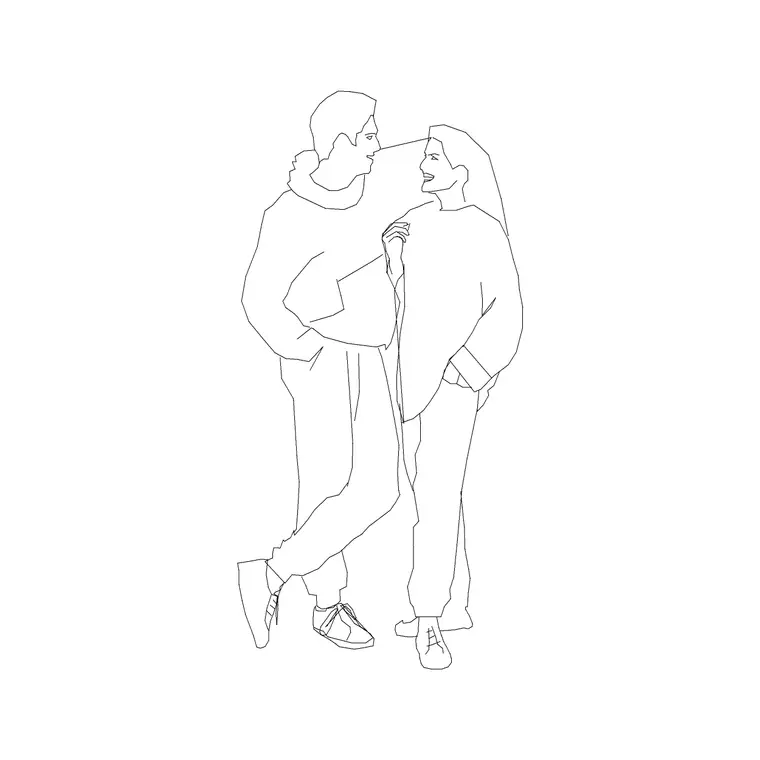
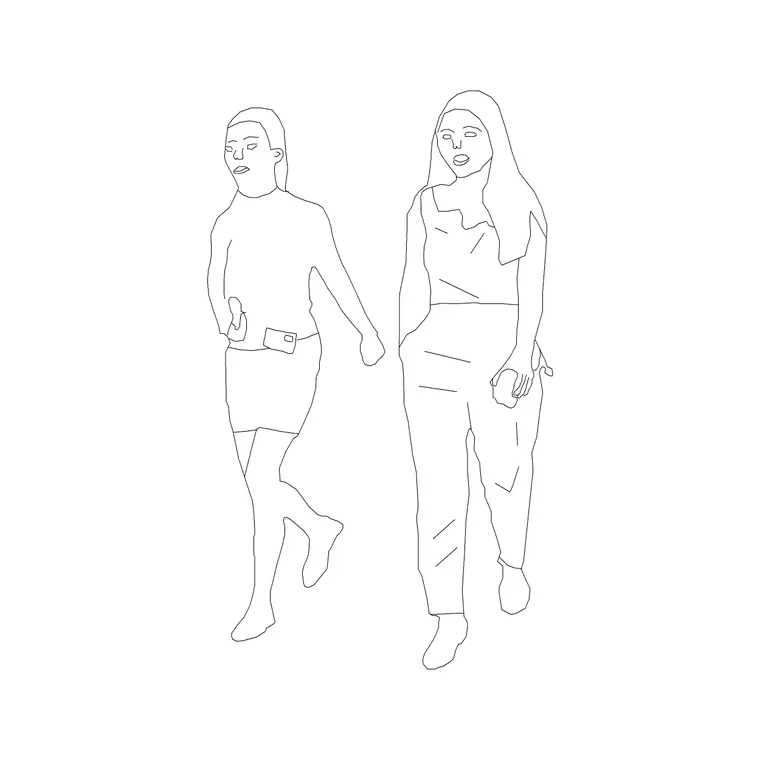
A back view figure is most effective as one orientation among several. Combine rear-facing figures with front- and side-facing standing, walking and seated people so a crowd reads as a real population looking in different directions. Add couples, pairs and family groups for social variety, and use rear figures in the foreground to anchor depth. For a top-down layout, use plan-view people kept on their own block so elevation and plan never mix.
The full people category collects front, rear, side, seated and group figures so you can assemble a varied, consistent crowd. Keep the back view figure in the same drawing as your other people so they share insertion scale and layer conventions, and the populated scene reads as one coherent, believable gathering.
Free download
Browse the full library — DWG & DXF, no signup.
Questions
Frequently asked
What is a back view figure used for?+
It is a person seen from behind, used to add depth, frame a view and break up a row of front-facing figures. Facing away, it leads the viewer's eye into the scene and makes a crowd read as real rather than posed.
Does it carry the same scale as a front figure?+
Yes — it is at the same adult scale, commonly around 1700 to 1800 mm at the design stage. When used in the foreground for depth, you keep it at true scale and let its nearer position read larger; you don't enlarge it in a measured elevation.
Why not just face every figure the same way?+
A crowd where everyone faces forward looks staged. Mixing in rear- and side-facing figures matches how real crowds look in different directions and is the simplest way to make a populated scene believable.
Is the back view figure free for commercial use?+
Yes. The DWG and DXF download is free for personal and commercial use with no signup, watermark or attribution, so it can go directly into streetscape, plaza and interior presentations.
Where should I place the rear-facing figure?+
In the foreground to anchor depth, or at a point where you want the eye led toward a facade or focal view. Combine it with front- and side-facing figures further back so the crowd has a natural mix of orientations.
Related downloads
Blocks for this guide
Popular blocks to download
Related categories
Related guides
Block landing
Human Figure Plan CAD Blocks — Free DWG
Download free human figure plan-view CAD blocks in DWG — people seen from above, drawn to scale for floor plans and circulation. AutoCAD 2004+, no signup.
Block landing
Human Figure Elevation CAD Blocks — Free DWG
Free human figure elevation CAD blocks in DWG — people drawn front-on and in profile to scale your sections and streetscapes. AutoCAD 2004+, no signup.
Block landing
Standing Person Scale Figure CAD Blocks (Free)
Free standing person scale figure CAD blocks in DWG — clean, true-height figures to set the scale of plans, sections and elevations. AutoCAD 2004+, no signup.