Block landing · acoustic guitar cad block
Free acoustic guitar CAD block in DWG and DXF
By Saumyajit Maity · Published 3 Jan 2024 · Updated 26 Apr 2026
An acoustic guitar is a piece of set dressing that instantly tells the story of a room — a music studio, a teenager's bedroom, a café stage, a lifestyle showroom — and a ready-made acoustic guitar CAD block lets you place that recognisable silhouette without drawing the curved body and fretted neck by hand. This page offers a free acoustic guitar CAD block in DWG and DXF, drawn in front elevation with the hollow body, sound hole and neck so it reads unmistakably as an acoustic. It is free for personal and commercial use, with no signup, watermark or attribution.
Designers use a guitar block to dress an interior wall, lean an instrument in a corner, or sit one on a stand in a music room. Because the block is drawn to scale, you can judge whether it sits believably against the furniture and reads at the drawing's plot scale.
What an acoustic guitar block contains
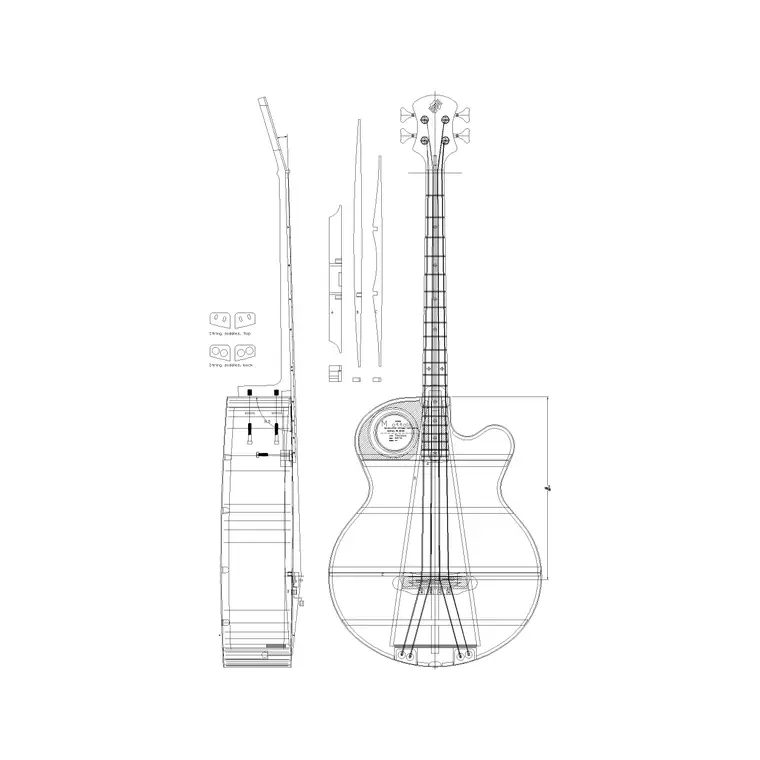
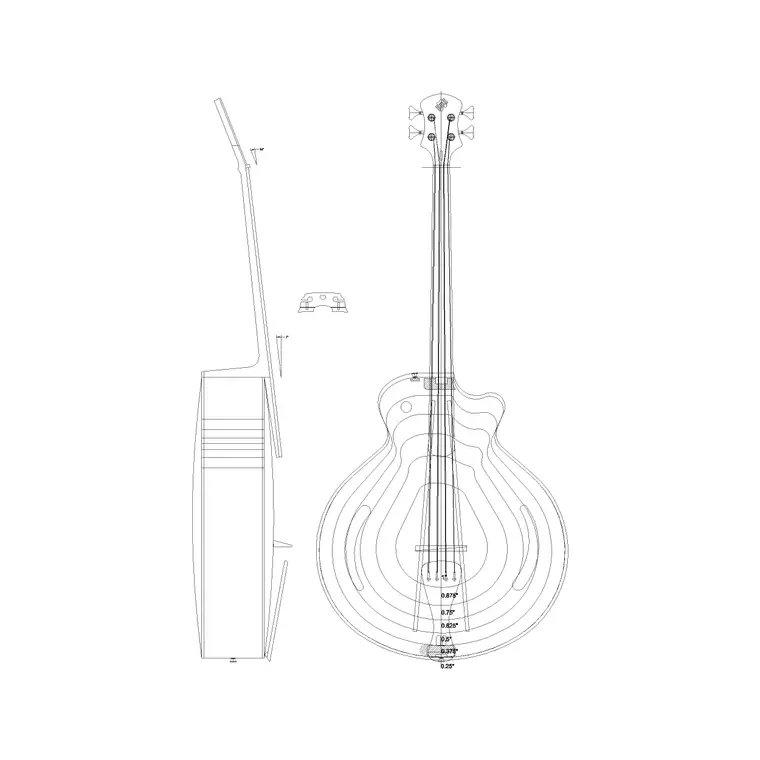
An acoustic guitar block is essentially a front-elevation silhouette with the features that make a guitar a guitar: the figure-eight hollow body with its waist, the round sound hole, the bridge, the long fretted neck and the headstock with tuning pegs. The deep, rounded body is the immediate tell that distinguishes an acoustic from the slimmer, cutaway electric.
It is drawn as clean single-layer linework. You can recolour it, simplify the fret and string detail for a small plot, or explode it to adapt the outline. As a single block reference it leans against a wall or sits on a stand in one move, ready to dress a music-themed elevation.
Why it is mainly an elevation block
A guitar is a thin, flat-faced object best seen face-on, so the front elevation is the view that matters. You place it on interior elevations, music-room and studio presentation drawings, café and retail styling boards, and lifestyle scenes where an instrument sets the mood. In plan it would read only as a thin sliver and is not a useful plan-view block.
The block's job is storytelling: leaned in a corner, hung on a wall mount or resting on a stand, it signals a music space far faster than any label. Pair it with the electric guitar block for a studio scene, or with a sofa and rug for a relaxed living-room vignette.
Typical acoustic guitar dimensions
Use these as guide ranges. A full-size dreadnought-style acoustic guitar has an overall length in the roughly 1000–1050 mm band, with the body lower bout — the widest part — commonly around 380–400 mm across and a body depth in the order of 100–120 mm. Smaller parlour, travel and three-quarter sizes scale down from there.
For dressing an elevation, the overall length and the body width are the figures that govern how the guitar relates to the wall and the furniture. Lean it against a wall, hang it on a mount or set it on a floor stand, and at true length it sits believably beside a sofa, an amp or a stool.
How to insert and scale the guitar
The block is drawn full size in millimetres. In a millimetre drawing, INSERT at scale 1 for real size; in a metre template insert at 0.001; in an imperial drawing set INSUNITS to millimetres so AutoCAD rescales it on insertion and you avoid a toy-sized or oversized instrument.
Pick a sensible insertion point — the base of the body if it stands on a floor, or the centre if you mount it on a wall — then rotate it to lean at a natural angle against a wall or a stand. Because the guitar is a single block reference, you can copy and rotate it for a wall of instruments in a music shop, and editing the block definition updates them all at once.
Where acoustic guitar blocks are used
Acoustic guitar blocks dress music studios and rehearsal rooms, music shops and retail displays, café and bar stages, teenagers' bedrooms, lifestyle showrooms and living-room vignettes. Pair the acoustic guitar with the electric guitar block in the accessories category to build a fuller music scene, and with amp, stool, sofa and rug blocks to set the context.
Because the file is free and licence-clear, it suits interior, set-design and architectural student projects, mood boards and lifestyle concept elevations. The same block carries from a styling sketch to a finished presentation board without the silhouette being redrawn each time.
Placing the guitar naturally
A guitar reads best when it is doing something believable — leaning against a wall at a slight angle, resting on a floor stand, or hung on a wall mount — rather than floating upright in the middle of a wall, so rotate the block to a natural lean and anchor its base to the floor or a stand. Keep the instrument in scale with the furniture around it; an oversized guitar next to a sofa breaks the illusion.
Keep guitars and other props on a dedicated dressing layer so you can freeze them for a clean technical elevation and thaw them for the styled version. For a music-shop wall, copy and lightly vary several instruments — different rotations and a mix of acoustic and electric — so the display does not look stamped from one block.
Free download
Browse the full library — DWG & DXF, no signup.
Questions
Frequently asked
Is the acoustic guitar CAD block free for commercial use?+
Yes. It downloads free in DWG and, where available, DXF, with no signup, watermark or attribution, and is cleared for paid client projects.
What size is a full acoustic guitar in the block?+
A full-size dreadnought-style acoustic has an overall length around 1000–1050 mm with a lower-bout width near 380–400 mm. Smaller parlour, travel and three-quarter sizes scale down from there.
How is the acoustic guitar different from the electric block?+
The acoustic has a deep, rounded hollow body with a sound hole, while the electric is a slimmer solid body, often with a cutaway. The two read differently in front elevation and suit different scenes.
Will the block open in older AutoCAD?+
Yes. The DWG targets AutoCAD 2004 and later, so it opens in AutoCAD, AutoCAD LT, BricsCAD, DraftSight and free DWG viewers.
Related downloads
Blocks for this guide
Popular blocks to download
Related categories
Related guides
Block landing
Wine Rack CAD Block DWG — Free Download
Download a free wine rack CAD block in DWG and DXF — bottle storage drawn in plan and elevation for kitchens, bars and cellars. AutoCAD 2004+, no signup.
Block landing
Wine Glass CAD Block DWG — Free Download
Download a free wine glass CAD block in DWG and DXF — red and burgundy stemware in elevation and plan for bar and table settings. AutoCAD 2004+, no signup.
Block landing
Cement Planter Pot CAD Block DWG — Free
Download a free cement planter pot CAD block in DWG and DXF — concrete-finish planter drawn in plan and elevation for interiors and terraces. AutoCAD 2004+.