Block landing · abstract art frame cad block
Free abstract art frame CAD block in DWG and DXF
By Saumyajit Maity · Published 26 Mar 2023 · Updated 10 Apr 2026
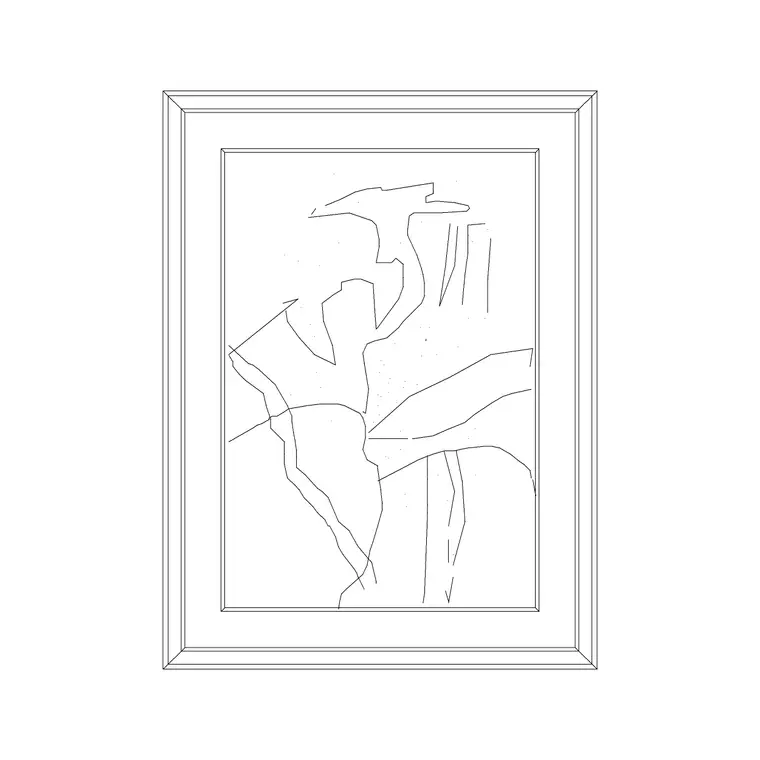
Framed abstract art is one of the fastest ways to give an interior elevation life, and a ready-made abstract art frame CAD block lets you hang that artwork on a wall without drawing the frame and the composition by hand. This page offers a free abstract art frame CAD block in DWG and DXF, drawn as a framed panel with an abstract motif inside so it reads as a piece of wall art rather than a blank rectangle. It is free for personal and commercial use, with no signup, watermark or attribution.
Designers use a framed-art block to dress interior elevations, presentation boards and mood layouts — over a sofa, along a corridor, behind a reception desk. Because it is drawn to scale, you can judge whether the piece is sized right for the wall and hung at a sensible centre height the moment it lands.
What an abstract art frame block contains
An abstract art frame block is essentially two parts: the frame profile and the artwork within it. The frame is a simple rectangular border drawn with a visible width so it reads as moulding rather than a hairline. Inside sits an abstract composition — sweeping lines, geometric blocks or a loose gestural motif — that signals 'artwork' without representing anything specific, which keeps it usable in any scheme.
The block is an elevation element by nature, built on a single layer as clean linework. You can recolour the frame, simplify the internal motif for small-scale plotting, or explode it to swap the artwork. Because it is one block reference, copying it down a corridor or gallery wall is quick.
Why it is an elevation block
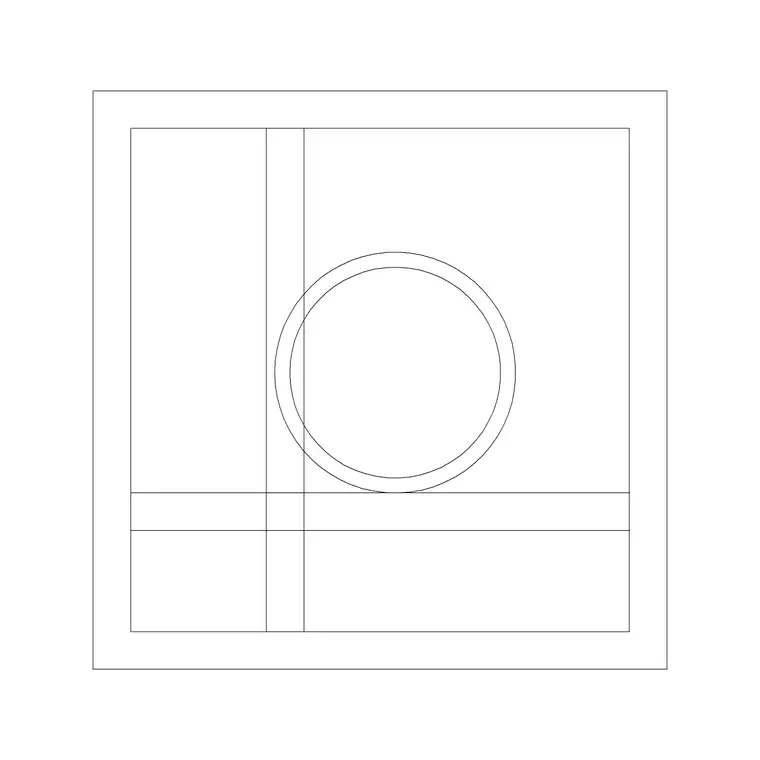
Framed art lives on a wall, so it is almost entirely an elevation and presentation element. You place it on interior elevations, section elevations and styling boards where the wall is shown face-on. In a plan it would appear only as a thin line on the wall, so the abstract art frame is not a plan-view block in any meaningful sense.
That single-view nature is a feature: the block does exactly one job — dressing a wall in elevation — and does it cleanly. Drop it on the wall line at the right height, scale it to the wall, and the elevation reads as a furnished, occupied room rather than a bare technical drawing.
Typical framed-art sizes to design around
Treat these as ranges. A single statement piece over a sofa or sideboard commonly sits in the 600–1200 mm width band, while a smaller accent frame for a corridor or a gallery grouping might be 300–500 mm. The frame moulding itself is usually a slim 20–50 mm border.
The figure that governs placement is the hanging centre height: framed art is conventionally hung so the centre of the piece sits around eye level, often taken as roughly 1500 mm from the floor, with adjustments above furniture so the art relates to the piece below it. Drawing the frame to scale and placing its centre at that height makes the elevation read correctly without measuring.
How to insert and scale the frame
The block is drawn full size in millimetres. In a millimetre drawing, INSERT at scale 1 for real size; in a metre template insert at 0.001; in an imperial drawing set INSUNITS to millimetres so AutoCAD rescales the frame on insertion. That avoids a frame the size of a stamp or a billboard.
A neat trick: pick the centre of the frame as the insertion point, then snap that point to a guide line at your chosen hanging height so the art lands at the right level every time. Because the frame is a single block reference, a gallery wall of several pieces is built from copies, and editing the block definition — say, to thin the moulding — updates them together.
Where abstract art frame blocks are used
Framed abstract art appears in nearly every furnished interior elevation: living rooms, bedrooms, hotel rooms and corridors, reception and lobby walls, restaurant and café interiors, and office breakout spaces. Pair the abstract frame with the portrait and landscape art frame blocks in the accessories category to build a varied gallery wall, and with sofa, console and clock blocks to dress a full elevation.
Because the file is free and licence-clear, it suits interior student projects, mood boards and concept elevations. The same block carries from an early styling sketch to a finished presentation board without the artwork being redrawn each time.
Building a gallery wall and keeping it tidy
For a gallery grouping, mix the abstract frame with the portrait and landscape frames at different sizes, and align them to a shared baseline or centre line so the cluster feels composed rather than scattered. Keep all artwork on a dedicated dressing or art layer above the wall geometry so you can freeze it for a clean technical elevation and thaw it for the styled version.
At small plot scales, simplify or freeze the internal motif so the artwork reads as a framed panel rather than a smudge. If a corridor repeats the same hanging rhythm, group a frame with its centre-line guide and array it along the wall, then edit the master definition to adjust the whole run at once.
Free download
Browse the full library — DWG & DXF, no signup.
Questions
Frequently asked
Is the abstract art frame CAD block free for commercial use?+
Yes. It downloads free in DWG and, where available, DXF, with no signup, watermark or attribution, and is cleared for paid client projects.
What height should framed art be hung at in the drawing?+
Conventionally the centre of the piece sits around eye level — often taken as roughly 1500 mm from the floor — adjusted upward above furniture so the art relates to the piece beneath it.
Is the art frame a plan or elevation block?+
It is an elevation block. Framed art lives on a wall, so it reads in elevation and presentation drawings; in plan it would only appear as a thin line on the wall.
Will the file open in free DWG viewers?+
Yes. The DWG targets AutoCAD 2004 and later, so it opens in AutoCAD, AutoCAD LT, BricsCAD, DraftSight and free DWG viewers.
Related downloads
Blocks for this guide
Popular blocks to download
Related categories
Related guides
Block landing
Wine Rack CAD Block DWG — Free Download
Download a free wine rack CAD block in DWG and DXF — bottle storage drawn in plan and elevation for kitchens, bars and cellars. AutoCAD 2004+, no signup.
Block landing
Wine Glass CAD Block DWG — Free Download
Download a free wine glass CAD block in DWG and DXF — red and burgundy stemware in elevation and plan for bar and table settings. AutoCAD 2004+, no signup.
Block landing
Cement Planter Pot CAD Block DWG — Free
Download a free cement planter pot CAD block in DWG and DXF — concrete-finish planter drawn in plan and elevation for interiors and terraces. AutoCAD 2004+.