Curated pack · free shrub cad blocks
20 free shrub CAD blocks for AutoCAD in 2026
By Sumana Kumar · Published 22 Aug 2024 · Updated 16 May 2026
Shrubs are the layer between the trees and the ground, and they do quiet but essential work on a planting plan: defining beds, screening boundaries, softening building edges and filling the space beneath the canopy. This round-up brings together 20 free shrub CAD blocks in DWG and DXF — individual shrubs, hedge runs, mass-planting clusters and low ground-cover symbols — drawn to scale and free for commercial use, no signup required.
Unlike trees, shrubs are often drawn as massed areas rather than counted individuals. A planting bed might be shown as a hatched outline with a few representative shrub symbols, or as a cloud of clustered bushes that read as a continuous mass. This set gives you both: discrete shrub symbols for specimen planting and grouped or hedge blocks for the broad strokes.
The sections below explain what the 20 blocks include, how to represent mass shrub planting versus a single specimen, how to use shrub blocks to define and dimension planting beds, and how to keep the shrub layer working alongside the trees above and the paving below.
What the 20 shrub blocks include
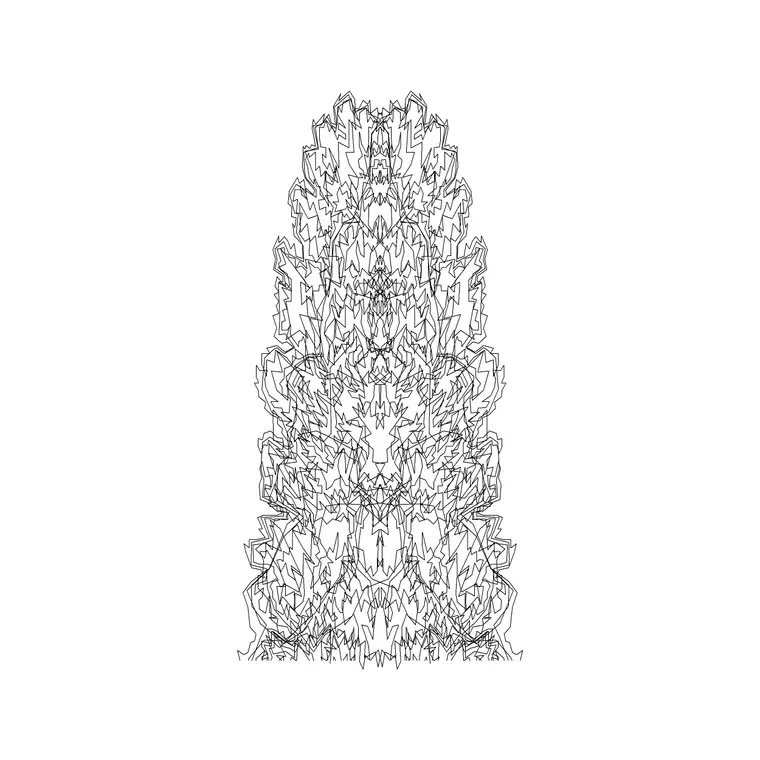
The collection covers the full shrub vocabulary. Single shrubs — rounded, irregular outlines for specimen bushes placed individually. Mass-planting clusters — groups of shrubs drawn as a continuous textured blob for filling beds quickly. Hedge runs — straight and curved hedge symbols you stretch or array along a boundary. Low ground cover — flatter, finer-textured symbols for the carpet planting beneath taller shrubs. And a few mixed-bed blocks that combine shrub sizes for a naturalistic border.
Because shrubs read at a smaller scale than trees, the symbols are drawn with lighter, finer texture so they don't overpower the drawing. On a typical plan the shrubs sit visually below the tree canopies and above the ground hatch, exactly where they belong in the planting hierarchy.
Single shrubs vs mass planting
The first decision on any shrub layer is whether to draw individuals or masses. For a small, designed border — a front garden, a courtyard bed — you often place single shrub blocks so you can count and specify each plant. For large schemes — a roadside verge, a buffer planting strip, a parkland bed — drawing every shrub is pointless; you show the bed as a hatched or clustered mass with a label and a planting density instead.
This set supports both approaches. Use the discrete shrub symbols where the design is precise and the count matters, and the mass-planting clusters where you want the impression of dense planting without the tedium of placing two hundred identical bushes. Mixing the two — a mass background with a few specimen shrubs in front — often reads best.
Drawing and dimensioning planting beds
Shrub blocks are how you bring a planting bed to life. Start by drawing the bed outline as a closed polyline — this is what you'll hatch and what defines the planting area. Then fill it: place single shrubs for a designed bed, or drop in mass-planting clusters and let them read as continuous cover. Keep the bed outline, the shrub symbols and any ground-cover hatch on separate layers so each can be controlled independently.
For the setting-out and schedule, the bed outline gives you the area, and tagging the shrub blocks (or noting a planting density per square metre) gives you the quantities a contractor needs. That turns a decorative plan into a working planting drawing the landscape contractor can price and plant from.
Hedges, screening and boundaries
Hedge blocks earn their keep on boundaries and internal divisions. A hedge run is essentially a linear shrub mass, so the hedge symbols in this set are drawn to stretch or array along a line — a property boundary, a path edge, a screen between zones. Use STRETCH to close a run to an exact length, or a path array to follow a curved boundary.
Hedges also do screening work that the plan should communicate: a clipped formal hedge reads differently from a loose informal screen, and the set includes both textures so you can show the intent. Keep hedges on the shrub layer (or a dedicated hedge sub-layer) so you can isolate them when you need to dimension the boundary planting separately from the beds.
Fitting shrubs between trees and paving
On a finished landscape drawing the shrub layer has to coexist with the trees above and the hard landscape below. Think in a vertical stack of information: tree canopies on the top layer, shrubs and bed planting in the middle, ground cover and grass hatch at the bottom, and paving on its own hard-landscape layer. Drawn this way, the shrubs fill the gaps the trees leave and meet the paving cleanly at the bed edges.
Because every block here is editable and licence-clear, you can tune the shrub textures to match the trees you're using and build a coherent planting palette. Pair the shrub set with the tree and palm round-ups for the structure, and with the paving and outdoor categories for the surfaces and edges, to build a complete soft-and-hard landscape drawing from one free library.
Free download
Browse the full library — DWG & DXF, no signup.
Questions
Frequently asked
What's the difference between single shrub and mass-planting blocks?+
Single shrub blocks are discrete symbols you place and count individually for designed beds. Mass-planting blocks are clusters drawn as a continuous textured area for filling large beds quickly without placing every plant.
How do I show a planting bed with these shrub blocks?+
Draw the bed outline as a closed polyline, then fill it — single shrubs for a designed bed or mass-planting clusters for broad cover. Keep the outline, the shrub symbols and any ground-cover hatch on separate layers.
Can the hedge blocks follow a curved boundary?+
Yes. The hedge symbols are drawn to stretch or array along a line. Use STRETCH for a straight run to an exact length, or a path array (ARRAYPATH) to follow a curved boundary or path edge.
Are the shrub CAD blocks free for commercial use?+
Yes. Every shrub block downloads free in DWG and DXF with no signup, no watermark and no attribution requirement, and all are cleared for commercial project use.
Related downloads
Blocks for this guide
Popular blocks to download
Related categories
Related guides
Curated pack
Free Landscape & Tree DWG Pack — Plan & Elevation
A free landscape and tree DWG pack — trees, palms, shrubs and potted plants in plan and elevation for AutoCAD site plans. DWG and DXF, no signup, commercial-use OK.
Curated pack
Free Landscape CAD Block Pack — DWG & DXF
A free landscape CAD block pack in DWG and DXF — trees, shrubs, fences, paving, lighting and figures for AutoCAD landscape plans. No signup, commercial-use OK.
Curated pack
Free Garden CAD Block Pack — DWG Download
A free garden CAD block pack in DWG and DXF — trees, shrubs, fences, a swing, a BBQ and paving for residential garden plans. No signup, commercial OK.