Curated pack · 20 free human figure cad blocks dwg
Twenty free human figure CAD blocks for AutoCAD in 2026
By Sumana Kumar · Published 30 Aug 2024 · Updated 28 Mar 2026
Human figures are the blocks that make a drawing readable: drop a few people into a plan or an elevation and anyone looking at it instantly understands the scale, the use and the feel of the space. This pack collects 20 free human figure CAD blocks in DWG — standing, walking and seated figures, groups and individuals, adults and children — drawn to scale for AutoCAD 2004 and later. Every file is free for personal and commercial use, with no signup and no watermark.
Twenty figures cover the entourage you actually need: standing people for elevations and perspectives, walking figures to suggest movement and circulation, seated figures for restaurants, offices and waiting areas, and groups to populate a public space. You get plan symbols for showing occupancy and circulation from above and elevation figures for facades, sections and presentation views.
A human figure is the one block where the scale is the whole point — a figure drawn at roughly adult height instantly calibrates everything around it. Used well, people give a flat drawing depth and a sense of how the space is meant to be lived in; used badly, they distract. This set is drawn to read cleanly so the figures add scale and life without stealing attention from the design.
The 20 human figures in the pack
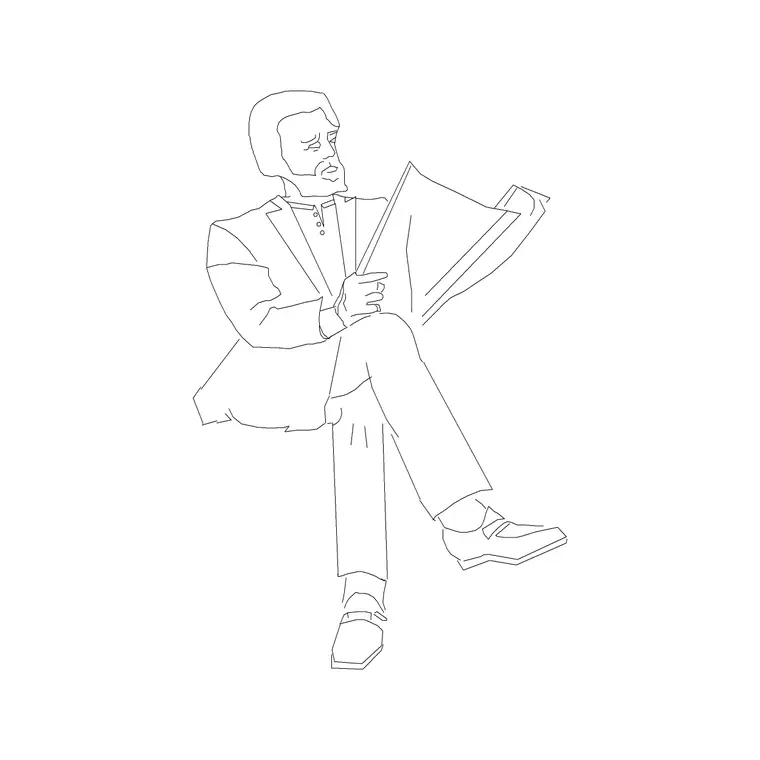
The set spans the poses and groupings you reach for most. Standing figures — front-on and in profile — for elevations and perspectives. Walking figures, mid-stride, to suggest movement along a street or through a concourse. Seated figures for restaurants, offices, lounges and waiting rooms. Groups of two or three for entourage in public spaces. And a few children and figures with bags or props for variety and a sense of real use.
Keeping the range in one pack lets you populate a scene believably rather than cloning the same silhouette. Each figure is drawn as a clean outline that reads at a glance, detailed enough to be recognisably a person but simple enough not to compete with the architecture behind it.
Figure heights and scale to design around
Use adult height as your calibration. An adult human figure is commonly drawn somewhere around 1700-1850 mm tall, with children scaled down accordingly. Because the figure is your scale reference, it must be inserted at true height — a person drawn too tall or too short quietly throws off how everyone reads the size of the door, the table or the room beside them.
That is the discipline with people blocks: scale them honestly and they calibrate the whole drawing; fudge them and they mislead. In plan, a standing figure occupies a small footprint that is useful for checking occupancy and circulation density — how many people a concourse or a queue space really holds. Drawing figures at true size makes those density checks meaningful rather than decorative.
Plan symbol and elevation figure
The plan symbol shows a person from above — a head-and-shoulders outline — useful for populating a floor plan to show occupancy, queue lengths and circulation density. Scatter them through a concourse, a waiting area or a restaurant to demonstrate how busy the space is meant to be, and keep them on an entourage layer so they can be frozen for a clean technical plan.
The elevation figure is where people earn their keep: a figure standing beside a facade, walking along a street section or seated in an interior elevation gives the drawing instant scale and life. Use them in elevations, sections and presentation views. Many blocks ship both the plan symbol and the elevation figure so the same person appears consistently across views.
Placing people for scale and life
Restraint is the rule. A few well-placed figures read as a lively, inhabited space; a crowd of blocks reads as clutter that fights the design. Put people where they make sense — at an entrance, by a counter, on a bench, walking a route — and at varied scales if your drawing has perspective depth, so nearer figures are larger than distant ones.
Vary the poses and avoid mirror-image repeats next to each other, which read as obviously copied. Because each figure is a block reference, you can drop a standing person, copy and swap it for a walking or seated figure, and rotate or flip it so no two adjacent people match. Keep them on a single entourage layer so the whole population can be toggled off the moment you need a clean, measurable drawing.
Layers, lineweights and reuse
Put human figures on a dedicated entourage or people layer, never on layer 0, and give them a light, neutral lineweight so they sit behind the architecture rather than in front of it. Freezing that layer turns a populated presentation drawing back into a clean technical plan or elevation in one click — which is exactly why entourage belongs on its own layer.
Keep the figures as block references so a busy presentation board stays light, and so swapping the entourage style across a project is a redefine rather than a redraw. When a populated scene works — a row of seated diners, a group at an entrance — WBLOCK the group as reusable entourage. Because people are scale references first, resist the temptation to scale them to fill a gap; scale the gap-filler instead and leave the people at true height.
Where human figure blocks are used
Human figures belong in nearly every presentation drawing and many technical ones: building elevations and street sections, interior elevations and perspectives, retail and restaurant layouts, station and airport concourses, public realm and landscape plans, and occupancy and circulation studies. They pair with furniture, vehicle and tree blocks to dress a scene and with the office and seating blocks to show a space in use.
Because the set is free and licence-clear, it suits student presentation boards, competition entries and concept renderings where scale and life sell the idea without any licensing fuss. Twenty figures give enough variety to populate a whole scheme believably — from a quiet interior to a busy concourse — without the same silhouette repeating in a way that gives the entourage away.
Free download
Browse the full library — DWG & DXF, no signup.
Questions
Frequently asked
Are these 20 human figure CAD blocks free for commercial use?+
Yes. All twenty download free in DWG with no signup, no watermark and no attribution requirement, and they are cleared for commercial projects.
What height should a human figure block be inserted at?+
At true adult height, commonly somewhere around 1700-1850 mm, with children scaled down. Because the figure is your scale reference, inserting it at the wrong height misleads the reader about everything around it.
Do the figures come in plan and elevation views?+
The pack includes both. The plan symbol shows a person from above for occupancy and circulation studies; the elevation figure gives scale and life to facades, sections and interior elevations. Where both ship, they are in the same DWG.
How many people should I add to a drawing?+
Use restraint. A few well-placed, varied figures suggest a lively, inhabited space, while a crowd of blocks clutters the drawing. Keep them on an entourage layer so you can freeze them for a clean technical version.
Related downloads
Blocks for this guide
Popular blocks to download
Related categories
Related guides
Curated pack
15 Free People & Scale Figure CAD Blocks — DWG in 2026
15 free people and scale figure CAD blocks in DWG and DXF — standing, walking and seated figures in plan and elevation to give drawings human scale. No signup.
Curated pack
People in Plan View CAD Block Pack — Free DWG
A free people in plan view CAD block pack — standing, seated and grouped figures seen from above for floor plans, occupancy and circulation. DWG, no signup.
Curated pack
Group & Couple Figure CAD Blocks — Free DWG Pack
A free group and couple figure CAD block pack — pairs, small groups and crowds in plan and elevation to populate social and public spaces. DWG, no signup.