Curated pack · free street light cad blocks
12 free street light CAD blocks for AutoCAD in 2026
By Sumana Kumar · Published 11 Dec 2025 · Updated 10 Feb 2026
Street lights are the vertical punctuation of a public-realm drawing: they mark the rhythm of a street, define the edge of a footpath and carry the lighting design that keeps a space safe after dark. This round-up gathers 12 free street light CAD blocks in DWG and DXF — tall lamp columns, twin-arm street lights, pedestrian column lights and bollard lights — in both plan and elevation, drawn to scale and free for commercial use, no signup.
A street light block does two related jobs. In elevation it's a presentation and detail element — the lamp column drawn at its real height against a streetscape or building. In plan it's a spacing tool: a lighting column on a plan is a position to be set out, and the spacing between columns is what a lighting engineer works to. So these blocks are drawn to give you both a believable elevation and a precise plan position.
Below we cover what the 12 lights include, how plan and elevation views serve different parts of the design, the realistic column heights to draw to, and how to set out a lighting layout that an engineer and an installer can both work from.
What the 12 street light blocks include
The set spans the lighting hierarchy of a typical street. Tall traffic-route columns — the high lamp posts that light a carriageway, drawn with single or twin lantern arms. Pedestrian-scale column lights — shorter, more decorative posts for footpaths, plazas and residential streets. Heritage and amenity lamp posts for conservation areas and feature spaces. And low bollard lights for path edges, steps and landscaped routes where a tall column would be out of scale.
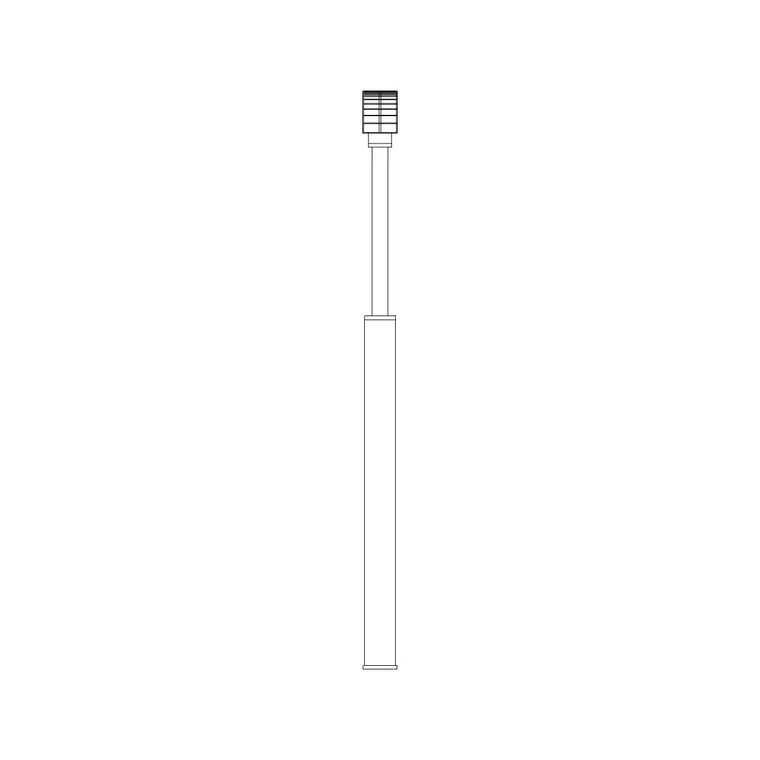
In plan, each light reads as a small symbol marking the column base position — the point that gets set out on site. In elevation, the full column and lantern are drawn at their real height, which is what you need for streetscapes, sections and presentation drawings where the lighting is seen from the side.
Plan for spacing, elevation for streetscape
The plan and elevation views of a street light serve genuinely different parts of the job. In plan, a lighting column is a position. You array the column symbols along a street or path at the spacing the lighting design requires, and the plan becomes a setting-out drawing for the columns. The spacing — column to column — is the number a lighting engineer calculates and the installer measures to.
In elevation, the street light is a streetscape element. A lamp column drawn at its real height against a building elevation or a street section shows how the lighting sits in the space, and it gives a presentation drawing scale and character — a heritage lamp post reads very differently from a sleek modern column. Several blocks in the set ship both views so one download covers the plan position and the elevation appearance.
Realistic column heights to draw to
Draw street lights to realistic mounting heights so they sit correctly against the buildings and people around them. Use these reference ranges as a guide: tall traffic-route columns typically 8–12 m high; main-road and distributor columns around 6–8 m; residential and pedestrian-scale columns roughly 4–6 m; and low bollard lights around 0.9–1.2 m. The lantern arm reach on twin-arm columns adds a metre or so to either side.
Getting the height right matters most in elevation, where a column drawn too short or too tall throws off the whole streetscape. In plan the height is less visible, but it's worth recording it as an attribute or a label so the lighting schedule carries the column type and height for each position. Always confirm the actual specification with the lighting design for your project.
Setting out a lighting layout
To lay out street lighting, start from the spacing the lighting design gives you and array the column blocks along the route — a path array down a curved road centreline, or evenly spaced copies along a straight footpath. Keep the columns on a dedicated lighting layer so the lighting information has its own colour and on/off control, separate from the road, the paving and the planting.
Watch for conflicts as you set out: columns shouldn't clash with tree positions, crossings, vehicle accesses or underground services, so it pays to lay the lighting over the planting and access layers and check. Tagging each column with its type and height turns the layout into a lighting schedule the engineer and contractor can both use — exactly the kind of data a coordinated public-realm drawing needs.
Where street light blocks fit in a drawing set
Street light blocks belong in public-realm and external-works drawings: streetscapes and highway schemes, car-park lighting, footpath and cycleway designs, plaza and park lighting, and the presentation site plans that pull it all together. They're a small element that does a lot to make a street drawing read as a real, usable space.
They pair naturally with paving blocks for the surfaces, with tree and planting blocks for the soft landscape, with people and vehicle blocks for scale and life, and with the wider outdoor category for benches, bollards and street furniture. Because the blocks are licence-clear, you can build a reusable lighting palette for a project — a traffic column, a pedestrian column, a bollard light — and carry it across every drawing in the set without redrawing a single lamp post.
Free download
Browse the full library — DWG & DXF, no signup.
Questions
Frequently asked
What's included in the 12 street light blocks?+
Tall traffic-route columns with single or twin lantern arms, pedestrian-scale column lights, heritage and amenity lamp posts, and low bollard lights — drawn in plan and, in many cases, elevation.
What height should a street light block be?+
Draw to realistic mounting heights — roughly 8–12 m for traffic-route columns, 4–6 m for pedestrian and residential columns, and 0.9–1.2 m for bollard lights. Always confirm against the lighting design for your project.
How do I use street light blocks to set out a lighting layout?+
Array the column symbols along the route at the spacing the lighting design requires — a path array for curved roads or evenly spaced copies for straight paths. Keep them on a dedicated lighting layer and check for clashes with trees, crossings and accesses.
Are the street light CAD blocks free for commercial use?+
Yes. Every block downloads free in DWG and DXF with no signup, no watermark and no attribution requirement, and all are cleared for commercial project use.
Related downloads
Blocks for this guide
Popular blocks to download
Related categories
Related guides
Curated pack
Free Landscape CAD Block Pack — DWG & DXF
A free landscape CAD block pack in DWG and DXF — trees, shrubs, fences, paving, lighting and figures for AutoCAD landscape plans. No signup, commercial-use OK.
Curated pack
Free Street Furniture CAD Block Pack — DWG
A free street furniture CAD block pack in DWG and DXF — street lights, fences, gates, paving and figures for public realm plans. No signup, commercial OK.
Curated pack
Free Parking Layout CAD Block Pack — DWG
A free parking layout CAD block pack in DWG and DXF — cars in plan, paving, lighting and figures for car park and bay layouts. No signup, commercial OK.