Curated pack · free bathtub cad blocks
12 free bathtub CAD blocks for AutoCAD in 2026
By Saumyajit Maity · Published 7 Mar 2024 · Updated 15 May 2026
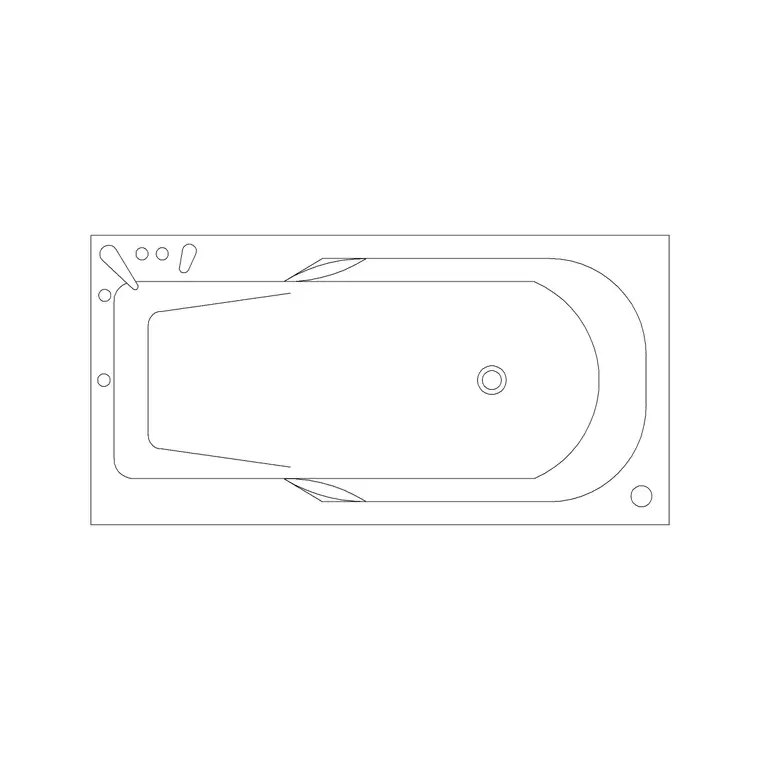
A bathtub is the largest single fixture in most bathrooms, so it usually claims the longest wall and dictates how the rest of the room falls into place. This collection brings together 12 free bathtub CAD blocks in DWG and DXF: standard rectangular baths, space-saving corner baths, freestanding roll-top and contemporary tubs, P-shaped and L-shaped shower baths, and the small soaking baths that suit compact ensuites. Each downloads free for personal and commercial work, with no signup, no watermark and no attribution.
Because a bath is big and fixed once it is plumbed, getting it right on the plan is worth the care. These blocks are drawn to standard bath sizes, so the moment one lands you can see whether the room takes it, whether the door still swings clear, and how much floor is left for the basin and WC. Several blocks also ship a section, which is the view you need to set the bath height, the panel line and the tiling.
Use the pack across family bathrooms, ensuites, hotel rooms and accessible wet rooms. Plan blocks lay out the room; elevation and section blocks drive the tiling, the bath panel and the setting-out the installer follows.
What's in the 12-bath collection
The set is chosen to cover the real decisions a bathroom designer makes, not twelve versions of one tub. There are standard rectangular baths in the common lengths, a couple of corner baths that turn a square room's dead corner into the bath, freestanding tubs (a classic roll-top and a contemporary oval) that need clear space on all sides, and P-shaped and L-shaped shower baths with the widened end and a screen line for over-bath showering. A compact soaking bath is included for tight ensuites where a full-length tub won't fit.
Every block is drawn full size in plan, with elevation and section views on the baths where the height and panel detail matter. The geometry sits on sensible layers — the tub outline, the internal bathing well, the centreline and the panel line — so you can dimension the setting-out, freeze the panel, or recolour the outline cleanly.
Standard bathtub dimensions to design around
Keep these figures to hand. The classic rectangular bath is 1700 mm long by 700 mm wide; compact baths run 1500 × 700 mm and small soaking tubs shorter still, while generous baths reach 1800 mm and wider. The rim normally sits around 500–600 mm above the finished floor. A corner bath typically occupies a square envelope of roughly 1200–1500 mm on each side. Freestanding tubs vary widely but read as an oval or rectangle that needs clear floor all round — allow at least 150–200 mm to the wall behind and room to clean.
For use and access, leave a clear zone of around 700 mm along the open side of the bath for getting in and out, and check that the door swing doesn't foul the rim. With the scaled block in place these clearances are something you see, not something you calculate.
Plan, elevation and section: which view does what
For the bathroom layout you work in plan: the bath outline and bathing well seen from above, set along its wall with the access zone drawn in. The plan blocks are what you mirror to flip a layout and what you test the room against first, since the bath is the constraint everything else works around.
The elevation block draws the bath face-on along its long side, carrying the rim height and panel line — the view for the tiling setting-out and the client presentation. The section block cuts through the tub to show the bathing well depth, the panel, and the floor build-up; this is the view you need to set the bath on its feet or cradle, detail the panel fixing, and coordinate the waste and overflow. Several baths in the pack ship all three, so one download covers the whole drawing set.
How to lay out a bathroom around the bath
Because the bath is the biggest and least movable fixture, place it first — usually along the longest uninterrupted wall, with the tap end nearest the existing plumbing to keep pipe runs short. Drop the plan block, snap a centreline along its length, and dimension the rim off the finished walls so the installer can set it out. Check the access zone along the open side and confirm the door clears the rim.
With the bath fixed, bring in the WC against the soil-stack wall and the basin within reach, filling the remaining floor. For a shower bath, add the screen line and remember the showering end needs the wider P- or L-shape, which the relevant blocks already carry. Keep the bath on the sanitary layer so the architectural plan, the tiling elevation and the setting-out plan all come from the same geometry.
Per-item notes: standard, corner, freestanding and shower baths
The standard rectangular blocks are the default — they tile neatly against three walls with a panel on the open side, and the 1700 × 700 mm size fits the most rooms, so reach for these unless something pushes you elsewhere. The corner baths rescue awkward square rooms by filling a corner, but they eat more floor area than their bathing well suggests, so check the real footprint against the room.
The freestanding tubs are the design statement: they need clear floor on every side and a floor-standing or wall tap arrangement, so leave the cleaning gap behind and don't shove them against a wall as if they were a standard bath. The P-shaped and L-shaped shower baths are the practical choice when one room must do bath and shower — the widened end gives proper showering space, and the screen line is built into the block. The compact soaking bath is the answer for an ensuite too small for 1700 mm; it trades length for depth, so flag that in the section.
Who uses these bathtub blocks
Architects and interior designers use the bath set to test whether a room takes a tub at all, then to lay out family bathrooms, ensuites and hotel rooms with the access and door clearances proven. Plumbing and services designers use the section blocks to coordinate the waste, overflow and panel access with the floor build-up. Students reach for them on studio and portfolio work where a correctly-sized bath keeps the whole bathroom plan believable.
Pair the bathtub pack with the toilet, wash basin and shower blocks in the bathroom category to complete the sanitary suite, and use the same blocks from concept plan through to the tiling and setting-out drawings without redrawing the tub at any stage.
Free download
Browse the full library — DWG & DXF, no signup.
Questions
Frequently asked
What size is a standard bathtub block?+
The classic rectangular bath is 1700 mm long by 700 mm wide, with compact versions at 1500 × 700 mm and generous baths up to 1800 mm and wider. The rim typically sits 500–600 mm above the finished floor.
Do the bathtub blocks include a section view?+
Several do. The section cuts through the tub to show the bathing well depth, the bath panel and the floor build-up — the view you need to set the bath height, detail the panel and coordinate the waste and overflow.
How much clearance should I leave around a bath?+
Allow roughly 700 mm of clear floor along the open side for getting in and out, and check the door swing clears the rim. Freestanding tubs need clear space on all sides plus a 150–200 mm cleaning gap behind.
Are the bathtub CAD blocks free for commercial use?+
Yes. Every bath downloads free in DWG and, where available, DXF, with no signup, no watermark and no attribution requirement, and they are cleared for commercial project use.
Related downloads
Blocks for this guide
Popular blocks to download
Related categories
Related guides
Curated pack
Free Kitchen CAD Block Pack — DWG & DXF
A free kitchen CAD block pack in DWG and DXF — cookers, hobs, ovens, sinks, hoods and cabinets drawn in plan and elevation for AutoCAD. No signup, commercial-use OK.
Curated pack
Free Plumbing Fixtures CAD Block Pack — DWG
Free plumbing fixtures CAD block pack in DWG and DXF — WCs, basins, sinks, valves, gullies and pipework symbols for AutoCAD layouts. No signup.
Curated pack
Free Accessibility / Part M CAD Block Pack — DWG
Free accessibility / Part M CAD block pack in DWG — wheelchair symbols, turning circles, accessible WCs and clearances for AutoCAD inclusive-design plans.