Block landing · 1000mm round dining table cad block
1000mm round dining table CAD block in DWG in 2026
By Sumana Kumar · Published 24 Jan 2025 · Updated 12 Apr 2026
A 1000mm round dining table is the workhorse of small dining rooms, apartment kitchens and cafe-style nooks, and this page gives you a clean, true-to-scale block of exactly that size. The diameter is set at 1000mm — one metre across — which comfortably seats four people and tucks into a corner without dominating the room. The block is drawn full size in millimetres so it lands at real dimensions the moment you insert it into AutoCAD 2004 or later, and it is free for personal and commercial work with no signup, no watermark and no attribution.
Designers reach for the 1m round because it has no corners to bump into and it lets diners reach the centre of the table easily. That makes it a frequent choice in residential plans, restaurant layouts where floor space is tight, and breakout areas in offices. Drop the scaled block onto your plan and you can immediately read whether four chairs fit around it with the circulation you need.
What the 1000mm round table block is
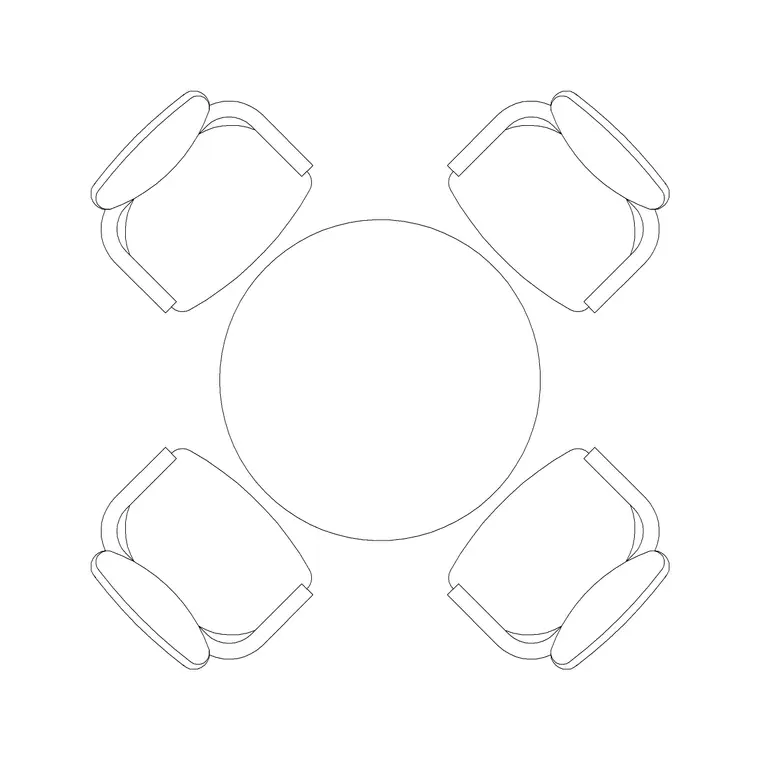
This block represents a circular dining table 1000mm in diameter, drawn in plan view as a single block reference. The outline is the tabletop edge, with the pedestal or leg footprint shown inside so you can judge knee room and where chairs slide under. Because it is a block, you copy, rotate and array it as one object, and a single edit to the definition updates every instance in the drawing.
A 1m round comfortably accommodates four place settings; you can squeeze a fifth at a push for a casual meal, but four is the figure to design around. The block is built on sensible geometry rather than a rough circle, so when you dimension off it the numbers are honest. Where the source file ships an elevation alongside the plan, you get the side profile too, useful for interior elevations and sections.
Views and what is included
The primary view is the plan — the tabletop seen from above — which is what you place in furniture layouts and space plans. This is the view you array chairs around and the one that governs clearance checks against walls, sideboards and circulation routes.
Keep the table on its own furniture layer rather than layer 0. That way you can freeze it to show a bare structural plan and thaw it for a furnished presentation, all from one drawing. Where a download bundles multiple views in the same DWG, insert the plan for the layout and explode or freeze the rest. The file targets AutoCAD 2004 format, so it opens cleanly in current AutoCAD, AutoCAD LT, BricsCAD, DraftSight and free DWG viewers.
Typical sizing to design around
For a round dining table seating four, a diameter in the region of 900–1100mm is normal, and 1000mm sits right in the middle of that band — generous enough for four place settings without wasting floor. Allow roughly 600mm of table edge per diner as a comfortable place setting, which a 1m circumference (about 3140mm round) shares neatly among four.
Standard dining table height runs about 720–760mm, with the underside of the apron usually clearing 600mm or more so chairs and knees pass under. For circulation, leave at least 900mm of clear floor behind each chair so a diner can push back and stand, rising to about 1100mm where that space is also a walkway. Treat these as design ranges to check your layout against rather than fixed figures stamped on the block.
How to insert and scale the block
The block is drawn in millimetres. In a millimetre drawing, insert at scale 1 and it lands at true size. Working in metres? Insert at 0.001. On a US imperial template, set your INSUNITS so AutoCAD rescales on insertion, or insert at 0.03937 to convert millimetres to inches.
Run INSERT (or drag the DWG from a tool palette or File Explorer), then pick the insertion point at the centre of the table so it rotates cleanly about its middle. Set the current layer to your furniture layer before placing, or move the block afterwards via the Properties palette. Because the table is a single block reference, you can copy it around a multi-table restaurant plan and update them all at once by editing the definition with BEDIT.
Where the 1m round table is used
The 1000mm round shows up across residential and commercial sets: apartment dining areas, small kitchens with an eat-in table, study or cafe corners, and compact restaurant and bistro floors where round tables seat four in less floor area than a square would. It also suits hotel suites, club lounges and breakout spaces in offices.
Pair it with dining-chair, sideboard and rug blocks from the furniture category to build a complete dining vignette quickly. Because the file is licence-clear, it carries from an early concept plan through to a coordinated FF&E drawing without re-drawing, and it is equally at home in a student portfolio or competition board where believable, correctly-scaled furniture matters.
Free download
Browse the full library — DWG & DXF, no signup.
Questions
Frequently asked
How many people does a 1000mm round dining table seat?+
Four comfortably. A 1m diameter gives each of four diners roughly the 600mm of edge a place setting wants. You can add a fifth for a casual meal, but four is the figure to plan and space chairs around.
Is the 1000mm round table block free for commercial work?+
Yes. It downloads free in DWG with no signup, no watermark and no attribution requirement, and it is cleared for commercial project use as well as personal and student work.
What scale is the block drawn at?+
Full size in millimetres. Insert at scale 1 in a millimetre drawing, 0.001 in a metre drawing, or set INSUNITS to millimetres so AutoCAD rescales the block automatically when you insert it.
Will the DWG open in older AutoCAD or a free viewer?+
Yes. The file targets AutoCAD 2004, which opens in current AutoCAD, AutoCAD LT, BricsCAD, DraftSight and free DWG viewers such as Autodesk's online viewer.
Related downloads
Blocks for this guide
Related categories
Related guides
Block landing
Free Office Chair CAD Blocks — DWG Download
Download free office chair CAD blocks in DWG and DXF — task chairs, swivel chairs and executive seats drawn in plan and elevation, AutoCAD 2004+, no signup.
Block landing
Free Bar Table CAD Blocks — DWG Download
Download free bar table CAD blocks in DWG and DXF — round, square and rectangular high bar tables in plan and elevation for AutoCAD. No signup, commercial-use OK.
Block landing
Free Restaurant Table CAD Blocks — DWG Download
Download free restaurant table CAD blocks in DWG and DXF — 2, 4 and 6 cover tables with chairs drawn in plan and elevation for AutoCAD. No signup, commercial-use OK.