Curated pack · free fence and gate cad blocks
10 free fence and gate CAD blocks for AutoCAD in 2026
By Saumyajit Maity · Published 27 Jan 2026 · Updated 9 May 2026
Fences and gates define the edges of a site — the line between public and private, the controlled point of access, the boundary a drawing has to set out precisely. This round-up gathers 10 free fence and gate CAD blocks in DWG and DXF — boundary fences, railings, driveway gates and pedestrian gates — in both plan and elevation, drawn to scale and free for commercial use, no signup.
Fences and gates are interesting blocks because they're both linear and detailed. A fence is a run you stretch along a boundary, so it has to repeat cleanly to any length. A gate is a specific opening with a swing, so in plan it carries the leaf and the arc of its movement — exactly like a door, but at the scale of a driveway. The 10 blocks here handle both: the long boundary runs and the access points that punctuate them.
Below we cover what the 10 blocks include, how fence runs and gates differ in use, the realistic heights to draw to, how to show a gate's swing in plan, and where boundary blocks belong in a site and external-works drawing.
What the 10 fence and gate blocks include
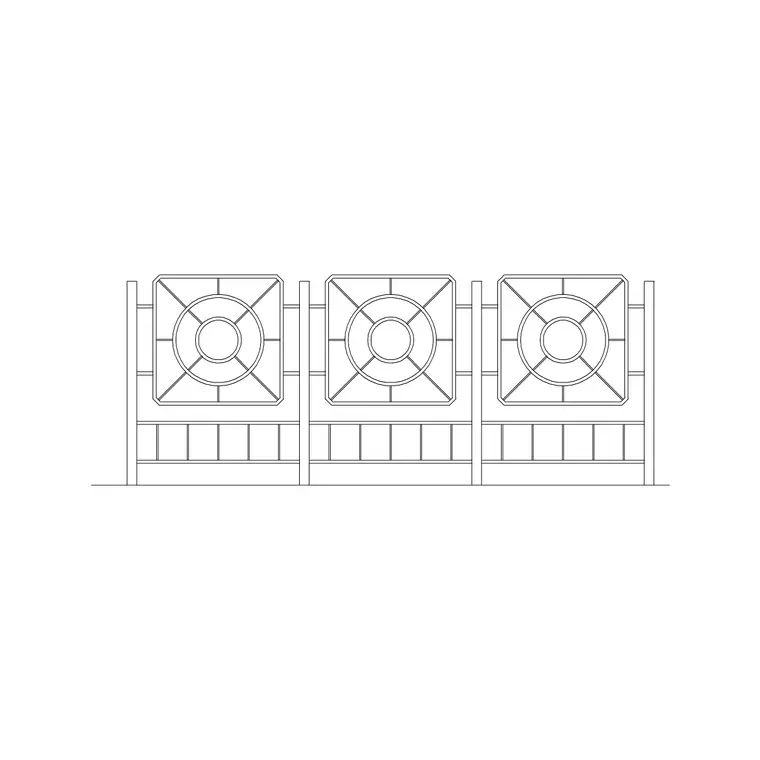
The set covers the boundary vocabulary a site needs. Boundary fences — close-board, panel and post-and-rail runs — for property edges and divisions. Railings and metal fencing, including decorative wrought-iron styles, for fronts, parks and civic boundaries. Driveway gates, both single-leaf and double-leaf, for vehicle access. And pedestrian gates for footpath and garden access. Each is drawn so the fence runs stretch to any length and the gates carry their leaf and swing.
In plan, fences read as a line along the boundary and gates show the leaf and the arc of its opening. In elevation, the full fence or gate is drawn face-on — the rails, the pickets, the gate frame — at its real height, which is what you need for boundary elevations and presentation drawings.
Fence runs vs gates: two different jobs
A fence and a gate are used quite differently, even though they belong together on the boundary. A fence is a linear element: you draw it along the boundary line and stretch or array it to the exact length the site needs. The key is that the fence pattern — the post spacing, the panel module — repeats cleanly, so a run of any length looks consistent. Use STRETCH to close a run to a precise dimension, or a path array to follow a curved or stepped boundary.
A gate is an opening with movement. In plan it behaves like a door at boundary scale: it has a leaf, a hinge point and a swing arc that you draw so the layout shows the clear opening and the space the gate sweeps. A double driveway gate has two leaves meeting in the middle. Placing the gate correctly within the fence run — and showing its swing — is what makes the access point read properly.
Realistic fence and gate heights
Draw fences and gates to realistic heights so they sit correctly against the buildings and people around them. Use these references as a guide: a typical garden boundary fence runs around 1.8 m high; a front boundary fence or railing is often lower at 0.9–1.2 m to keep sightlines open; a security or privacy fence may be 2.0 m or more; and post-and-rail or estate fencing sits around 1.1–1.3 m. Pedestrian gates usually match the adjacent fence height, while driveway gates are often around 1.8–2.0 m.
These heights matter most in elevation, where a fence drawn too tall or too short throws off the boundary drawing. In plan the height is recorded as a label or attribute so the boundary schedule carries the fence type and height. Always confirm the actual specification — and any planning height limits — for your project.
Showing a gate's swing in plan
A gate in plan should show its swing, exactly as a door does, because the swing tells the reader how the access works and how much clear space it needs. Draw the gate leaf in its closed position along the boundary line, then show the arc it sweeps as it opens — usually a quarter-circle from the hinge. For a double driveway gate, show both leaves and both arcs.
The swing direction is a real design decision: a gate that opens inward needs clear space inside the boundary; one that opens outward must not swing over a public footpath. Drawing the arc makes those clashes obvious. Note whether the gate is hinged or sliding too — a sliding gate needs a clear run of fence to slide back along rather than a swing arc, and that run has to be kept clear in the layout.
Where boundary blocks fit in a drawing set
Fence and gate blocks belong in site and external-works drawings: site boundary plans, landscape and garden layouts, security and access designs, car-park and yard enclosures, and the presentation site plans that show the whole scheme. They define the edge of the property and the controlled points where people and vehicles cross it.
They pair naturally with the paving blocks for driveways and paths leading to the gates, with the planting blocks for hedges and boundary trees alongside the fences, and with the people and vehicle blocks for scale at the access points. Keep fences and gates on a dedicated boundary layer so you can isolate the site edge for setting out. Because the blocks are licence-clear, you can build a reusable boundary palette for a project and carry it across every site drawing without redrawing a single panel.
Free download
Browse the full library — DWG & DXF, no signup.
Questions
Frequently asked
What's included in the 10 fence and gate blocks?+
Boundary fences (close-board, panel and post-and-rail), railings and decorative metal fencing, single and double driveway gates, and pedestrian gates — drawn in plan and elevation.
How do I make a fence run the right length?+
The fence blocks are drawn to repeat cleanly, so use STRETCH to close a run to an exact dimension, or a path array (ARRAYPATH) to follow a curved or stepped boundary. The post and panel spacing stays consistent along the run.
Do the gate blocks show the swing in plan?+
Yes. The gates show the leaf and the arc it sweeps as it opens, just like a door at boundary scale. Draw the swing in the right direction so you can check the gate clears people, vehicles and any public footpath.
Are the fence and gate CAD blocks free for commercial use?+
Yes. Every block downloads free in DWG and DXF with no signup, no watermark and no attribution requirement, and all are cleared for commercial project use.
Related downloads
Blocks for this guide
Related categories
Related guides
Curated pack
Free Landscape & Tree DWG Pack — Plan & Elevation
A free landscape and tree DWG pack — trees, palms, shrubs and potted plants in plan and elevation for AutoCAD site plans. DWG and DXF, no signup, commercial-use OK.
Curated pack
Free Landscape CAD Block Pack — DWG & DXF
A free landscape CAD block pack in DWG and DXF — trees, shrubs, fences, paving, lighting and figures for AutoCAD landscape plans. No signup, commercial-use OK.
Curated pack
Free Garden CAD Block Pack — DWG Download
A free garden CAD block pack in DWG and DXF — trees, shrubs, fences, a swing, a BBQ and paving for residential garden plans. No signup, commercial OK.