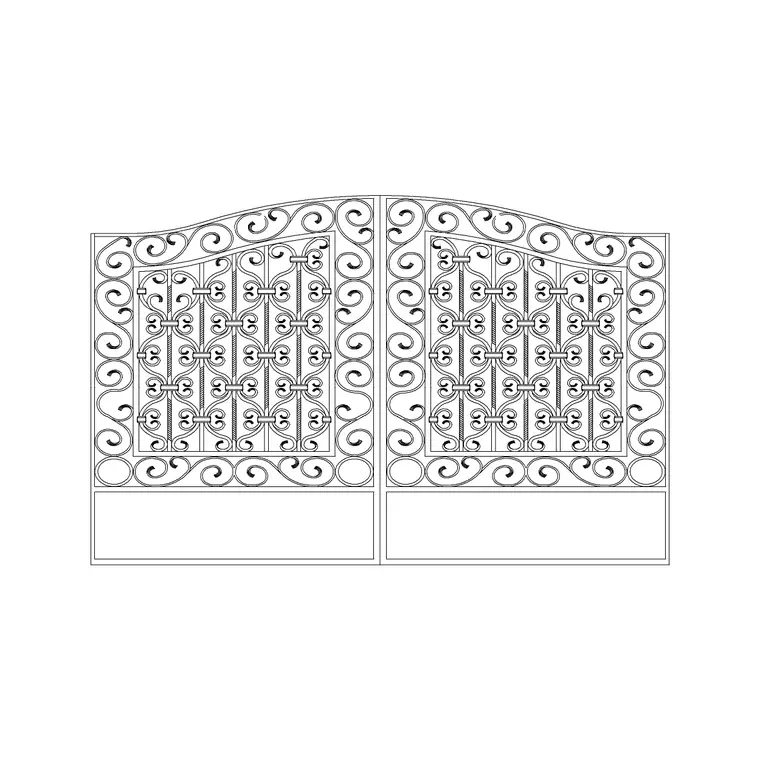
Outdoor · top view · Free DWG block
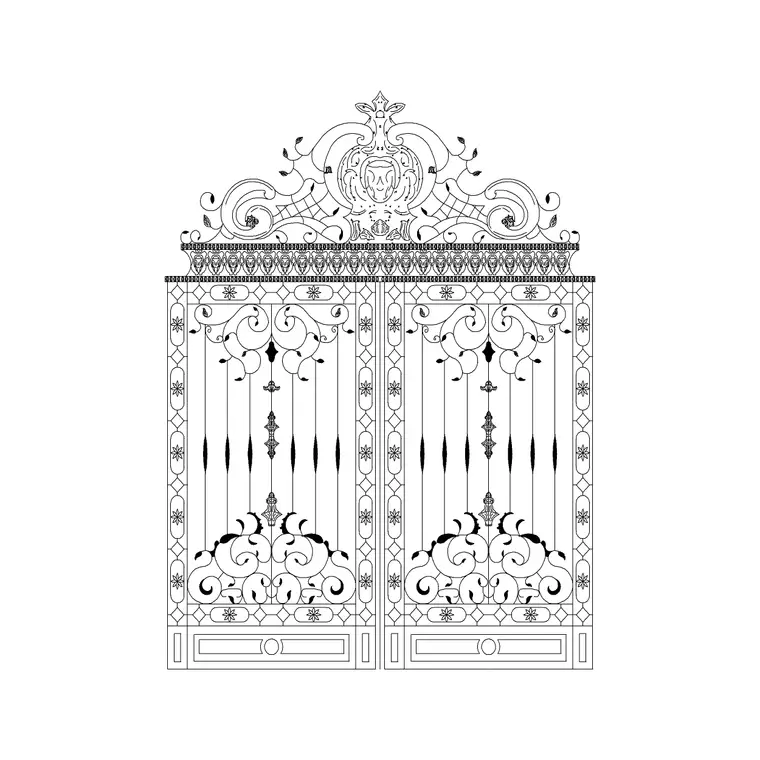
Iron Gate Top Curve
The iron gate top curve is a free, fully editable outdoor furniture block drawn for a patio, terrace, garden or poolside layout. The geometry reflects its gates form, drawn with clean, closed linework that reads honestly in your drawing. It is drawn in top view view, so it lines up with the rest of your drawing set and stays consistent from sheet to sheet. Placed in a layout it sits naturally in a landscape or terrace plan, saving you from redrawing an iron gate top curve from scratch every time. Files are provided in DWG, ready to open in AutoCAD and most CAD software. It is one of the more popular blocks in our outdoor library, free for personal and commercial use with no signup required.
Free for commercial use · no login
- Format
- DWG
- File size
- 411 KB
- AutoCAD
- 2004 and later
- Views
- top view
- Units
- Millimeters (mm)
- License
- Free · commercial OK
Where you’ll use it
In your drawings
The iron gate top curve block suits site plans, landscape layouts, terrace and balcony drawings and outdoor-area fit-outs. Because it ships with top view view, you can reuse the same block across the drawings that need it and keep your set consistent. Drop it onto a dedicated outdoor layer so it stays easy to manage as your drawing grows.
Dimensions & scale
Sizing & units
Outdoor pieces follow typical patio sizing — generous seating and tables sized for open-air use. The block is drawn at 1:1 in millimeters, so insert it at scale 1 and adjust only if your drawing uses different units.
How to insert in AutoCAD
Using the Iron Gate Top Curve block
Download the DWG file and open it in AutoCAD (2004 or later) or any DWG-compatible CAD app. Use the INSERT command — or simply copy and paste — to place the iron gate top curve into your drawing, then position, rotate and mirror it to suit your layout. Keep your drawing units set to millimeters and insert at scale 1 so it matches real-world size. Move it onto a dedicated outdoor layer to keep your file tidy.
Questions
Frequently asked
Is the iron gate top curve CAD block free for commercial use?+
Yes. The iron gate top curve block is free to download and use in both personal and commercial projects on CADBlockDWG, with no attribution required and no signup.
What file formats does the iron gate top curve download include?+
This outdoor furniture block is available in DWG. DWG opens directly in AutoCAD and most CAD software; you can export to DXF from AutoCAD if you need a more portable exchange format.
Which views and dimensions does the iron gate top curve include?+
It is supplied with top view view, drawn to scale so the block lines up across your drawing set.
Is this a 2D or 3D outdoor furniture block?+
It is a 2D block intended for site plans and similar drawings. It is drawn at 1:1 in millimeters, so it reads at true scale once inserted.
How do I insert the iron gate top curve into AutoCAD?+
Download the DWG file, open it in AutoCAD 2004 or later, and use the INSERT command (or copy and paste) to drop it into your drawing. With units set to millimeters, insert at scale 1, then rotate, mirror and re-layer it to match your outdoor layout.
More from Outdoor
Related blocks
Guides & how-tos
Related searches