Explainer · what is entourage in architecture
What is entourage in architectural drawings?
By Sumana Kumar · Published 27 Nov 2023 · Updated 13 Jun 2026
In architecture, entourage means the supporting cast of a drawing — the people, trees, cars, furniture and other everyday elements that surround a building and give it life, scale and context. The building is the subject; the entourage is everything around it that tells you how big it is, who uses it, and what it feels like to stand there. The word comes from the French for "surroundings," and it has been part of architectural representation for centuries.
This page explains what entourage is, why it is more than decoration, the main categories of entourage you will use, and how CAD blocks make it quick to add. Whether you are producing a technical site plan or a presentation render, the right entourage is what turns an abstract drawing into a believable place.
Many of the blocks on this site — the trees, the planting, the furniture, the human figures — are exactly the entourage architects reach for, drawn to scale and free to use.
Entourage means more than decoration
It is tempting to treat entourage as dressing added at the end, but it does real work. Its first job is scale: a human figure beside a doorway instantly tells a viewer how tall the door is, in a way no dimension line can. Drop a car in a forecourt and the size of the building reads correctly without a single number.
Its second job is context and mood. Trees and planting show the landscape setting; people show how a space is occupied and at what density; furniture shows function. A plaza with seated figures, street trees and a parked car reads as a lived-in public space; the same plaza empty reads as a model. Entourage is how a drawing communicates use and atmosphere, not just geometry.
The main categories of entourage
Entourage falls into a handful of familiar groups. People — standing, walking and seated figures — give scale and show occupation. Vegetation — trees, shrubs, hedges, potted plants and ground cover — sets the landscape and softens hard architecture. Vehicles — cars, vans, bicycles and occasionally aircraft or boats depending on the project — populate roads, car parks and approaches.
Furniture and fittings round it out: sofas, tables, beds and desks inside; benches, bollards and street furniture outside. Each category exists as ready-made CAD blocks, so building a populated drawing is largely a matter of inserting from a good library rather than drawing each element by hand. The trees-and-plants and furniture categories here cover two of the biggest entourage groups.
Entourage in plan vs in elevation and render
How you represent entourage depends on the view. In plan, entourage is mostly trees seen as canopies from above, furniture footprints, and the occasional figure or car shown in outline — quiet, schematic, there to establish scale and use without cluttering the technical information. Plan entourage is usually simple line work.
In elevation and section, and especially in renders, entourage becomes more expressive. Side-view trees, people drawn in elevation, and vehicles shown from the side carry far more visual weight and are often where a presentation drawing earns its atmosphere. A render takes it further still, where 2D cut-out figures or 3D entourage models populate the scene. The same project may use spare plan entourage and rich elevation entourage side by side.
Getting entourage scale right
Entourage only helps if it is the right size; a giant person or a tiny car does the opposite of its job and instantly undermines a drawing's credibility. This is why scaled CAD blocks matter so much for entourage — a human figure block drawn to a realistic adult height, or a tree drawn to a believable canopy spread, reads correctly the moment it lands.
Vary the scale a little for realism: real people are not all the same height, and a row of identical-size, identical-pose figures looks stamped. The same goes for trees — mixing canopy sizes and rotating each one slightly makes planting read as natural rather than copied. Good entourage is believable entourage, and believable means varied and correctly sized.
Using entourage without overwhelming the drawing
More entourage is not always better. A technical drawing whose information is buried under crowds of people and forests of trees fails at its job. The skill is matching the density and detail of entourage to the drawing's purpose: a construction-stage plan wants minimal, quiet entourage; a competition board or marketing render wants rich, atmospheric entourage.
Keep entourage on its own layers — a planting layer, a people layer, a furniture layer — so you can dial it up for presentation and freeze it for technical issue, all from one drawing. That single habit lets the same file serve a coordination meeting and a client pitch without redrawing, because the entourage is always one layer toggle away.
Where to source entourage blocks
The fast way to add entourage is a CAD block library, where people, trees, vehicles and furniture come pre-drawn and to scale. Inserting a block takes seconds, and because each is a single block reference you can copy, array and rotate it freely to populate a scene.
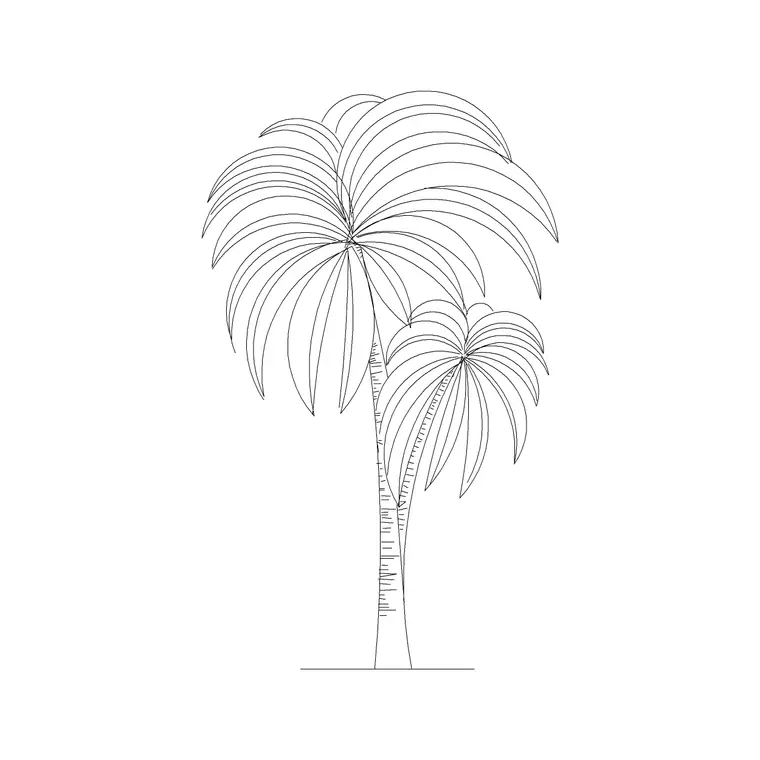
This site's furniture and trees-and-plants categories supply two of the most-used entourage families — a plan-view sofa set to furnish an interior, a palm in elevation to dress a facade or a poolside view. Build a small personal library of your favourite figures, trees and cars, keep them on a tool palette, and adding entourage becomes a quick, repeatable part of finishing any drawing.
Free download
Browse the full library — DWG & DXF, no signup.
Questions
Frequently asked
What does entourage mean in architecture?+
Entourage is the supporting elements around a building in a drawing — people, trees, cars, furniture and similar — that give the drawing scale, context and atmosphere. The word comes from the French for 'surroundings'.
Why is entourage important in a drawing?+
It establishes scale (a figure shows how big a door is), shows how a space is used and occupied, and sets mood and context. Without entourage a drawing reads as an abstract model; with it, it reads as a believable, inhabited place.
What counts as entourage?+
People (standing, walking, seated), vegetation (trees, shrubs, hedges, potted plants), vehicles (cars, bikes, vans), and furniture and street fittings (sofas, benches, bollards). Each is widely available as ready-made, scaled CAD blocks.
How do I add entourage quickly in AutoCAD?+
Insert pre-drawn CAD blocks for people, trees, cars and furniture, then copy, array and rotate them to populate the scene. Keep each type on its own layer so you can show it for presentation and freeze it for technical drawings.
Related downloads
Blocks for this guide

Popular blocks to download
Related categories
Related guides
Explainer
Are DWG and DXF the Same File? Explained
DWG and DXF are not the same file. Learn the real difference, which one to download for AutoCAD blocks, and when DXF is the safer choice.
Explainer
Why Is My CAD Block a Different Color?
Your CAD block came in red, white or the wrong colour? Learn how ByLayer, ByBlock and hard-coded colours work so you can fix it in AutoCAD.
Explainer
Why Do CAD Blocks Come In on the Wrong Layer?
Inserted a CAD block and it dumped new layers or sat on the wrong one? Learn how block layers work in AutoCAD and how to control where they land.