Explainer · what is a block table in autocad
What is a block table in AutoCAD?
By Sumana Kumar · Published 10 Jul 2024 · Updated 27 Jun 2026
Every DWG file carries an invisible library inside it called the block table. It is where AutoCAD keeps one master copy of each block definition — the actual geometry and metadata — so that the thousands of times you insert that block, the drawing only stores a lightweight pointer rather than a fresh copy of the lines. The block table is the reason a plan with five hundred identical door symbols stays small and edits in one place.
This page explains what the block table is, the crucial distinction between a definition that lives in the table and a reference that you see on screen, how nested blocks and the special layout records fit in, and why understanding it helps you keep file sizes down and clean up drawings with PURGE. Two terms drive most of it: definition and reference.
Definitions live in the table, references live on screen
When you create a block, AutoCAD writes its geometry into the block table once as a block definition (also called a block record). Every time you insert that block, you are not copying the geometry — you are creating a block reference, a small object that says 'show the definition called DOOR-1000 here, at this point, this scale, this rotation.'
This is the heart of the system. A definition is the recipe; a reference is a serving. Edit the recipe in the block table and every serving updates, which is why redefining a block changes all of its instances at once. The block table can hold a definition even when zero references point to it, which is exactly the situation PURGE is designed to clean up.
What the block table actually stores
Each record in the block table holds the block's name, its base point, and all of the entities that make up the geometry — lines, arcs, hatches, text, attributes and even nested block references. It also stores whether the block is dynamic, anonymous, or a special system record. Alongside your named blocks, the table contains reserved records such as *Model_Space and *Paper_Space, which is how AutoCAD treats model space and each layout as a kind of block under the hood.
Dynamic blocks add an anonymous definition behind the scenes for each unique combination of parameter values in use, which is why a heavily customised dynamic block can quietly multiply the records in the table. Knowing this explains why some files balloon in size even when the visible content looks simple.
Nested blocks: tables within the table
A block definition can contain references to other blocks. A furnished workstation block might reference a desk block and a chair block; a door schedule symbol might reference a smaller arrow block. This nesting is stored cleanly in the block table — the parent record references the child records by name, so the child geometry is still only stored once.
Nesting is powerful but worth tracking. If you redefine the child block, every parent that nests it updates too. And when you PURGE, you sometimes have to purge more than once: removing a parent can leave a previously nested child unreferenced, which only becomes purgeable on the next pass.
Why the block table keeps files small
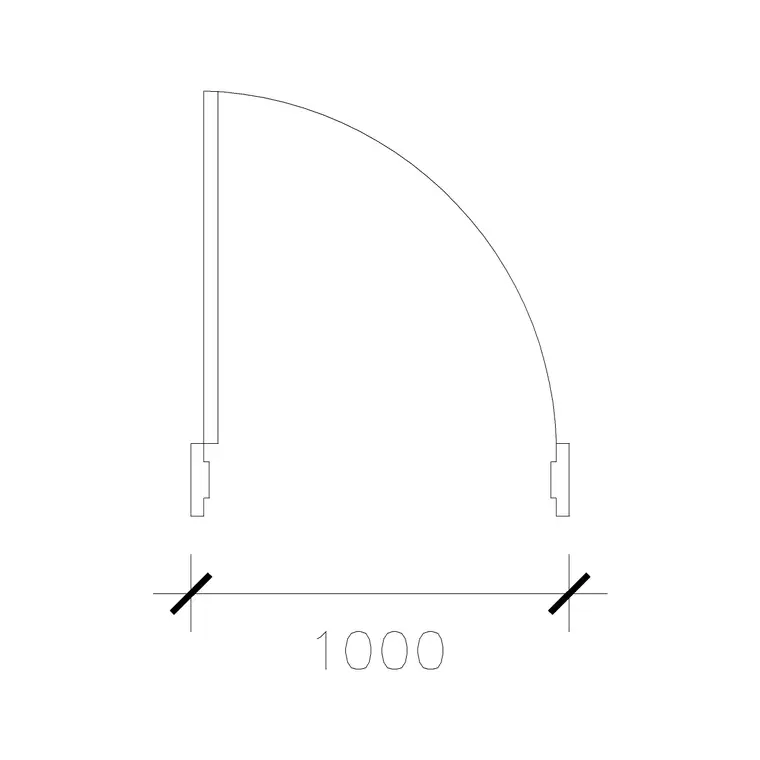
Because geometry is stored once per definition, repeated content is essentially free. Insert a 1000 mm wide door symbol three hundred times across a plan and the file stores the door geometry a single time plus three hundred tiny references — each just a name, a point, a scale and a rotation. The same plan built by copying loose lines would store the geometry three hundred times over.
That efficiency is the practical reason to block repeated content rather than copy-paste it. It also makes global edits trivial: change the definition once and all three hundred doors update, instead of hunting down and editing three hundred copies.
Seeing and managing what's in the table
You do not open the block table directly, but several tools expose it. The INSERT command's dropdown and the Blocks palette list every named definition in the drawing. The PURGE command shows unreferenced definitions you can safely delete. DesignCenter (ADCENTER) lets you browse the block tables of other drawings and drag definitions across. Express Tools and the BCOUNT command can tally how many references point at each definition.
For cleanup, run PURGE to drop definitions with no references, and consider the -PURGE Regapps and zero-length geometry options for a thorough sweep. A tidy block table is the difference between a 200 KB door library and a bloated multi-megabyte file full of ghosts of deleted content.
Common block-table problems and fixes
Duplicate-looking blocks with names like DOOR and DOOR$0$DOOR usually appear after a paste or an insert from a drawing that already had a same-named definition — AutoCAD renames the incoming one to avoid a clash. Use the RENAME command or a tool like the Express Tools BLOCKREPLACE to consolidate them.
If PURGE will not remove a block you deleted from the screen, a reference still exists somewhere — often on a frozen or off layer, inside another block, or in a layout you forgot about. Turn all layers on and thaw them, check every layout, then purge again. Understanding that references can hide is half the battle with a stubborn block table.
Free download
Browse the full library — DWG & DXF, no signup.
Questions
Frequently asked
What is the difference between a block definition and a block reference?+
A block definition is the master geometry stored once in the drawing's block table. A block reference is the lightweight object you place on screen that points at that definition with a position, scale and rotation.
Where are blocks stored in a DWG file?+
In the block table, an internal data structure that holds one record per block definition. References you insert just point at those records, so the geometry is stored only once no matter how many times you insert it.
Why won't PURGE remove a block I deleted?+
Because a reference to it still exists somewhere — on a frozen or off layer, inside a nested block, or in another layout. Thaw and turn on all layers, check every layout, then run PURGE again.
Do nested blocks duplicate geometry in the table?+
No. A nested child block is stored once in the table; parent definitions reference it by name. Edit the child and every parent that nests it updates automatically.
Related downloads
Blocks for this guide
Popular blocks to download
Related categories
Related guides
Explainer
Dynamic Blocks Explained — AutoCAD Guide in 2026
Dynamic blocks explained simply — what they are, how parameters, actions and grips let one AutoCAD block flex into many sizes, and when to use them over plain blocks.
Explainer
Static vs Dynamic Blocks in AutoCAD Compared
Static vs dynamic blocks in AutoCAD — the real difference, the pros and cons of each, when to choose which, and how to convert a static block into a dynamic one.
Explainer
What Are Block Attributes in AutoCAD?
What are block attributes in AutoCAD? Learn how attributes attach editable text and data to a block, how to define them with ATTDEF, and how to extract schedules.