Explainer · what happens when you explode a block
What happens when you explode a block, explained
By Sumana Kumar · Published 3 Jul 2023 · Updated 6 Mar 2026
Exploding a block sounds drastic, and in a sense it is: the EXPLODE command takes a block reference and breaks it back into the individual lines, arcs, text and nested blocks it was made from, severing the link to the block definition for that instance. It is sometimes exactly what you need and sometimes a quiet mistake that costs you the very benefits blocks provide. Knowing precisely what changes lets you explode with intent.
This page walks through what happens to geometry, layers, properties, attributes and dynamic behaviour when you explode a block, the layer-0 surprise that catches people out, and the cases where you should reach for a different tool instead. The short version: an exploded instance is no longer connected to its definition, so global edits no longer reach it.
The reference becomes loose geometry
Before you explode, a block reference is a single object pointing at a definition in the block table. After you explode, that reference is gone and in its place sit the raw entities the definition contained — separate lines, arcs, circles, polylines, text and any nested block references one level down. You can now select and edit each piece individually.
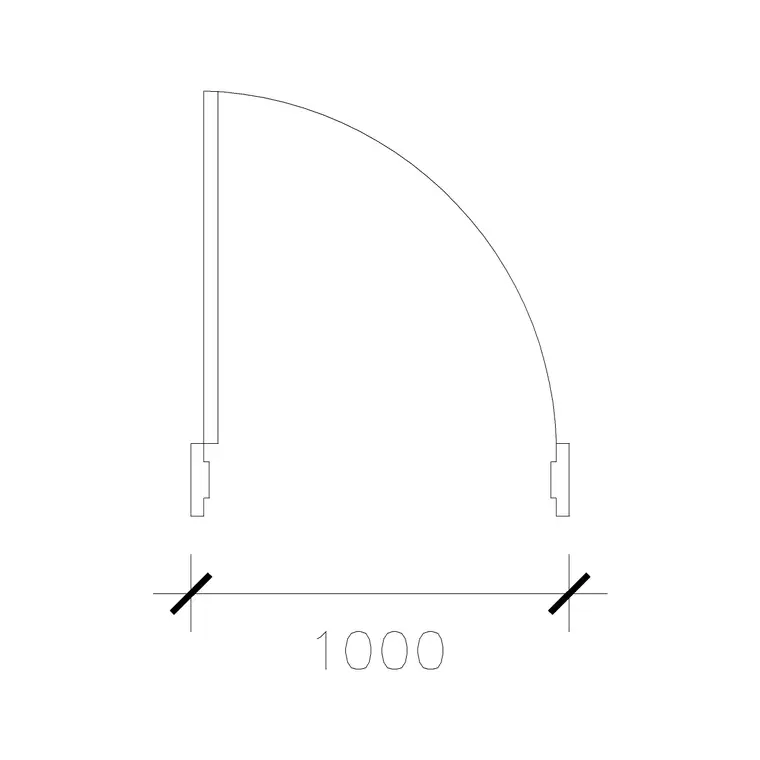
The key consequence is that this instance no longer updates when the block definition changes. Redefine the door block and every un-exploded door updates; the exploded one stays frozen as loose lines, because it is no longer a reference to anything. You have traded the block's central-edit superpower for the freedom to tweak this one copy.
Nested blocks explode one level at a time
EXPLODE only peels off one layer of structure. If a block contains nested blocks — a workstation block containing a desk and a chair — exploding the workstation once leaves you with the desk and chair as their own block references, not loose lines. You have to explode again to break those down further.
This is usually a feature, not a bug: you can break a parent into its component blocks while keeping those components intact and reusable. If you genuinely want everything reduced to raw lines, repeat EXPLODE until nothing selectable is still a block, or use a tool that recurses fully.
The layer-0 surprise
Here is the behaviour that surprises people most. Geometry drawn on layer 0 inside a block adopts the layer of the block reference when inserted — but on explosion, it reverts to layer 0. So a door built on layer 0 that looked like it was on your Doors layer suddenly scatters its lines back onto layer 0 the moment you explode it.
Similarly, ByBlock properties revert: a line that was ByBlock and inheriting the reference's colour goes back to its ByBlock default once it is no longer inside a block. The practical lesson is to expect exploded geometry to land on layer 0 with default-looking properties, and to re-layer it deliberately if you need it somewhere specific.
What happens to attributes
Attributes are the text fields blocks can carry — a door number, a room name, a tag. When you explode a block, its attribute values are lost and the attributes revert to their attribute-definition tags. So a door block whose NUMBER attribute read 'D-12' explodes into a piece of text showing the tag 'NUMBER', not the value 'D-12'. The data you entered is gone with the reference.
This is a real risk in schedules and tagged drawings. If a block carries data you care about, do not explode it casually — extract the data first, or use BURST (an Express Tool) instead, which explodes the block but converts attribute values to text, preserving what you actually see.
Exploding dynamic blocks
Dynamic blocks lose their dynamic behaviour when exploded. The custom grips, the parameters, the actions, the visibility states — all gone for that instance, leaving only the geometry of whatever configuration was showing at the moment of explosion. A door set to its 1000 mm state explodes into the lines of a 1000 mm door, with no way to flip or resize it afterwards.
There is an intermediate step worth knowing: in some versions you can reset a dynamic block to its default state, or you can explode it down to an anonymous block first. But once fully exploded, the parametric intelligence is unrecoverable for that copy. Other un-exploded instances keep their behaviour; only the one you exploded is dumbed down.
When not to explode
Avoid exploding when you want global edits to keep working, when the block carries attribute data, when it is dynamic and you may want to adjust it later, or simply when you want to keep file size down — exploded geometry no longer benefits from the block table's single-storage efficiency. In nearly every case where someone explodes a block, there is a non-destructive alternative.
Need to change one instance only? Use the Block Editor to make a new variant, or copy the definition under a new name. Need to recolour it? Move it to a different layer instead. Need to edit the geometry everywhere? Redefine the block. Reserve EXPLODE for when you truly need loose, unmanaged geometry — for example, salvaging linework from someone else's block into your own new definition.
Free download
Browse the full library — DWG & DXF, no signup.
Questions
Frequently asked
What does exploding a block actually do?+
It breaks the block reference into the individual lines, arcs, text and nested blocks it was made from, and severs that instance's link to the block definition so it no longer updates when the definition changes.
Why did my exploded geometry jump to layer 0?+
Because geometry built on layer 0 inside a block reverts to layer 0 when exploded, rather than staying on the layer the reference was on. Re-layer it deliberately after exploding if needed.
Do attributes survive exploding a block?+
No. Attribute values are lost and revert to their tag names. To keep the visible values, use the Express Tools BURST command instead, which converts attributes to text as it explodes the block.
Can I un-explode a block?+
Not directly — there is no reverse of EXPLODE beyond an immediate UNDO. To rebuild it you would reselect the loose geometry and run BLOCK again to define a new block from it.
Related downloads
Blocks for this guide
Popular blocks to download
Related categories
Related guides
Explainer
Dynamic Blocks Explained — AutoCAD Guide in 2026
Dynamic blocks explained simply — what they are, how parameters, actions and grips let one AutoCAD block flex into many sizes, and when to use them over plain blocks.
Explainer
Static vs Dynamic Blocks in AutoCAD Compared
Static vs dynamic blocks in AutoCAD — the real difference, the pros and cons of each, when to choose which, and how to convert a static block into a dynamic one.
Explainer
What Are Block Attributes in AutoCAD?
What are block attributes in AutoCAD? Learn how attributes attach editable text and data to a block, how to define them with ATTDEF, and how to extract schedules.