Block landing · wall lamp elevation cad block
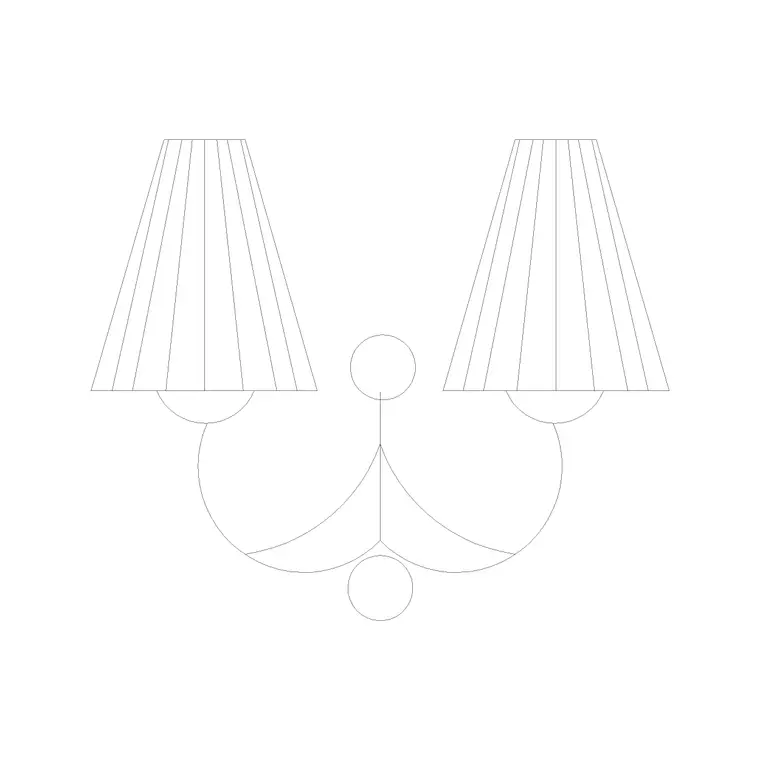
Free wall lamp elevation CAD block in DWG and DXF
By Sumana Kumar · Published 3 May 2026 · Updated 28 May 2026
A wall lamp lives on the vertical plane, so the drawing that matters most for it is the elevation rather than the plan. This page gives you a free wall lamp elevation CAD block in DWG and DXF, drawn at real millimetre size so it sits at the correct mounting height the moment you insert it into a wall elevation or an internal section. There is no signup, no watermark and nothing to attribute — the file is cleared for commercial project work.
Wall lamps are the small details that make an interior elevation read as a finished room rather than a bare wall. Whether you are detailing a corridor sconce, a bedside reading light or a feature lamp beside a fireplace, dropping in a correctly proportioned elevation block lets you fix the mounting line, check it against switch and socket heights, and keep the spacing even down a run of wall.
What a wall lamp elevation block actually shows
The elevation view captures the lamp as you see it from the front: the wall plate or backplate, the arm or bracket projecting off the wall, and the shade or diffuser. Because a wall lamp is read from the side as well, a good block keeps the projection (how far the fitting stands off the wall) honest, which is exactly the dimension that matters when you are checking it does not foul a door swing or a passing shoulder in a tight corridor.
The block here is drawn as clean line geometry rather than a rendered symbol, so it prints crisply at elevation scales like 1:50 and 1:20. The backplate, arm and shade sit on sensible layers, letting you recolour the shade, lighten the arm or freeze the detail entirely when you only want the wall outline.
Typical mounting heights to draw around
Use these ranges as a starting point and confirm against the room they serve. A general corridor or stairwell sconce usually centres somewhere around 1500–1800 mm above finished floor level, sitting comfortably above eye line. A bedside wall lamp sits lower, often 1100–1400 mm so the light falls onto the pillow, while a bathroom mirror light follows the mirror and the basin below it.
Projection off the wall typically runs 100–250 mm for a compact sconce and more for an arm-and-shade reading lamp. Because the block is drawn full size, you can dimension straight off it to set your mounting line and to confirm the fitting clears the minimum clear width of a corridor.
How to insert and position the block
The file is drawn in millimetres. In a millimetre drawing insert at scale 1; in a metre drawing insert at 0.001; if you work imperial, set INSUNITS to millimetres so AutoCAD rescales the block on the way in. Run INSERT, or drag the DWG from a tool palette, and pick the insertion point at the centre of the wall backplate.
With the block in place, move it vertically to your chosen mounting height and use object snap to align it to the wall face line. For an even run of sconces, array the block at a fixed horizontal spacing and let AutoCAD keep the centres true rather than eyeballing each one. If the lamp is handed (an asymmetric arm, say), MIRROR a second copy for the opposite side of a doorway.
Where wall lamp elevations earn their keep
Interior elevations are the obvious home: hotel corridors, residential hallways, restaurant and bar walls, bedroom feature walls and stairwell runs all read better with the sconces shown. The same block drops into a building section to show light fittings on a wall cut, and into reflected and front-of-wall coordination drawings where the electrical layout has to agree with the joinery.
Because the file is licence-clear and free, it is just as useful on a student presentation board or a quick concept elevation as on a coordinated construction set. Pair it with the other lighting blocks in the lighting category — ceiling lamps, pendants and floor lamps — to assemble a consistent lighting layer across the whole drawing.
Keeping lighting on its own layer
Put the wall lamps on a dedicated lighting or electrical layer rather than leaving them on layer 0. A separate colour and lineweight lets you hand the architect a clean wall elevation by freezing the lighting, then thaw it for the electrical coordination view — both from the same drawing, with no duplicated geometry.
If you tag each lamp as a block with a simple type attribute, you can later extract a fitting count straight from the elevation, which is the kind of tally a lighting schedule or an electrical contractor's take-off wants. When a wall treatment is finalised, you can WBLOCK the wall plus its sconces as a single reusable elevation unit and reuse it down a repetitive corridor.
Pairing the sconce with switching and sockets
A wall lamp rarely sits alone on the wall — it shares the vertical plane with light switches, socket outlets, thermostats and data points, and a coordinated elevation has to show all of them agreeing. Drawing the sconce as a full-size block lets you check that its backplate does not clash with a switch plate beside a door, and that its arm does not project into the swept zone of an adjacent socket where a plug might be in use.
For a hardwired sconce the cable drop also matters: the supply usually comes down or across to the backplate position, so fixing the block's centre line early lets the electrical layout chase the wall to the right point. Where the lamp is switched independently, note the switch position on the same elevation so the wiring intent is unambiguous. Keeping the sconce, switches and outlets on coordinated layers turns a single interior elevation into a clear instruction for both the joiner and the electrician, which is exactly the value a correctly placed block adds over a vague symbol.
Free download
Browse the full library — DWG & DXF, no signup.
Questions
Frequently asked
Is the wall lamp elevation block free for commercial use?+
Yes. It downloads free in DWG and, where available, DXF, with no signup, no watermark and no attribution required, and it is cleared for commercial project work.
What height should I place the wall lamp at?+
It depends on the room. A corridor sconce commonly centres around 1500–1800 mm above finished floor, a bedside lamp lower at roughly 1100–1400 mm. Because the block is full size, you can dimension your exact mounting line straight off it.
Does the block work in plan as well as elevation?+
This file is an elevation block, which is the view a wall-mounted fitting is normally drawn in. For a plan symbol, use the wall lamp plan block from the lighting category, or insert this elevation into your interior elevation and section sheets.
Will the DWG open in older AutoCAD or a free viewer?+
Yes. It targets AutoCAD 2004 and later, which opens in current AutoCAD, AutoCAD LT, BricsCAD, DraftSight and free DWG viewers including Autodesk's online viewer.
Related downloads
Blocks for this guide
Popular blocks to download
Related categories
Related guides
Block landing
Free Lighting Fixtures CAD Blocks — DWG Download
Download free lighting fixtures CAD blocks in DWG and DXF — chandeliers, wall lights, downlights and pendants in plan and elevation for AutoCAD.
Block landing
Free Table Lamp CAD Blocks — DWG Download
Download free table lamp CAD blocks in DWG and DXF — classical and decorative table lamps in plan and elevation for AutoCAD 2004+. No signup, commercial-use OK.
Block landing
Free Floor Lamp CAD Blocks — DWG Download
Download free floor lamp CAD blocks in DWG and DXF — straight and arc floor lamps in plan and elevation for AutoCAD 2004+. No signup, free for commercial use.