Block landing · table lamp cad block
Free table lamp CAD blocks in DWG and DXF
By Saumyajit Maity · Published 21 Jun 2024 · Updated 17 Mar 2026
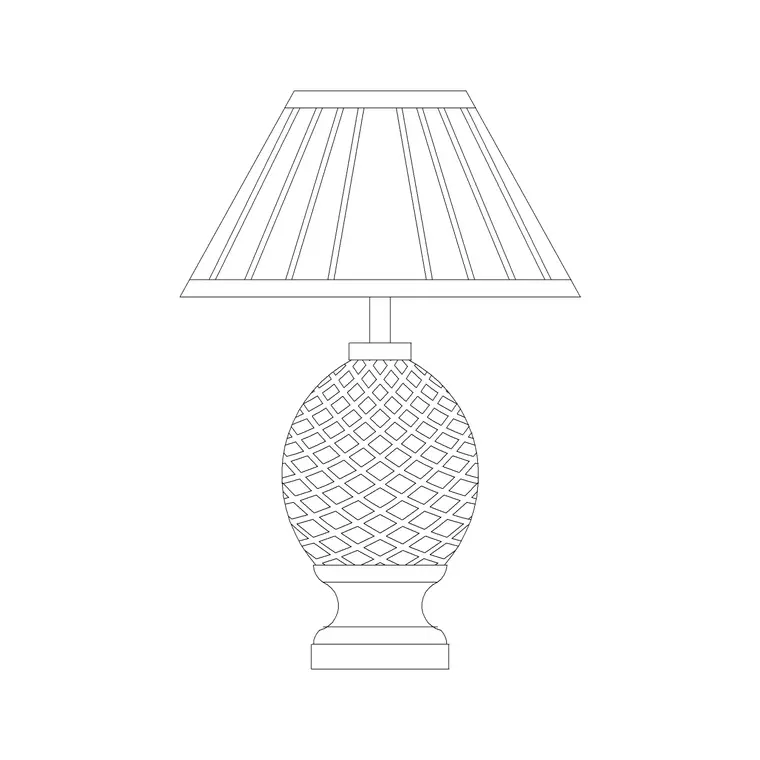
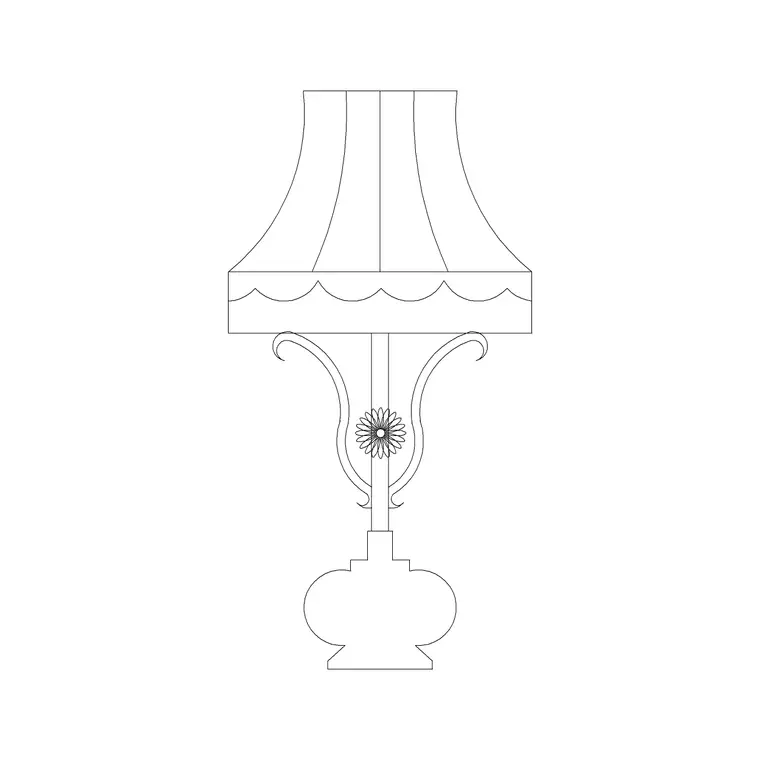
A table lamp is the small detail that makes an interior drawing read as lived-in rather than empty, and it is exactly the kind of block you want sitting in your library so you are not redrawing a shade and base every time. This page gathers free table lamp CAD blocks in DWG and DXF — classical turned-base lamps, decorative accent lamps and slim bedside lamps — each drawn at true millimetre dimensions and ready to drop into AutoCAD 2004 or later. Every file is free for personal and commercial work, with no signup, no watermark and no credit line required.
Use these blocks to dress side tables, console tables, bedside cabinets, reception desks and study desks. A table lamp rarely changes a layout the way a sofa or a bed does, but in a furniture plan and especially in an interior elevation it is what tells the viewer the scheme is finished — so having a correctly scaled lamp on hand keeps your presentation drawings honest and quick to produce.
What a table lamp CAD block represents
A table lamp block is small, but a good one still earns its place. In plan view it reads as a simple base circle or rounded shade footprint — useful mostly for showing that a surface is occupied and for spacing it against the edge of a table. The real value sits in the elevation, where the block carries the base, the stem and the shade as a recognisable silhouette so an interior elevation of a console or bedside table looks complete.
Because a lamp is an accessory rather than a structural item, the block is drawn on a furniture or accessory layer you can freeze independently. That lets you produce a clean technical elevation without the soft furnishings, then thaw the lamps, plants and books for the presentation version of the same drawing.
Views and what's included
Most table lamp downloads here ship an elevation as the primary view, since that is where a lamp does its work, with a plan footprint included for layout drawings. The classical lamps carry a turned column and a tapered or drum shade; the decorative versions lean to sculptural bases and squarer shades for contemporary schemes.
Where both views live in one DWG, you can insert whichever you need and explode or freeze the rest. The shade, the stem and the base typically sit on separate sub-elements so you can recolour the shade to match a scheme without touching the base outline.
Typical table lamp dimensions to design around
Reach for these ranges when you scale a lamp into a drawing. Overall height: roughly 400–650 mm for a standard table lamp, with slim bedside lamps nearer 350–450 mm and large statement lamps up to 800 mm. Shade diameter: about 250–400 mm at the widest. Base diameter or width: 120–200 mm.
Those figures matter less for clearances than for proportion — a lamp drawn too tall against a 750 mm console reads wrong immediately in elevation. When you place one on a bedside cabinet, check that the shade sits comfortably below eye level for someone seated in bed, which usually means keeping the top of the shade under about 650 mm above the cabinet surface.
How to insert and scale the block
These table lamp blocks are drawn full size in millimetres. In a millimetre drawing, insert at scale 1 and the lamp lands at real size. Working in metres, insert at 0.001; on an imperial template, set INSUNITS to millimetres so AutoCAD rescales on insertion rather than scaling by hand.
Use INSERT (or drag the DWG from a tool palette), snap the insertion point to the centre of the base, and place it on the table surface in plan or on the worktop line in elevation. Because the lamp is a single block reference you can copy a matched pair to either side of a bed in seconds, and mirror one so the cable side faces the wall.
Where table lamp blocks are used
Table lamps turn up across residential and hospitality drawing sets: bedroom layouts and bedside elevations, living-room console and side-table arrangements, hotel rooms, reception and lobby desks, libraries and study spaces. They are a staple of interior elevations, where a wall of joinery or a console run looks bare until the accessories land.
Pair them with the floor lamp, wall light and pendant blocks in the lighting category to build a complete lighting layer, and with sofa, bed and console blocks from the furniture set to finish a room. Because they are licence-clear, they are equally at home in a student portfolio board and a coordinated FF&E presentation.
Lamps in presentation vs technical drawings
It helps to think of a table lamp block as a presentation object first. On a setting-out or services drawing you usually want it gone — it adds clutter and means nothing to a contractor pricing the shell. On a furniture layout it earns a small footprint to show the side table is occupied and to space accessories sensibly. On an interior elevation or a rendered-style line drawing it is essential, giving scale and warmth to a console or bedside composition.
Keeping every lamp on a dedicated accessory layer is what lets one drawing serve all three purposes. Freeze the layer for the technical issue, thaw it for the client pack. If you tag the lamp with a simple attribute — a product code or a specification reference — you can also pull it into an FF&E schedule so the decorative lighting is counted and specified alongside the larger items.
Free download
Browse the full library — DWG & DXF, no signup.
Questions
Frequently asked
Are these table lamp CAD blocks really free?+
Yes. Every table lamp block downloads free in DWG and, where available, DXF, with no signup, no watermark and no attribution requirement, and they are cleared for commercial project use.
Is the table lamp drawn in plan or elevation?+
Mostly elevation, since that is where a lamp reads, with a plan footprint included for furniture layouts. Where a block carries both views they sit in the same DWG so you can insert the one you need and freeze the other.
What scale are the table lamp blocks drawn at?+
Full size in millimetres. Insert at scale 1 in a millimetre drawing, 0.001 in a metre drawing, or set INSUNITS to millimetres so AutoCAD rescales automatically when you insert.
Will the files open in older AutoCAD or free DWG viewers?+
Yes. The DWG files target AutoCAD 2004 and later, which opens in current AutoCAD, AutoCAD LT, BricsCAD, DraftSight and free DWG viewers such as Autodesk's online viewer.
Related downloads
Blocks for this guide
Popular blocks to download
Related categories
Related guides
Block landing
Free Lighting Fixtures CAD Blocks — DWG Download
Download free lighting fixtures CAD blocks in DWG and DXF — chandeliers, wall lights, downlights and pendants in plan and elevation for AutoCAD.
Block landing
Free Floor Lamp CAD Blocks — DWG Download
Download free floor lamp CAD blocks in DWG and DXF — straight and arc floor lamps in plan and elevation for AutoCAD 2004+. No signup, free for commercial use.
Block landing
Free Wall Light & Sconce CAD Blocks — DWG
Download free wall light and sconce CAD blocks in DWG and DXF — contemporary sconces and wall lamps in elevation for AutoCAD 2004+. No signup, commercial OK.