Explainer · plan blocks vs elevation blocks
Plan blocks vs elevation blocks: what's the difference?
By Saumyajit Maity · Published 3 Oct 2024 · Updated 12 May 2026
CAD blocks come in different views, and the two you meet most often are plan and elevation. A plan block shows an object as seen from directly above — the footprint, the bird's-eye outline. An elevation block shows the same object as seen face-on from the side — its height and front profile. They represent the same real object from different directions, and using the right one is fundamental to producing correct drawings.
This page explains what each view is, when you use which, why an object often needs both, and how to tell them apart on a download page. Get this right and your plans, elevations and sections all read correctly; get it wrong and you end up with a chair viewed from the top sitting in an elevation where it makes no sense.
The blocks on this site are labelled by view, so you can pick a plan sofa for a floor layout or a palm in elevation for a facade and know exactly what you are inserting.
What a plan block shows
A plan block is the object seen from above, looking straight down — the same viewpoint as a floor plan. A plan sofa shows the rectangular outline of the seat and arms as you would see them from the ceiling; a plan tree shows the canopy as a circle or organic blob seen from overhead. Plan blocks are about footprint and position: where the object sits and how much floor it occupies.
This is the view you use for space planning. Arranging furniture in a room, laying trees along a site, positioning fixtures in a bathroom — all of it happens in plan, because plan is where you check clearances, circulation and layout. The bulk of CAD blocks people insert are plan blocks, for exactly this reason.
What an elevation block shows
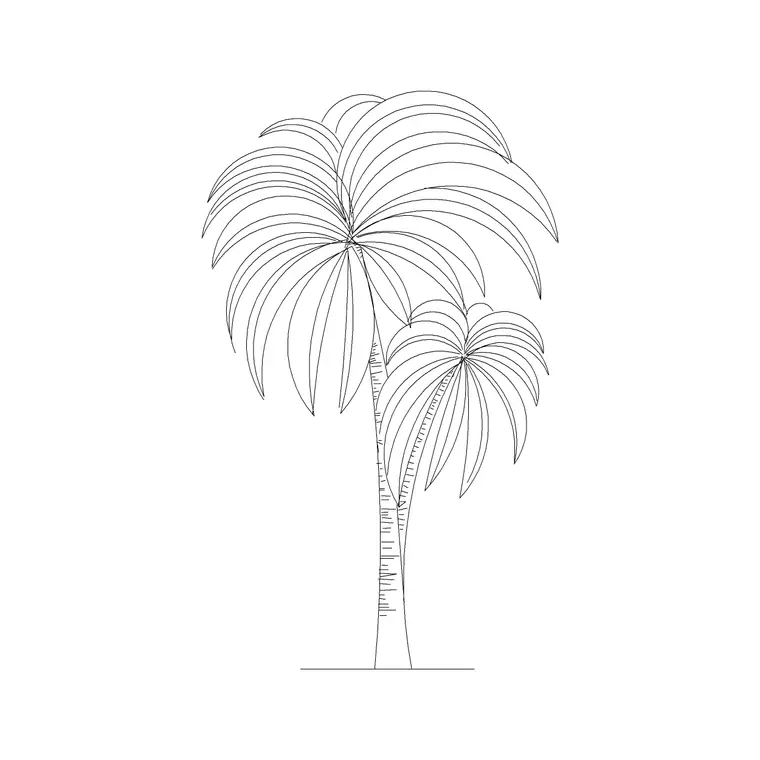
An elevation block is the object seen face-on from the side, the way you would see it standing in front of it. An elevation sofa shows its height, the back, the arm profile and the seat line; an elevation tree (like a palm) shows the trunk and the spread of the canopy as a vertical silhouette. Elevation blocks are about height and front appearance.
You use elevation blocks in interior elevations, building elevations, sections and presentation drawings — anywhere the drawing shows a vertical face rather than a horizontal layout. An elevation palm dressing the front of a building, or an elevation chair shown against a desk in an interior elevation, gives the drawing its sense of height and human scale.
Why one object often needs both
A full drawing set describes a space from multiple directions, so the same object frequently appears in both plan and elevation. A sofa is drawn in plan on the furniture layout and again in elevation on the interior elevation of that wall; both are the same sofa, viewed differently. Using the plan block in the elevation, or vice versa, produces a drawing that is simply wrong — an outline that does not match how the object would actually appear from that direction.
This is why many blocks ship multiple views in one file: you insert the plan view for the layout and the elevation view for the elevation, drawing both from a single download. Keeping the views together saves hunting for a matching pair and guarantees they represent the same object.
Side view, top view and section too
Plan and elevation are the headline pair, but they are not the only views. A side view (or end elevation) shows the object from the side rather than the front — a sofa seen from its arm end, useful where a front elevation does not tell the whole story. A top view is essentially the plan, sometimes distinguished for objects where 'plan' implies a building context.
A section shows the object cut through, revealing internal heights — relevant for things like a built-in unit or a piece of furniture tucked under a worktop. For most furniture and entourage you will only ever need plan and elevation, but knowing the fuller set helps when you meet a block offering side views or sections and need to decide which serves your drawing.
Picking the right view for the job
The rule is simple: match the block's view to the drawing's view. Working on a floor plan or site plan? Use plan blocks. Working on an elevation, a section, or an interior elevation? Use elevation (or side-view) blocks. Producing a presentation board or a hand-off set? You will likely use both, on the plan sheets and the elevation sheets respectively.
A quick gut check before inserting: imagine standing where the drawing's viewer stands. On a plan, you are floating above looking down — a plan block is what you would see. On an elevation, you are standing in front looking horizontally — an elevation block is what you would see. If the block you are about to insert doesn't match that mental image, you have grabbed the wrong view.
Telling the views apart when downloading
On a good block library, the view is labelled, so you do not have to guess. This site tags each block — plan, elevation, side view, top view, section — and the name usually says it too: a 'sofa set plan' is a plan view, a 'palm elevation' is an elevation. Check the label and the preview image before downloading so the block matches the drawing you are building.
- Plan: seen from above, for floor plans, site plans, layouts - Elevation: seen face-on, for elevations, sections, presentations - Side view: seen from the side, where a front elevation isn't enough - Many blocks bundle plan and elevation in one file
With the views clearly labelled, choosing the right one is a matter of reading the tag and matching it to your drawing, not opening files to check.
Free download
Browse the full library — DWG & DXF, no signup.
Questions
Frequently asked
What is the difference between a plan block and an elevation block?+
A plan block shows the object from directly above (its footprint), used in floor and site plans. An elevation block shows it face-on from the side (its height and front profile), used in elevations, sections and presentation drawings.
When should I use a plan view block?+
Use plan blocks for space planning — floor plans, site plans and furniture layouts — where you arrange objects and check clearances and circulation seen from above. Most blocks people insert for layout work are plan views.
Why does an object come with both plan and elevation views?+
A drawing set describes a space from several directions, so the same object appears in plan on the layout and in elevation on the elevation sheet. Shipping both views in one file means you draw both from a single download and they always match.
How do I know which view a block is before downloading?+
Check the view label and the preview image. On this site each block is tagged plan, elevation, side view, top view or section, and the name usually says it — a 'plan' block is a plan view, an 'elevation' block is an elevation.
Related downloads
Blocks for this guide

Popular blocks to download
Related categories
Related guides
Explainer
Are DWG and DXF the Same File? Explained
DWG and DXF are not the same file. Learn the real difference, which one to download for AutoCAD blocks, and when DXF is the safer choice.
Explainer
Why Is My CAD Block a Different Color?
Your CAD block came in red, white or the wrong colour? Learn how ByLayer, ByBlock and hard-coded colours work so you can fix it in AutoCAD.
Explainer
Why Do CAD Blocks Come In on the Wrong Layer?
Inserted a CAD block and it dumped new layers or sat on the wrong one? Learn how block layers work in AutoCAD and how to control where they land.