Block landing · oak tree elevation cad block dwg
Free oak tree elevation CAD block in DWG
By Saumyajit Maity · Published 17 Feb 2026 · Updated 7 Jun 2026
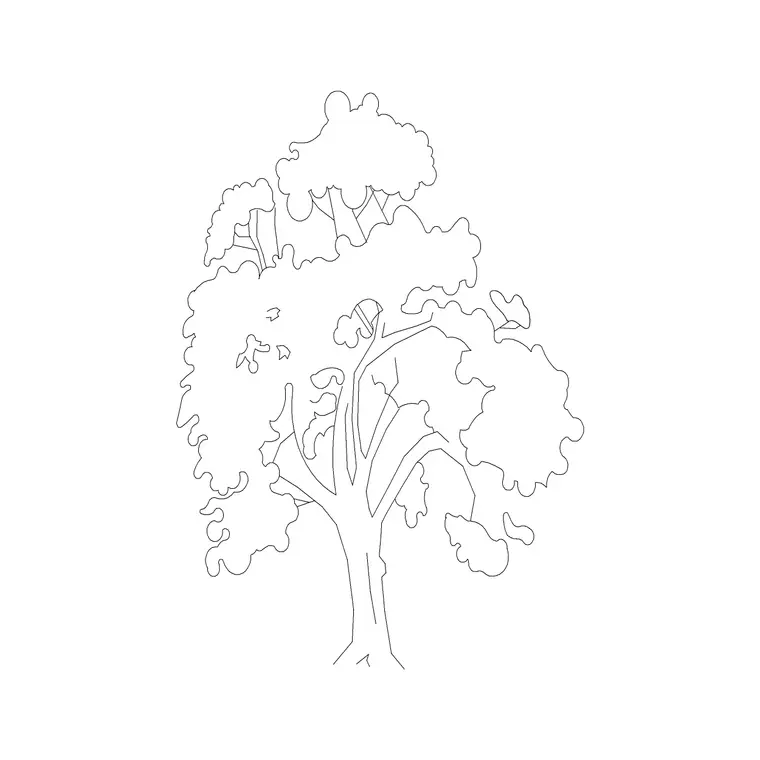
Download a free oak tree elevation CAD block in DWG — a broad, rounded broadleaf profile with the heavy, spreading crown and sturdy trunk that mark an oak out from a slender conifer. It is drawn for facade presentations, street sections and parkland elevations where a mature deciduous tree needs to carry visual weight. Free for personal and commercial use, with no signup, no watermark and no attribution required.
Drop it onto a parkland section, an estate boundary or a civic frontage, scale it to the maturity you are showing, and put it on a planting layer you can freeze. From an early concept board through to a coordinated landscape drawing, the same oak carries the scheme without redrawing.
What an oak elevation conveys
An oak in elevation is wide, dome-headed and heavy. The block shows a thick trunk that divides into strong lower limbs, then a billowing, irregular canopy that is typically as broad as it is tall or broader. That spreading habit is the signature of a mature oak and is what makes it read as a parkland or landmark tree rather than a generic street planting.
The canopy is drawn with a lobed, slightly cloud-like edge to suggest dense summer foliage. Trunk, branch structure and canopy sit on separate elements so you can show a bare winter silhouette by freezing the foliage, or a full leafy elevation by leaving it on.
Typical sizing for an oak
Oaks are large, long-lived trees, so scale generously. A semi-mature oak might read at 8-12 m tall with a comparable spread, while a veteran parkland oak can reach the 15-25 m range with a crown that spreads just as wide. Use these as ranges to scale against rather than exact figures, and always match the size to the age of tree your scheme is showing.
Because oaks are often the largest tree on a sheet, place them first and let smaller species sit in front of and around them. Scale from the trunk base so the canopy grows upward and outward from the ground line you already have.
Inserting the oak on an elevation
The block is drawn full size in millimetres. INSERT at scale 1 in a millimetre drawing, 0.001 in metres, or set INSUNITS so AutoCAD rescales automatically on insertion. Snap the trunk base to your ground line so the oak sits on grade.
For a believable group, copy the oak and vary each instance's scale and mirror state so no two are identical. Keep them on a planting layer with a lighter lineweight than the building, and consider a halftone plot style so the foliage reads as a backdrop rather than competing with the architecture.
Where oak elevations are used
Oak elevations suit parkland and estate drawings, heritage and conservation-area context sheets, campus and civic landscapes, and any presentation that wants the gravitas of a mature specimen tree. A single well-placed oak often does more for an elevation than a row of small street trees, because its scale immediately communicates an established, settled setting.
Pair the oak elevation with a matching plan symbol so the same landmark tree appears in both your site plan and your sections, and combine it with conifer elevations to show a mixed, layered treeline.
Oak vs generic shade tree
A generic shade-tree block gives you a neat lollipop; an oak elevation gives you character — the heavy low limbs, the broad irregular crown and the sense of age. When a drawing needs a specific, identifiable landmark tree rather than anonymous greenery, the oak earns its place.
That said, you can use the oak as your default large deciduous tree and reserve the more generic mature-shade block for filler planting. Keeping both lets you control how much visual weight each tree carries on the sheet.
Coordinating the oak across sheets
If a particular oak is a retained feature on your site — a Tree Preservation Order specimen, say — you want it to appear identically on every drawing. Insert the same block on the same planting layer in plan, elevation and section so its size and position never drift between sheets.
When the scheme is fixed, WBLOCK the trunk and a labelled root-protection circle together so the oak carries its constraint information with it. That turns a decorative block into a coordination tool the arboricultural consultant can actually use.
Drawing the oak's seasonal and structural value
An oak earns its place in an elevation partly because of what it represents over time. Showing a large oak signals to a client or planner that the scheme respects and retains established landscape, which can be a real planning advantage on sensitive sites. The block's heavy, settled form communicates that maturity at a glance.
When you draw the oak bare for a winter view, the strong branch structure becomes a feature in its own right — the radiating limbs read almost architecturally against a facade. Switching between the leafy and bare versions in a presentation is an easy way to show that the scheme has been considered across the seasons, not just on a sunny summer day.
Free download
Browse the full library — DWG & DXF, no signup.
Questions
Frequently asked
Is the oak tree elevation block free for commercial projects?+
Yes. It downloads free in DWG with no signup, no watermark and no attribution required, cleared for personal and commercial use.
How big should I scale the oak?+
Match it to the tree's age. Semi-mature oaks read around 8-12 m, while veteran parkland oaks reach 15-25 m with a comparable spread. Scale from the trunk base so the canopy grows from your ground line.
Can I show the oak bare for a winter elevation?+
Yes. The foliage sits on its own element, so you can freeze it to leave the trunk and branch silhouette for a winter or deciduous-bare presentation.
What software opens this DWG?+
The file targets AutoCAD 2004 and later, so it opens in current AutoCAD, AutoCAD LT, BricsCAD, DraftSight and free online DWG viewers.
Is an oak a good choice to show retained landscape?+
Yes. A large oak signals established, retained planting, which can be a planning advantage on sensitive sites. Its heavy, settled form communicates that maturity at a glance.
Does the download include the trunk and canopy on separate layers?+
Yes. The trunk, branch structure and foliage sit on separate elements, so you can freeze the leaves for a bare winter oak or recolour the canopy without touching the trunk.
Related downloads
Blocks for this guide
Related categories
Related guides
Block landing
Free Flower Plant CAD Blocks — DWG Download
Free flower plant CAD blocks in DWG and DXF — flowering annuals and perennials in plan and elevation for AutoCAD landscape plans. No signup, commercial OK.
Block landing
Free Flowering Shrub CAD Blocks — DWG Download
Free flowering shrub CAD blocks in DWG and DXF — ornamental shrubs in plan and elevation for AutoCAD planting and site plans. No signup, commercial OK.
Block landing
Free Herb Plant CAD Blocks — DWG Download
Free herb plant CAD blocks in DWG and DXF — herbs for kitchen gardens, raised beds and planters, in plan and elevation for AutoCAD. No signup, commercial OK.