Block landing · modern street light cad block
Free modern street light CAD block in DWG and DXF
By Saumyajit Maity · Published 12 Sep 2024 · Updated 25 Feb 2026
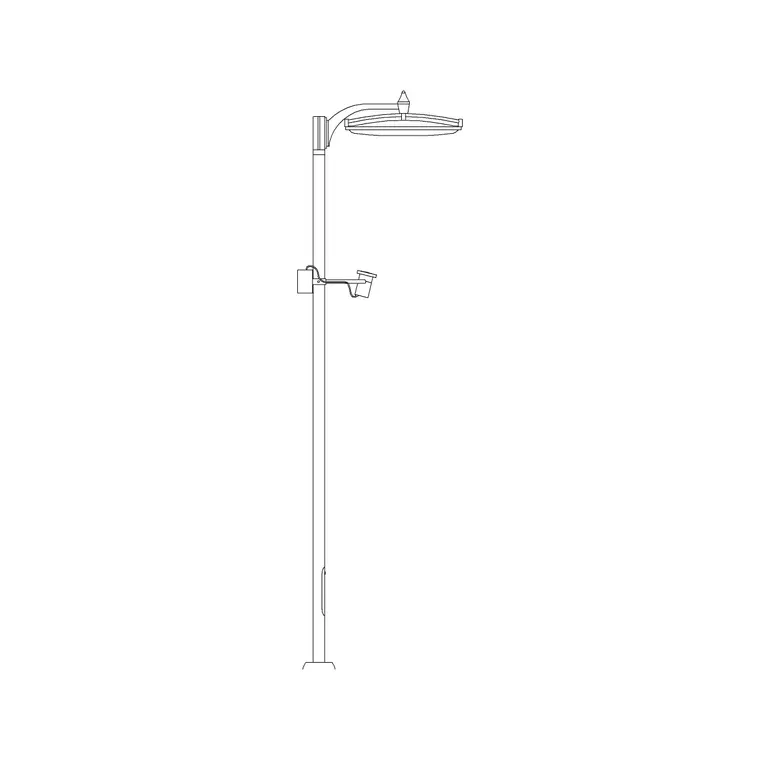
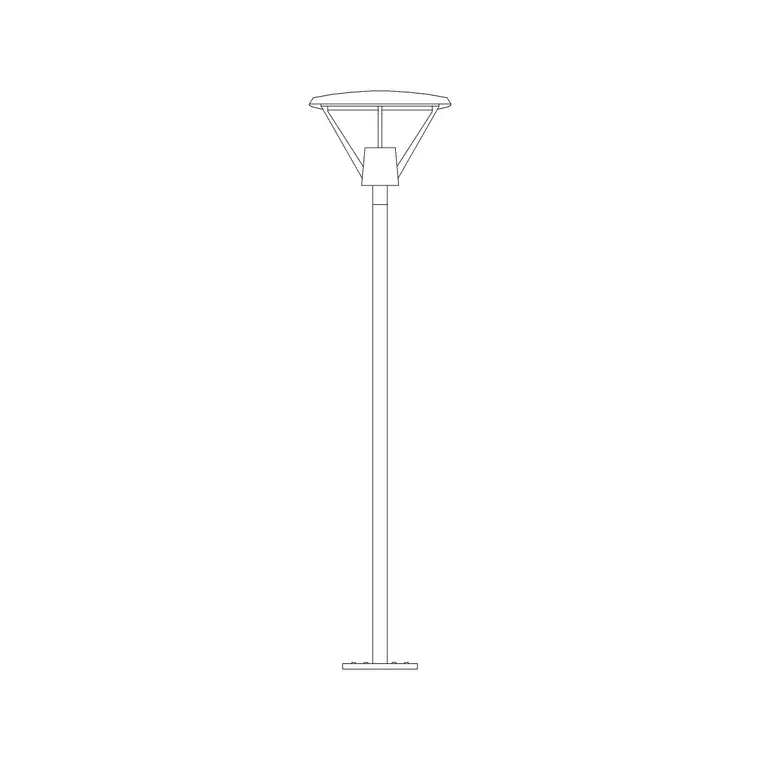
A modern street light is the clean, minimal pole-and-luminaire you see along contemporary roads, plazas and campus paths — a straight or slightly tapered column carrying a flat LED head rather than the lantern of a heritage lamp. This page offers a free modern street light CAD block in DWG and DXF, drawn at true millimetre height so the pole reads at the right scale against buildings, vehicles and people in a site elevation or streetscape. It is free for commercial work with no signup or watermark.
Street lights set the scale of a public realm drawing. Drawn at the correct height beside a road, a footpath or a building elevation, they tell the viewer instantly how tall everything else is. The block here keeps the column, the bracket arm and the modern flat head in clean geometry so the lamp reads as contemporary rather than traditional, ready for masterplans, landscape sections and urban design boards.
What sets the modern street light apart
The modern street light strips away the decorative lantern and scrollwork of a heritage post and replaces it with a slim column and a flat or wedge-shaped LED luminaire on a short, often horizontal, bracket. Some designs run the head straight off the top of the pole with no visible arm at all. That pared-back silhouette is what the block needs to convey, so the geometry stays simple and rectilinear rather than ornamental.
The block is drawn as clean line work on tidy layers, so you can keep the column, bracket and head separate. It prints crisply at site and landscape scales like 1:200, 1:100 and 1:50, and as a true block reference it updates everywhere when you edit the definition once.
Typical mounting heights to design around
Use these as starting ranges and confirm against the road class and the lighting design. A footpath or pedestrian-area light commonly sits in the 4–6 m mounting-height band, a residential or minor road light around 5–8 m, and a main carriageway light higher still, often 8–12 m. The taller the road class, the taller the column — so picking the right height for the context is the first thing the drawing has to get right.
Because the block is drawn full size, you can dimension the column height straight off the elevation and check it against the building heights, the carriageway width and the spacing of the run. Mismatched heights are an easy way for a streetscape to read wrongly, and a correctly scaled block avoids that.
Spacing modern street lights along a run
Street lights are placed in a regular run, and the spacing is set by the lighting design's required levels, the road width and the column height. As a rough guide the spacing often works out at several times the mounting height, but the drawing's job is to show the chosen centres clearly rather than to set them. Insert the block once, then ARRAY it along the carriageway or path at the design spacing so every column lands on a true centre.
For a road with lights on both sides, you can run a staggered or opposite arrangement — mirror or offset the array to suit. Keep the lights on their own layer so the street lighting can be shown or hidden independently of the road and landscape geometry.
Inserting and aligning the pole
The DWG is drawn in millimetres. Insert at scale 1 in a millimetre drawing, 0.001 in a metre drawing, or set INSUNITS to millimetres so an imperial template rescales the block. Run INSERT or drag from a palette and pick the insertion point at the base of the column so the pole stands on the ground or kerb line.
Snap the base to the footpath, verge or kerb line of your elevation, and rotate the block so the bracket arm reaches over the carriageway it lights. For a run, ARRAY at the design spacing; for opposite-side lighting, MIRROR the array across the road. Because each light is a block reference, a later change to the head or column updates the whole run at once.
Where modern street lights are used
Modern street lights belong in contemporary public-realm work: new residential streets, business parks and campuses, plazas and pedestrian boulevards, car parks, cycle routes and waterfront promenades. They suit masterplan drawings, landscape sections, road cross-sections and urban design presentation boards where a clean, current aesthetic is wanted.
The same block drops into a streetscape elevation alongside trees, benches and bollards to set the scale of the scene, and into a site section to show the lighting in context with the buildings. Free and licence-clear, it is as useful on a student urban-design board as on a coordinated landscape and infrastructure package.
Coordinating columns with kerbs, trees and services
A modern street light does not live in isolation on a streetscape — it shares the verge and footway with trees, signs, bins, bollards and the underground services that feed it, and the drawing is where those are coordinated. A column placed too close to a tree pit will clash with the canopy as the tree matures, and one set over a service run can foul a cable or a duct, so positioning the full-size block lets you check the pole against the rest of the street furniture and the utilities plan.
The foundation matters too: the column needs a base big enough to anchor it, and that base has to sit clear of kerb edges and other foundations. Showing the light to scale on the layout, on its own layer, lets the landscape, highways and services drawings agree on where each pole lands before anyone digs. It is precisely this coordination — column versus tree, kerb, sign and duct — that turns a tidy lighting elevation into a buildable street, and a correctly scaled block is what makes the clashes visible early.
Free download
Browse the full library — DWG & DXF, no signup.
Questions
Frequently asked
What makes this a modern street light rather than a heritage one?+
A slim column with a flat or wedge-shaped LED head on a short bracket, with none of the lantern, scrollwork or decorative base of a traditional post. The block geometry stays simple and rectilinear to read as contemporary.
What mounting height should I use?+
It depends on the road class: roughly 4–6 m for footpaths and pedestrian areas, 5–8 m for residential and minor roads, and 8–12 m for main carriageways. The block is full size, so dimension the chosen height off the elevation.
How do I space the lights along a road?+
Spacing is set by the lighting design, road width and column height — often several times the mounting height. Insert the block once and ARRAY it at the design spacing so every column lands on a true centre.
Will the file open in free CAD software?+
Yes. It targets AutoCAD 2004 and later and opens in AutoCAD, AutoCAD LT, BricsCAD, DraftSight and free DWG viewers including Autodesk's online viewer.
Related downloads
Blocks for this guide
Popular blocks to download
Related categories
Related guides
Block landing
Free Lighting Fixtures CAD Blocks — DWG Download
Download free lighting fixtures CAD blocks in DWG and DXF — chandeliers, wall lights, downlights and pendants in plan and elevation for AutoCAD.
Block landing
Free Table Lamp CAD Blocks — DWG Download
Download free table lamp CAD blocks in DWG and DXF — classical and decorative table lamps in plan and elevation for AutoCAD 2004+. No signup, commercial-use OK.
Block landing
Free Floor Lamp CAD Blocks — DWG Download
Download free floor lamp CAD blocks in DWG and DXF — straight and arc floor lamps in plan and elevation for AutoCAD 2004+. No signup, free for commercial use.