Block landing · mature shade tree cad block dwg
Free mature shade tree CAD block in DWG
By Sumana Kumar · Published 5 Aug 2024 · Updated 2 Jun 2026
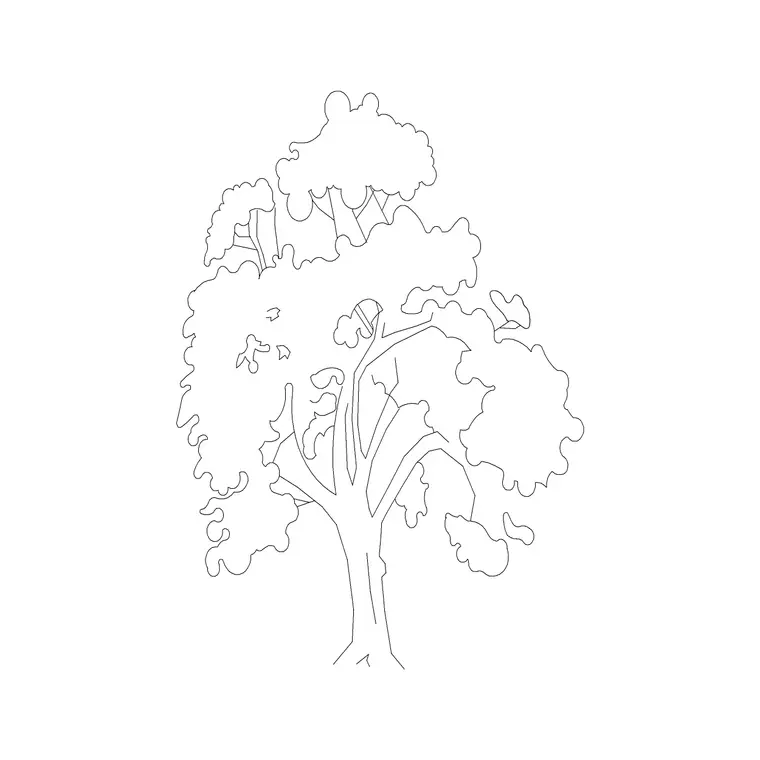
Download a free mature shade tree CAD block in DWG — a large, broad-crowned deciduous tree with a heavy, full canopy that casts deep shade and brings established scale to a drawing. A mature shade tree is the workhorse specimen for parks, gardens and civic spaces where you want a sense of permanence and a genuine shaded refuge. Free for personal and commercial use, no signup, no watermark.
Place it where people gather — a square, a park, a school ground — and scale it to the age you are showing, leaving generous room for the spread. On a planting layer with a halftone plot style the heavy canopy reads as a backdrop rather than burying the building behind it.
What a mature shade tree block gives you
A mature shade tree is large, round-headed and dense. The block shows a sturdy trunk that quickly divides into heavy limbs, then a broad, full canopy that is typically as wide as it is tall or wider. That solid crown is the point — it casts deep, genuine shade and signals an established, settled landscape rather than new planting.
The canopy is drawn as a dense, softly lobed mass, with the trunk and branch structure on a separate element. That separation lets you switch to a bare-branch winter silhouette by freezing the foliage, or keep the full summer crown for a leafy presentation.
Typical sizing to design around
Mature shade trees are among the largest specimens you will draw. They commonly read in the 10-20 m height range, with the biggest reaching higher and the crown spreading just as wide or wider. Treat these as ranges to scale against rather than fixed figures, and match the size to the species and the maturity your scheme is showing.
Because they are so large, place mature shade trees first and let smaller planting sit around and in front of them. Scale from the trunk base so the heavy canopy grows up and out from the ground line you already have, and leave generous horizontal room for the spread.
Inserting and placing the tree
The block is drawn full size in millimetres. INSERT at scale 1 in a millimetre drawing, 0.001 in metres, or set INSUNITS so AutoCAD rescales on insertion. Snap the trunk base to your ground line so the tree sits on grade.
For a believable group, copy the tree and vary the scale and mirror state between copies so no two are identical. Keep them on a planting layer with a lighter lineweight than the architecture, and use a halftone plot style so the heavy canopy reads as a backdrop rather than a black mass over the building.
Where mature shade trees are used
Mature shade trees suit parks and public gardens, civic squares and plazas, school and campus grounds, and residential schemes that want the comfort of an established canopy. They are the tree you place where people will sit, gather or shelter, because the deep shade and large scale create a genuine refuge.
Combine the mature shade tree with lighter-canopy species such as a honeylocust, and with smaller ornamental trees, so a scheme reads as a layered landscape of different ages and shade levels rather than a single repeated specimen.
Mature vs young or ornamental trees
Scale and density tell the story. A mature shade tree communicates permanence, depth of shade and an established setting; a small ornamental tree communicates new planting, human scale and a lighter touch. Showing both on a drawing lets you depict a landscape that has structure now and will fill in over time.
Keeping a range of tree sizes in your library — mature, medium and small — means you can compose a believable planting with a mix of ages rather than an unrealistic forest of identical full-grown trees.
Coordinating the mature tree across sheets
A retained mature tree is often a constraint as much as a feature — it may carry a root-protection area or a preservation order. Insert the same block on the same planting layer in plan, elevation and section so its size and position stay identical across the whole set, and the arboricultural information lines up between sheets.
When the scheme is fixed, WBLOCK the trunk together with a labelled root-protection circle so the mature tree carries its constraint with it, turning a decorative block into a coordination tool the wider team can rely on.
Showing the shade the tree actually casts
The whole purpose of a mature shade tree is the shade itself, so a drawing is stronger when it shows that benefit rather than just the tree. On a plan you can sketch the shadow the canopy throws across a terrace or seating area; on an elevation, placing benches, tables or play space beneath the crown makes the shaded refuge legible to anyone reading the sheet.
That shaded ground is increasingly a climate-comfort argument as well as an amenity one, since a large canopy can keep a paved space usable on a hot day. Annotating the area under a mature tree as a cool, shaded gathering spot reflects the real value the tree brings to the scheme.
Free download
Browse the full library — DWG & DXF, no signup.
Questions
Frequently asked
What is a mature shade tree block for?+
It is a large, broad, dense deciduous tree that casts deep shade. Use it in parks, plazas and gardens where you want established scale and a genuine shaded refuge.
Is the mature shade tree block free commercially?+
Yes. It downloads free in DWG with no signup, no watermark and no attribution required, cleared for personal and commercial use.
How big should I scale a mature shade tree?+
Match it to the species and age — mature shade trees commonly read in the 10-20 m range with a comparable or wider spread. Scale from the trunk base and leave room for the canopy.
Can it show a bare winter form?+
Yes. The foliage is on its own element, so freezing it leaves the heavy trunk and branch silhouette for a winter or deciduous-bare presentation.
Should I show the shade the tree casts?+
Yes. Sketching the canopy shadow on plan, or placing seating beneath the crown on elevation, makes the shaded refuge — the whole point of the tree — legible on the sheet.
Can I attach a root-protection area to the block?+
Yes. Because the trunk is the block's anchor, you can WBLOCK it together with a labelled root-protection circle so the mature tree carries its constraint across every sheet.
Related downloads
Blocks for this guide
Related categories
Related guides
Block landing
Free Flower Plant CAD Blocks — DWG Download
Free flower plant CAD blocks in DWG and DXF — flowering annuals and perennials in plan and elevation for AutoCAD landscape plans. No signup, commercial OK.
Block landing
Free Flowering Shrub CAD Blocks — DWG Download
Free flowering shrub CAD blocks in DWG and DXF — ornamental shrubs in plan and elevation for AutoCAD planting and site plans. No signup, commercial OK.
Block landing
Free Herb Plant CAD Blocks — DWG Download
Free herb plant CAD blocks in DWG and DXF — herbs for kitchen gardens, raised beds and planters, in plan and elevation for AutoCAD. No signup, commercial OK.