Block landing · low height pot with creeper cad block
Low height pot with creeper CAD block in DWG
By Sumana Kumar · Published 16 Feb 2025 · Updated 27 Apr 2026
A low pot with a creeper spilling over its rim is one of the most useful softening details in interior detailing: the trailing foliage breaks a hard horizontal edge, drapes over a shelf or ledge, and adds movement that an upright plant cannot. This free low height pot with creeper CAD block captures that cascading look in DWG, drawn in elevation for AutoCAD 2004 or later. It is free for personal and commercial work, with no signup, no watermark and no attribution.
The defining feature is the downward trail. Where most pot-plant blocks grow upward, this one sends foliage over the edge of the container and down, which is exactly what you want on a shelf, a high cabinet, a reception ledge or a stair landing. It is the block to reach for when a horizontal surface needs softening from above rather than a vertical accent rising from the floor.
What the low pot with creeper shows
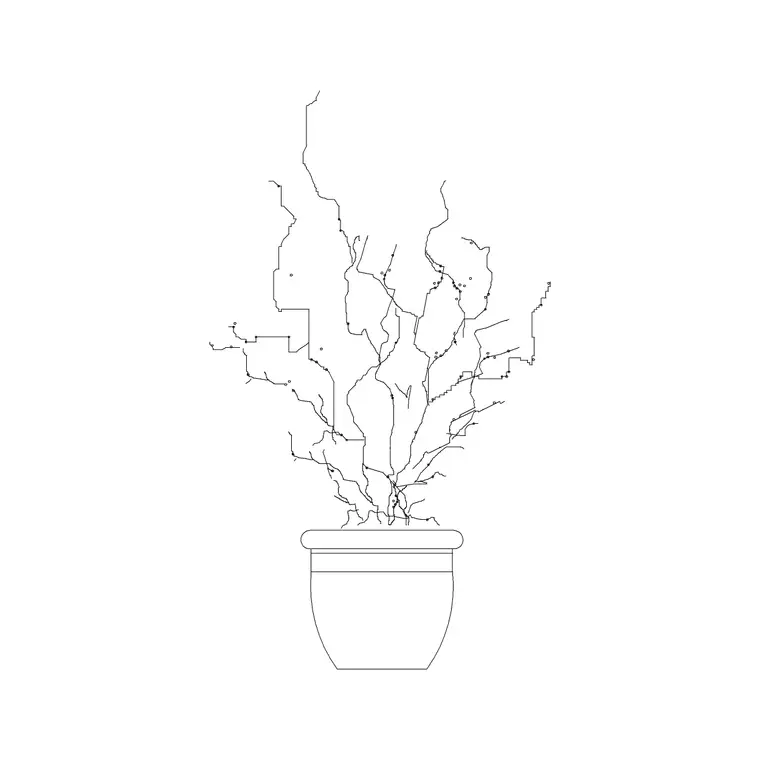
The block draws a low, wide-ish planter with trailing stems falling over one or both sides of the rim. The creeper is rendered as flowing, slightly irregular strands rather than stiff lines, so the foliage reads as something that genuinely drapes and moves rather than a fan of straight sticks.
The pot itself is kept low and grounded because the visual interest is the trail, not the container. The strands are drawn to varied lengths so the cascade looks natural, and they sit on linework you can screen back or recolour to soften them against a wall or shelf face. The whole symbol is built to sit on an edge — a shelf, ledge or cabinet top — with the foliage falling below the line it rests on.
Views and what's included
This is an elevation block, showing the planter and its trailing foliage face-on. Elevation is the only view in which a creeper's drape reads at all, so it is the natural choice for interior elevations, sections and presentation drawings where a shelf or ledge needs softening.
The geometry separates the trailing strands from the pot so you can treat the cascade independently — lengthen it, screen it back, or recolour it — without touching the container. It inserts as a single block reference so you can place it on a ledge and copy it along a run; explode it only if you want to edit individual strands for a more bespoke drape.
Typical sizing to design around
This is a low planter by definition, so the pot stays shallow while the trailing foliage adds visible length below the rim. As a planning range, the container is short and the creeper hangs down a span that depends entirely on where you place it — a little over a shelf edge, more from a high cabinet or landing. Use the surface the pot rests on as your datum and judge the trail length against the drop you actually have beneath it.
These are ranges to design within, not fixed measurements on the block. Real trailing plants — pothos, ivy, string-of-hearts — vary hugely in how far they fall, so scale the strands to suit the situation. Because the foliage sits on separable linework, you can lengthen the trail for a tall cabinet or trim it for a low shelf without redrawing the pot.
How to insert and scale it
The DWG is drawn in millimetres. Insert at scale 1 in a millimetre drawing, 0.001 in a metre template, or set INSUNITS to millimetres in an imperial file so AutoCAD rescales the block on insertion and the pot lands at the right size.
Use INSERT or drag the file in, and pick the base of the pot as the insertion point so the planter sits squarely on the shelf or ledge line. Snap it to that surface and let the foliage fall below it in the elevation. Keep the plant on a planting or FF&E layer so you can freeze the dressing for technical drawings and thaw it for presentation, and screen the trailing strands back a touch so they soften rather than clutter the wall behind.
Where trailing planters are used
A low pot with creeper suits any interior with shelves, ledges and high surfaces to soften: open shelving in homes and cafés, reception and library ledges, the tops of tall cabinets and partitions, stair landings and mezzanine edges, and retail display units. The drape adds a relaxed, lived-in quality that upright plants do not.
It is especially effective repeated along a run of shelving or staggered across a feature wall of cubbies, where the trails read as a green curtain softening the geometry. Combine it with upright pots, books and accessory blocks from the trees-and-plants and interior libraries, and copy it along ledges to dress an elevation with movement.
Drawing the drape so it reads naturally
The trick with a creeper block is variation: keep the strands at slightly different lengths and let a couple cross or curve, because uniform straight lines read as a fringe, not foliage. When you copy the block along a run, mirror or nudge the occasional instance so the cascades do not line up identically and look stamped.
Keep the trailing foliage on its own colour and a lighter lineweight so it softens the surface beneath without dominating it. If the creeper recurs through a scheme, leave it as a named block for easy global edits, and WBLOCK a styled shelf vignette — pot, trail and a couple of objects — into your library so a finished, softened ledge is one insertion away next time.
Free download
Browse the full library — DWG & DXF, no signup.
Questions
Frequently asked
What is a low pot with creeper block best used for?+
Softening horizontal edges from above — shelf and ledge tops, tall cabinets, stair landings and mezzanine edges. The trailing foliage drapes over the rim and down, adding movement that an upright plant cannot, which makes it ideal where a hard line needs breaking.
Is the block free for commercial drawings?+
Yes. It downloads free in DWG with no signup, no watermark and no attribution, cleared for commercial, personal and student project use alike.
Can I make the trailing foliage longer for a tall cabinet?+
Yes. The trailing strands sit on their own linework, so you can lengthen or scale the cascade to match the drop beneath your shelf or cabinet without altering the pot. Keep the strands at varied lengths so the drape looks natural.
What view does it come in?+
Elevation — the planter and trailing foliage seen face-on, which is the only view where a creeper's drape reads. It suits interior elevations, sections and presentation drawings rather than top-down plans.
Related downloads
Blocks for this guide
Related categories
Related guides
Block landing
Free Flower Plant CAD Blocks — DWG Download
Free flower plant CAD blocks in DWG and DXF — flowering annuals and perennials in plan and elevation for AutoCAD landscape plans. No signup, commercial OK.
Block landing
Free Flowering Shrub CAD Blocks — DWG Download
Free flowering shrub CAD blocks in DWG and DXF — ornamental shrubs in plan and elevation for AutoCAD planting and site plans. No signup, commercial OK.
Block landing
Free Herb Plant CAD Blocks — DWG Download
Free herb plant CAD blocks in DWG and DXF — herbs for kitchen gardens, raised beds and planters, in plan and elevation for AutoCAD. No signup, commercial OK.