Block landing · louis poulsen lamp cad block
Free Louis Poulsen style lamp CAD block in DWG
By Sumana Kumar · Published 20 Jan 2022 · Updated 13 Mar 2026
Louis Poulsen is the Danish lighting house behind some of the most influential designer pendants of the twentieth century — fittings defined by layered, tiered shades that hide the lamp and throw a soft, glare-free light. This page offers a free Louis Poulsen style lamp CAD block in DWG and DXF, drawn in plan and elevation at true millimetre size so a layered designer pendant reads correctly in an interior drawing. It is free for commercial work with no signup, watermark or attribution.
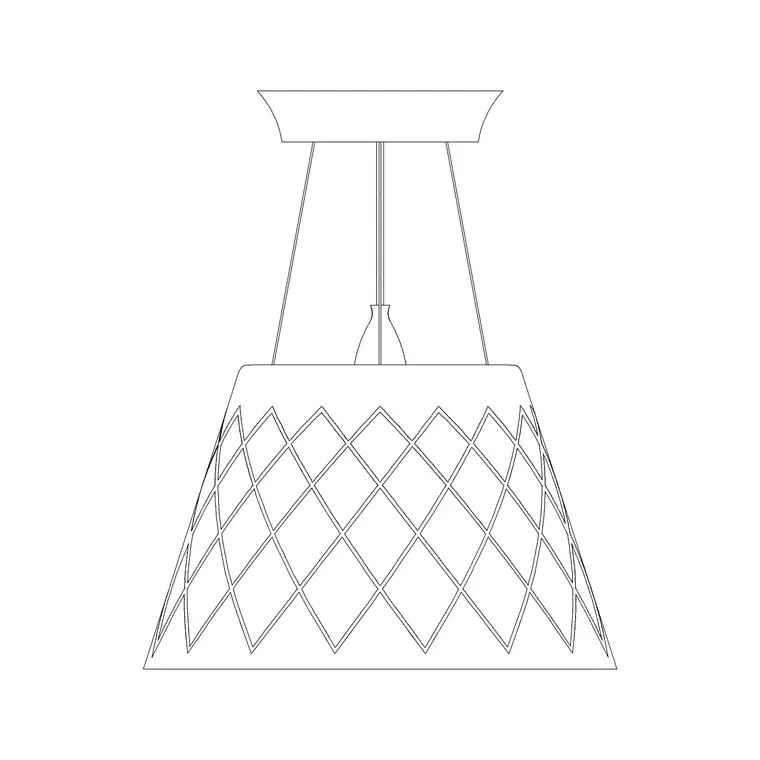
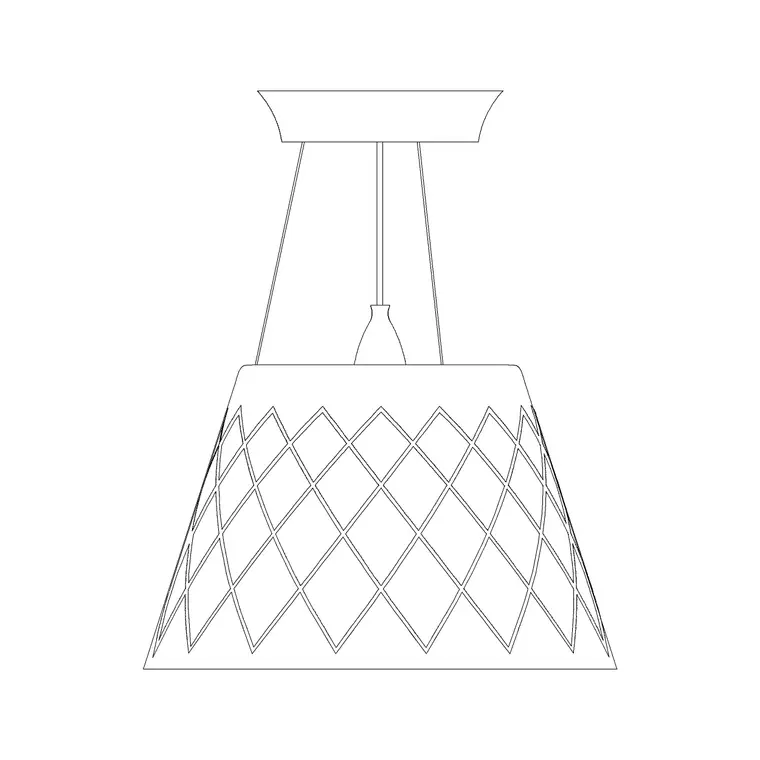
The hallmark of this style of pendant is the stack of overlapping shades or blades that screens the bulb from every angle, which is exactly the silhouette the elevation has to capture. Used over dining tables, in stairwells and across hospitality and residential schemes, a designer pendant of this kind is a focal fitting, so getting its diameter and drop right on the drawing matters. This block gives you both the plan footprint and the layered elevation profile to place and coordinate it confidently.
The layered-shade silhouette
What distinguishes a Louis Poulsen style pendant on a drawing is the tiered profile — a series of overlapping shades, blades or louvres stacked so that no matter where you look from, you see reflected light rather than the bare lamp. That stacked outline is the defining feature the elevation must convey, so the block keeps the layered profile and its proportions accurate rather than reducing it to a plain cone.
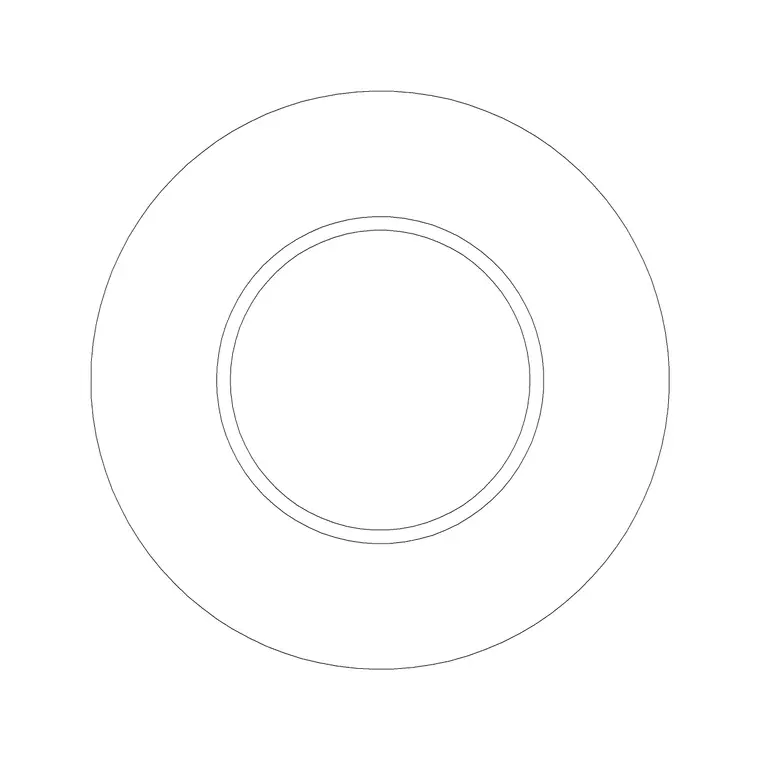
The block is drawn as clean geometry on tidy layers and ships both plan and elevation. The plan shows the circular footprint over the table or space below; the elevation shows the layered shades and the drop. It prints sharply at interior scales and, as a true block reference, updates everywhere when the definition is edited once.
Diameter and drop to design around
Treat these as ranges and confirm against the specific model, since this style of pendant is made in several sizes. The shade diameter for a dining pendant commonly falls in the 400–700 mm range, with larger feature versions bigger again for a stairwell or double-height space. The drop is set by the room — over a dining table the bottom of the shade typically sits a comfortable distance above the table top so it lights the surface and screens the lamp from seated diners.
Because the block is full size, dimension the diameter and set the drop straight off the elevation to suit the ceiling height and the furniture below. In a tall stairwell the same fitting can hang much lower to fill the volume, which the section should show clearly.
Inserting and centring the pendant
The DWG is drawn in millimetres. Insert at scale 1 in a millimetre drawing, 0.001 in a metre drawing, or set INSUNITS to millimetres so an imperial template rescales it. Run INSERT or drag from a palette and pick the insertion point at the centre of the shade so the fitting centres and rotates cleanly.
For a plan, snap the block to the centre of the table or the space it lights; for an elevation or section, set the vertical position so the bottom of the shade sits at the chosen drop. Keep the pendant on its own lighting layer so this feature fitting can be shown or hidden independently, and for a pair or row over a long table, MIRROR or ARRAY to keep the fittings aligned.
Where this style of pendant is used
Layered designer pendants of this kind are a staple of considered interiors: over dining tables and kitchen islands, in stairwells and double-height voids, in hotel lobbies and restaurants, and across high-end residential and workplace schemes. The soft, glare-free light they give makes them as practical as they are good-looking, which is why architects and interior designers reach for them so often.
Drawn in plan and elevation, the block lets you present a single feature pendant or a coordinated run, and it drops into sections through dining and stair spaces to show the lighting in context. Free and licence-clear, it suits student and competition work as well as a coordinated interiors package, and crosslinks with the Taraxacum, Skygarden and Frisbi designer pendants in the lighting category.
Coordinating a designer pendant
A feature pendant needs a proper fixing, head-height clearance and coordination with other ceiling services, so keep it on its own lighting layer with a distinct colour and use the full-size block to verify the drop and clearances on the section before the ceiling is set out. The layered profile also means the block is the single source of truth for the silhouette — edit it once and every appearance updates.
When you are presenting lighting options to a client, line this pendant up beside the other designer fittings in the lighting category so the comparison is clear. A finalised dining-table-plus-pendant arrangement can be WBLOCK-ed as a reusable unit and copied to similar rooms across the scheme.
Why the glare-free profile earns its place
The reason a layered-shade pendant is specified so often is not just looks — it is the glare-free light the tiered profile delivers, and that performance is worth understanding when you place the block. Because the overlapping shades screen the lamp from view at normal angles, the fitting can hang lower over a table than a bare or open pendant could, putting useful light on the surface without a bright source glaring into diners' eyes. That tolerance for a lower drop is something the section can take advantage of.
It also means the pendant suits positions where people look toward it, such as over a reception desk or a meeting table, where an unscreened source would be uncomfortable. Drawing the fitting full size lets you set the drop to balance light on the surface against clearance and sightlines, confident that the shading is doing the work of controlling glare. Recording that intent on the drawing — the chosen drop, the fitting type, the surface it serves — ties the visual choice to the lighting performance it was made for.
Free download
Browse the full library — DWG & DXF, no signup.
Questions
Frequently asked
Is this an exact Louis Poulsen product model?+
It is a generic, licence-clear pendant in the Danish layered-shade style associated with Louis Poulsen — a tiered shade that screens the lamp for glare-free light. Use it as a representative designer pendant and label it to match your specified fitting.
Does the block include plan and elevation?+
Yes. It ships both the plan footprint and the layered elevation profile, so you can centre it on a table in plan and set its diameter and drop in elevation or section.
What size and drop should I use?+
Dining-pendant shade diameter commonly falls in the 400–700 mm range, larger for feature versions. The drop is set by the room; over a dining table the shade bottom usually sits a comfortable distance above the table. The block is full size, so set both off the elevation.
Will the DWG open in free CAD software?+
Yes. It targets AutoCAD 2004 and later and opens in AutoCAD, AutoCAD LT, BricsCAD, DraftSight and free DWG viewers including Autodesk's online viewer.
Related downloads
Blocks for this guide
Related categories
Related guides
Block landing
Free Lighting Fixtures CAD Blocks — DWG Download
Download free lighting fixtures CAD blocks in DWG and DXF — chandeliers, wall lights, downlights and pendants in plan and elevation for AutoCAD.
Block landing
Free Table Lamp CAD Blocks — DWG Download
Download free table lamp CAD blocks in DWG and DXF — classical and decorative table lamps in plan and elevation for AutoCAD 2004+. No signup, commercial-use OK.
Block landing
Free Floor Lamp CAD Blocks — DWG Download
Download free floor lamp CAD blocks in DWG and DXF — straight and arc floor lamps in plan and elevation for AutoCAD 2004+. No signup, free for commercial use.