How-to guide · how to insert a coffee table block in autocad
How to insert a coffee table block in AutoCAD
By Sumana Kumar · Published 16 Jan 2023 · Updated 23 Jan 2026
A coffee table — or centre table — is the small block that completes a seating group. It sits in the middle of the sofas, within easy reach of a seated person, and visually it ties the whole arrangement together. It is a quick block to place, but two things are easy to get wrong: the gap to the sofa (too far and you can't reach a drink, too close and you bark your shins) and the draw order over the rug it usually sits on. This guide covers inserting a coffee table block in AutoCAD and getting both right.
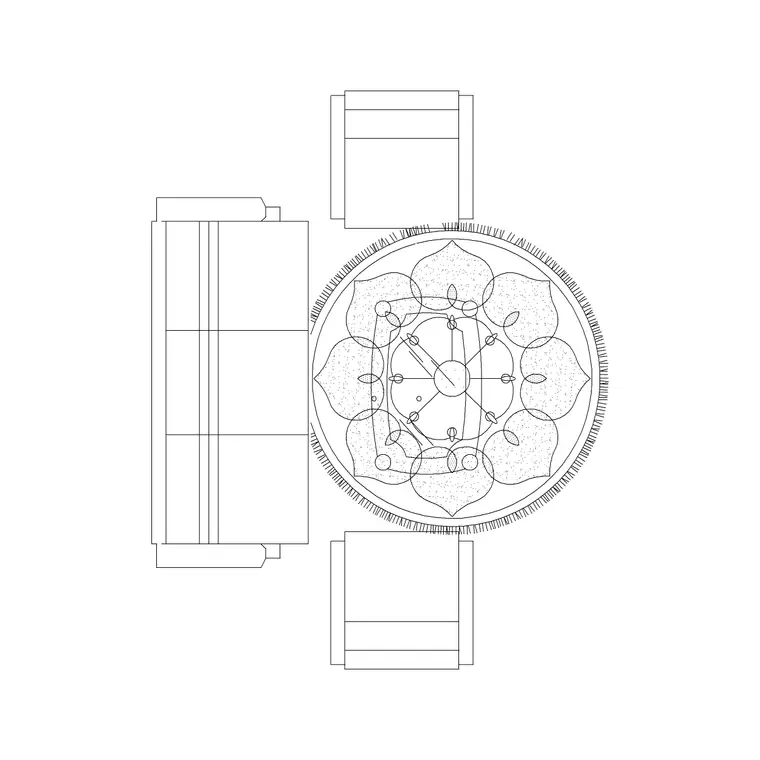
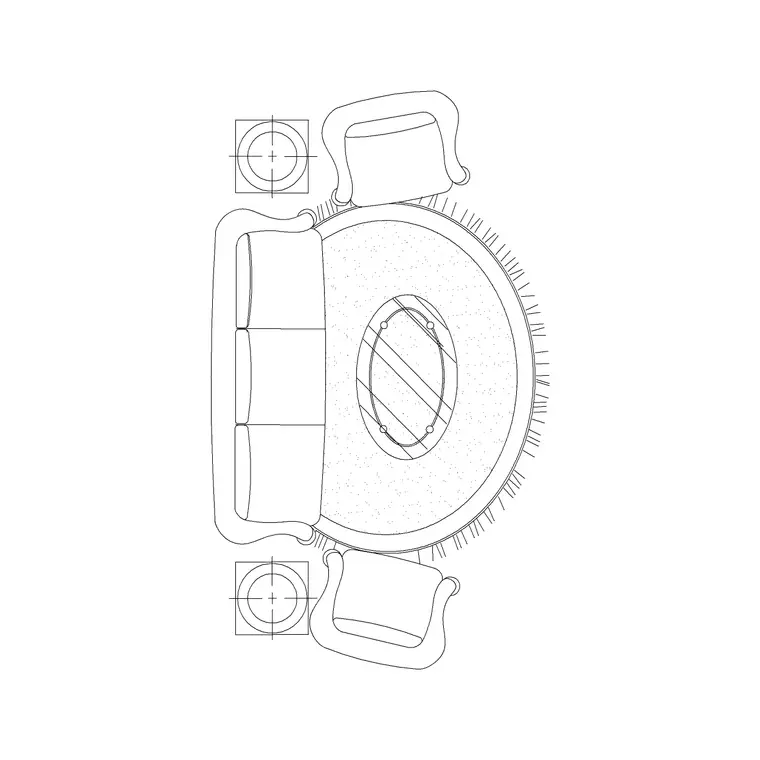
We will use a coffee table at the centre of a living-room seating group as the worked example. Coffee tables are a plan element almost exclusively, so we will focus on placement, clearance and stacking order with the sofa and rug.
Step 1 — Pick the shape and rough size
Coffee tables come rectangular, square, oval and round, and the choice follows the seating. A rectangular table suits a long sofa; a round one softens a tight group and removes sharp corners on a walkway. Typical sizes run around 1000–1200 × 500–600 mm for a rectangular table, or 700–900 mm diameter for a round one, sitting low at roughly 400–450 mm high — though height only matters in elevation.
Pick the block whose footprint suits the group without dominating it. Many living-room sets ship the sofas with a matching centre table, which saves you sizing it. Save the DWG to your library; it is drawn full size in millimetres.
Step 2 — Set units and insert the table
Confirm UNITS is Millimeters for the insertion scale so the table lands at real size. Run INSERT, browse to the coffee-table DWG, and place it with the insertion point on 'Specify On-screen'. The centre of the tabletop is the natural base point, because you align it with the centre of the seating group.
Drop the table roughly in the middle of the sofas. It arrives as a single block reference, so you can position the whole thing in one move and fine-tune the gaps next.
Step 3 — Centre it and set the sofa gap
MOVE the table so its centre lines up with the centre of the seating group, using midpoint or centre snaps off the sofa block. Then set the all-important gap: leave roughly 400–450 mm between the front of the sofa and the edge of the coffee table. That is close enough to reach a drink from a seated position but far enough to walk past and to stretch your legs.
If the group has sofas on two or three sides, balance the table so the gap is even all round. Because everything is drawn to scale, you measure these gaps off the plan rather than guessing — which is exactly what makes a CAD layout worth drawing.
Step 4 — Sit it on the rug and fix the draw order
A coffee table usually sits on the rug that anchors the seating group, so draw order matters. The rug should be sent to the back, and the coffee table should sit above it — if the table disappears under the rug's hatch, select the table and bring it forward with DRAWORDER, or send the rug back. The correct stack, bottom to top, is rug, then sofas and table.
Centre the table on the rug as well as on the seating, so the whole arrangement reads as one deliberate zone rather than three blocks that happen to overlap.
Step 5 — Layer the table and keep it schedulable
Put the coffee table on the furniture layer with the rest of the seating, so it freezes and thaws together and carries the right colour and lineweight. Keep it as a block reference so it can be counted on a furniture schedule rather than exploded into loose lines.
If you place the same seating group — sofas, rug and centre table — across several rooms, WBLOCK the whole arrangement as one 'living room' unit. Then the coffee table comes in already centred and at the right gap every time, and a single edit in the Block Editor updates every room that uses it.
Tips and pitfalls for coffee table blocks
The first pitfall is the sofa gap: a coffee table shoved tight against the sofa, or marooned in the middle of a big room out of reach, both read as wrong. Hold to roughly 400–450 mm and the group looks right. The second is draw order — a coffee table swallowed by the rug hatch is the same DRAWORDER issue rugs cause, so check the table sits above the rug.
A third is scale: a coffee table that's too big crowds the walkway and dwarfs the seating, while a tiny one looks lost. Size it to the group, not the room. And as with any block, if it lands wildly oversized, fix INSUNITS rather than scaling by eye — the units are the cause, not the block.
Free download
Browse the full library — DWG & DXF, no signup.
Questions
Frequently asked
How far should a coffee table be from the sofa?+
Leave roughly 400–450 mm between the sofa front and the coffee table edge — close enough to reach a drink while seated, far enough to walk past and stretch your legs. Because the blocks are to scale, you can measure this gap on the plan.
How do I stop the rug hiding my coffee table?+
It's a draw-order issue. Send the rug to the back with DRAWORDER so the coffee table and sofas sit above it. The correct stack, bottom to top, is rug, then the seating and the table.
What size is a typical coffee table block?+
A rectangular coffee table runs around 1000–1200 mm long by 500–600 mm deep; a round one is about 700–900 mm across. Pick the footprint that suits the seating group without dominating it.
Can I insert the coffee table as part of a sofa set?+
Yes. Many living-room sets ship the sofas with a matching centre table already positioned, so a single INSERT places the whole group. You can also WBLOCK your own sofa-rug-table arrangement to reuse it across rooms.
Related downloads
Blocks for this guide
Popular blocks to download
Related categories
Related guides
How-to guide
How to Insert a Sofa Block in AutoCAD (Step by Step)
Insert a sofa block in AutoCAD the right way: download the DWG, match units, run INSERT, place it against the wall, rotate to the room, and set the layer.
How-to guide
How to Insert a TV Unit Block in AutoCAD
Insert a TV unit block in AutoCAD: place the console flush to the wall, align it with the sofa, check viewing distance, and draw the screen in elevation.
How-to guide
How to Insert a Rug Block in AutoCAD (Plan View)
Insert a rug block in AutoCAD: place the area rug in plan beneath the furniture, set it on a finishes layer below the seating, and size it to anchor the zone.