How-to guide · how to draw a kitchen layout in autocad
How to draw a kitchen layout in AutoCAD
By Saumyajit Maity · Published 11 Aug 2023 · Updated 18 Jun 2026
A kitchen is the most dimensionally fussy room in a house: appliances come in fixed module sizes, worktops have standard depths, and the gaps between runs are governed by how a person actually moves and opens doors. That sounds intimidating, but it is actually a gift — because everything is modular, a kitchen layout in AutoCAD is largely a matter of snapping standard-width units along the walls and checking a handful of clearances.
This guide walks through laying out a kitchen from the room outline to a checked, buildable plan: the cabinet baselines, the fixed appliances, the work triangle and the circulation gaps. We will assume a millimetre drawing and the standard 600 mm kitchen module throughout. The kitchen category has scaled appliance and cabinet blocks built on that same module, so you can populate the layout in minutes once the structure is set.
Step 1 — Draw the room and the cabinet baselines
Start with the room outline — walls, the window position and the door swing — because those fix where the kitchen can and cannot go. The window usually anchors the sink, and the door swing carves out floor you cannot put a run across. Then draw the cabinet baselines: lines along each wall set 600 mm off the wall face, marking the front edge of the base units (the standard base cabinet depth is 600 mm).
These baselines are your setting-out spine. Everything — appliances, cabinets, the worktop edge — aligns to them, so getting them parallel and at the right depth from the start keeps the whole layout square and modular.
Step 2 — Place the sink and the hob first
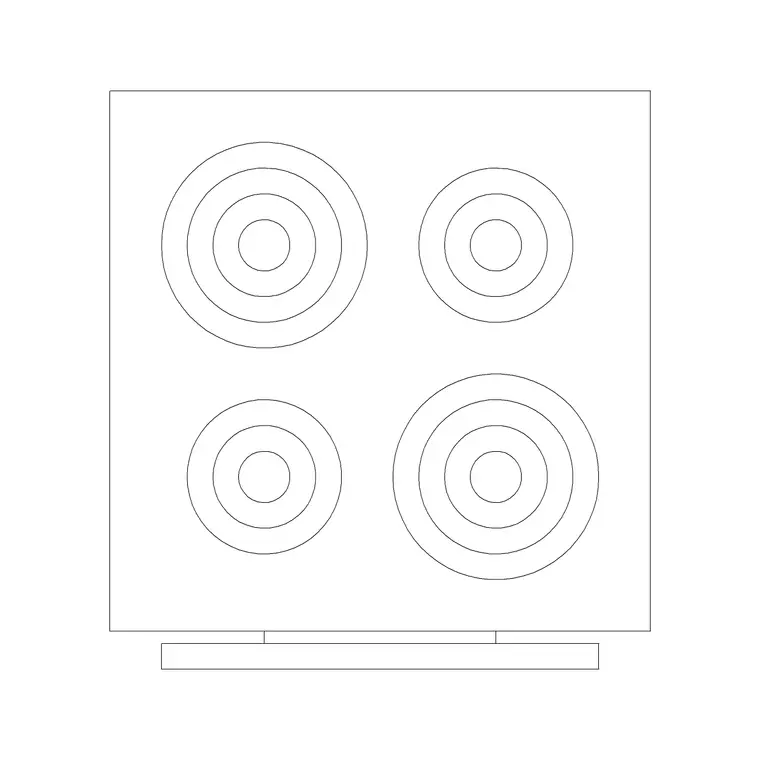
Two appliances are fixed by services rather than choice, so place them before anything else. The sink position is driven by the window and the plumbing, so drop the sink block under or near the window. The hob is driven by ventilation — it wants to sit where a range hood can extract to outside — so place it next, typically not directly under a window. Standard appliance widths run on the 600 mm module, with 900 mm and 1000 mm options for larger ranges.
Fixing these two first matters because the whole layout hangs off them. With the sink and hob located, the fridge can complete the work triangle and the cabinet runs simply fill the gaps between.
Step 3 — Build the work triangle
The work triangle links the three activity centres — sink, hob and fridge — and a good kitchen keeps them in an efficient relationship: close enough to move between quickly, far enough not to crowd. Draw light construction lines between the three to see the triangle, and aim for none of its legs being cramped or absurdly long. A galley puts the triangle across two facing runs; an L-shape wraps it round a corner; a U-shape uses three walls.
This is the moment to test the plan's usability, not just its geometry. If the triangle is awkward — fridge marooned across the room from the hob — shuffle the appliances now, while they are loose blocks, rather than after the cabinets are in.
Step 4 — Fill the runs with cabinet modules
With appliances placed, close the runs with base-cabinet blocks. Because the cabinets and appliances share the 600 mm module, they snap together cleanly along the baseline without leaving awkward gaps. Insert standard units and array or copy them to fill each run; use a filler or a STRETCH only where a non-modular gap remains at the end of a run.
Then add the wall cabinets on a separate layer, drawn above the base units in plan (often shown dashed because they are above the worktop and technically over the cut plane). Keeping base units, wall units, appliances and worktops on distinct layers lets you produce a clean plan, a wall-unit plan and elevations from the one drawing.
Step 5 — Add the worktop and check clearances
Draw the worktop outline as a continuous edge over the base runs, projecting a small overhang past the cabinet fronts. Now check the circulation, because this is where layouts fail: allow at least 1000 mm between opposing runs in a galley, and 1200 mm where that gap is also a through-route. Around an island, keep 1000 mm of clear floor on every working side so doors and appliances can open.
With scaled blocks in place, these checks are visual — you can see whether two opened dishwasher doors would collide, or whether the oven door clears the island. That is the entire payoff of drawing the kitchen to real dimensions rather than as rough boxes.
Step 6 — Layer, label and prepare elevations
Finish by tidying the drawing for output. Confirm appliances, base units, wall units and worktops each sit on their own layer with sensible colours and lineweights. Tag the appliances and cabinets with simple labels or attributes so you can extract a unit schedule — a count of every cabinet and appliance, which a kitchen supplier will want.
Because many kitchen blocks ship both plan and elevation views, you can build the matching elevations from the same downloads: the cooker, hood, sink and cabinet fronts drawn face-on at their real heights, with the worktop at 900 mm and the hood hung 650–750 mm above the hob. One coordinated drawing set, from one block library.
Pitfalls in kitchen layouts
The commonest failure is ignoring clearances — packing units in until the plan looks full but two opposing runs are too close to work between. Always draw to the real 1000–1200 mm circulation gaps. The second pitfall is off-module dimensions: forcing 550 mm or 650 mm units that do not exist as standard, which makes the kitchen unbuildable from off-the-shelf carcasses. Stay on the 600 mm module and use fillers for the leftover.
A third slip is placing the hob under a window or marooning the fridge outside the work triangle. Fix the serviced appliances first and test the triangle while everything is still loose, and the layout will be both buildable and pleasant to cook in.
Free download
Browse the full library — DWG & DXF, no signup.
Questions
Frequently asked
What module should I draw a kitchen on?+
The standard 600 mm kitchen module. Base cabinets are 600 mm deep, and appliances like hobs, ovens, dishwashers and washing machines come at 600 mm wide (with 900 mm and 1000 mm options). Building on that grid keeps the kitchen buildable from stock units.
What is the work triangle in a kitchen layout?+
It is the path between the three activity centres — sink, hob and fridge. A good layout keeps the three in an efficient relationship, neither cramped nor strung too far apart. Draw light lines between them to test the triangle before fixing the cabinets.
How much space do I leave between kitchen runs?+
Allow at least 1000 mm between opposing runs in a galley, and 1200 mm where that gap is also a walkway. Around an island, keep 1000 mm of clear floor on each working side so appliance and cabinet doors can open fully.
Which kitchen appliance should I place first?+
Place the sink and hob first, because services fix them — the sink follows the window and plumbing, the hob follows the ventilation route. Once those two are located, the fridge completes the work triangle and cabinets fill the gaps.
Related downloads
Blocks for this guide
Popular blocks to download
Related categories
Related guides
How-to guide
How to Insert a Kitchen Sink Block in AutoCAD
How to insert a kitchen sink block in AutoCAD — download the DWG, fix units, run INSERT, snap it to the cabinet run and centre the bowl under the window.
How-to guide
How to Insert a Stove / Cooktop Block in AutoCAD
How to insert a stove or cooktop block in AutoCAD — download the hob DWG, set units, run INSERT, centre it in the base unit and leave clearance to combustibles.
How-to guide
How to Insert a Refrigerator Block in AutoCAD
How to insert a refrigerator block in AutoCAD — download the fridge DWG, set units, run INSERT, place it at the work-triangle corner and allow door clearance.