Block landing · hatchback car cad block dwg
Free hatchback car CAD block in DWG and DXF
By Saumyajit Maity · Published 25 Mar 2026 · Updated 6 May 2026
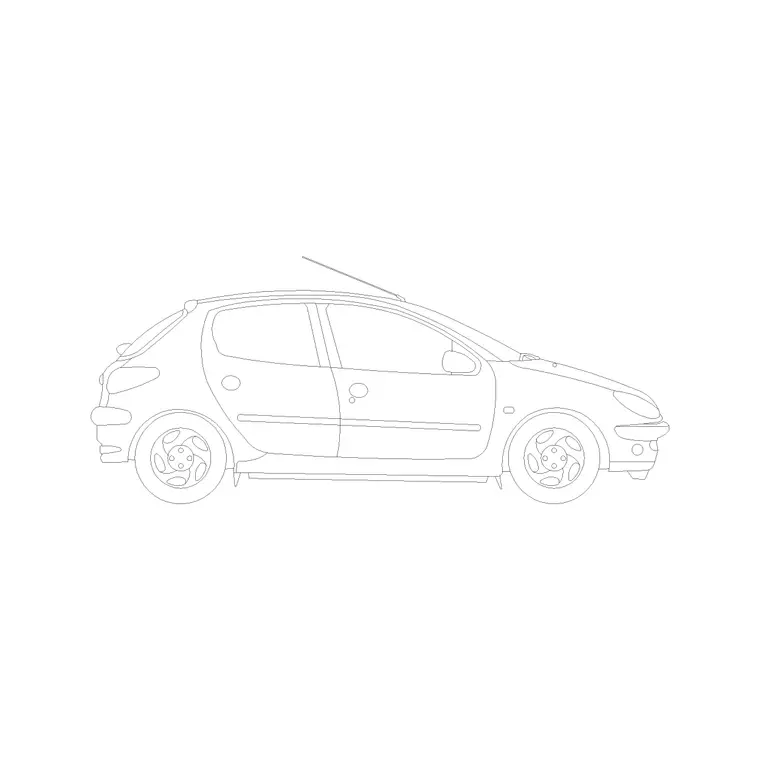
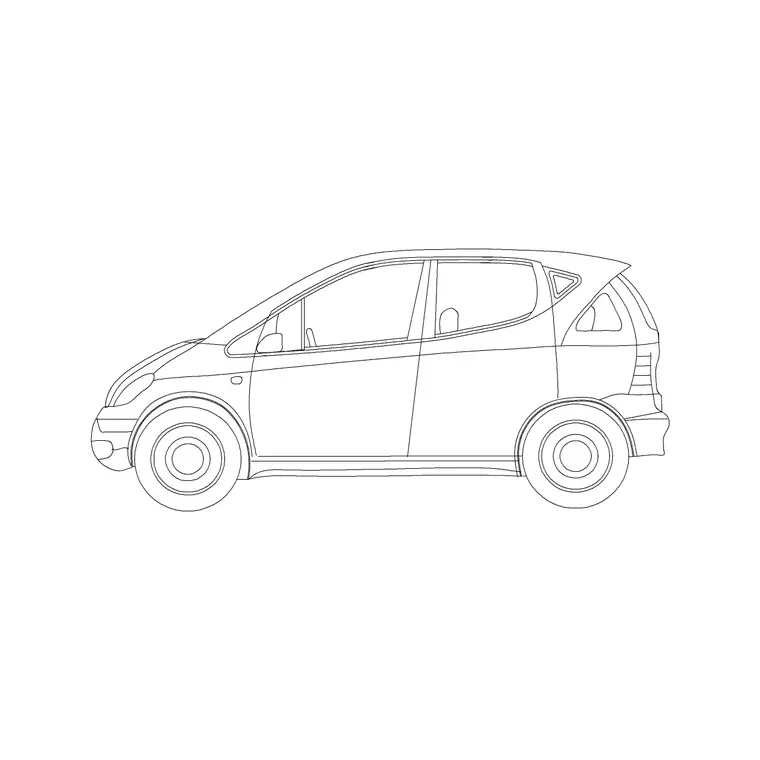
A hatchback car CAD block is the compact two-box body — cabin and tailgate, no separate boot — that dominates city streets and urban car parks. It is one of the handiest vehicle blocks to keep close because so many real cars share that shape. This page offers a free hatchback block in DWG and DXF, drawn in side elevation at true scale and ready for AutoCAD 2004 or later. It is free for personal and commercial use, with no signup, watermark or credit required.
Use the hatchback to add an ordinary, contemporary car to streetscapes, residential driveways, parking-bay elevations and urban sections. Drawn to scale, it gives you a quick size reference against shopfronts, doors, kerbs and people in the same view.
What the hatchback block is
This is a side-elevation profile of a small two-box hatchback — a short bonnet, an upright cabin and a near-vertical rear tailgate that hinges over the load space. It is drawn as line geometry, so it prints crisply and stays light however many copies you place.
The defining cue is the absence of a separate boot: the roofline steps down to a tailgate rather than running back over a saloon's deck. That short, tall, practical silhouette is what makes a hatchback instantly recognisable in elevation, even at small scale where the outline carries the read.
View and what's included
The download is a side elevation — the car square-on from the kerb. That is the right view for building elevations, street sections, driveway studies and parking drawings, where the vehicle stands beside walls, openings and figures at a shared scale.
The geometry is layered sensibly so you can recolour the body, mute the glazing or thin the wheel detail on their own. Keep the block as one reference so it copies, mirrors and rotates together when you line up a row of cars along a street.
Typical sizing to design around
Treat the block as a scale check rather than a datasheet. A typical hatchback sits around 3.6–4.3 m long, roughly 1.65–1.8 m wide and about 1.4–1.5 m tall — shorter than a saloon because there is no boot to add length, but often as tall thanks to the upright cabin.
Those ranges help confirm the car reads right against a 2 m garage opening or a 0.9 m doorway. If the proportions look wrong, suspect a units mismatch on insertion before rescaling. Real hatchbacks vary, so scale to the envelope your scene needs.
How to insert the block
The DWG is full size in millimetres. In a millimetre drawing, insert at scale 1 for real size; in a metre drawing, insert at 0.001. On an imperial template, set INSUNITS to millimetres so AutoCAD rescales automatically, or insert at 0.03937 to convert to inches.
Snap the insertion point to the car centreline, mirror to flip the facing direction, and copy along the frontage. As a block reference, a BEDIT edit to the definition updates every copy at once — useful when simplifying detail for a small plot.
Where hatchback blocks are used
The hatchback is a default city car in drawings: residential street elevations, apartment driveways, surface-park sections, high-street and retail frontages, and urban-design studies all use it for believable, everyday scale. Its compact footprint also makes it the natural choice for tight driveways and narrow bays.
Architects and urban designers populate frontages with it; landscape designers place it on forecourts; students reach for it because it is licence-clear. Combine it with sedans and two-door cars from the vehicles category so a parking strip shows a realistic mix rather than a fleet of clones.
Hatchbacks in tight urban frontages
The hatchback's short length is a genuine advantage in cramped drawings. On a narrow terraced street, a tight courtyard or a compact in-curtilage parking space, a saloon often will not fit the kerb run convincingly, whereas a hatchback drops in without overrunning the boundary. That makes it the natural car for dense urban and infill schemes where every metre of frontage is contested.
When you space hatchbacks along a kerb, leave a believable gap between the rear of one car and the nose of the next so the parking does not look impossibly packed. A short gap reads as on-street parking; a generous one reads as a driveway. Matching that spacing to the design intent is a small touch that makes the whole elevation feel measured rather than decorative.
Because the hatchback is so common on real streets, it is also the body that does the most to make a frontage feel current and ordinary. A scene populated mostly with hatchbacks reads as a contemporary residential road, where a row of large saloons would read as something more formal or aspirational. Choosing the everyday car deliberately is part of setting the right tone for the drawing.
Free download
Browse the full library — DWG & DXF, no signup.
Questions
Frequently asked
Is the hatchback CAD block free for commercial use?+
Yes. It downloads free in DWG and, where available, DXF, with no signup, no watermark and no attribution requirement, and it is cleared for commercial projects.
How is a hatchback block different from a sedan block?+
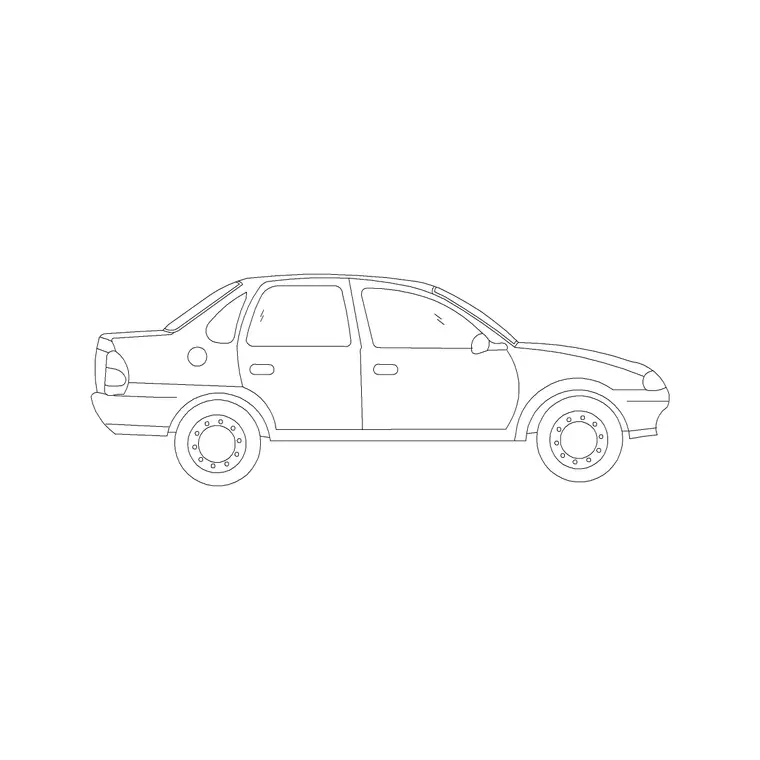
A hatchback is a two-box body that ends in a tailgate over the load space, with no separate boot. The sedan block shows a distinct three-box shape with a boot behind the cabin.
What units and scale is the hatchback block drawn at?+
Full size in millimetres. Insert at scale 1 in a millimetre drawing, 0.001 in a metre drawing, or set INSUNITS to millimetres so AutoCAD rescales it on insertion.
Can I open the hatchback file in a free DWG viewer?+
Yes. The DWG targets AutoCAD 2004 and later, which opens in AutoCAD, AutoCAD LT, BricsCAD, DraftSight and free DWG viewers.
Related downloads
Blocks for this guide
Related categories
Related guides
Block landing
Free Car Plan View CAD Block — DWG Download
Download a free car plan-view CAD block in DWG and DXF — the top-down footprint for parking layouts and site plans. AutoCAD 2004+, no signup.
Block landing
Free Car Elevation CAD Block — DWG Download
Download a free car elevation CAD block in DWG and DXF — side and front views for streetscapes, showrooms and presentations. AutoCAD 2004+, no signup.
Block landing
Free Sedan Car CAD Blocks — DWG Download
Download free sedan car CAD blocks in DWG and DXF — saloon and luxury sedans in plan and elevation for parking and showrooms. AutoCAD 2004+, no signup.