Block landing · car plan view cad block
Free car plan-view CAD blocks for AutoCAD
By Sumana Kumar · Published 14 Sep 2023 · Updated 9 Apr 2026
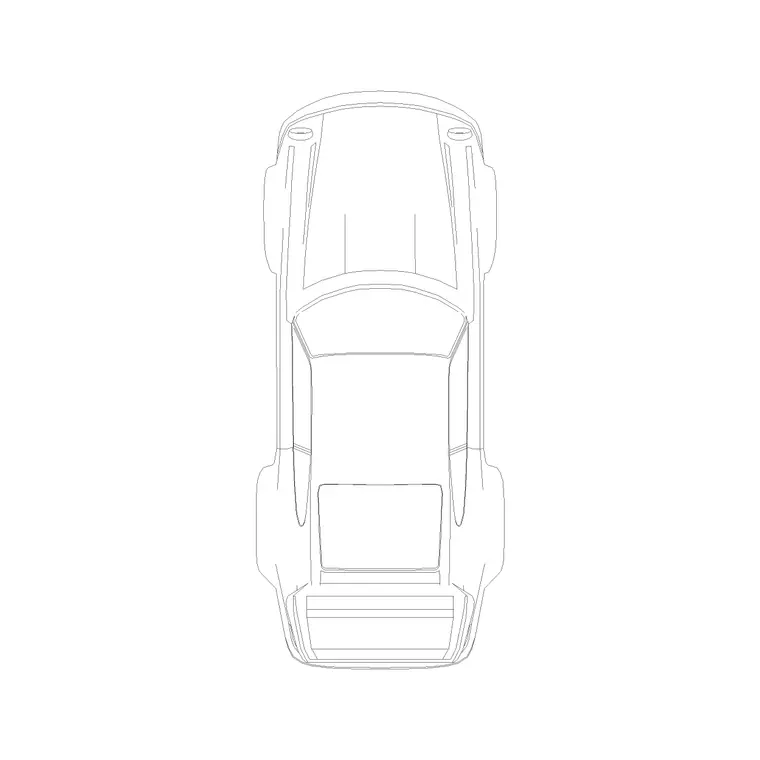
The plan view of a car is the workhorse vehicle block in architecture and civil drawings. It is the top-down footprint you drop into a car park, a driveway, a site plan or a turning-circle study — the one view that actually tells you whether a vehicle fits, parks and manoeuvres in the space you have drawn. This page collects free car plan-view CAD blocks in DWG and DXF, drawn at true millimetre dimensions and ready to insert straight into AutoCAD 2004 or later. Everything here is free for personal and commercial work, with no signup, no watermark and no attribution required.
Unlike a presentation elevation, the plan block is about geometry, not styling. What matters is the overall length and width, the wheel positions and the corner radii, because those are what govern bay sizing, aisle widths and swept paths. Use these blocks to populate parking layouts, check garage clearances, study a drop-off zone or simply add a believable, scaled car to a residential site plan.
What a car plan block actually shows
A good plan-view car block is a clean top-down outline: the body perimeter, the four wheel rectangles, and usually a hint of the windscreen and roof line so the front and rear read at a glance. The wheels matter more than they look — their track and wheelbase are what you measure against a parking bay or a ramp, and they anchor the block when you swing it through a turning circle.
Keep the detail restrained. At the scale most site plans are printed (1:200, 1:500), a heavily-detailed car turns into an ink blob, so the plan blocks here favour a simple, readable silhouette. The outline sits on its own layer so you can recolour or grey it back as context, and the body fill can be hatched or left open depending on whether the car is the subject or the backdrop of the drawing.
Typical footprint dimensions to design around
Cars vary by class, so design against ranges rather than a single number. A typical passenger car footprint runs roughly 4300–4900 mm long and 1700–1900 mm wide, excluding mirrors. A compact city car shrinks toward 3600–4000 mm long; a large saloon or estate pushes past 4900 mm. Wheelbase sits around 2500–2900 mm for most family cars.
The standard parking bay these footprints have to fit is commonly drawn around 2400–2500 mm wide by 4800–5000 mm long, with an accessible bay considerably wider. Drop the scaled plan block into the bay and the fit, the door-opening clearance and the overhang past the wheel stop become a visual check rather than a calculation.
How to insert and scale the block
These car blocks are drawn full size in millimetres. In a millimetre drawing, insert at scale 1 and the car lands at real size. Working in metres? Insert at 0.001. On a US imperial template, set INSUNITS to millimetres so AutoCAD rescales the block automatically on insertion, or insert at 0.03937 to convert to inches.
Run INSERT (or drag the DWG from a tool palette), pick an insertion point — the centre of the car reads well for parking work — and rotate to align with the bay or kerb. Because the car is a single block reference, you can array a whole row of bays in one command, then copy and mirror the run to fill a car park.
Where the plan block is used
Plan-view cars appear across the architecture and civil disciplines. Parking layouts are the obvious one: arraying bays, checking aisle widths and counting capacity. Site and landscape plans use a car or two to give scale to a driveway, a forecourt or a drop-off. Garage and carport designs need the footprint to confirm door clearances and circulation around the parked vehicle.
Highway and transport drawings use the plan block as the body of a swept-path or turning-circle study, where the wheels define the path the vehicle traces. For all of these, a correctly-scaled top-down car is the difference between a layout that works on site and one that looks fine on paper but traps a real vehicle.
Parking and circulation tips
A few habits make car plan blocks more useful. Put every car on a dedicated 'parking' or 'context' layer so you can freeze them for a clean engineering plan and thaw them for a presentation. Vary the rotation slightly across a busy car park so the layout reads as occupied rather than stamped, but keep them square in a capacity drawing where you are counting bays.
When you check clearances, remember the block is the body outline — add the door-swing zone (roughly 700–900 mm of open-door space) and a person's standing space if you are testing whether two cars can park and unload side by side. For accessible bays, draw the wider bay plus the hatched transfer strip around the scaled car so the required zone is unambiguous on the drawing.
Plan, elevation and the other vehicle views
The plan view is one of several you will reach for. Where the plan answers 'does it fit and park', the elevation and side view answer 'how does it look', and a front elevation is what you use for a streetscape or a showroom drawing. The vehicles category here carries all of these, so you can pull the plan for the car-park drawing and the matching elevation for the presentation sheet without redrawing.
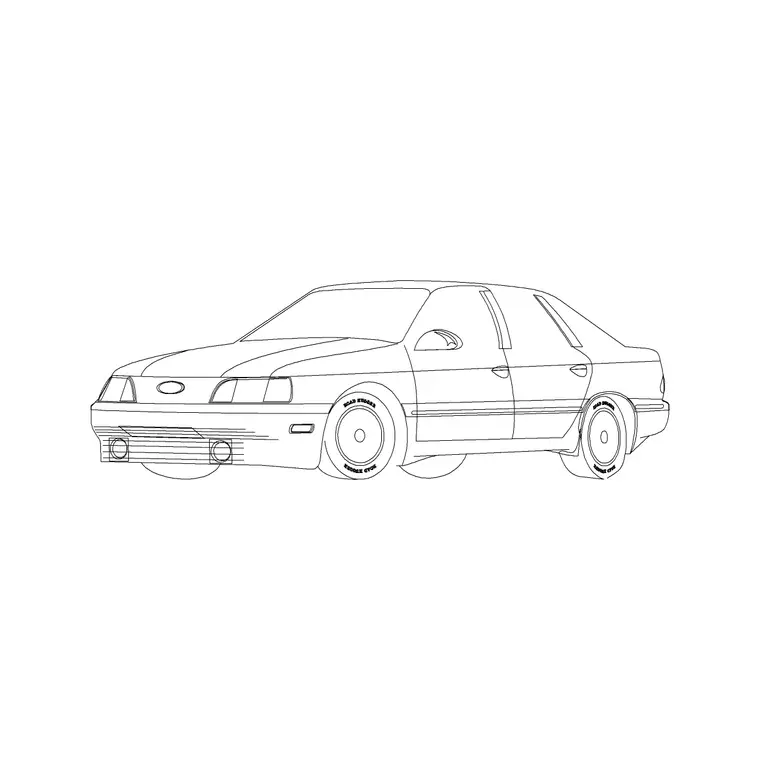
If you need a quick three-dimensional read, a perspective car block adds depth to a concept image, while the strict plan stays the tool for any drawing where dimensions and fit are being tested. Keep the views on consistent layers and naming so the whole vehicle set behaves predictably across a project.
Free download
Browse the full library — DWG & DXF, no signup.
Questions
Frequently asked
What scale is the car plan block drawn at?+
Full size in millimetres. Insert at scale 1 in a millimetre drawing, 0.001 in a metre drawing, or set INSUNITS to millimetres so AutoCAD rescales it automatically when you insert into a different template.
Is a plan-view car the right block for a parking layout?+
Yes. The plan (top-down) view is exactly what parking, driveway and site-plan work needs, because it shows the footprint and wheel positions that govern bay sizing, aisle widths and turning circles.
What size bay should I draw around the car?+
Standard car bays are commonly drawn around 2400–2500 mm wide by 4800–5000 mm long, with accessible bays significantly wider. Drop the scaled car in to check the fit and the door-opening clearance directly.
Are these car blocks free for commercial projects?+
Yes. Every car block downloads free in DWG and, where available, DXF, with no signup, no watermark and no attribution requirement, and they are cleared for commercial use.
Related downloads
Blocks for this guide
Related categories
Related guides
Block landing
Free Car Elevation CAD Block — DWG Download
Download a free car elevation CAD block in DWG and DXF — side and front views for streetscapes, showrooms and presentations. AutoCAD 2004+, no signup.
Block landing
Free Sedan Car CAD Blocks — DWG Download
Download free sedan car CAD blocks in DWG and DXF — saloon and luxury sedans in plan and elevation for parking and showrooms. AutoCAD 2004+, no signup.
Block landing
Free Compact Car CAD Blocks — DWG Download
Download free compact car CAD blocks in DWG and DXF — small city cars and compact sedans for tight parking and urban plans. AutoCAD 2004+, no signup.