Block landing · wall light cad block
Free wall light and sconce CAD blocks in DWG and DXF
By Saumyajit Maity · Published 1 Aug 2023 · Updated 21 Feb 2026
A wall light, or sconce, is a fixture that lives on the vertical plane rather than the floor or ceiling, which makes it almost entirely an elevation block — and that is precisely where so many interior drawings need help. This page collects free wall light and sconce CAD blocks in DWG and DXF: contemporary up/down sconces, decorative wall lamps and bracket-mounted fittings, all drawn at true millimetre dimensions for AutoCAD 2004 or later. Everything is free for personal and commercial work, with no signup and no watermark.
Wall lights do quiet but important work in a drawing set. In an interior elevation they flank a mirror, light a corridor, or frame a bed; in a section they show mounting height; on a reflected ceiling plan or lighting layout they mark where a wall fitting needs wiring. Use these blocks to detail hallways, bathrooms, bedrooms, stairwells and hospitality corridors, and to set the all-important mounting height consistently across a scheme.
Why a sconce is mostly an elevation block
A wall light projects only a little from the wall, so its plan footprint is small and is mainly used on a lighting layout to mark position and wiring. The fixture itself reads in elevation and section, where its shape and, critically, its mounting height define the design. That is why the blocks here lead with the elevation: the silhouette of the sconce on the wall is what a client and an electrician both look at.
Because the fixture sits on the vertical plane, a small side-view or section element is often included to show how far it projects from the finished wall face — useful where a corridor is tight and a projecting fitting could clip a circulation zone.
Views and what's included
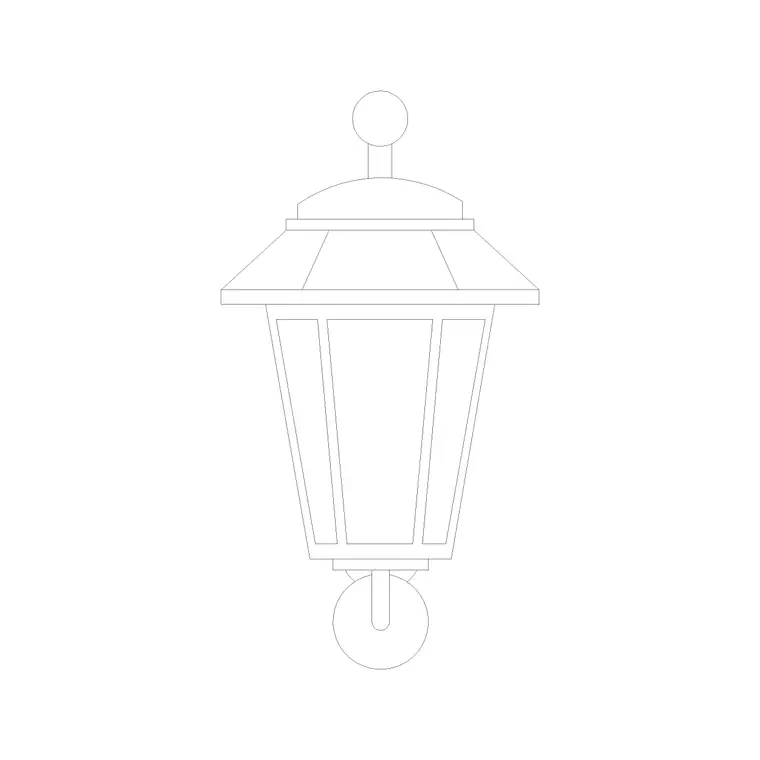
The wall light downloads here centre on a clean front elevation, with a compact plan marker for the lighting layout and, on some blocks, a side projection to show the stand-off from the wall. The contemporary sconces tend to be linear up/down fittings; the decorative wall lamps carry a bracket and shade for traditional and hospitality schemes.
Where a DWG holds more than one view, insert the one your drawing needs and freeze the rest. The fitting and the wall-fixing detail sit on separate elements so you can show or hide the bracket without disturbing the main outline.
Typical wall light dimensions and mounting heights
Use these ranges as a starting point. Fitting height: roughly 150–400 mm for a compact sconce, taller for decorative bracket lamps. Width: 80–250 mm. Projection from wall: commonly 80–150 mm, which is the figure that matters in a tight corridor.
Mounting height is the design decision the block helps you set. General wall lights in a room are often mounted with their centre around 1500–1700 mm above finished floor, picture and corridor lights a little lower, and bedside wall lights around 1100–1300 mm so the light falls onto the reading plane. Bathroom mirror lights sit either side of the mirror at roughly eye level. Drawing the scaled block at the chosen height in elevation lets you dimension the mounting line once and repeat it consistently.
How to insert and place the block
These wall light blocks are drawn full size in millimetres. Insert at scale 1 in a millimetre drawing, 0.001 in a metre drawing, or set INSUNITS to millimetres so AutoCAD rescales on insertion.
Run INSERT or drag the DWG from a tool palette and snap the insertion point to the wall face in elevation, then move it to the mounting height you have set. In plan, place the small marker against the wall line and rotate it to face into the room. Because the sconce is a single block reference, you can array a run of identical corridor lights at fixed centres along a wall and dimension the spacing once.
Where wall light blocks are used
Wall lights and sconces appear in hallways and corridors, stairwells, bedrooms, bathrooms, living rooms, hotel rooms and hospitality spaces, and along the external face of buildings as porch and facade lighting. They are a key part of layered lighting schemes where ceiling fittings alone would feel flat. On a reflected ceiling plan and lighting layout they mark the wall positions that need a back box and wiring.
Pair the wall light blocks with ceiling light, pendant and table lamp blocks to build a complete lighting layer across a scheme. As licence-clear blocks they suit residential, hospitality and commercial drawing sets, as well as student and competition work.
Coordinating sconces with the wall and the wiring
Wall lights live at the intersection of the interior design and the electrical layout, so the block earns its place during coordination. A run of corridor sconces should land at consistent centres and a consistent height, and should avoid clashing with door openings, switches and other wall-mounted items — all of which is easy to check when the fixture is a scaled block placed on the actual elevation. A sconce that looks fine in isolation can sit awkwardly close to a door architrave once the whole wall is drawn.
Keeping the wall lights on a lighting layer, separate from the architecture, lets you generate a clean interior elevation and a lighting-only overlay from the same drawing. Tagging each fixture with an attribute — a type reference tied to the lighting schedule — turns the layout into a count the electrical designer and the specifier can both work from, so the decorative wall lighting is specified and wired consistently across the building.
Free download
Browse the full library — DWG & DXF, no signup.
Questions
Frequently asked
Are wall light blocks drawn in plan or elevation?+
Primarily elevation, since a sconce is defined by its shape and mounting height on the wall. A small plan marker is included for the lighting layout, and some blocks add a side projection to show how far the fitting stands off the wall.
What mounting height should I draw wall lights at?+
It depends on the use, but common centres are around 1500–1700 mm for general wall lights, 1100–1300 mm for bedside lights, and either side of a mirror at eye level for bathroom lights. The scaled block lets you set and dimension the height consistently.
What scale are the wall light blocks drawn at?+
Full size in millimetres. Insert at scale 1 in a millimetre drawing, 0.001 in a metre drawing, or set INSUNITS to millimetres so AutoCAD rescales automatically on insertion.
Are the sconce blocks free for commercial use?+
Yes. Every block downloads free in DWG and, where available, DXF, with no signup, no watermark and no attribution requirement, and they are cleared for commercial project use.
Related downloads
Blocks for this guide
Popular blocks to download
Related categories
Related guides
Block landing
Free Lighting Fixtures CAD Blocks — DWG Download
Download free lighting fixtures CAD blocks in DWG and DXF — chandeliers, wall lights, downlights and pendants in plan and elevation for AutoCAD.
Block landing
Free Table Lamp CAD Blocks — DWG Download
Download free table lamp CAD blocks in DWG and DXF — classical and decorative table lamps in plan and elevation for AutoCAD 2004+. No signup, commercial-use OK.
Block landing
Free Floor Lamp CAD Blocks — DWG Download
Download free floor lamp CAD blocks in DWG and DXF — straight and arc floor lamps in plan and elevation for AutoCAD 2004+. No signup, free for commercial use.