Block landing · wall clock cad block
Free wall clock CAD blocks for AutoCAD
By Sumana Kumar · Published 7 Jun 2026 · Updated 28 Jun 2026
A wall clock is a small block with a clear signal: it tells anyone reading an elevation that this is a working, occupied space. A clock on a reception wall, in a classroom, in a station concourse or above an office door instantly reads as functional and human. This page collects free wall clock CAD blocks in DWG and DXF — round dial clocks, square-faced clocks and traditional pendulum wall clocks — drawn in elevation with the dial, hands and case detailing that make a clock recognisable, ready for AutoCAD 2004 or later. Everything is free for personal and commercial work, with no signup and no watermark.
A wall clock is almost entirely an elevation object — you read a clock face-on, so its place is in interior elevations and presentation views rather than the floor plan. In plan it would only ever appear as a short thick line against the wall, marking its position. Use these blocks to add a finishing detail to reception areas, offices, classrooms, kitchens, waiting rooms and transport interiors, where a clock is both functional signage and a styling accent.
What a wall clock block includes
A wall clock CAD block is built around the dial. The recognisable version carries the outer case or bezel, the clock face, hour markers or numerals, and the hour and minute hands — usually drawn at a generic 'ten past ten' position, the angle that frames the brand or face most attractively and is the convention in product photography. Some blocks add a sweep second hand or a small sub-dial.
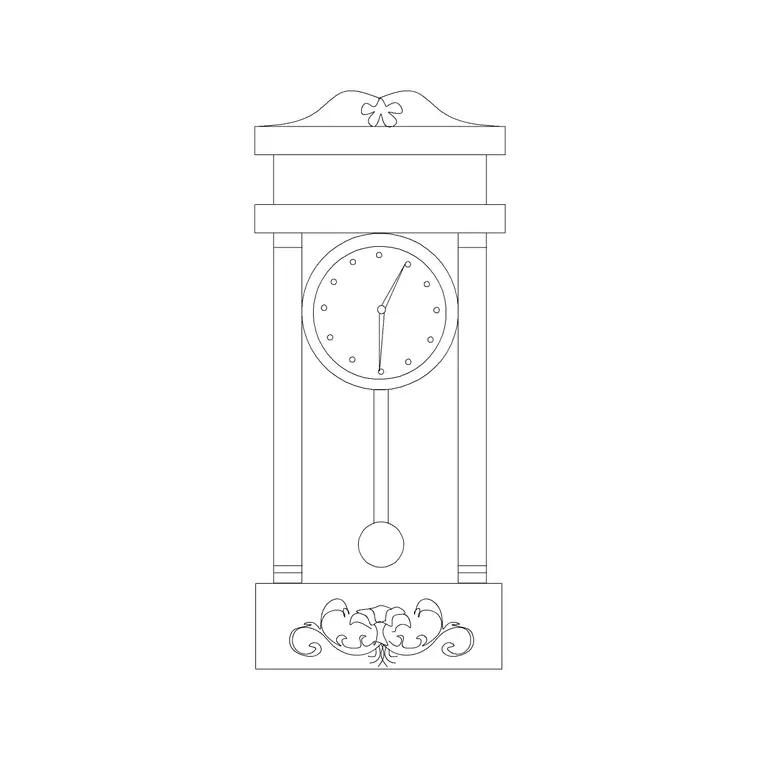
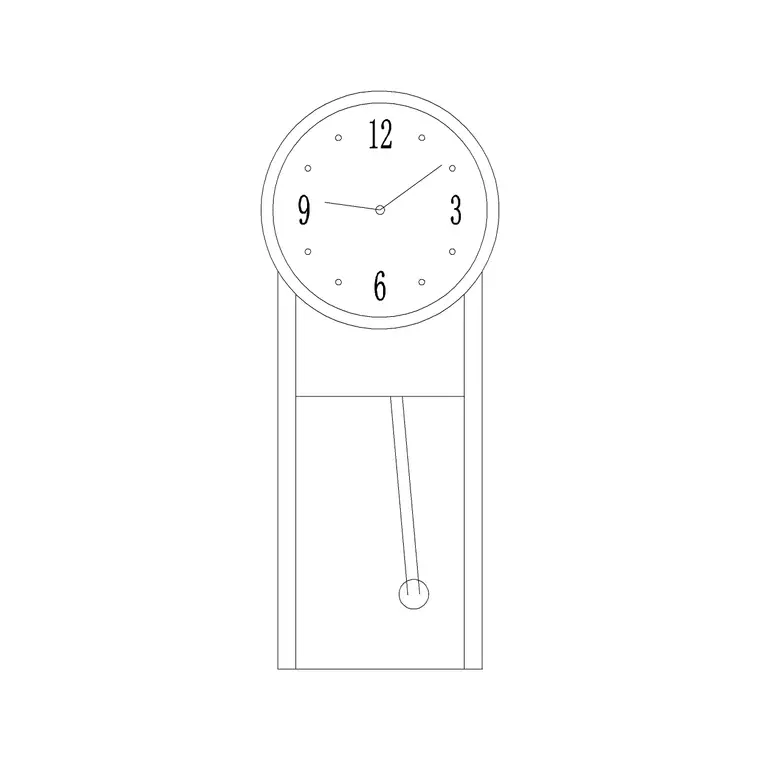
Pendulum wall clocks are a distinct sub-type: a longer case extends below the dial to house a swinging pendulum, often with a glazed door showing the pendulum bob. These read as more traditional and formal than a plain round clock. The dial detailing usually sits on its own sub-layer so you can simplify a busy face to a clean circle for a small-scale elevation, or keep the full numerals and hands for a presentation view.
Elevation is the view that counts
Wall clocks belong in elevation. When you draw a wall face-on, the clock sits as a recognisable disc or cased form at its mounting height, reading instantly as a timepiece. This is the view where the dial, hands and case all make sense, and where a pendulum clock's full length is visible. For interior elevations, sections and presentation drawings, the elevation clock is the block you want.
In plan, a clock is barely a graphic — at most a short thick line on the wall face marking where it hangs, which most drawings omit entirely. Unlike a vase or a planter, there is no useful 'from above' reading of a clock, so do not expect a plan symbol. If a plan needs to flag wall-mounted equipment positions, note the clock with a leader and a label rather than a drawn symbol.
Typical wall clock sizes and mounting heights
Wall clocks come in well-understood sizes. A domestic round clock is commonly 250–350 mm in diameter; an office or classroom clock runs 300–450 mm so it reads across a room; a large station, gymnasium or public-concourse clock can be 500–700 mm or more. Pendulum wall clocks are taller than they are wide — a dial of 250–350 mm above a case that brings the overall height to 600–900 mm is typical.
Mounting height is the figure worth knowing for a believable elevation. Wall clocks are hung high so they are visible across a room over people's heads — commonly with the dial centre around 2000–2200 mm above finished floor, or higher in a tall public space. When you place the block, snap its centre to a guide line at that height so the clock reads as properly hung rather than sitting at picture height. Because the blocks are drawn full size, scaling to a real diameter keeps it in proportion with the doors and furniture around it.
How to insert and place the block
These clock blocks are drawn full size in millimetres. Insert at scale 1 in a millimetre drawing, 0.001 in a metre drawing, or set INSUNITS to millimetres so AutoCAD rescales automatically. Use INSERT or drag the DWG from a tool palette, and pick the centre of the dial as your insertion point so the clock scales evenly and snaps cleanly to a height guide.
For a round clock, draw a horizontal guide at your chosen mounting height (say 2100 mm) and snap the dial centre to it, centred over a door, a reception desk or a notable wall feature. For a pendulum clock, snap the dial centre to the guide and let the case hang below — check the bottom of the case still clears any furniture beneath. Keep clocks hung square; never rotate the block, since a tilted clock reads as an error rather than a style choice.
Where wall clock blocks are used
Wall clocks appear wherever time matters to the people in a space: office receptions and meeting rooms, classrooms and lecture halls, hospital and clinic waiting areas, hotel lobbies, kitchens and break rooms, gyms and sports halls, and transport interiors like stations and airport concourses. In each, the clock is functional first and decorative second, but it still adds a believable finishing touch to a presentation elevation.
Pair the round-clock blocks with reception desks, signage and door blocks for a commercial elevation, and the pendulum-clock blocks with traditional furniture and panelling for a residential or heritage scheme. Add picture-frame, wall-art and mirror blocks from the accessories category to compose a fully dressed wall. Because every block is free and licence-clear, the same clock carries from an early concept elevation to the issued interior drawing set without any licensing concern.
Layering and the round-versus-pendulum choice
Keep wall clocks on a dedicated accessories or fit-out layer so you can toggle decor independently of the building fabric and produce both a clean technical elevation and a dressed presentation view from one drawing. A clock is rarely part of the building contract, so keeping it off the architecture layers also keeps it out of any structural take-off.
The choice between a plain round clock and a pendulum clock is really a choice of register. A simple round or square clock reads as modern, institutional and unobtrusive — right for an office, classroom or station. A pendulum wall clock reads as traditional, domestic and warm — right for a heritage interior, a study, a hallway or a restaurant going for a classic feel. Both are in the set, so you can match the clock to the room's character. And because the dial detail sits on its own sub-layer, you can simplify the face for a small-scale plan elevation and keep the full numerals and hands for the large-scale presentation view, using the same underlying block in both.
Free download
Browse the full library — DWG & DXF, no signup.
Questions
Frequently asked
Are wall clocks drawn in plan or elevation?+
Elevation. A clock is read face-on, so its recognisable symbol lives in interior elevations and presentation views. In plan it would only appear as a short line on the wall marking its position, which most drawings omit.
What height should I mount a wall clock in my elevation?+
Wall clocks are hung high for visibility — commonly with the dial centre around 2000–2200 mm above finished floor, higher in tall public spaces. Snap the block's centre to a guide line at that height for a believable hung look.
What's the difference between the round and pendulum clock blocks?+
A round (or square) clock is just a dial and reads as modern and institutional. A pendulum clock has a longer case below the dial housing a swinging pendulum, and reads as traditional and domestic — suited to heritage or residential interiors.
Are the wall clock blocks free for commercial use?+
Yes. Every clock block downloads free in DWG and DXF with no signup, no watermark and no attribution requirement, and they are cleared for commercial project use.
Related downloads
Blocks for this guide

Related categories
Related guides
Block landing
Free Picture Frame CAD Blocks — DWG Download
Download free picture frame CAD blocks in DWG and DXF — framed photos drawn in elevation for AutoCAD interior drawings. No signup, commercial use OK.
Block landing
Free Wall Art & Painting CAD Blocks — DWG
Download free wall art and painting CAD blocks in DWG and DXF — abstract art and canvases for AutoCAD interior elevations. No signup, commercial OK.
Block landing
Free Decorative Vase CAD Blocks — DWG Download
Download free decorative vase CAD blocks in DWG and DXF — designer vases and vases with flowers in plan and elevation for AutoCAD. No signup, commercial OK.