Curated pack · vehicle cad blocks
Free vehicle entourage CAD blocks for AutoCAD
By Sumana Kumar · Published 21 Jan 2024 · Updated 22 Feb 2026
Cars are the entourage that earns its keep twice over: they make a presentation plan look lived-in, and they let you prove a parking bay or a turning circle actually works. This free vehicle entourage pack collects the vehicle blocks you reach for most — sedans, hatchbacks, SUVs, vans and a few two-wheelers — drawn in both plan and elevation, in DWG and ready to insert into AutoCAD 2004 or later. Everything is free for personal and commercial work, with no signup, no watermark and no attribution needed.
Use the pack to lay out car parks, drop-offs and service yards, to dress a streetscape or forecourt, and to check that bays, aisles and access routes are sized for a real car. Because the blocks are drawn at believable vehicle footprints, a parked sedan landing in a 2.4–2.5 m bay tells you immediately whether the layout breathes or pinches.
Vehicle entourage also sells a scheme. A forecourt with a couple of parked cars and a delivery van reads as an operating place; an empty tarmac rectangle reads as a problem nobody has solved yet. Keeping the vehicles on their own layer means you can lean on that realism for the client print and freeze the whole fleet for the engineering drawing without disturbing the geometry underneath.
What's in the vehicle pack
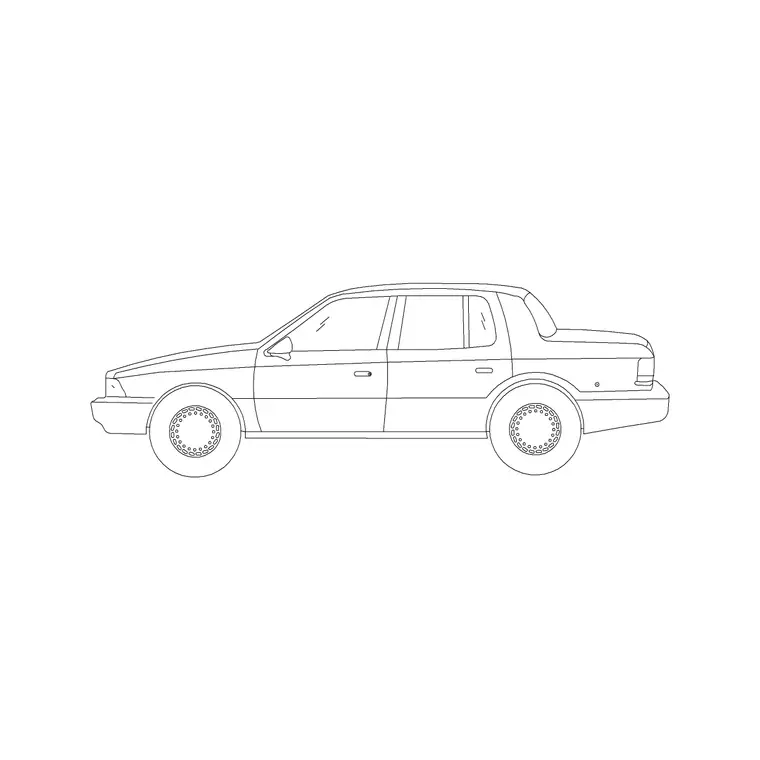
The pack covers the road vehicles you actually place. Cars come as plan-view footprints — sedan, hatchback, SUV and a compact — for parking and site plans, plus matching elevation and side-view cars for street scenes and sections. Light commercials add a van and a small truck footprint for service yards and loading bays, and a set of two-wheelers covers motorbikes and scooters for kerbside and bike-bay layouts.
Because vehicle sizes vary by class, the blocks sit in realistic size bands rather than one fixed length, so a car park reads as a mix rather than a grid of identical shapes. Each is a single block reference you can copy, rotate and mirror, drawn cleanly enough to print at site scale without filling solid.
How to use vehicles on a parking layout
Put vehicles on a dedicated layer — something like A-VEHICLE or X-CARS — so you can thaw the fleet for a presentation and freeze it for the dimensioned engineering plan. Draw your bay grid and aisles first as real geometry, then drop a car block into a sample of bays to sanity-check the dimensions visually.
For a quick occupied car park, fill one bay properly, make the car-in-bay a block, and array it down the row rather than placing each car by hand. Rotate and swap car types between bays so the layout looks parked rather than stamped. Reserve a couple of bays with no car so the plan reads as a working car park with spaces, not a showroom.
Per-item notes: cars, vans and bikes
Cars are the items where size matters most for compliance. A typical sedan footprint runs roughly 4.4–4.9 m long by 1.8–1.9 m wide, an SUV a touch larger, and a compact a touch smaller; insert the right class so your bay check is honest rather than flattering. Keep the car centred in the bay with a realistic door-and-mirror margin.
Vans and small trucks are longer and need wider aisles and bigger turning circles, so they're the blocks to use when you're proving a service or refuse route works. Two-wheelers are far smaller — a motorbike footprint is roughly 2.0–2.3 m by 0.8 m — which makes them perfect for showing dedicated bike bays or kerbside parking without overstating the space they take.
Plan and elevation vehicles
For parking and site layouts you work in plan: the vehicle footprint seen from above, dropped into bays and along aisles. That footprint is what governs bay width, aisle width and turning checks, so the plan block is the one that does the engineering work. For streetscapes, forecourts and sections you switch to the elevation and side-view cars seen from the side.
Elevation vehicles pair naturally with people and trees: a parked car, a person stepping out and a street tree behind instantly set the scale of a frontage. Many vehicle blocks ship both views, so you can lay out the car park in plan and build a matching street elevation from the same download.
Where vehicle blocks get used
Vehicles turn up across civil, architectural and urban drawings: surface and basement car parks, residential driveways, retail and supermarket forecourts, drop-off and pick-up zones, service yards and loading bays, petrol stations and showrooms, and any streetscape or masterplan that needs to feel occupied. They're as useful in a planning submission as in a quick concept board.
Pair them with the people, tree and outdoor-furniture blocks elsewhere in the library to build a complete external scene — a car at the kerb, a couple walking past, a tree and a bench on the footway. Because every vehicle here is free and licence-clear, you can build that kit once and reuse it on every site you draw.
Keeping the vehicle layer clean
A car park full of individually placed cars gets heavy and tedious to edit, so lean on arrays and reusable car-in-bay blocks. Draw one bay with its car correctly placed, block it, and array or copy that unit along the row; when a bay dimension changes, you fix it once. Keep the cars as block references rather than exploded geometry so the file stays light even when it's full.
Give the vehicle layer a neutral grey and a thin lineweight so the cars sit behind the parking geometry rather than competing with the dimension strings. Freeze that layer when you issue the engineering plan and thaw it for the presentation render. If you ever need to simplify a busy car outline for small-scale printing, edit the block definition with BEDIT and every instance follows.
Free download
Browse the full library — DWG & DXF, no signup.
Questions
Frequently asked
Are these vehicle CAD blocks free for commercial use?+
Yes. The whole pack downloads free in DWG with no signup, no watermark and no attribution requirement, cleared for commercial parking layouts, site plans and presentations.
Do the blocks include plan and elevation views?+
Yes. You get plan-view footprints for parking and site layouts and side- or front-view cars for streetscapes and sections. Where a block carries both views they're in the same DWG.
What footprint should I use to check a parking bay?+
Use a realistic class size — roughly 4.4–4.9 m by 1.8–1.9 m for a typical sedan, a little more for an SUV or van. The blocks are drawn full size in millimetres, so they insert at true scale for an honest bay check.
How do I fill a whole car park quickly?+
Place one car correctly in a sample bay, make the car-in-bay a block, then array or copy it along the row. Vary the car type and rotation between bays so the layout reads as parked rather than stamped, and leave a couple of bays empty.
Related downloads
Blocks for this guide


Related categories
Related guides
Curated pack
Free Scale Figure Entourage CAD Block Pack
Free scale figure entourage CAD block pack in DWG — standing, walking and seated people in plan and elevation for AutoCAD. No signup, commercial-use OK.
Curated pack
Free CAD Block Bundle for Site Plans
Free CAD block bundle for site plans in DWG — trees, cars, people, furniture and external symbols ready for AutoCAD masterplans. No signup, commercial-use OK.
Explainer
What Are CAD Blocks? A Beginner's Guide in 2026
What are CAD blocks? A beginner's guide to AutoCAD blocks — what they are, why drafters use them, how blocks, attributes and libraries work, and where to download free DWG blocks.